
README file from
GithubSpecial Callouts for Obsidian
Transform your Obsidian notes with premium, dynamic, and fully customizable callouts. Turn generic boxes into magazine-quality layouts, code terminals, or neon-glowing alerts. Customize everything directly from your markdown — or create reusable presets in the visual settings panel.
Open source · MIT License · Contributions welcome
Features
- Inline customization — background, text, border, gradient, neon, icon — directly in markdown
- Custom style presets — design once, reuse by name
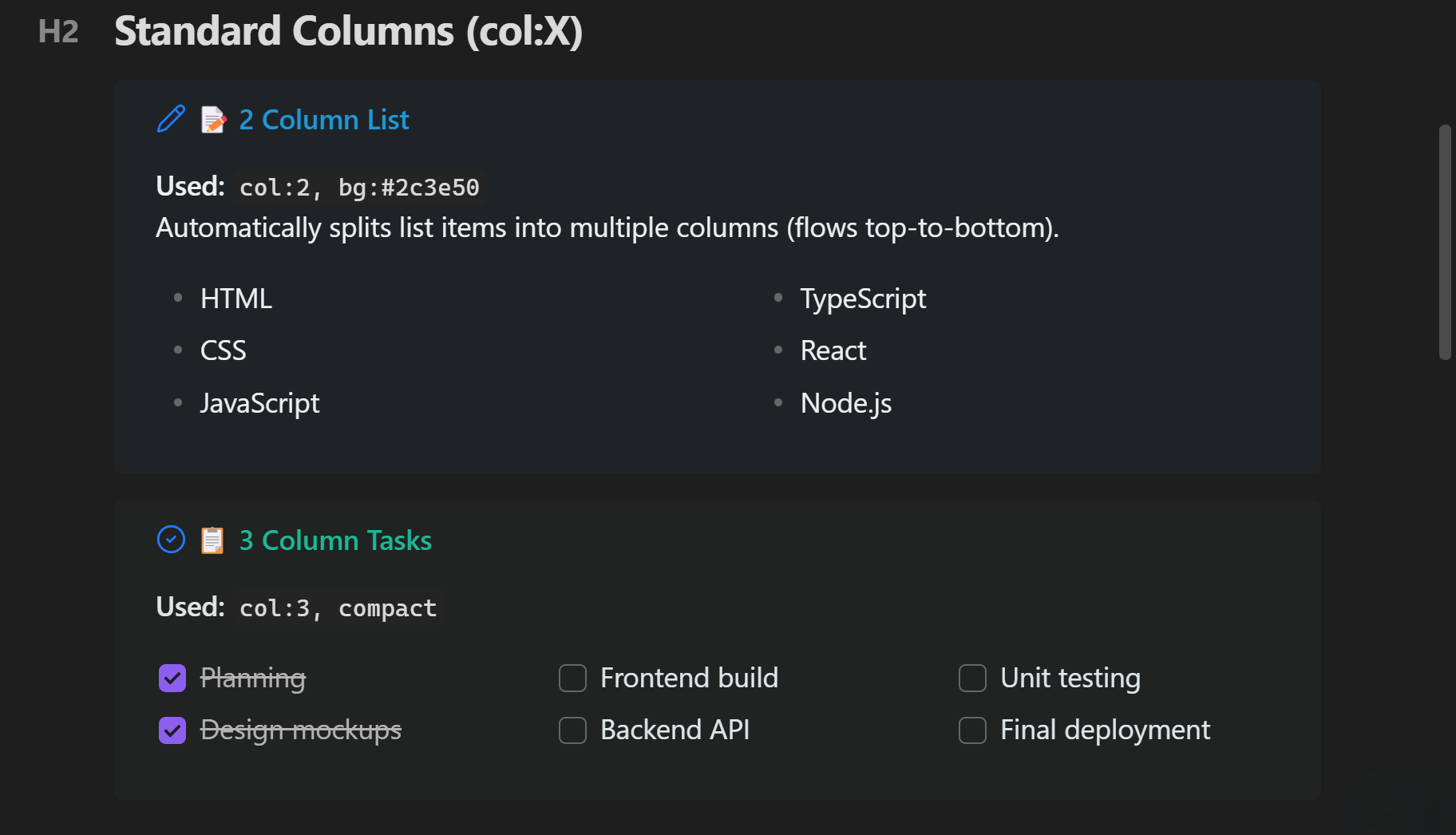
- Multi-column lists — split any list into 2–4 columns
- Visual layout builder — drag-and-merge grid designer
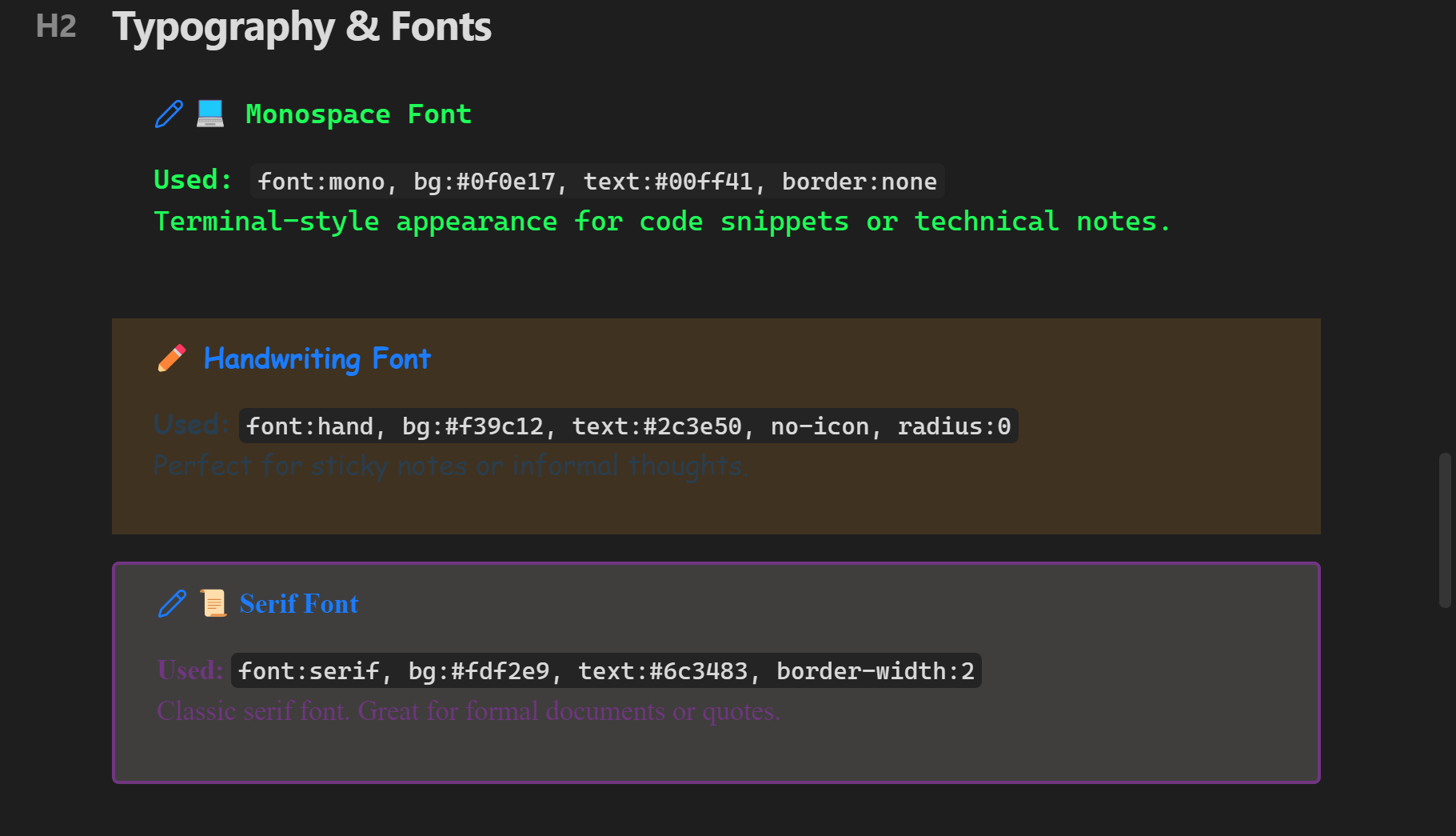
- Typography control — 5 font families, 5 size scales
- Neon and gradient effects — glowing borders, smooth color transitions
- Dataview integration — column layouts work with Dataview queries
- Import/Export — share styles as JSON between vaults
Quick Start
Inline Parameters
Add parameters inside parentheses right after the callout type:
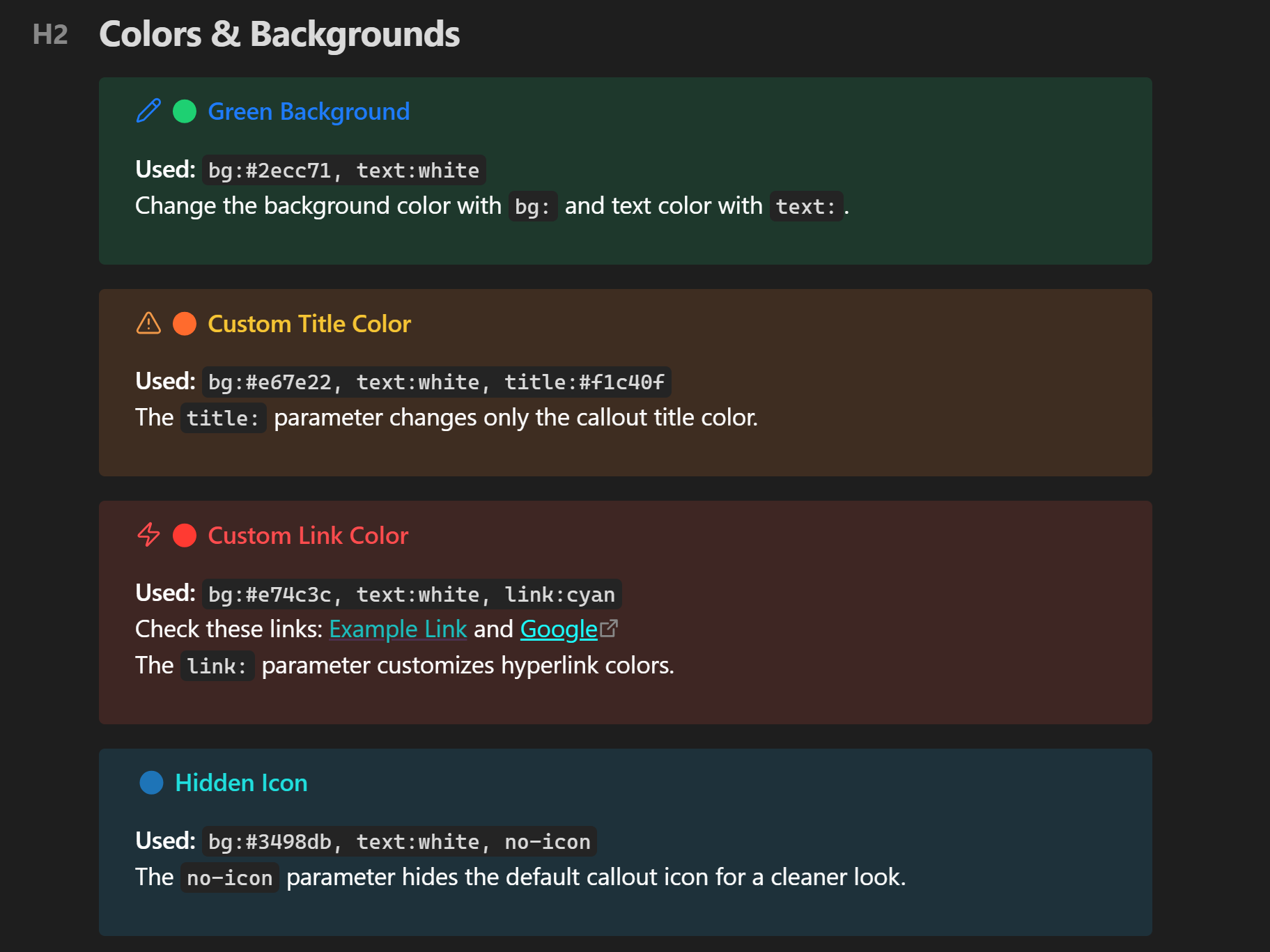
> [!note] (bg:#2ecc71, text:white) Hello World
> This is a green callout with white text.
Custom Presets
Create a style in Settings → Special Callouts, name it (e.g., terminal), and use it anywhere:
> [!terminal]
> System ready.
> Waiting for command...
Or apply it to any standard callout:
> [!info] (style:terminal)
> This info box now looks like a terminal.
Screenshots
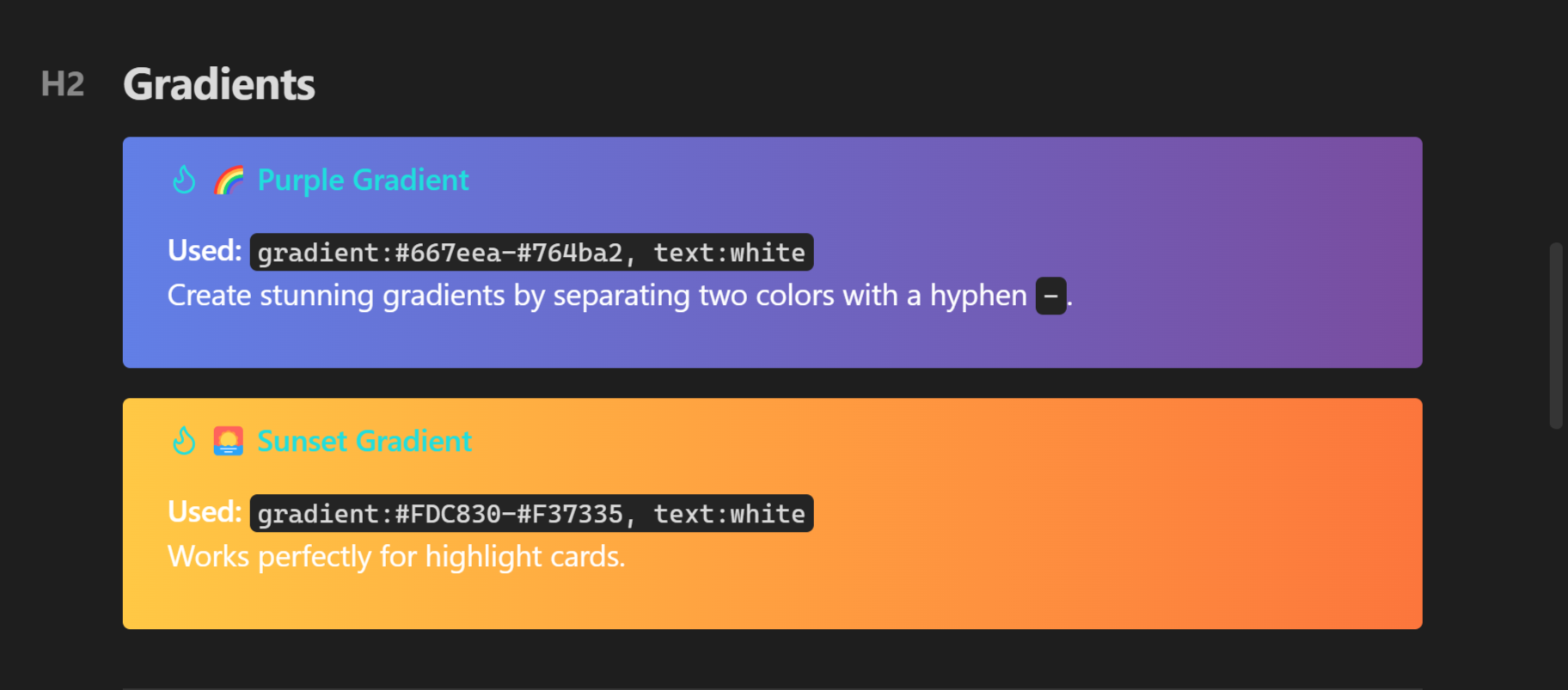
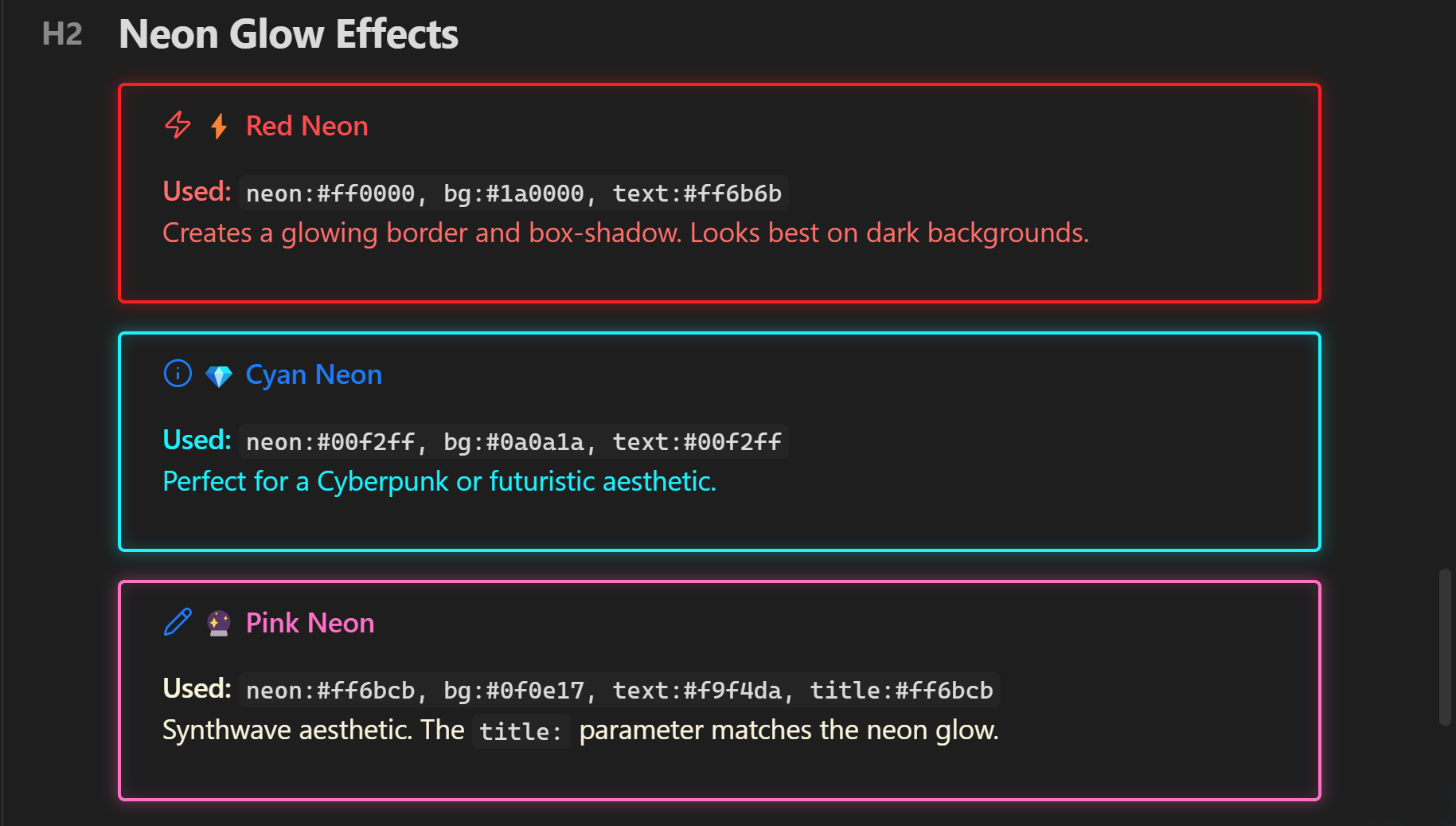
Colors, Gradients and Effects
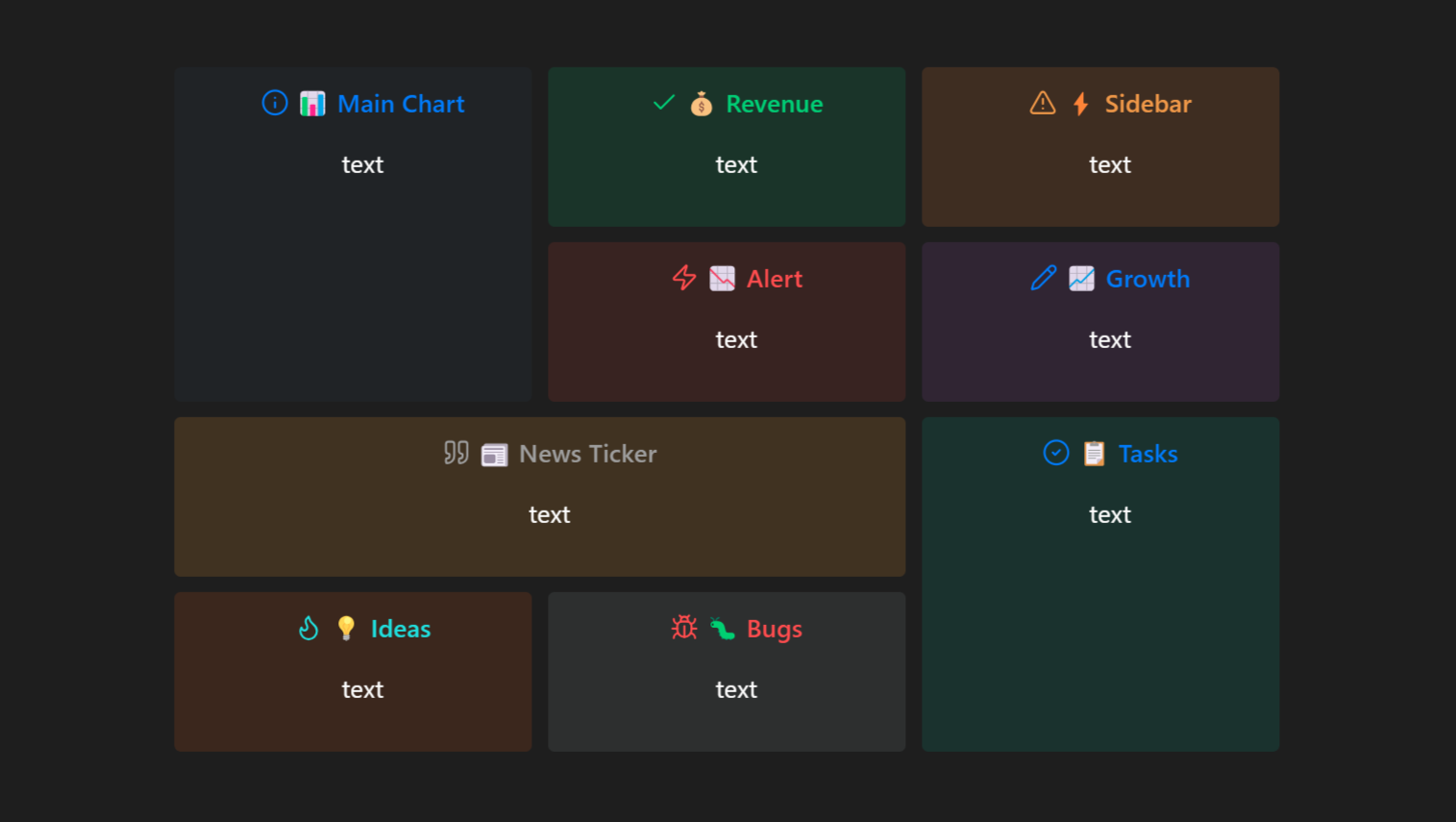
Visual Layout Builder
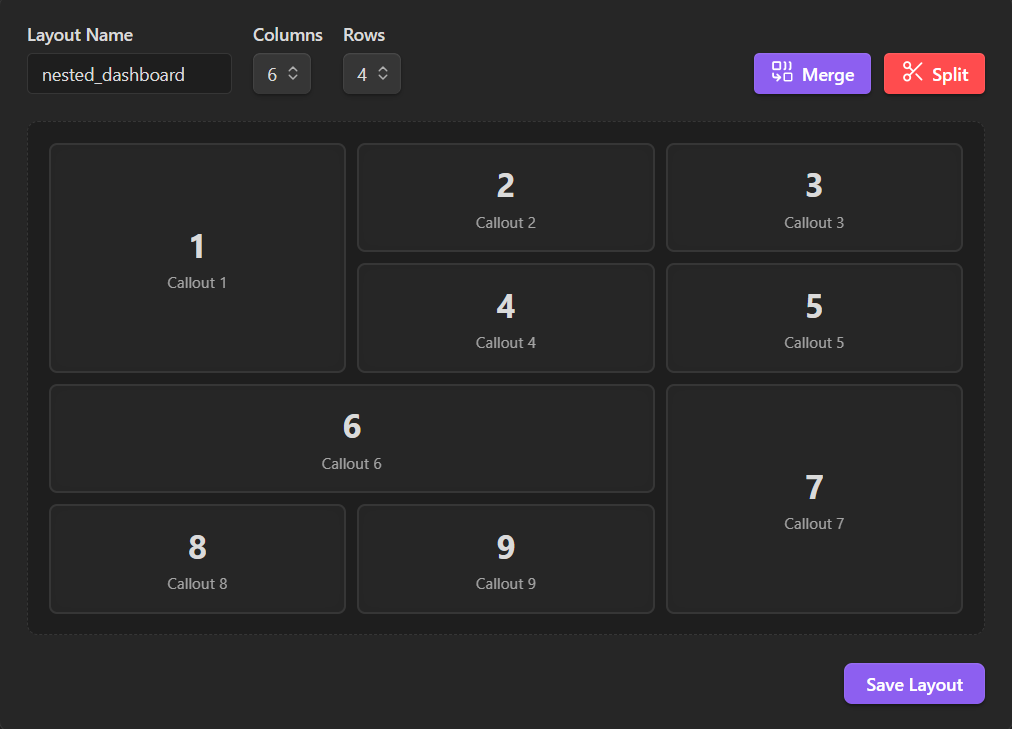
Design complex dashboard grids by dragging and merging cells — no code required. Access from Settings → Special Callouts → Visual Layout Builder.
Dashboard Grids
Use the visual builder or inline grid syntax to create multi-panel layouts. Callouts are automatically placed into the merged areas you designed.
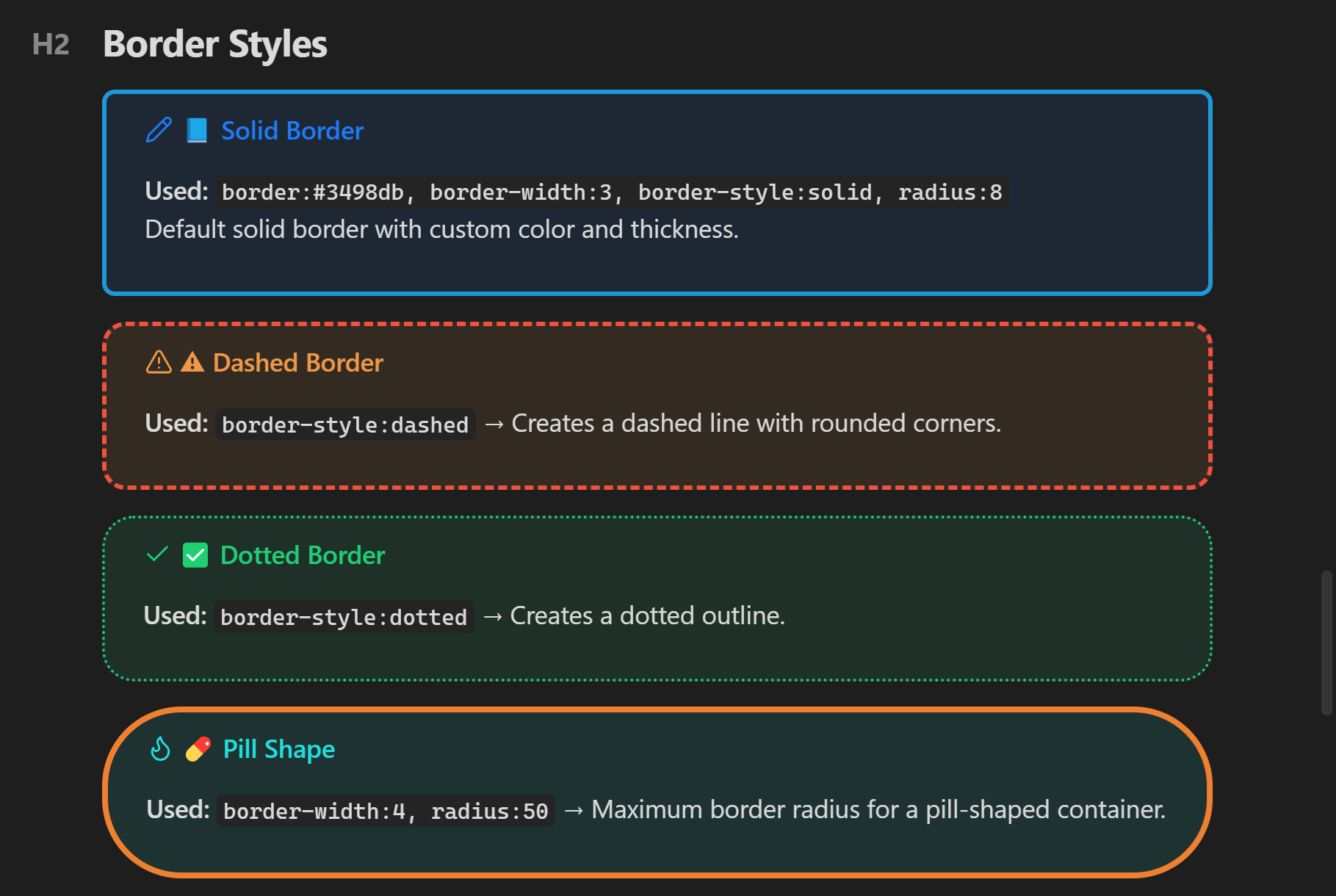
Typography and Borders
Multi-Column Lists
Examples
Gradients
> [!tip] (gradient:#667eea-#764ba2, text:white) Purple Gradient
> Separate two colors with a hyphen.
Multi-Column
> [!note] (col:3, bg:#2c3e50, text:#ecf0f1) Skills
> - HTML     - TypeScript
> - CSS      - React
> - JS       - Node.js
Grid Layout
> [!multi-callout]
> > [!info] (1:2, bg:#3498db, text:white) Left Panel
> > Content here.
>
> > [!tip] (2:2, bg:#2ecc71, text:white) Right Panel
> > Content here.
Neon Glow
> [!danger] (neon:#ff0000, bg:#1a0000, text:#ff6b6b) Alert
> Glowing border and box-shadow. Best on dark backgrounds.
See the Usage Guide for all examples and parameters.
Metadata Reference
> [!type] (param:value, param2:value2) Title
Colors
| Parameter | Example | Description |
|---|---|---|
bg |
bg:#ff0000 |
Background color |
text |
text:white |
Content text color |
title |
title:cyan |
Title and icon color |
link |
link:orange |
Link color |
gradient |
gradient:blue-purple |
Two-color gradient |
neon |
neon:#00f2ff |
Neon border + glow |
icon |
icon:sun |
Lucide icon name |
no-icon |
(no-icon) |
Hide icon |
Borders
| Parameter | Example | Description |
|---|---|---|
border |
border:red |
Border color |
border-width |
border-width:4 |
Thickness (px) |
border-style |
border-style:dashed |
solid, dashed, dotted, double |
radius |
radius:20 |
Corner roundness (px) |
Typography
| Parameter | Example | Description |
|---|---|---|
font |
font:mono |
mono, serif, sans, hand, marker |
font-size |
font-size:4 |
1 (tiny) → 5 (huge) |
Layout
| Parameter | Example | Description |
|---|---|---|
col |
(col:3) |
Multi-column lists |
center |
(center) |
Center content |
compact |
(compact) |
Reduce padding |
| Grid | (1:2) |
Position in grid |
Full reference in the Usage Guide.
Installation
Community Plugins (Recommended)
- Settings → Community Plugins
- Turn off Restricted Mode
- Browse → search Special Callouts
- Install → Enable
Or open directly: community.obsidian.md/plugins/special-callouts
Manual
- Download
main.js,styles.css,manifest.jsonfrom the latest release - Create
VaultFolder/.obsidian/plugins/special-callouts/ - Copy the files into the folder
- Enable in Settings → Community Plugins
Contributing
- Bug reports: Open an issue — include Obsidian version, callout markdown, and a screenshot
- Feature requests: Open an issue
- Pull requests: Fork → Branch → Code → PR
If you find this plugin useful, consider giving it a star.
License
MIT — See LICENSE for details.