
README file from
GithubSource Observer
A lightweight codebase viewer for Obsidian. Browse any folder on disk, read files with syntax highlighting, and review git changes — without leaving your vault.
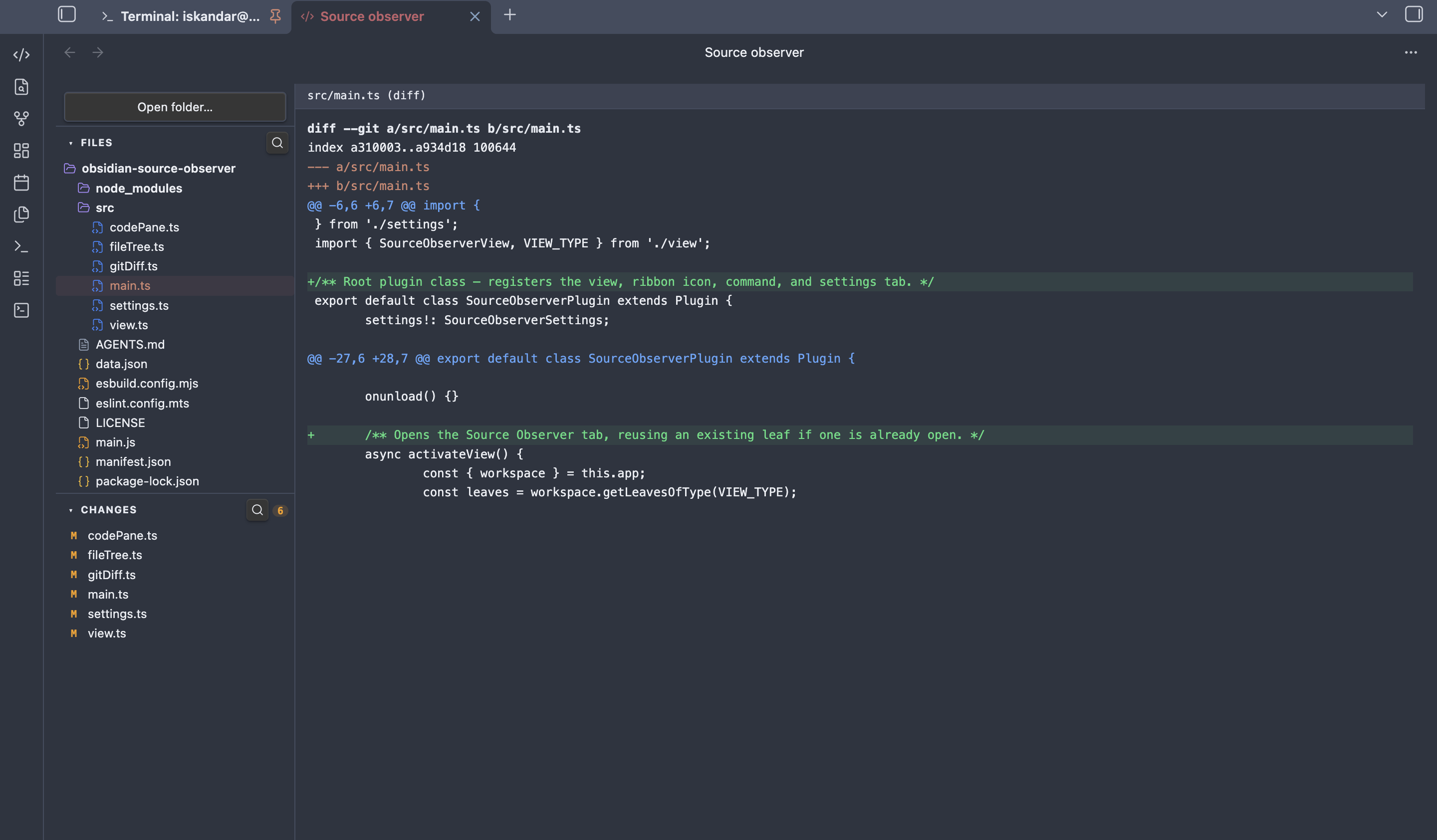
Features
- File tree — open any folder, navigate directories, see file-type icons with language colours
- Syntax highlighting — reads your active Obsidian theme; supports JS/TS, Python, Rust, CSS, HTML, JSON, Markdown and more
- Git diff — changed files listed in the sidebar with M/A/D badges and new/modified counts; click any file to see its diff or full content
- Collapsible sections — Files and Changes panels collapse independently
- Search — filter files or changed files by name via the search icon in each section header
Usage
- Click the
</>icon in the ribbon or run Open Source Observer from the command palette - Click Open folder… to select any directory on your machine
- Browse files in the Files panel — click to open with syntax highlighting
- Switch to the Changes panel to see modified, added, and deleted files relative to git HEAD; click any file to view its diff
- Use the search icon in each section header to filter by filename
Installation
- Copy
main.js,styles.css, andmanifest.jsoninto<vault>/.obsidian/plugins/obsidian-source-observer/ - Enable the plugin in Settings → Community plugins
- Click the
</>icon in the ribbon or run Open Source Observer from the command palette
Development
npm install
npm run dev    # watch mode
npm run build  # production build
License
MIT