
README file from
GithubSnipDock
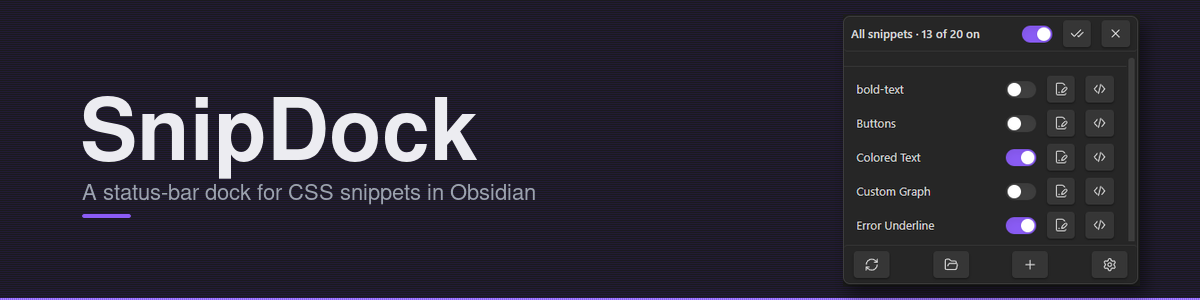
Status-bar menu for managing CSS snippets in Obsidian. Toggle them, rename them, open them in your editor, and create new ones without leaving the note you're working on.
A rewrite of the unmaintained MySnippets plugin against the current Obsidian API.
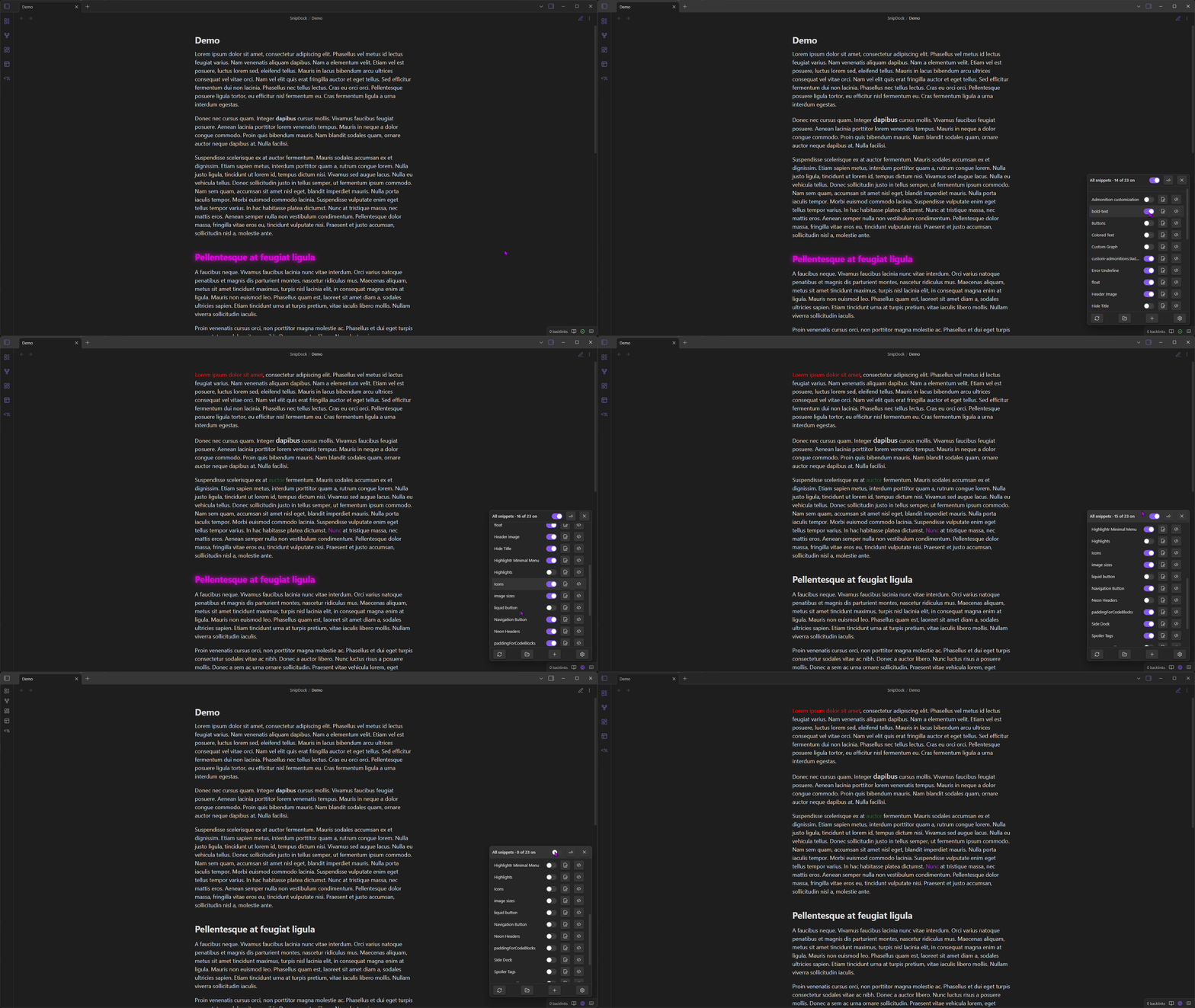
Demo
Usage
Click the dock icon in the status bar (bottom-right) to open the menu.
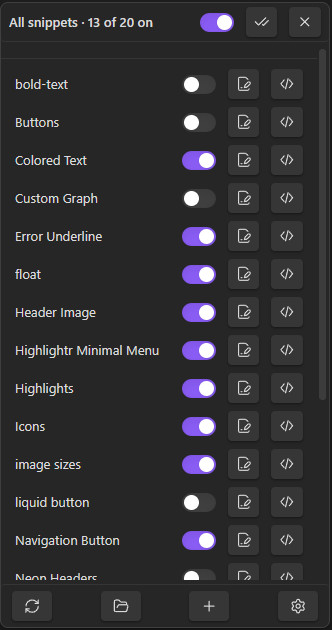
The menu has three sections. The top and bottom rows stay pinned; the middle list scrolls.
Master row
- Master toggle: flips every snippet off and back on. The previously-enabled set is remembered, so toggling back on restores it.
- Check icon: enable all.
- X icon: disable all. No memory.
Snippet rows
One row per .css file in your snippets folder.
- Toggle (or click anywhere on the row) to enable/disable.
- Pencil icon: rename the file. If the snippet was enabled, it gets re-enabled under the new name.
</>icon: open the file in your OS default app for CSS.
Action row
- Reload: re-read the snippets folder. Useful after adding files outside Obsidian.
- Open folder: opens the snippets folder in your file manager.
+: opens the new-snippet modal. Name + body, body pre-filled from your snippet template. The file lands in.obsidian/snippets/; if the folder doesn't exist yet, it gets created.- Gear: jumps to SnipDock's settings.
Commands
| Command | |
|---|---|
Open snippet menu |
Same as clicking the status-bar icon |
Create CSS snippet |
Opens the new-snippet modal |
Toggle all snippets on or off |
Master switch. Bind a hotkey for fast theme isolation. |
Settings
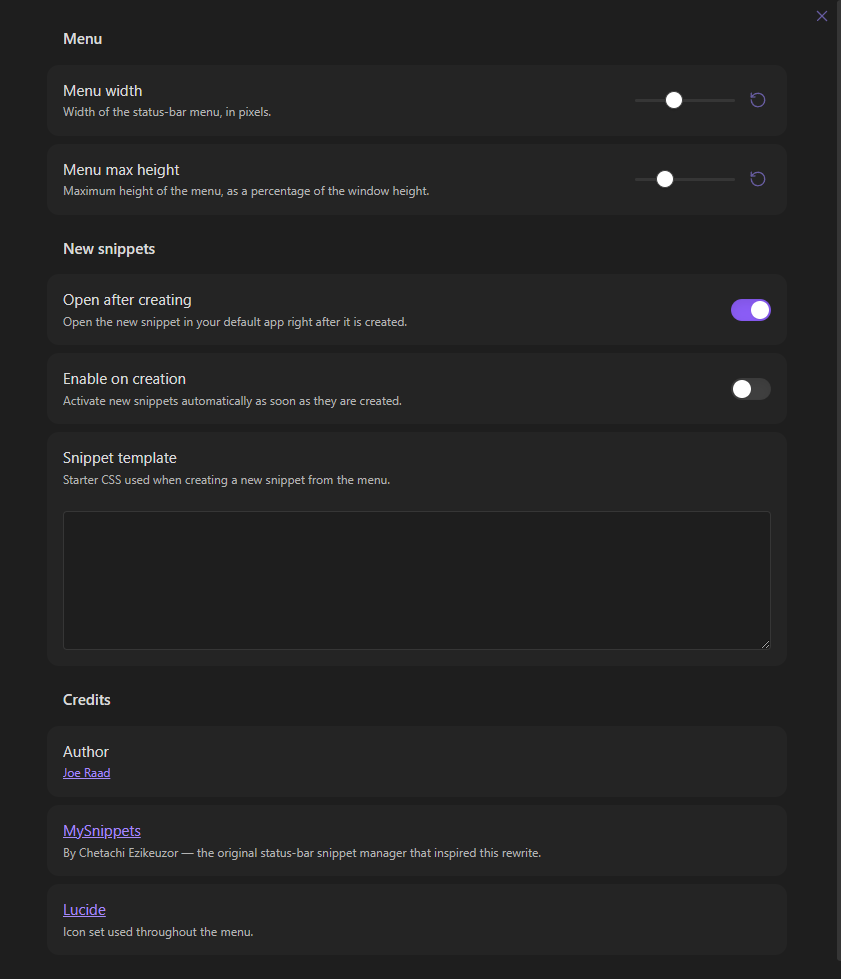
- Menu width (px) and max height (% of window).
- Open after creating: open the new file in your editor immediately.
- Enable on creation: turn new snippets on right away.
- Snippet template: starter CSS for new snippets.
Install
In Obsidian: Settings → Community plugins → Browse, search for "SnipDock", click Install, then Enable.
Manual install
- Grab
main.js,manifest.json, andstyles.cssfrom the latest release. - Put them in
<your-vault>/.obsidian/plugins/snipdock/. - In Obsidian: Settings → Community plugins, reload, enable SnipDock.
Develop
npm install
npm run dev     # watch + rebuild
npm run build   # production build, type-checks first
The release bundle is just main.js, manifest.json, styles.css.
Contributing
Issues and pull requests are welcome on the SnipDock repository.
- Bug reports: include steps to reproduce, your Obsidian version, your OS, and a screenshot or screen recording if the bug is visual.
- Feature ideas: open an issue describing the use case before sinking time into a PR. Keeps scope creep in check and avoids work going in the wrong direction.
- Pull requests
- Fork the repo and create a feature branch off
main. - Run
npm installthennpm run devwhile you work. - Keep changes focused, one PR per concern. Match the existing TypeScript style (tabs, double quotes, no
anycasts unless unavoidable). - Run
npm run buildbefore pushing. It type-checks first and will fail loudly on errors. - Describe what the PR changes and why in the body. Screenshots help for any UI tweak.
- Fork the repo and create a feature branch off
This plugin has a narrow scope (status-bar snippet management). Suggestions that expand into broader theme or CSS tooling are likely to be declined, but a good issue conversation is the best way to find out.
Credits
- MySnippets by Chetachi Ezikeuzor.
- Icons from Lucide.