
README file from
GithubSlash Cmd
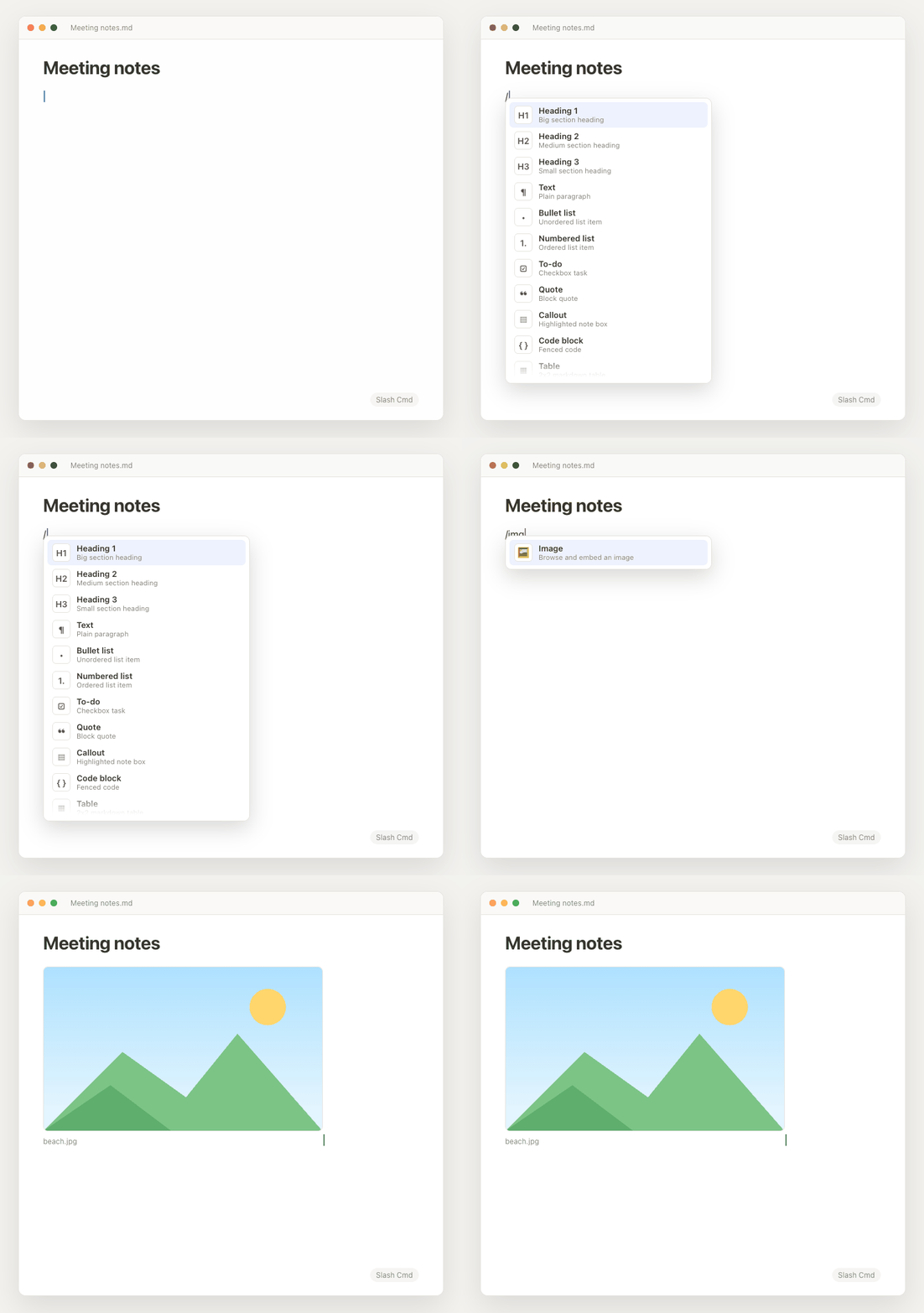
A Notion-style / menu for the Obsidian editor. Type / and pick a block to
insert — headings, tables, callouts, code blocks, lists, and more. Keep typing
to filter, then press Enter to insert. Your cursor lands in the right
spot automatically.
Usage
In any note, type / at the start of a line or after a space. A menu appears.
Filter by typing (e.g. /tab → Table, /h1 → Heading 1), navigate with the
arrow keys, and press Enter to insert.
Blocks
Heading 1 / 2 / 3 · Text · Bullet list · Numbered list · To-do · Quote · Callout · Code block · Table · Image · Video · Audio · File · Divider · Internal link · Math block · Today's date.
Media (/image, /video, /audio, /file)
Picking a media block opens your system file browser. The file you choose is
copied into your vault's configured attachment folder and embedded with
![[…]] — the same way Notion's "upload from computer" works. You can select
multiple files at once. (Obsidian can't render arbitrary external paths in
reading view, so the file is brought into the vault rather than linked in place.)
Install
From the community store
Settings → Community plugins → Browse → search "Slash Cmd" → Install → Enable.
Manually
- Download
main.js,manifest.json, andstyles.cssfrom the latest release. - Copy them into
<your vault>/.obsidian/plugins/slash-cmd/. - Settings → Community plugins → Enable Slash Cmd.
With BRAT
Add Maniarasan-zuper/slash-cmd in the
BRAT plugin.
License
MIT © maniarasan.s