
README file from
GithubSecret Placeholders
Keep credentials out of your Obsidian notes. A note holds only a
placeholder like {{bao:kv/personal/github#token}}; the real value is
fetched from your password manager and shown inline only inside
Obsidian — never written to the .md file.
Demo
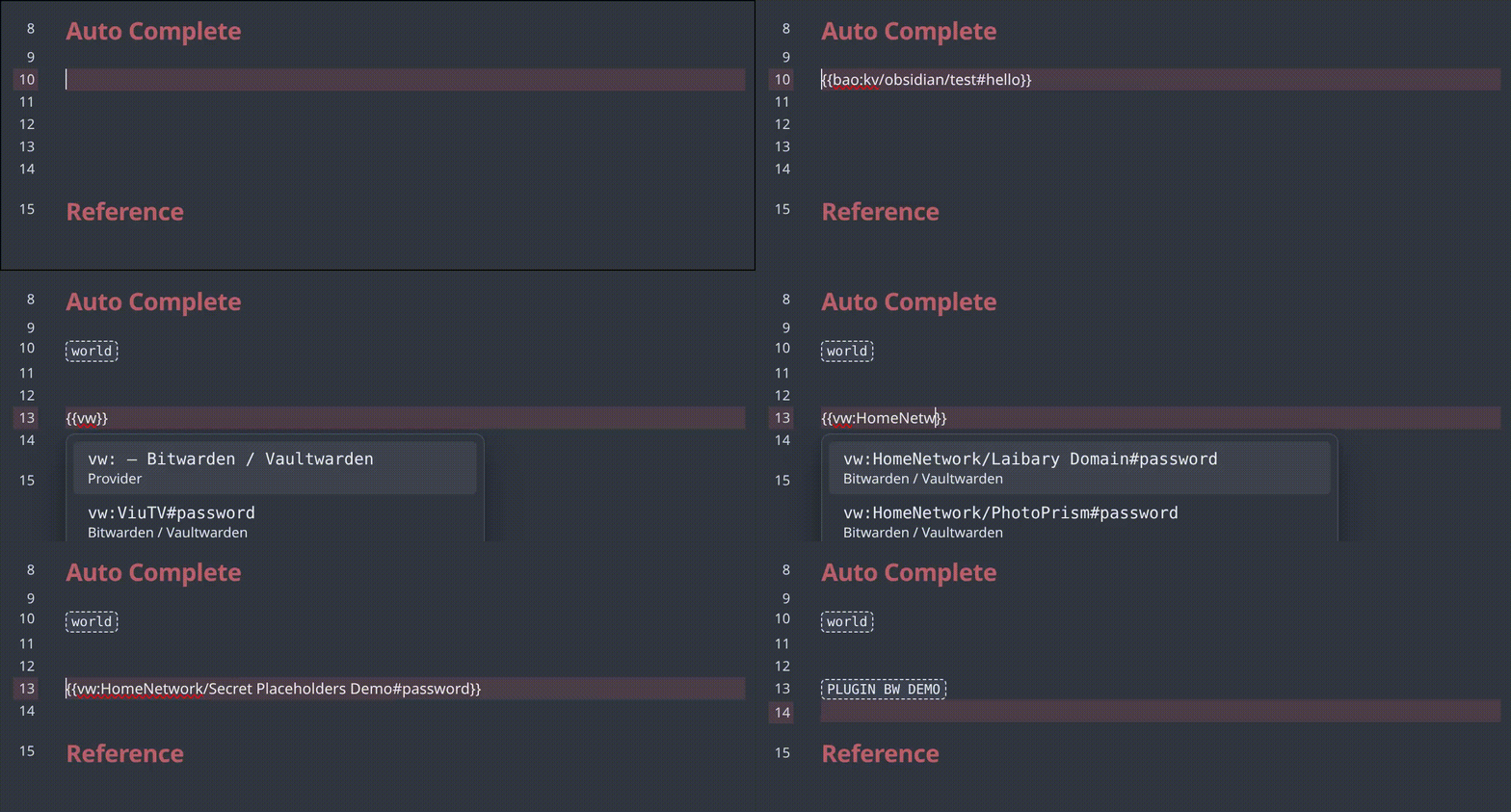
Autocomplete — type {{, pick a provider, fuzzy-search your secrets.
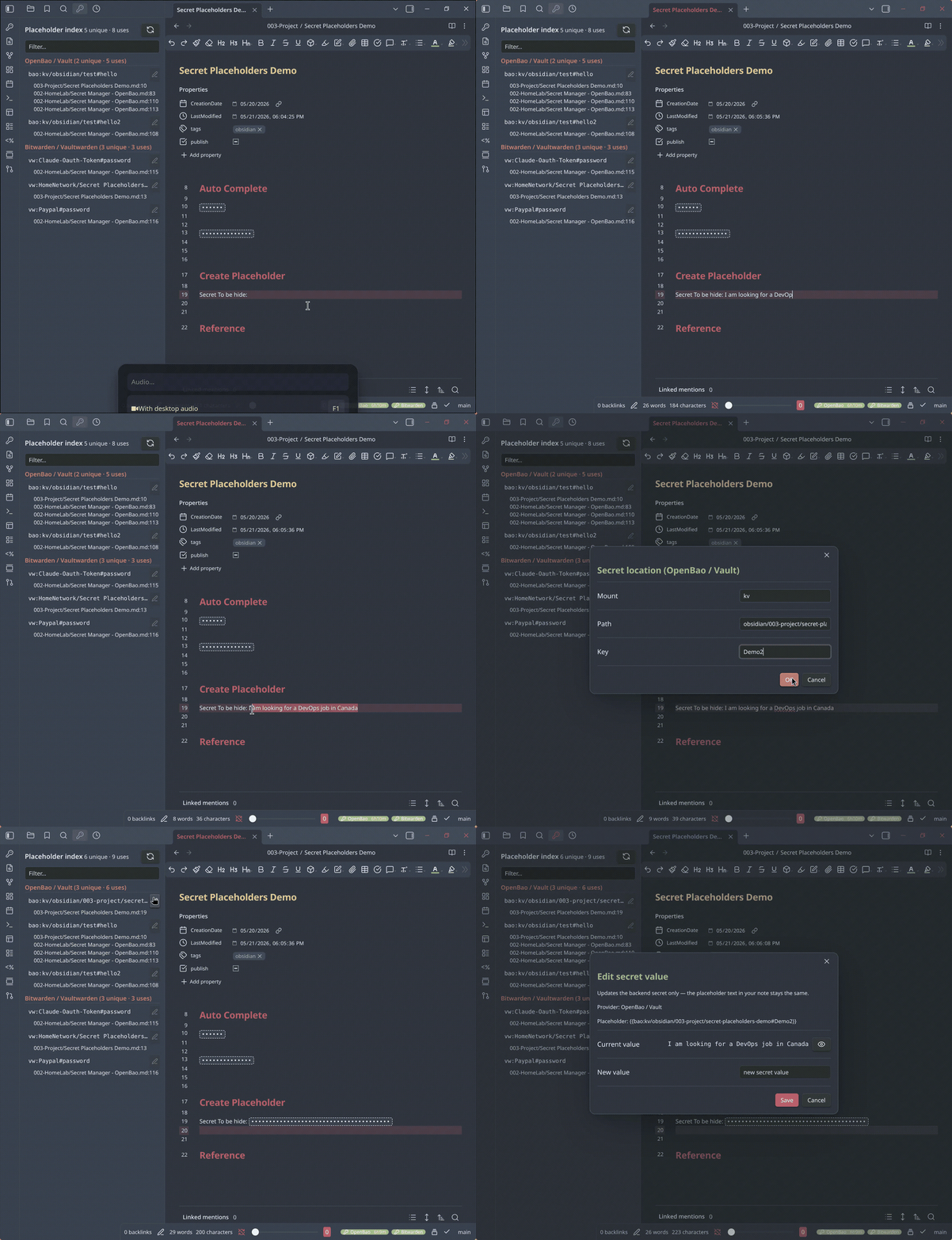
Save a selection as a new secret — the value goes to your password manager, the note keeps only a placeholder.
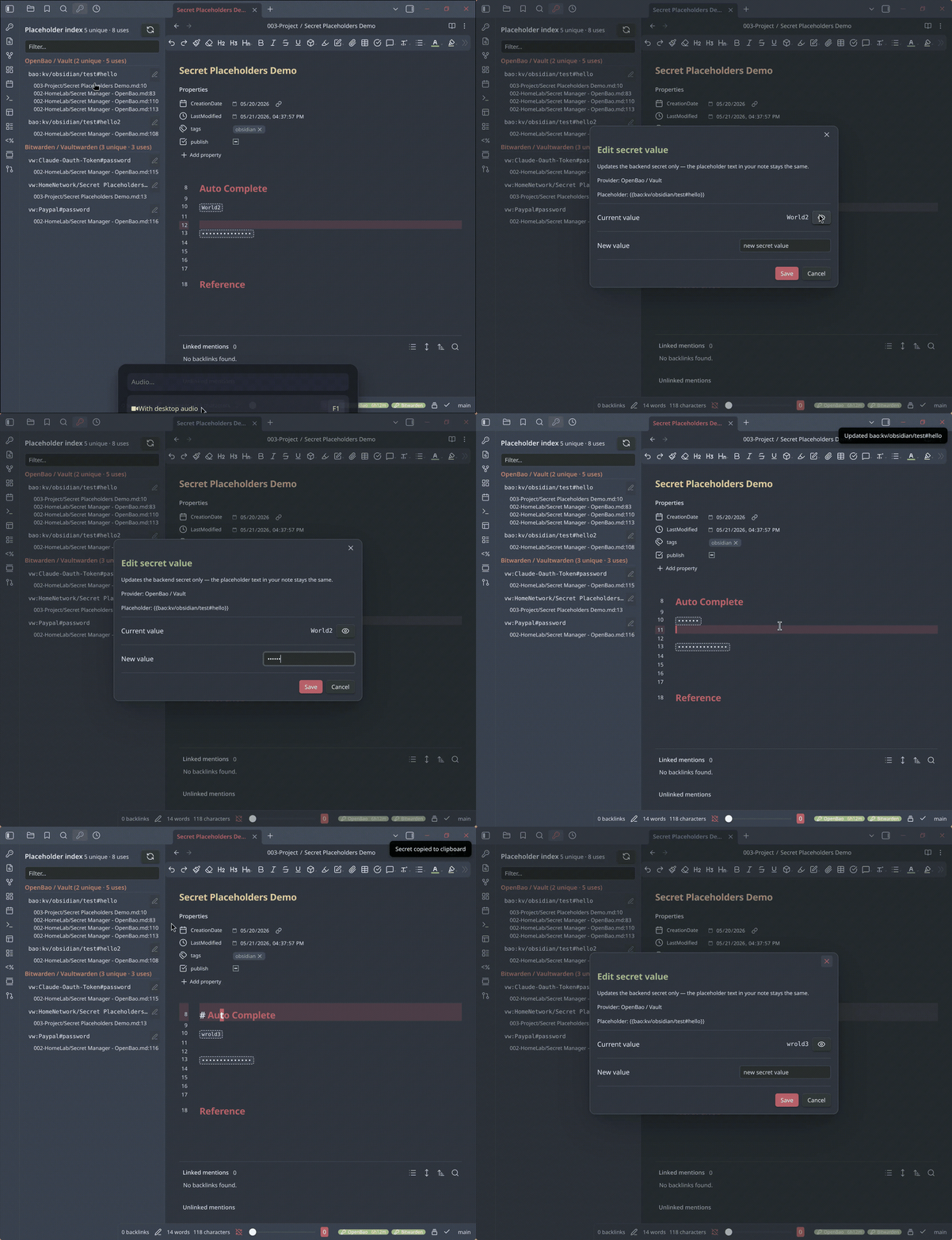
Edit a secret's value — the backend updates; the note is untouched.
Why
LLM agents that manage your vault — reading, refactoring, summarising — are useful right up until the vault holds credentials. Keeping secrets in a separate password manager helps, but then notes that refer to a secret are half-broken: you can't see the value while reading or editing.
Secret Placeholders closes that loop. The note keeps a small placeholder; the plugin resolves it to the live value at render time.
| Who / what | Sees |
|---|---|
| You, in Obsidian | the real secret value |
| An LLM agent reading the vault | only {{bao:...}} — a path, not a value |
| Git history, backups, sync | only the placeholder |
The secret value lives in your password manager; the plugin only borrows it into memory while Obsidian displays the note. Rendering is strictly display-only — it never writes to the vault.
Supported backends
| Backend | Auth |
|---|---|
| OpenBao / HashiCorp Vault | Token, or OIDC browser login (desktop) |
| 1Password Connect | Connect token (self-hosted Connect server) |
| Vaultwarden / Bitwarden self-hosted | Master password |
| Bitwarden cloud | Master password |
Each backend has its own placeholder prefix — bao:, 1p:, vw:.
Enable any subset; disabled backends contribute no UI.
Install
Community store: Settings → Community plugins → Browse → search "Secret Placeholders" → Install → Enable.
Manual: download manifest.json, main.js, styles.css from the
latest release
into <vault>/.obsidian/plugins/secret-placeholders/, then enable it in
Settings → Community plugins.
Quick start
- Open Settings → Secret Placeholders. Under Providers, turn off any backend you don't use.
- Configure the one you do use and log in — see provider setup. The status-bar chip lights up when login succeeds.
- In a note, type
{{and pause — autocomplete offers your providers, then your secrets. - The placeholder renders inline. Single-click it to copy the value.
- To capture a new secret: select a credential in a note, right-click → Save selection to .
Documentation
- Provider setup — OpenBao, 1Password Connect, Bitwarden/Vaultwarden, and the placeholder syntax for each.
- Usage & features — masking, click actions, autocomplete, the right-click menu, the sidebar index, commands, and the settings reference.
- Security & troubleshooting — the security model, what data goes where, known limitations, and a troubleshooting table.
Security at a glance
The .md file never contains the secret — only the placeholder. Resolved
values stay in memory. Tokens are in memory by default; the optional
"remember on device" setting encrypts them with a passphrase. The plugin
talks only to the server URLs you configure — no telemetry, no
third-party endpoints. Full detail in
docs/security.md.
Contributing
A backend is a single module implementing the Provider interface in
src/providers/types.ts. Register it in src/main.ts; the OpenBao
provider in src/providers/openbao/ is a compact reference. The
rendering, autocomplete, sidebar, and command code are all
provider-agnostic. Build with npm run build, type-check with
npm run typecheck.
License
MIT — see LICENSE.