
README file from
GithubReorderable Lists
An Obsidian plugin that lets you drag and drop list items to reorder them in the editor.
Features
- Drag handle (⠿) appears on hover for any list item
- Works with all list types: unordered (
-,*,+), ordered (1.), and task lists (- [ ]) - Nested children move together with their parent item
- Preserves scroll position after reordering
- Live Preview editor only (desktop)
Usage
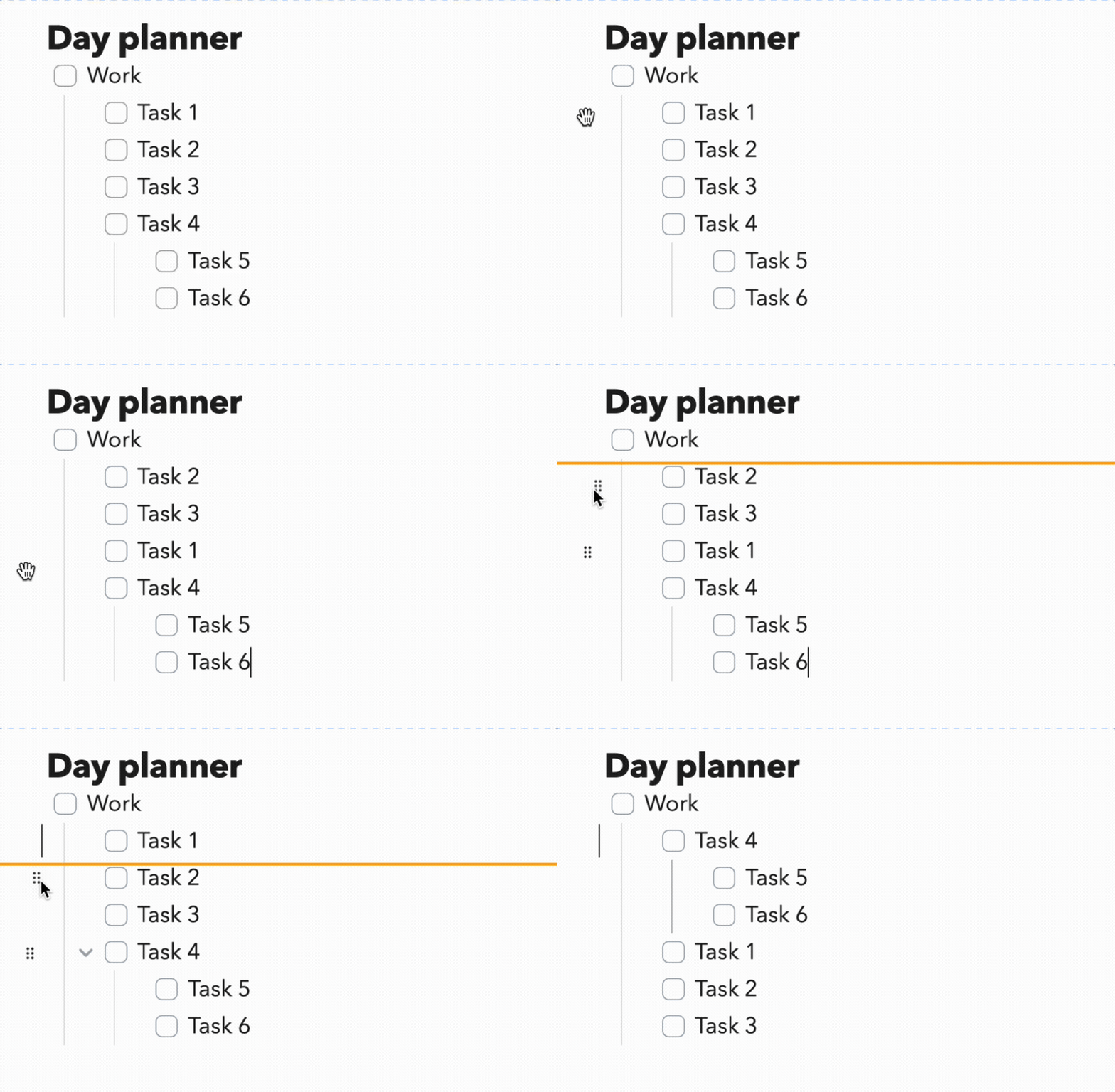
- Hover over any list item — a ⠿ grip icon appears to the left
- Drag the handle to move the item to a new position
- A blue line indicates where the item will be dropped
- Release to reorder
Installation
From Obsidian Community Plugins (recommended)
- Open Settings → Community Plugins
- Disable Safe Mode if prompted
- Click Browse and search for "Reorderable Lists"
- Click Install, then Enable
Manual
- Download
main.js,manifest.json, andstyles.cssfrom the latest release - Copy them into your vault at
.obsidian/plugins/reorderable/ - Enable the plugin in Settings → Community Plugins
Development
git clone https://github.com/hosikiti/obsidian-reorderable-lists
cd obsidian-reorderable-lists
npm install
npm run dev   # watch mode
npm run build # production build
To test locally, symlink or copy the plugin folder into your vault's .obsidian/plugins/ directory.
License
MIT