
README file from
GithubProperty Values Browser


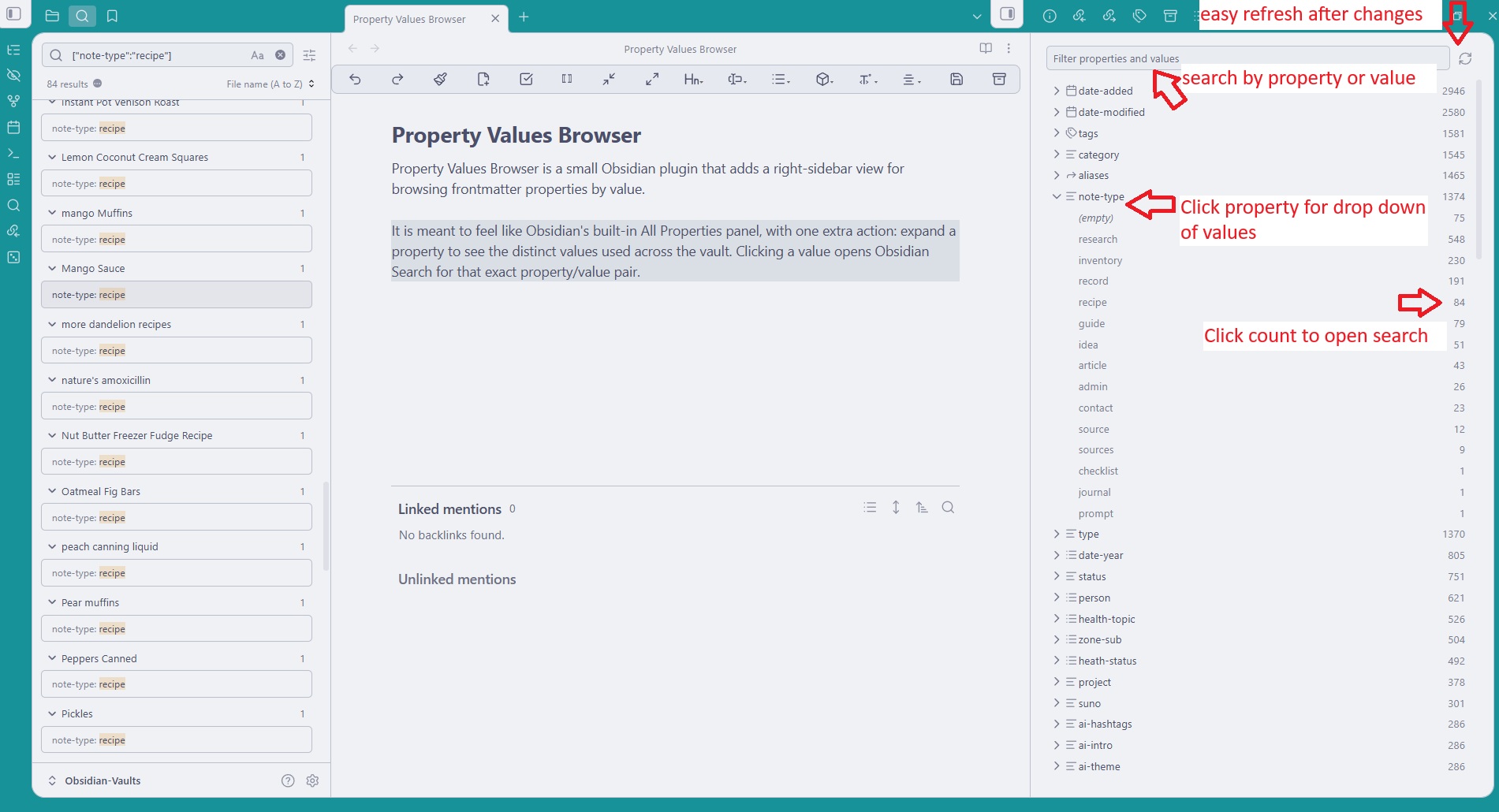
Property Values Browser is a small Obsidian plugin that adds a right-sidebar view for browsing frontmatter properties by value.
It is meant to feel like Obsidian's built-in All Properties panel, with one extra action: expand a property to see the distinct values used across the vault. Clicking a value opens Obsidian Search for that exact property/value pair, and right-click menus can delete properties or values from notes.
Features
- Shows frontmatter property names with total counts.
- Expands each property to show distinct values with counts.
- Counts list values separately, whether YAML is inline or multiline.
- Shows blank/null values as
(empty). - Filters property names and values from the top input.
- Clicks property counts to search for every note with that property.
- Clicks value rows to search for notes with that exact property/value pair.
- Right-clicks property rows to delete that property from matching notes.
- Right-clicks value rows to delete that value from matching notes.
- Adds a ribbon icon and command palette command.
- Includes a manual refresh button.
Install
Download these three files from the latest release:
main.js manifest.json styles.css
Put them in <your vault>/.obsidian/plugins/property-values-browser/.
Then reload Obsidian and enable Property Values Browser in Community plugins.
Limitations
- Delete actions update frontmatter in matching notes after confirmation, but the plugin does not provide its own undo history.
- The list is based on Obsidian's metadata cache, so very recent file changes may need a refresh.