
README file from
Github
A Guide to the Property Streaks Plugin
Enhance your daily-note frontmatter based habit- and goal tracking with Duolingo-like streaks that feature custom colours, motivational comments, various streak types, and the occasional streak-freeze.
NOTE: This plugin expects you to already use, or adapt to a daily-note template with persistent YAML-frontmatter fields that you review every day. See Examples section below
(No) Quick Start
This plugin is so minimal, that understanding the features section really shouldn't take you more than 5 minutes. I encourage you to take that time for yourself. Only systems you understand will stick around with you for long.
- Install plugin
- Point it to your daily-notes folder and title syntax
- Configure streaks that align with your frontmatter properties
- (Add the stylish streak widget to your vault)
- (Enable the plugin in the mobile app)
- Start extending!
Tip: Start with one or two simple streaks and build them out from there. Better than overthinking a system for two hours that, in the end, you won't use.
Features
Overview
- Tracks daily habits by reading frontmatter properties
- Displays icons and streak remarks next to the properties
- Provides a widget to display selected streaks
- Works locally, offline, and on mobile (obviously, duh)
- Multiple streak types and configurations
Streaks
Created in the plugin's settings, a streak offers you the following customisation options
- Name (the display name of the streak)
- Type ('mono' or 'multi' decides whether the streak depends on one or multiple frontmatter properties) see Mono Streaks and Multi Streaks for detail
- Show in Properties (toggle to show this streak and icon next to the frontmatter)
- Show in Widget (toggle to include this streak in the widget) see Widget for detail
- Streak Freeze Regeneration Duration (How many consecutive days it takes to earn a streak freeze) set 0 to turn off Streak Freezes, see Streak Freezes for detail
- Property Key (name of the property to track)
- Property Type (supported frontmatter property type) see Frontmatter Property Types for detail
Mono Streaks
Monostreaks track exclusively one frontmatter property. This allows certain frontmatter types to receive exclusive remark messages:
- For Properties of type
numberorlistmessages praising this week's largest effort appear when the amount is larger than every other entry this week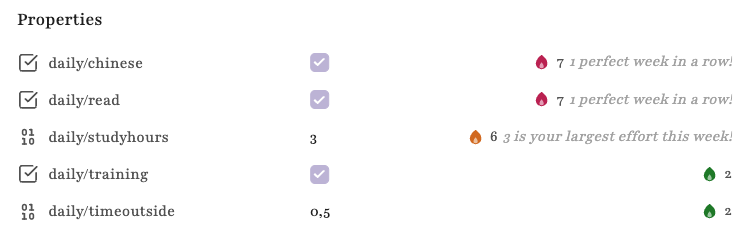
Multi Streaks
Multistreaks allow for multiple properties to be contributing to one synced streak. Evaluation can follow by either two options:
- AND - Every property of the multistreak must be checked to extend the streak
- OR - One or more properties extend the streak
Multistreaks are displayed next to every member-property separately and show an identical message.
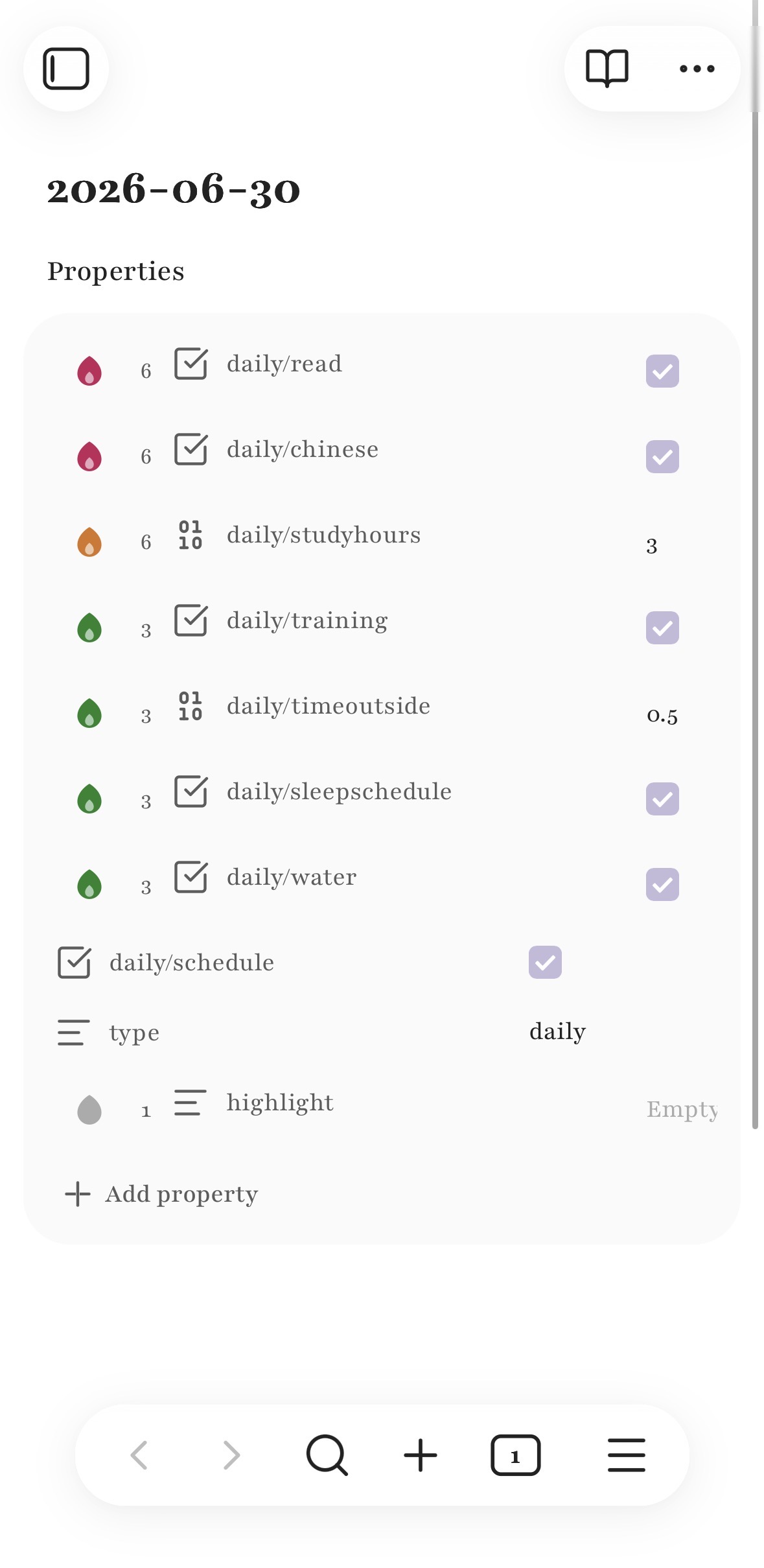
daily/chinese and daily/read both constitue the pink multistreak 'Learning Chinese' and share the same streak information. The green streak below 'Health' has is similar.
Partial Flames
Flames of multistreaks have the additional property of indicating the percentage of completed properties by a partially lit flame that will fill up as more properties are completed.

Display
Property streaks are displayed to the right of their respective properties. Can be disabled in streak settings.
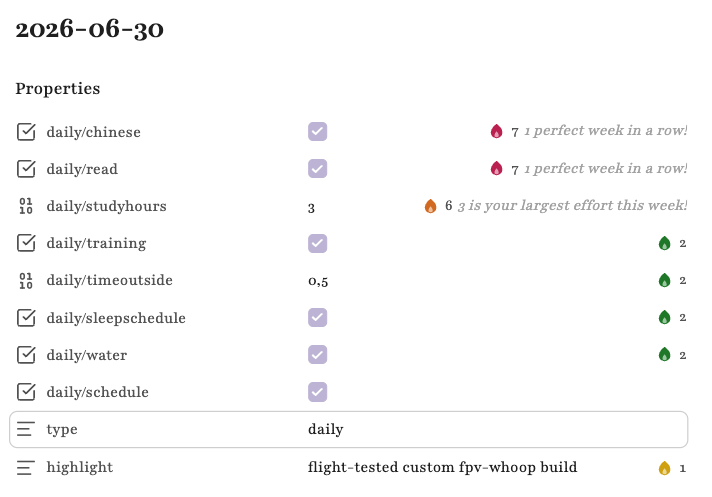
Flame Icon States
- Lit (The all checked properties of the streak have extended it for today)
- [Multistreaks only] Partially Lit (A fraction of properties has already been checked, but not all)
- Grey (Not yet completed today)
- Frozen (A past day was missed and bridged by a freeze)
- Abandoned (The streak was broken and has no active count)
Streak Freezes
Your streak is lost if you fail to extend it once. Streak freezes protect your streak when you miss a day automatically. You are granted one streak freeze every time you complete a self-selected amount of consecutive streak days. (Per Streak 'Streak Freeze Regeneration Duration' setting) Your streak does not extend when frozen and will be lost if you don't extend on the following day. You are never notified whether you have a streak freeze available. The maximum amount of freezes you can have at once is one.
- Set 'Streak Freeze Regeneration Duration' t0 0 to turn off this feature
Below you can see a streak freeze detonating. The streak flame turns blue.
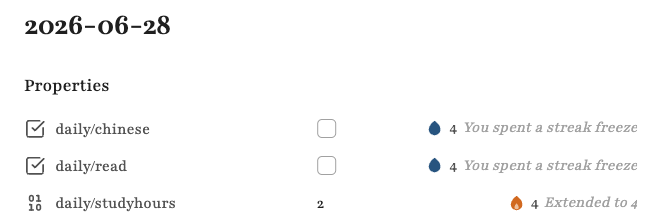 On the following day no freeze is available anymore to save another abandonment. The streak is lost and must be started again.
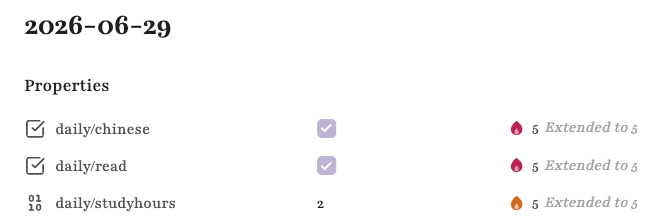
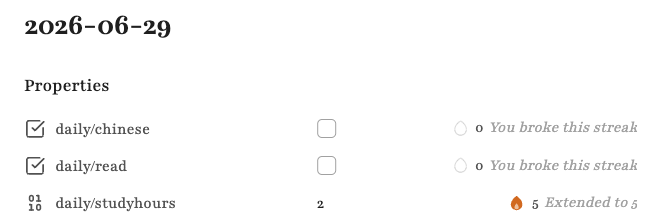 If you manage to extend though, the streak continues. Now, without a streak freeze until another one is earned.
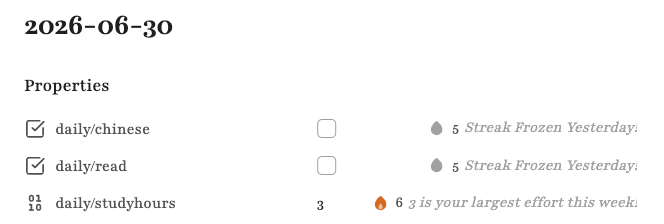
 If you froze yesterday, the streak will notify you accordingly
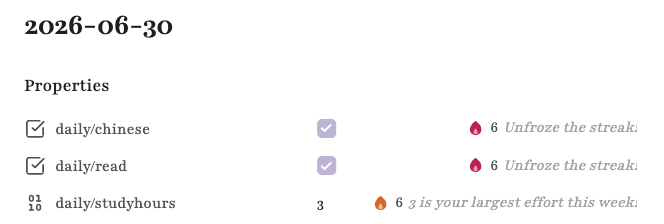
 or when extended
Widget
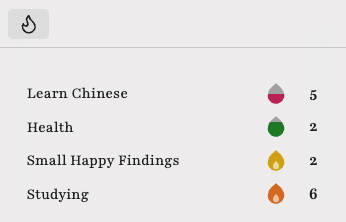
Using the Property Streaks: Open streak widget dispatches an Obsidian widget you can pin in your vault. (I recommend using the 'Workspaces' core-plugin to save a desired layout as standard with the widget in place) It shows your current streak.
- You can decide individually, whether a streak is shown within the widget by using the 'Show in Widget' setting.
Frontmatter Property Types
Supported frontmatter types are
- Checkbox
- Number (Special remark message for Mono Streaks can appear)
- Lists (Special remark message for Mono Streaks can appear)
- Text
Mobile Snapshots
The plugin supports mobile layout seamlessly. Remarks are not shown on phone.
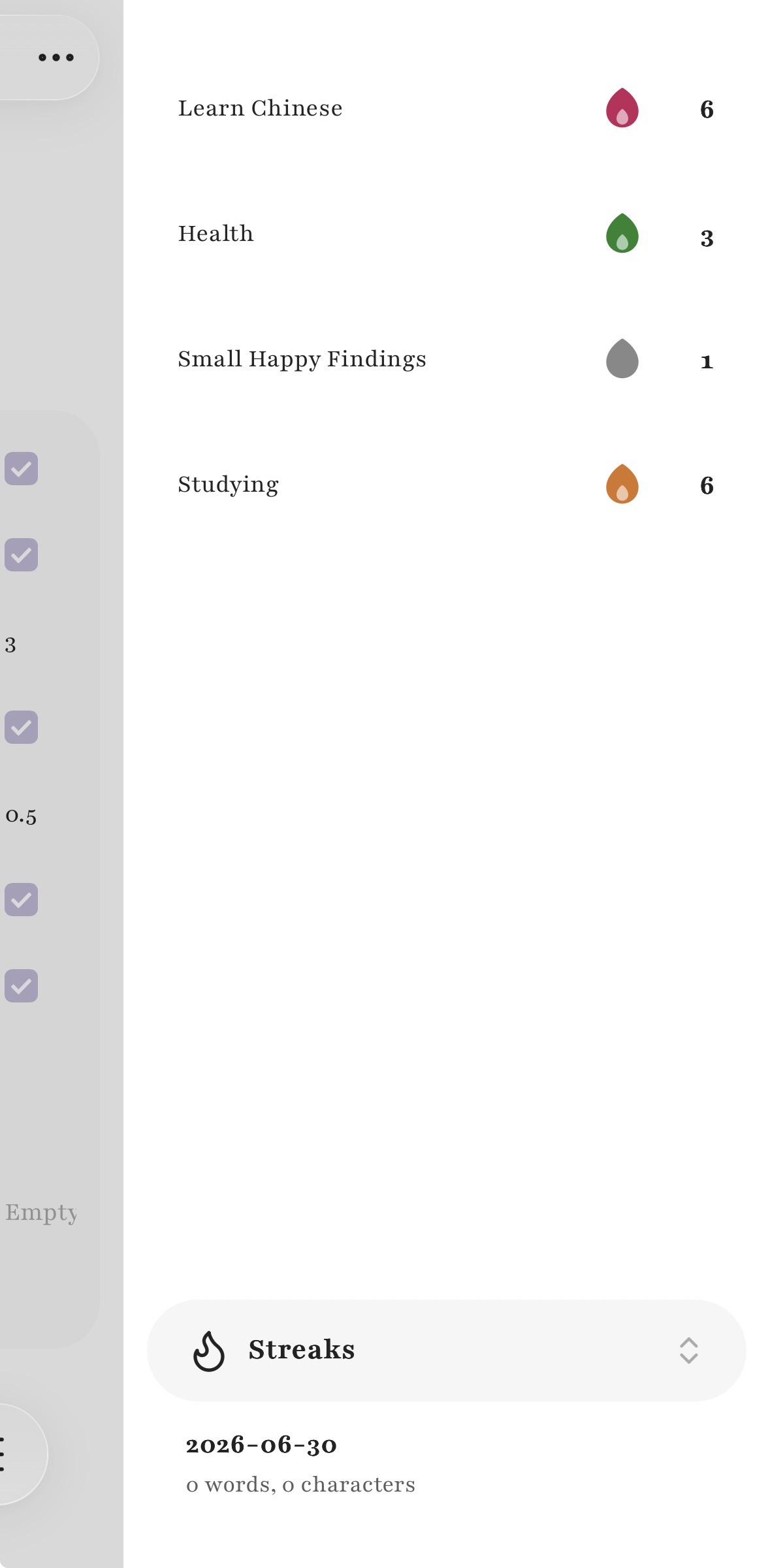
 The widget is also accessible on mobile.
Examples
Daily Note Frontmatter Example
A daily note example could look like this
---
daily/chinese: false
daily/studyhours: 0
daily/schedule: false
daily/read: false
daily/training: false
daily/timeoutside: 0
daily/sleepschedule: false
daily/water: false
type: daily
highlight:
---

[content below]
Written with love and in Obsidian for the Obsidian community Daniel 2026