
README file from
GithubOwen Mermaid
Owen Mermaid is an Obsidian plugin for viewing and editing Mermaid SVG images inside your notes.
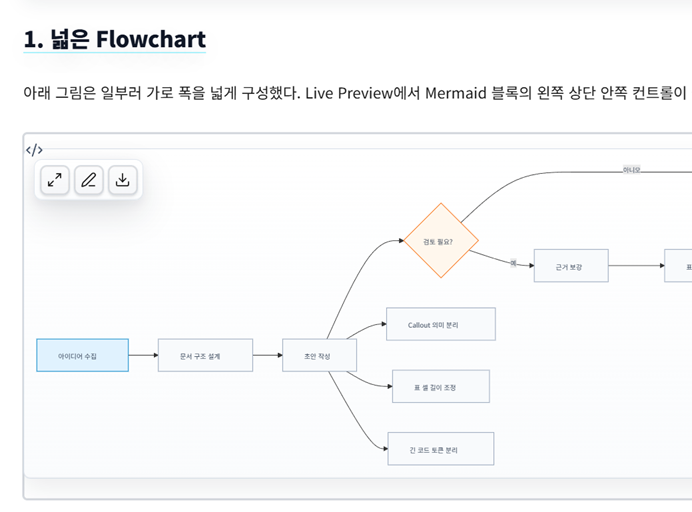
- Detects Mermaid SVG diagrams and adds an inline glass toolbar.
- Adds a Mermaid SVG right-click menu for zoom view, editing, PNG download, and JPG download.
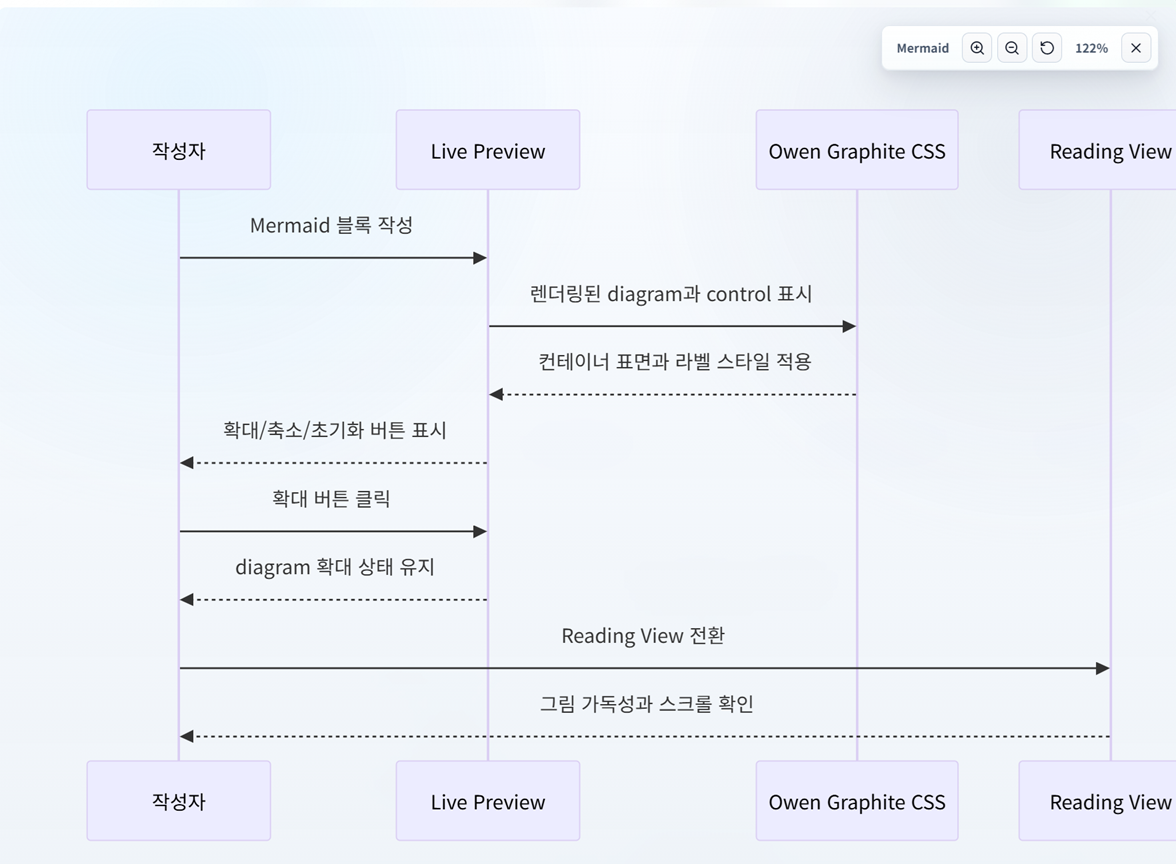
- Provides a full-screen pan and zoom viewer.
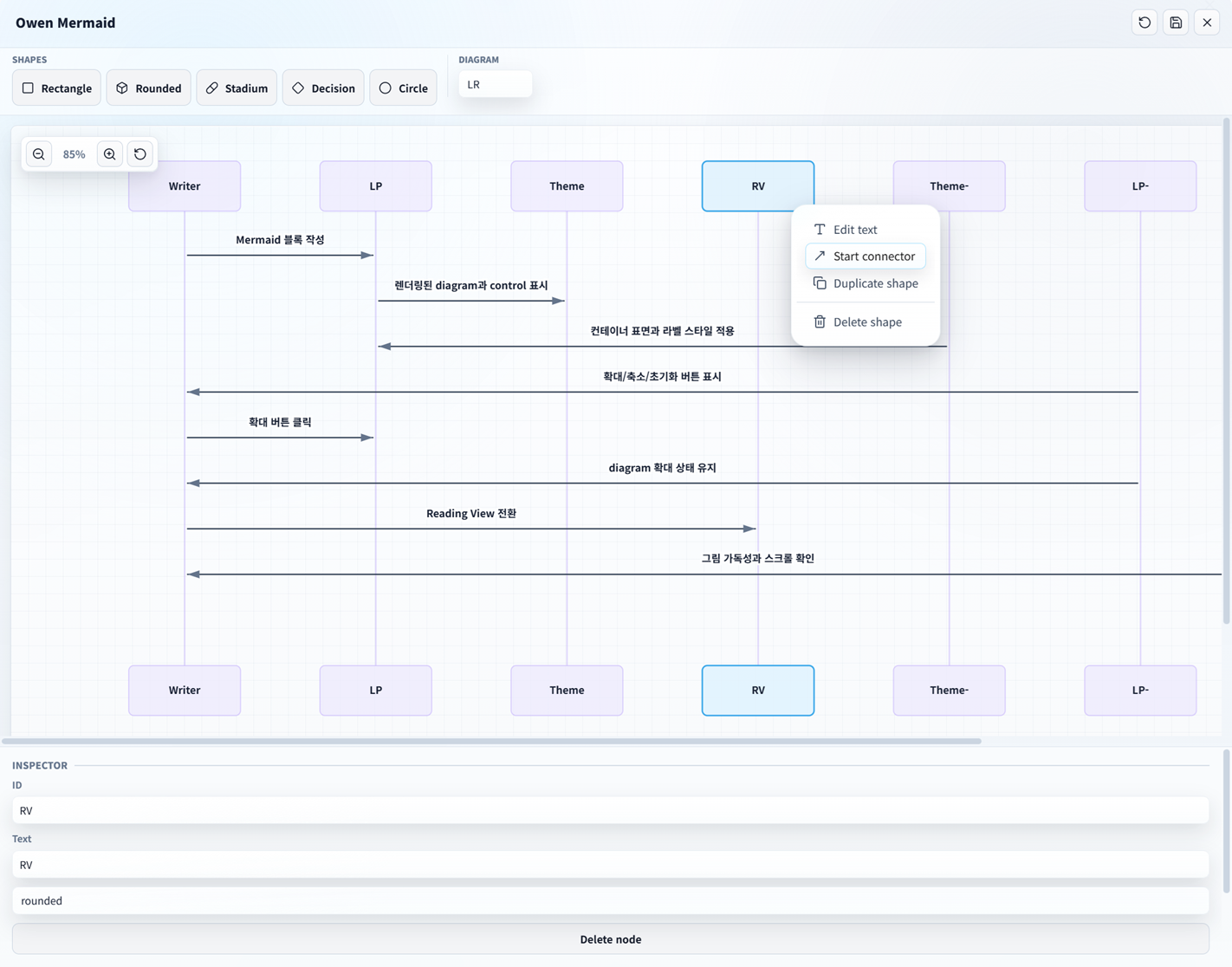
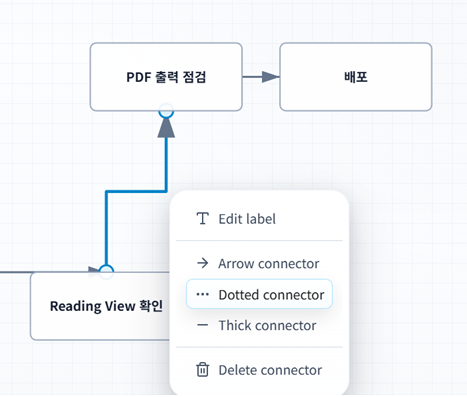
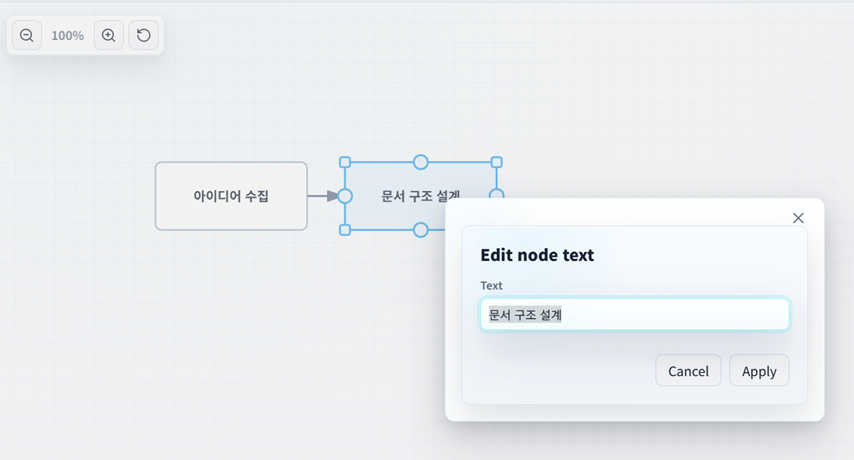
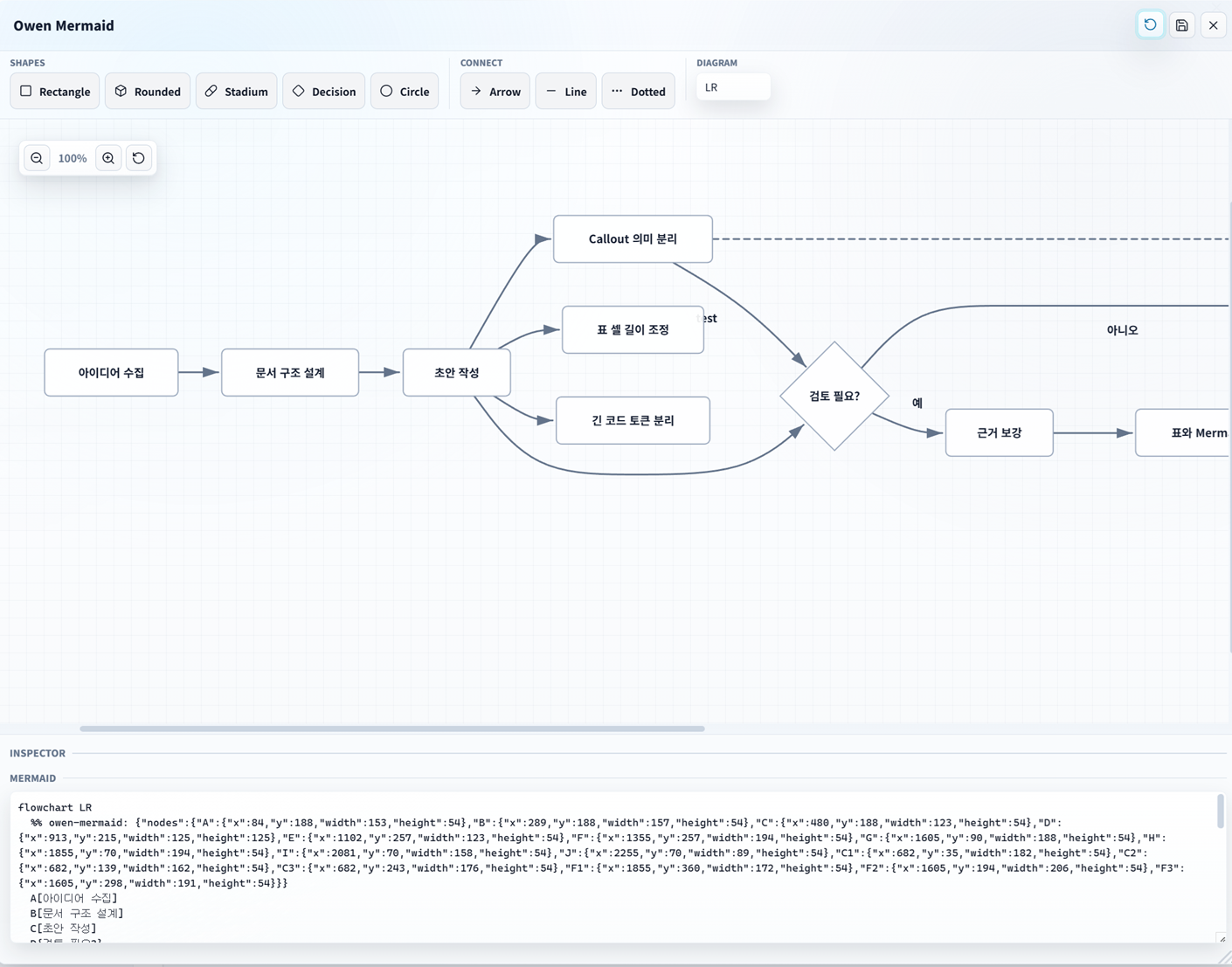
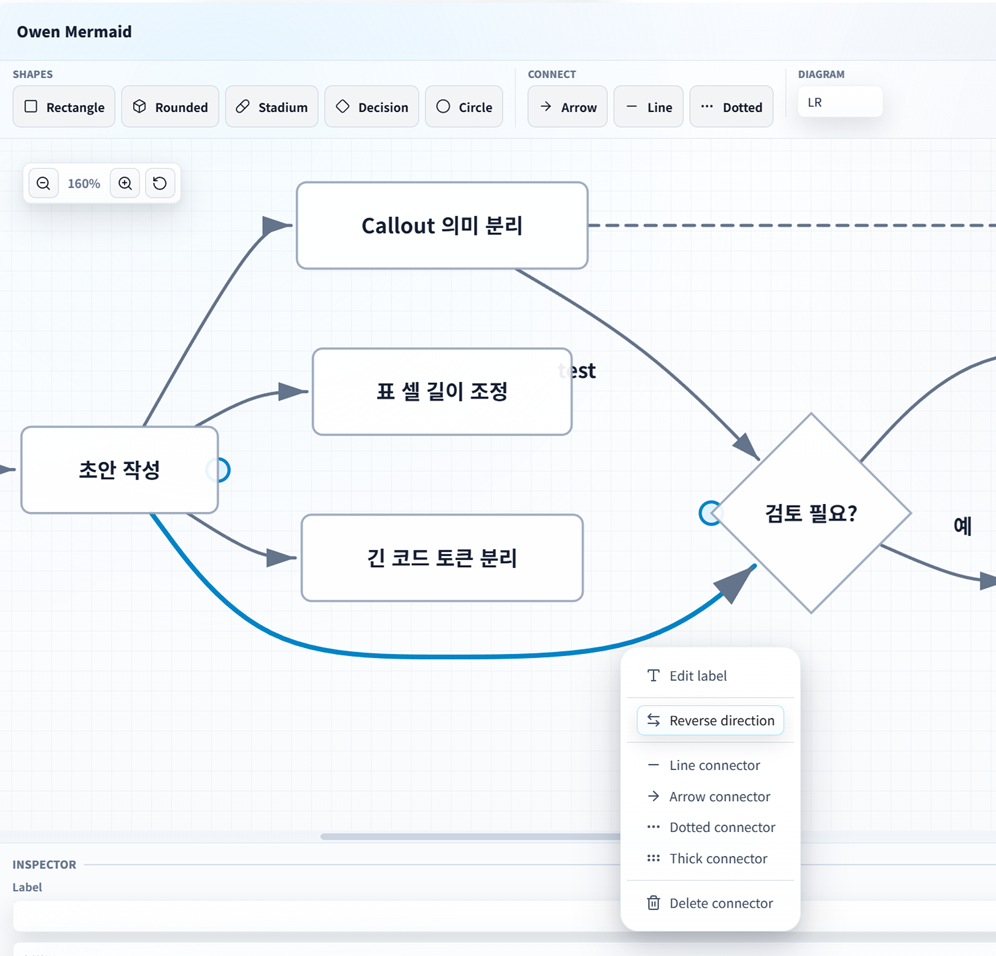
- Includes a flowchart-focused visual editor for creating shapes, dragging nodes, editing text, creating/editing/deleting connectors, and writing changes back to the original Mermaid code block.
- Supports PNG/JPG download settings for save location, output folder, filename template, quality, background, and scale.
- Exports all rendered Mermaid SVG diagrams in the active note to a vault folder with an optional Markdown batch report.
- Provides a settings screen with section headers like the screenshot design.
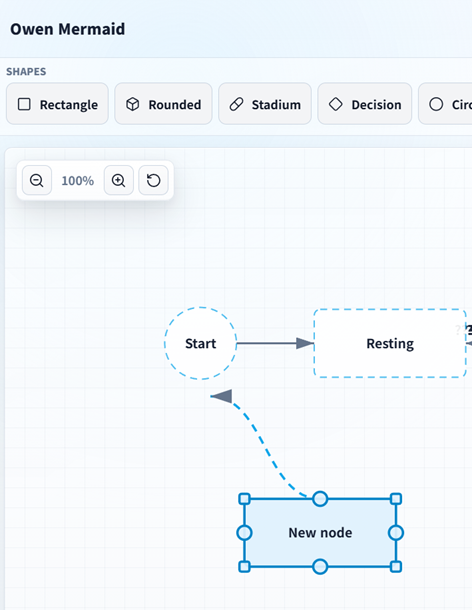
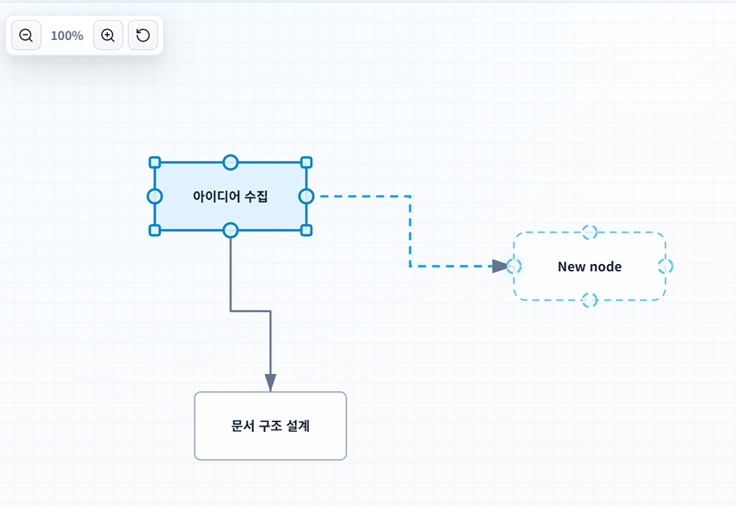
- Supports mouse drag-and-drop Mermaid editing directly on the canvas, similar to working in Visio.
- Applies a liquid glass design tone inspired by Owen Graphite and Owen Editor.
Screenshots
Features
When adding new functionality, add a new row to this table so the current feature surface stays easy to scan.
| Area | Feature | Notes |
|---|---|---|
| Rendered diagrams | Inline glass toolbar | Adds zoom, edit, and image download controls to rendered Mermaid SVG blocks. |
| Rendered diagrams | Context menu actions | Right-click a rendered Mermaid SVG to open zoom, edit, PNG download, or JPG download actions. |
| Zoom viewer | Full-screen pan and zoom | Opens rendered Mermaid SVGs in a large viewer with zoom controls, reset, and drag panning. |
| Visual editor | Flowchart editing | Creates, edits, drags, resizes, duplicates, and deletes common flowchart nodes. |
| Visual editor | Basic state and sequence editing | Parses and edits basic stateDiagram and sequenceDiagram participants, states, and messages. |
| Visual editor | Drag-and-drop creation | Supports clicking or dragging shape tools onto the canvas. |
| Visual editor | Connector editing | Creates, reconnects, reverses, styles, deletes, and labels connectors and free lines. |
| Visual editor | Connector route modes | Supports curve, straight, and elbow connector routes stored in Owen Mermaid metadata. |
| Visual editor | Draggable connector labels | Allows connector and free-line labels to be repositioned visually and preserved in metadata. |
| Visual editor | Self connectors | Adds self-loop connectors from the node context menu. |
| Visual editor | Multi-select nodes | Supports modifier-click node selection, group movement, group deletion, and selection-aware inspector controls. |
| Visual editor | Alignment and distribution | Aligns selected nodes left/center/right/top/middle/bottom and distributes selected nodes horizontally or vertically. |
| Visual editor | View navigation | Provides editor zoom, reset, fit-to-screen, center-selection, and a minimap navigator. |
| Visual editor | Snap controls | Supports snap on/off and configurable 10/20/40 grid spacing. |
| Visual editor | Undo and redo | Tracks editor changes across drag, resize, text, source, layout, connector, and group operations. |
| Visual editor | Source preview and editing | Shows Mermaid source, supports explicit source editing, and applies source changes back into the visual model. |
| Visual editor | Unsaved-change protection | Prompts before closing the editor when unapplied visual/source changes exist. |
| Visual editor | Source diff preview | Shows a compact Mermaid source diff before applying changes. |
| Visual editor | Preserved unsupported lines | Displays preserved unsupported Mermaid lines such as styles, classes, click handlers, link styles, and subgraph blocks. |
| Mermaid source | Layout metadata | Persists node size/position, free lines, connector routes, and label offsets in %% owen-mermaid metadata. |
| Export | Single image download | Downloads rendered Mermaid SVGs as PNG or JPG with configured scale, background, and quality. |
| Export | Batch export | Exports every rendered Mermaid SVG in the active note to a vault folder. |
| Export | Batch reports | Optionally writes a Markdown report for all batch exports or failures only. |
| Settings | Export configuration | Configures format, output folder, filename template, scale, quality, and background. |
| UI | Liquid glass design | Uses an Owen Graphite inspired liquid glass style for toolbars, settings, viewer, and editor surfaces. |
Usage
- Create a Mermaid code block in an Obsidian note.
- View the note in Reading view or Live Preview.
- Hover a rendered Mermaid diagram to use the inline buttons.
- Right-click the Mermaid SVG to open zoom, edit, or download actions.
- Run Export Mermaid diagrams in active note from the command palette to batch-export every rendered Mermaid SVG in the current note.
The visual editor currently targets common flowchart/graph Mermaid syntax: nodes, basic shapes, labels, and connectors. It also handles basic stateDiagram and sequenceDiagram structures. Mermaid init directives are preserved before the regenerated header, and unsupported lines or subgraph blocks are preserved in the generated output section when possible.
Keyboard shortcuts inside the editor:
Ctrl/Cmd+Z: undo the last editor change.Ctrl/Cmd+YorCtrl/Cmd+Shift+Z: redo the last undone change.Enter: edit the selected node, connector, or free line text.Delete/Backspace: delete the selected item.- Arrow keys: move the selected node or free line.
Shift+ arrow keys: move by the grid snap size.Shift/Ctrl/Cmd+ click: add or remove nodes from the current multi-selection.Escape: cancel the active placement or connector tool.
Batch export notes:
- Batch export uses the configured image format, filename template, output folder, scale, background, and quality.
- Files are written to the vault output folder and automatically receive a numeric suffix instead of overwriting existing files.
- The batch report setting controls whether a Markdown report is written never, only on failures, or every time.
Development
npm install
npm run dev
npm run build
npm test
Release validation:
npm run release:check
Optional Obsidian smoke test:
Obsidian --remote-debugging-port=9222
npm run test:obsidian
The smoke test connects to the running Obsidian app over CDP and confirms that Owen Mermaid is enabled and its commands are registered.
Manual install for testing:
<vault>/.obsidian/plugins/owen-mermaid/
Copy main.js, manifest.json, and styles.css into that folder, reload Obsidian, and enable Owen Mermaid from Community plugins.
Release Files
Community release assets should include:
manifest.jsonmain.jsstyles.css