
README file from
GithubPlantUML Support for Obsidian

Render PlantUML Diagrams in Obsidian
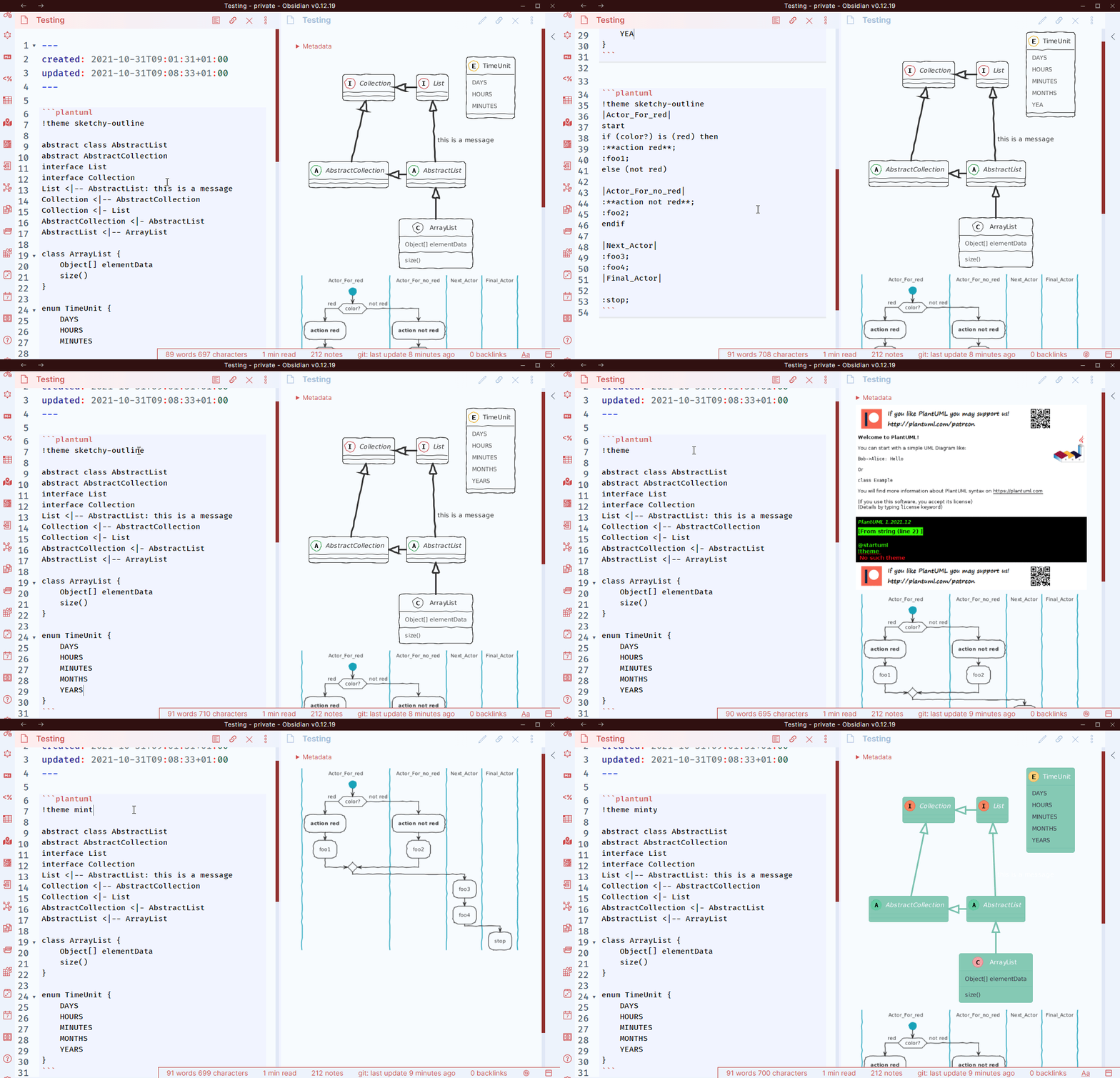
This plugin uses either the PlantUML Online Server, or a local
.jar file for rendering.
You can also host your own server (Docker / JEE / PicoWeb) and specify its address in the settings.
Please note that using the local rendering method is not as performant as using a server.
Usage
Create a fenced codeblock using plantuml as the language.
Specify your plantuml code inside.
To generate a diagram with higher resolution use plantuml-svg
You can also use plantuml-ascii to generate ASCII Art.
Documentation on Plantuml can be found on plantuml.com
Linking to notes in vault
Since the syntax for weblinks in PlantUML is the same for as for Wikilinks in Obsidian,
a special syntax is used:
[[[Your other note]]]
For the content of such a link refer to the obisidian documentation.
Normal web links are described here
Including an .puml file
⚠️ Only works when using local rendering
This works just as describe in the official documentation.
Examples
```plantuml
Bob -> Alice : hello
Alice -> Wonderland: hello
Wonderland -> next: hello
next -> Last: hello
Last -> next: hello
next -> Wonderland : hello
Wonderland -> Alice : hello
Alice -> Bob: hello
```
results in:
```plantuml-ascii
Bob -> Alice : hello
Alice -> Wonderland: hello
Wonderland -> next: hello
next -> Last: hello
Last -> next: hello
next -> Wonderland : hello
Wonderland -> Alice : hello
Alice -> Bob: hello
```
results in:
     ┌───┐          ┌─────┐          ┌──────────┐          ┌────┐          ┌────┐
     │Bob│          │Alice│          │Wonderland│          │next│          │Last│
     └─┬─┘          └──┬──┘          └────┬─────┘          └─┬──┘          └─┬──┘
       │    hello      │                  │                  │               │
       │──────────────>│                  │                  │               │
       │               │                  │                  │               │
       │               │      hello       │                  │               │
       │               │─────────────────>│                  │               │
       │               │                  │                  │               │
       │               │                  │       hello      │               │
       │               │                  │ ─────────────────>               │
       │               │                  │                  │               │
       │               │                  │                  │     hello     │
       │               │                  │                  │ ──────────────>
       │               │                  │                  │               │
       │               │                  │                  │     hello     │
       │               │                  │                  │ <──────────────
       │               │                  │                  │               │
       │               │                  │       hello      │               │
       │               │                  │ <─────────────────               │
       │               │                  │                  │               │
       │               │      hello       │                  │               │
       │               │<─────────────────│                  │               │
       │               │                  │                  │               │
       │    hello      │                  │                  │               │
       │<──────────────│                  │                  │               │
     ┌─┴─┐          ┌──┴──┐          ┌────┴─────┐          ┌─┴──┐          ┌─┴──┐
     │Bob│          │Alice│          │Wonderland│          │next│          │Last│
     └───┘          └─────┘          └──────────┘          └────┘          └────┘
Known issues
Not all methods of using PlantUML support all different diagrams. Following are a few known issues.
- ASCII can only ever generate Sequence diagrams
- The PicoWeb server does not support clickable links in png diagrams
- Some languages like chinese are not rendered correctly -> Switch to SVG rendering
Installation
Settings > Community plugins > Community Plugins > Browse and search for PlantUML.