
README file from
GithubNote Database
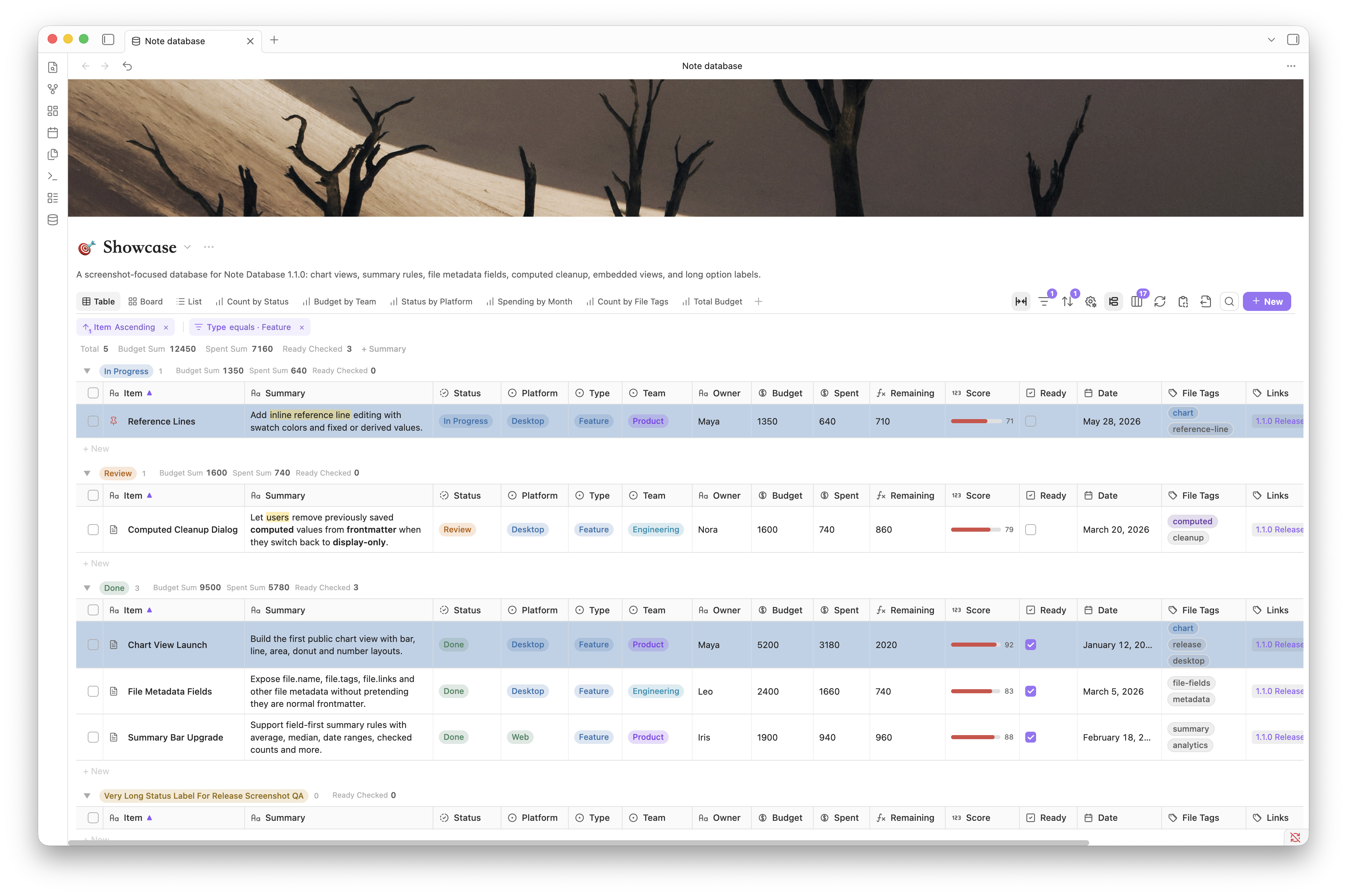
Edit frontmatter in place, save several views of the same notes, and keep every record in the vault you already use.
Highlights
- Seven database views: see the same notes as a table, board, gallery, list, chart, calendar, or timeline.
- Local Markdown storage: each database is an ordinary Markdown file with
db_view: true; records, properties, and relations also stay inside your vault. - Direct property editing: edit text, numbers, currency, dates, options, statuses, checkboxes, and file names without opening every note; one dialog confirms the display name, property key, and type for new properties.
- Spreadsheet-style workflows: use keyboard navigation, range selection, copy/paste, fill, paste-to-create, bulk editing, and single-step undo.
- Flexible organization: combine search, filters, sorting, groups, subgroups, manual order, quick facet chips, and result limits.
- Source-aware creation: select records by folder, tag, property, link, or expression, then preserve source/group defaults and apply templates when creating notes.
- Visual presentation: use database/record icons, database/card covers, inline Markdown, option colors, number styles, and conditional formatting.
- Summaries and charts: aggregate the current result, show several summaries in groups, and inspect the notes behind a chart value.
- Formulas, Relations, and Rollups: calculate properties safely, connect notes with Obsidian wikilinks, and derive count, sum, average, or list values.
- Native Obsidian links: use
file.*metadata and the core Page preview plugin for record titles, Relations, and internal links inside text. - Date planning: drag and resize date or time ranges in month/week/day calendars and day/week/month/quarter timelines.
- Embedding and portability: place read-only database views in notes, copy or export data, and convert Obsidian
.basefiles. - Local and private: no cloud data copy and no external transmission of vault content, metadata, formulas, or settings.
Seven views, one vault
| Table | Board |
|---|---|
|
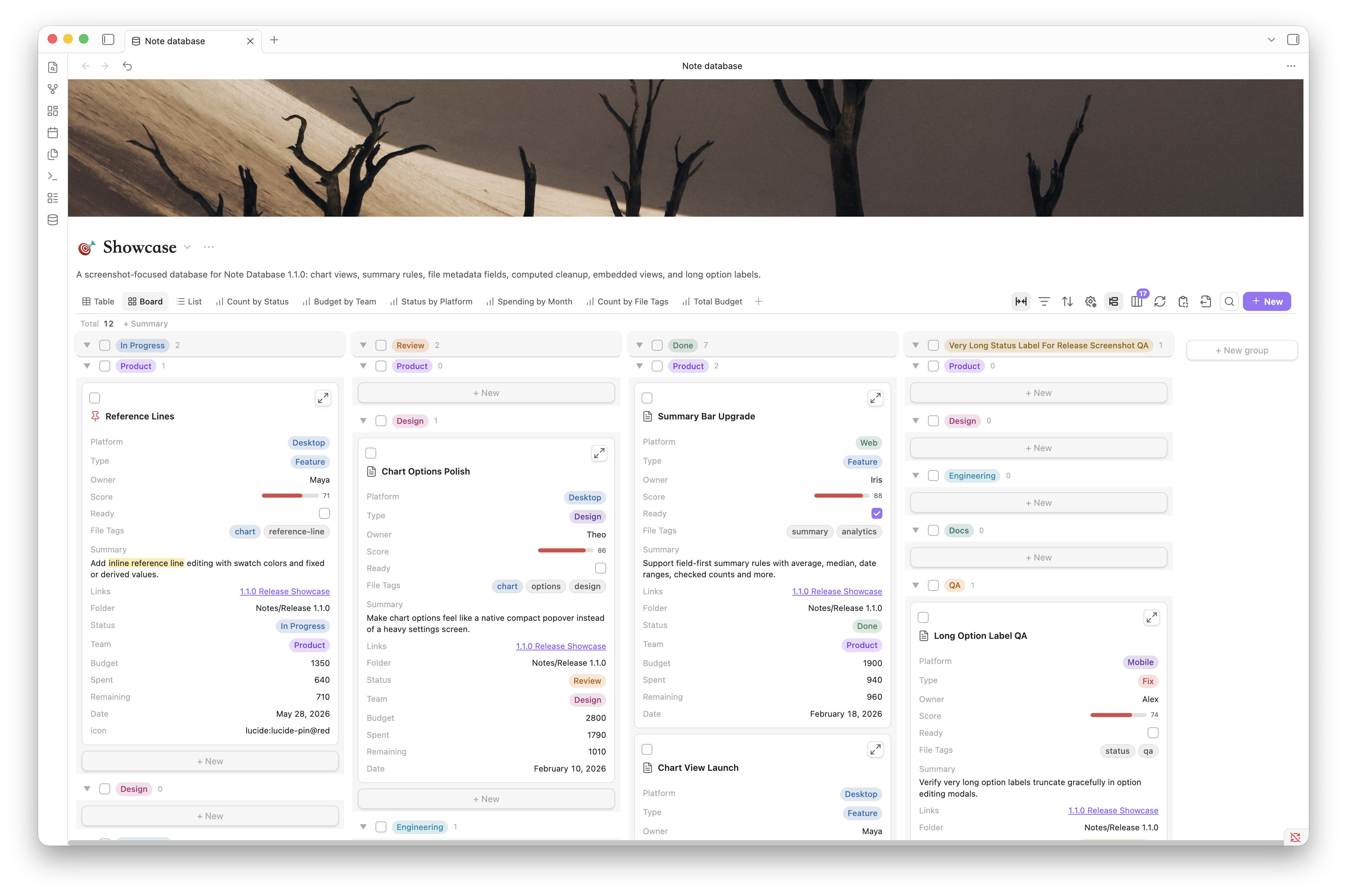 |
| Edit dense records, paste ranges, fill cells, group, sort, and navigate by keyboard. | Move cards through stages, use subgroups, covers, colored options, and drag-and-drop. |
| Gallery | List |
|---|---|
 |
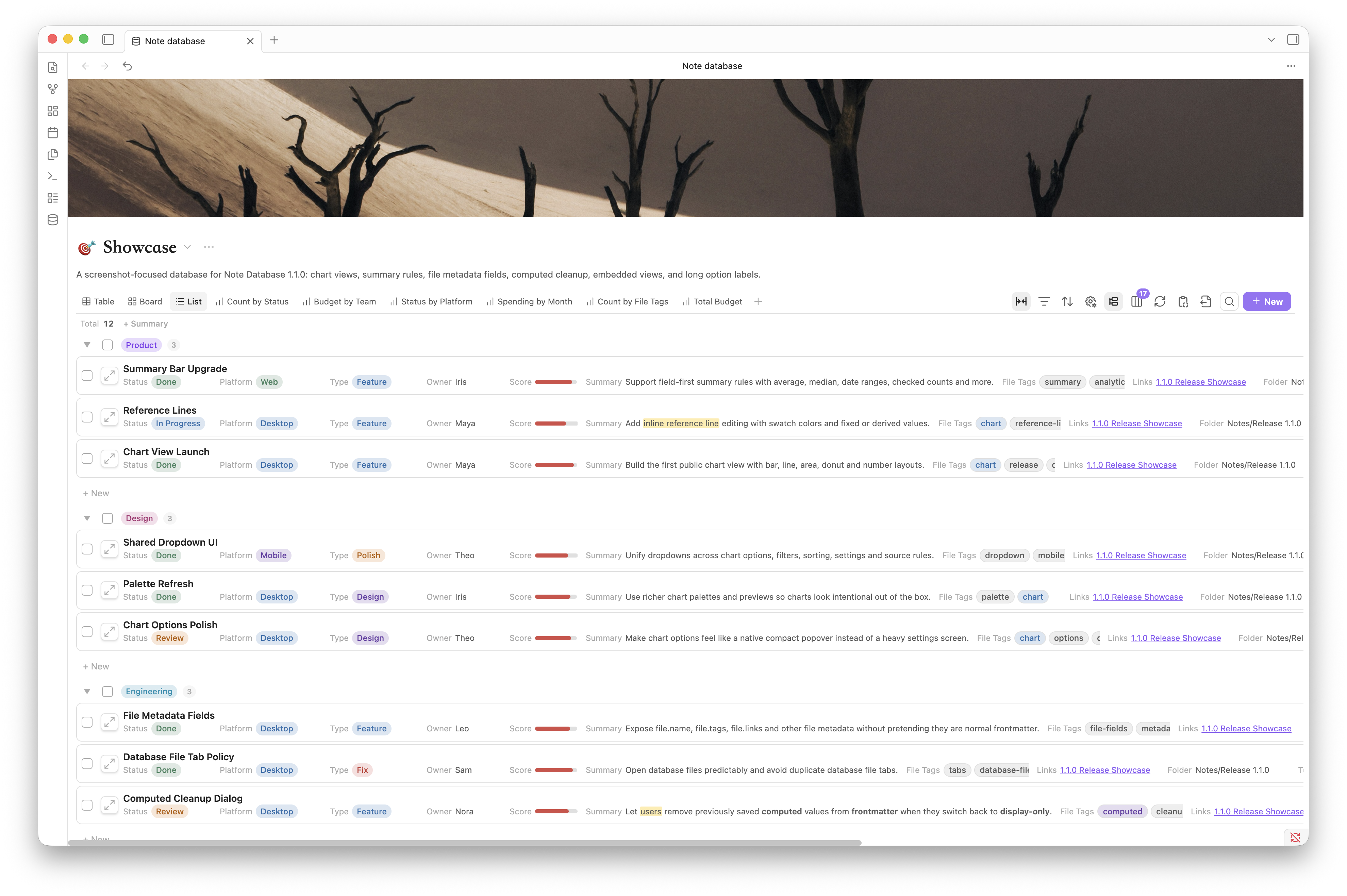 |
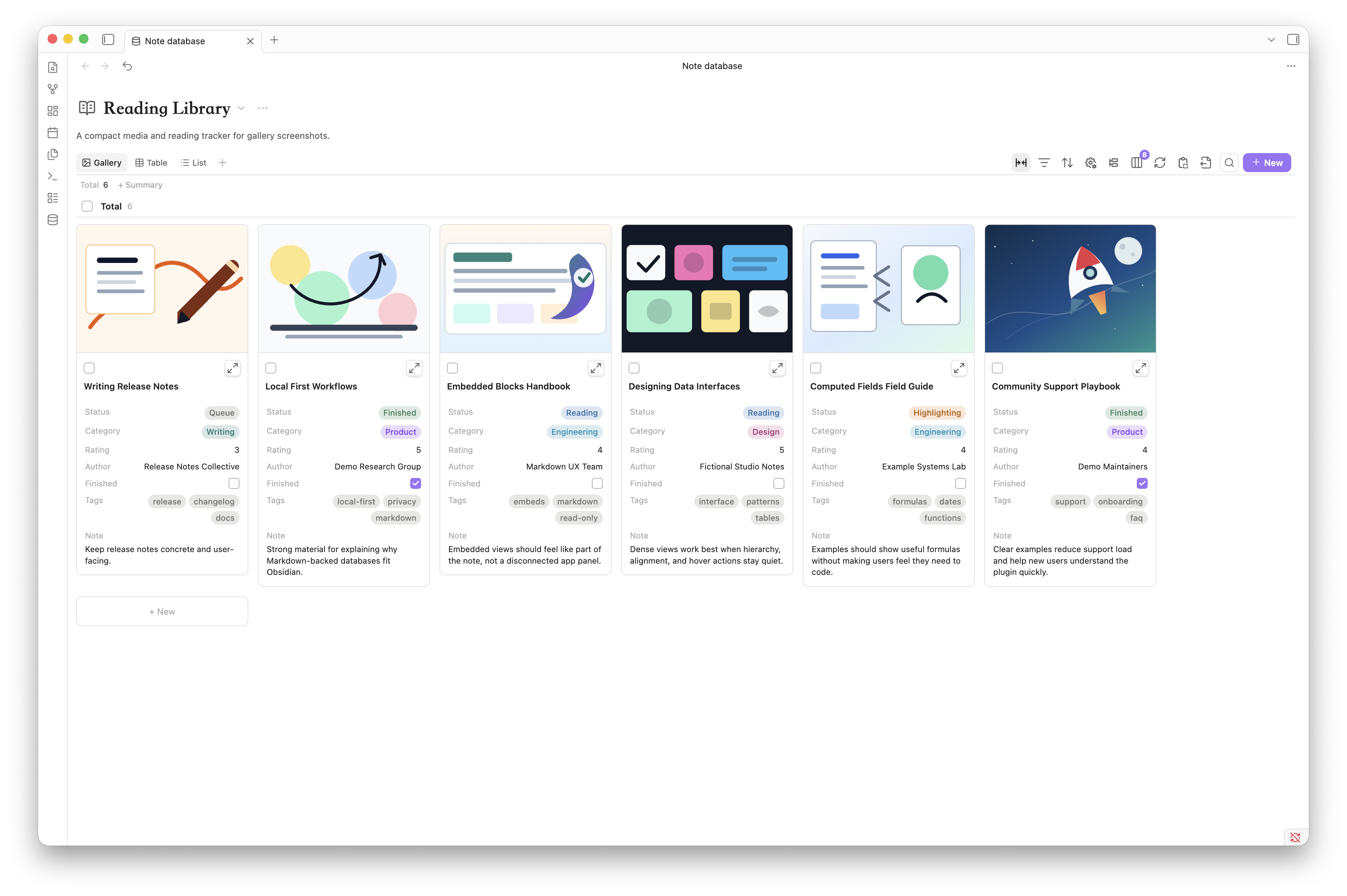
| Browse visual libraries with covers, properties, groups, and summaries. | Scan compact inventories, tasks, directories, and research notes. |
| Chart | Timeline |
|---|---|
 |
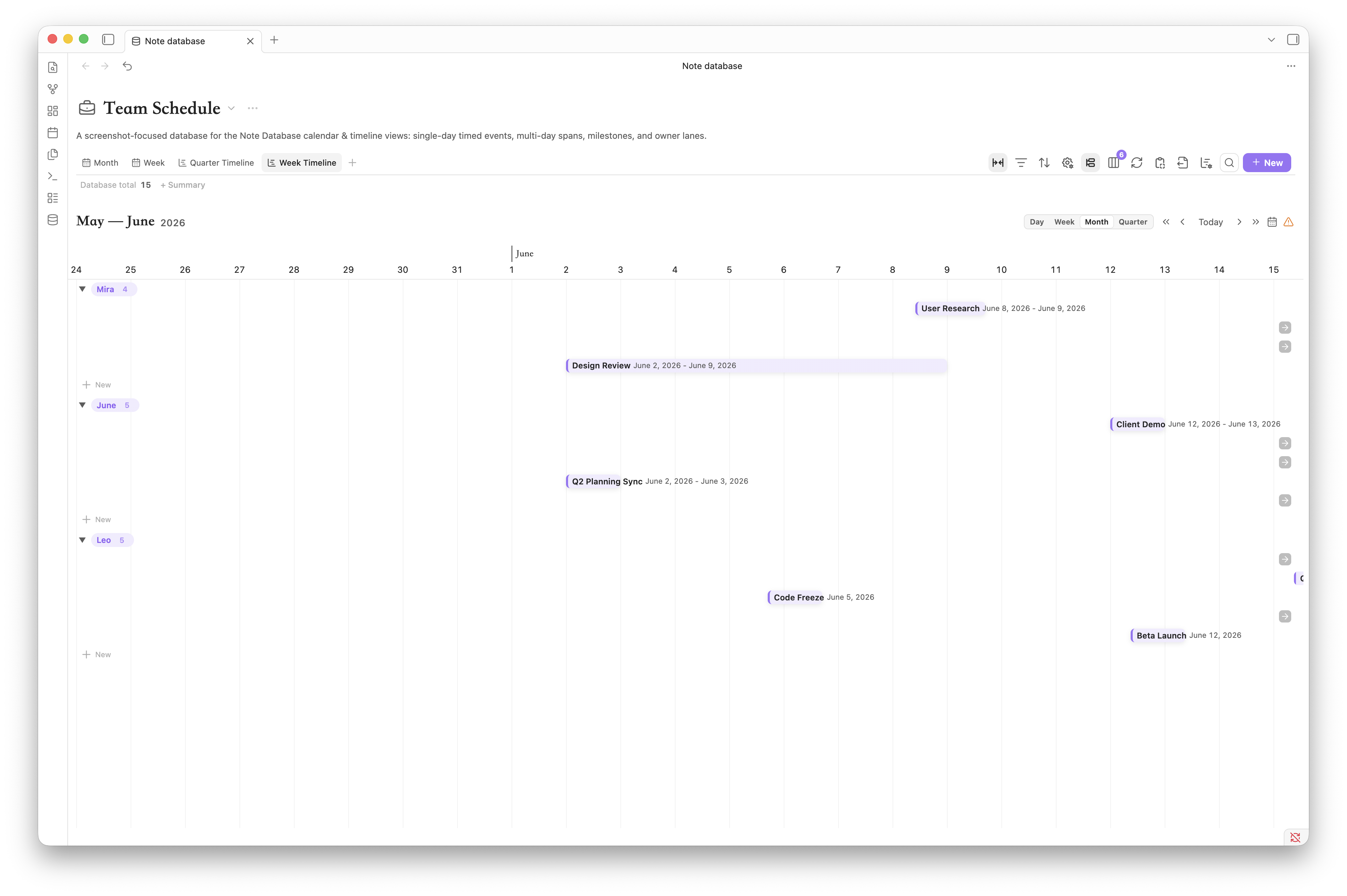 |
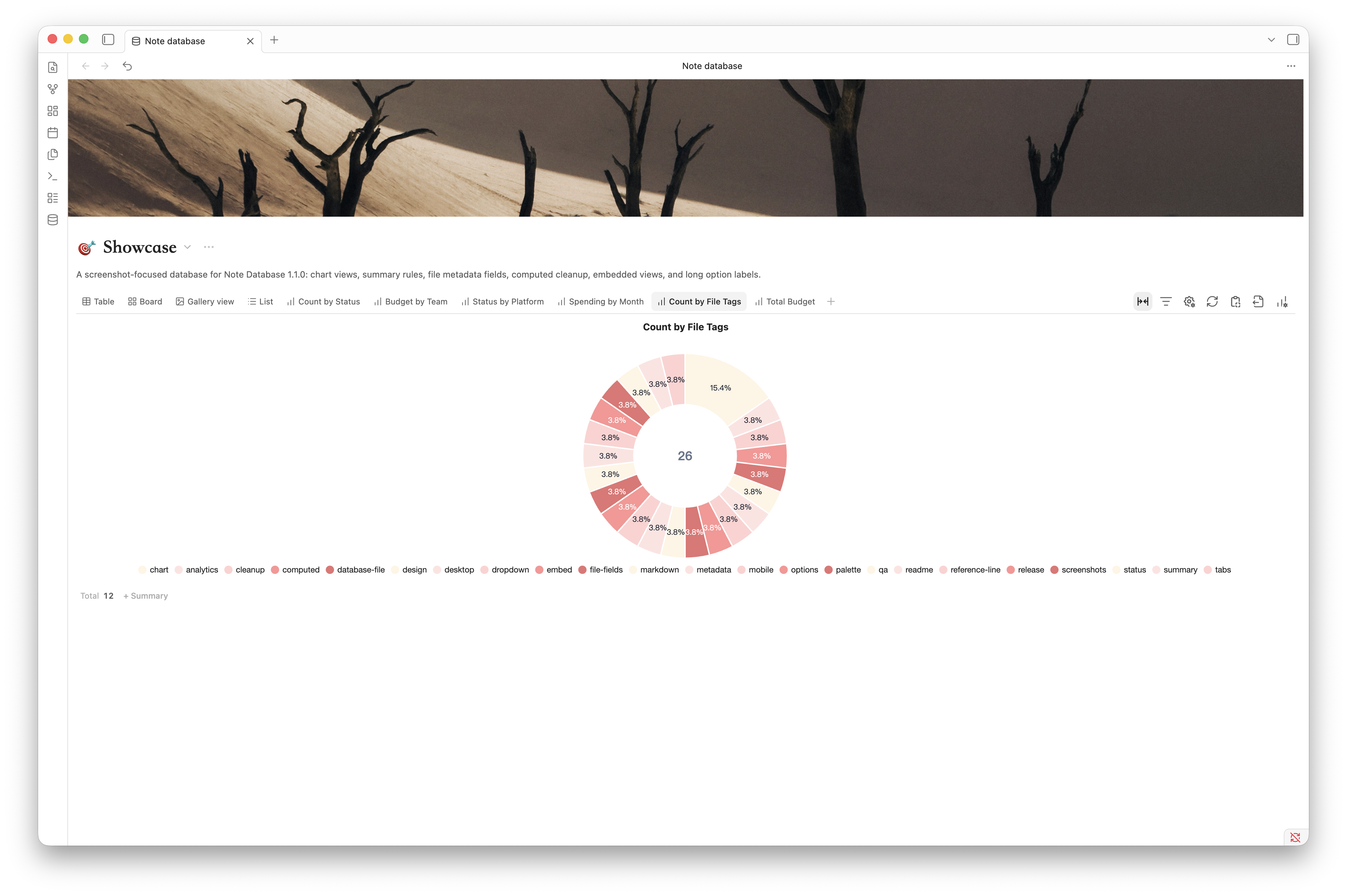
| Turn the current filtered result into charts, summaries, drilldowns, and PNG exports. | Plan across day, week, month, or quarter scales; drag and resize date ranges. |
| Calendar month | Calendar week |
|---|---|
 |
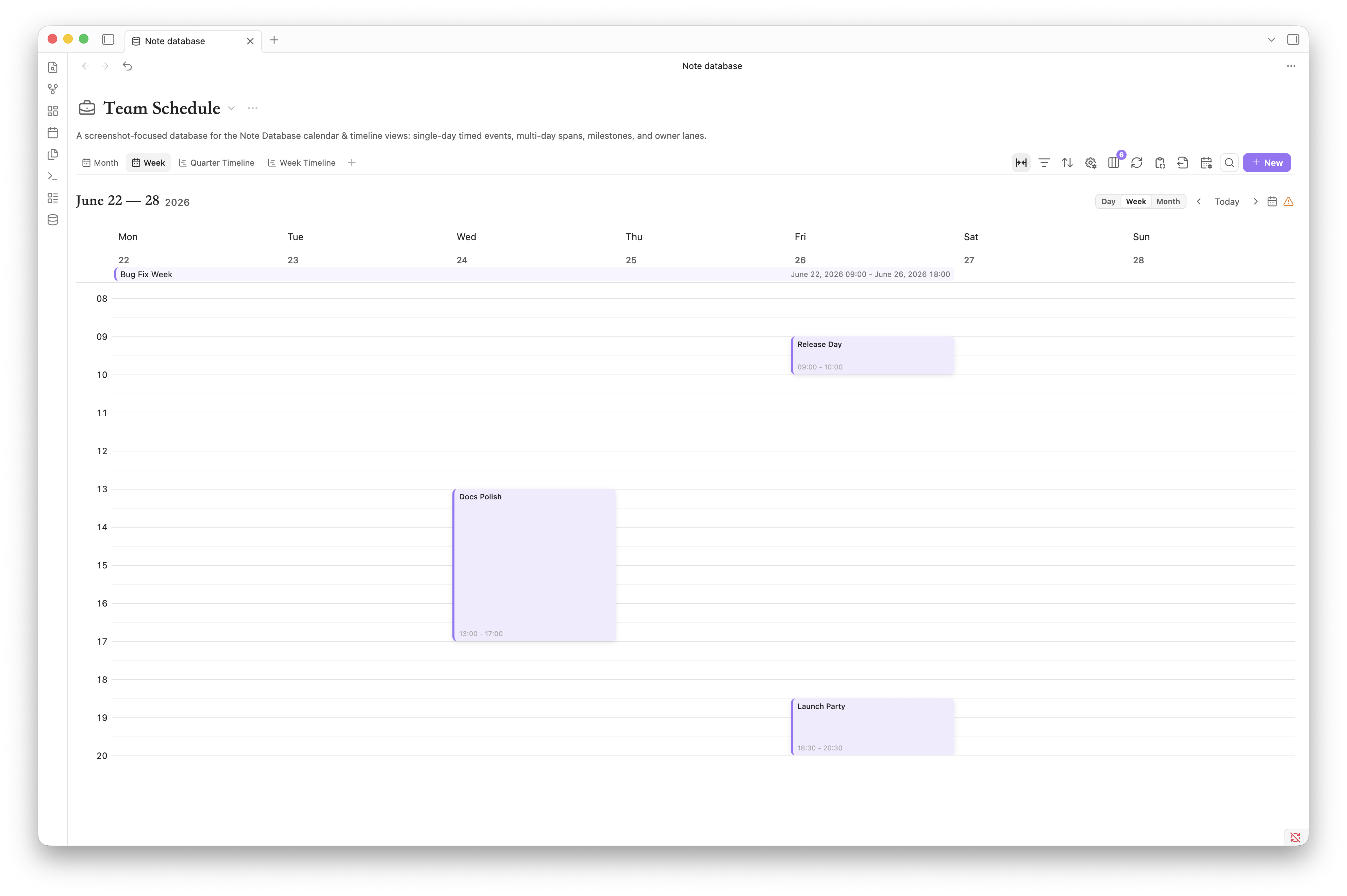 |
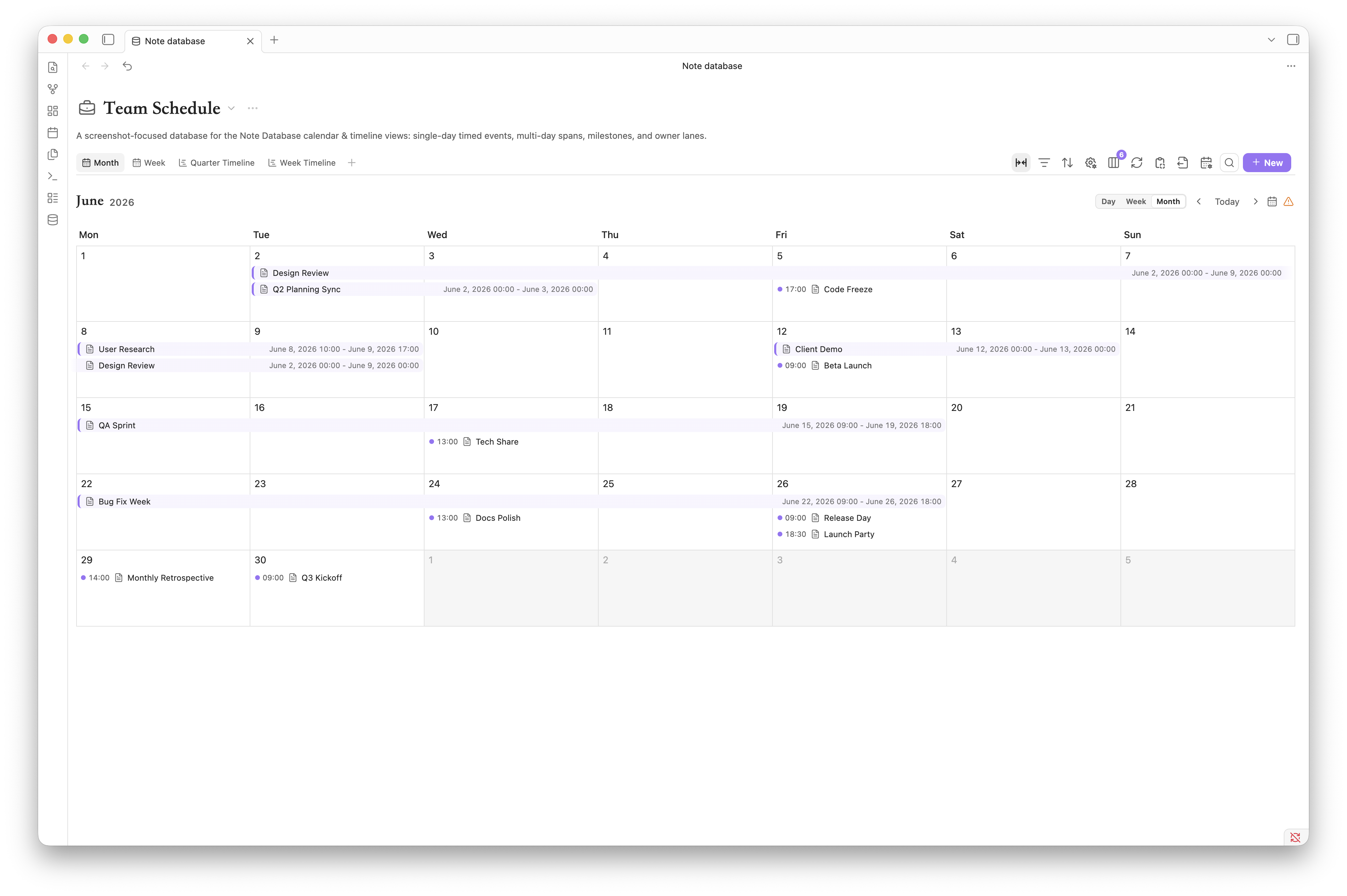
| Arrange all-day and multi-day records in a monthly overview. | Work with all-day and timed records on a detailed weekly grid. |
Each view keeps its own filters, sorting, grouping, visible properties, title property, and layout—without duplicating the notes.
New in 1.2.9
- More reliable editing and refresh: fixes values appearing on unrelated grouped rows, lost formatting after note renames, and stale properties after refresh. Manual refresh rereads data from disk.
- Undoable property renames: updates formulas and cross-database Rollup references. Failed writes trigger rollback attempts, with explicit reporting of concurrent conflicts.
- Unified automatic formula saving: automatic mode is scheduled by the plugin, without requiring an open Dashboard, including when using embedded views alone.
- Clearer Relation states: marks missing and out-of-scope references. Existing out-of-scope notes still support opening and preview, with an explanatory notice.
- Improved Base import: choose a file, search and sort properties, and preserve display names. Select which formula columns to import as computed fields or text. Text reads the matching note property without writing formula results.
- Smoother dialogs: drag desktop dialogs using the grip beside the title. Improved text copying in dialogs and popovers, title editing, and formula suggestions on narrow screens.
- Mobile compatibility: fixes iPad toolbar icons, badges, embedded collapse arrows, and phone cell-editor positioning.
Feature tour
| Faster filter and sort controls |
|---|
 |
| See active rules as compact chips. Edit one rule in place or remove it directly. |
| Record covers on boards |
|---|
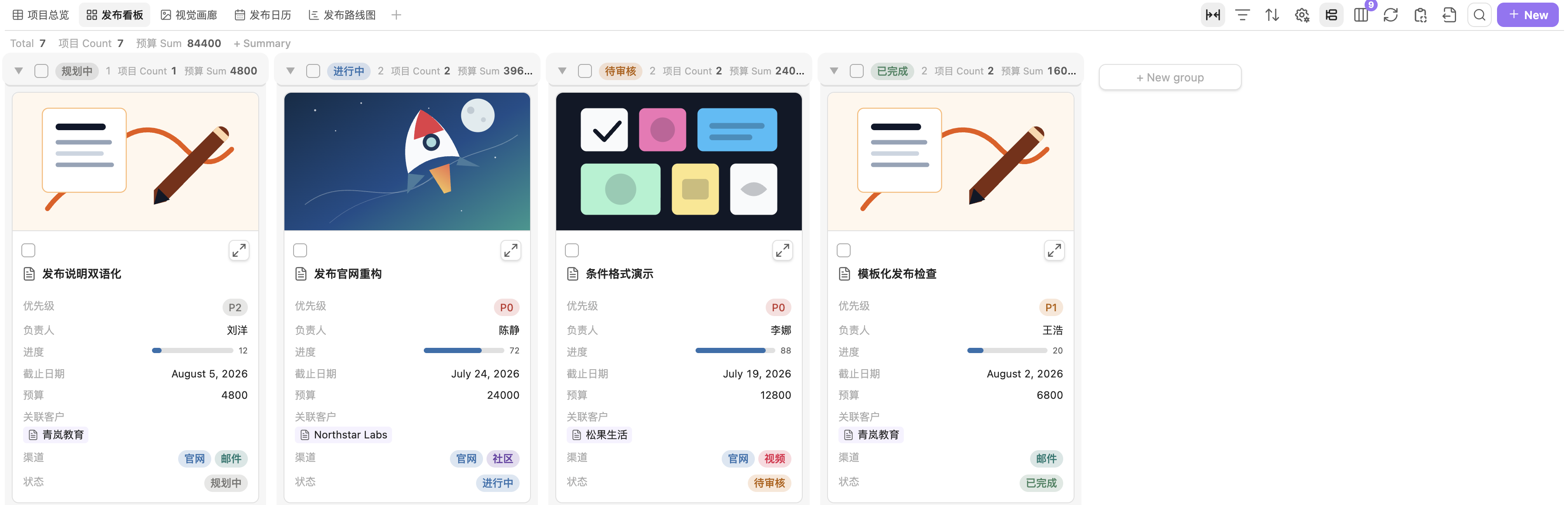 |
| Choose a cover property, crop mode, and ratio independently for every board view. |
| Clearer formulas | One new-property dialog |
|---|---|
 |
 |
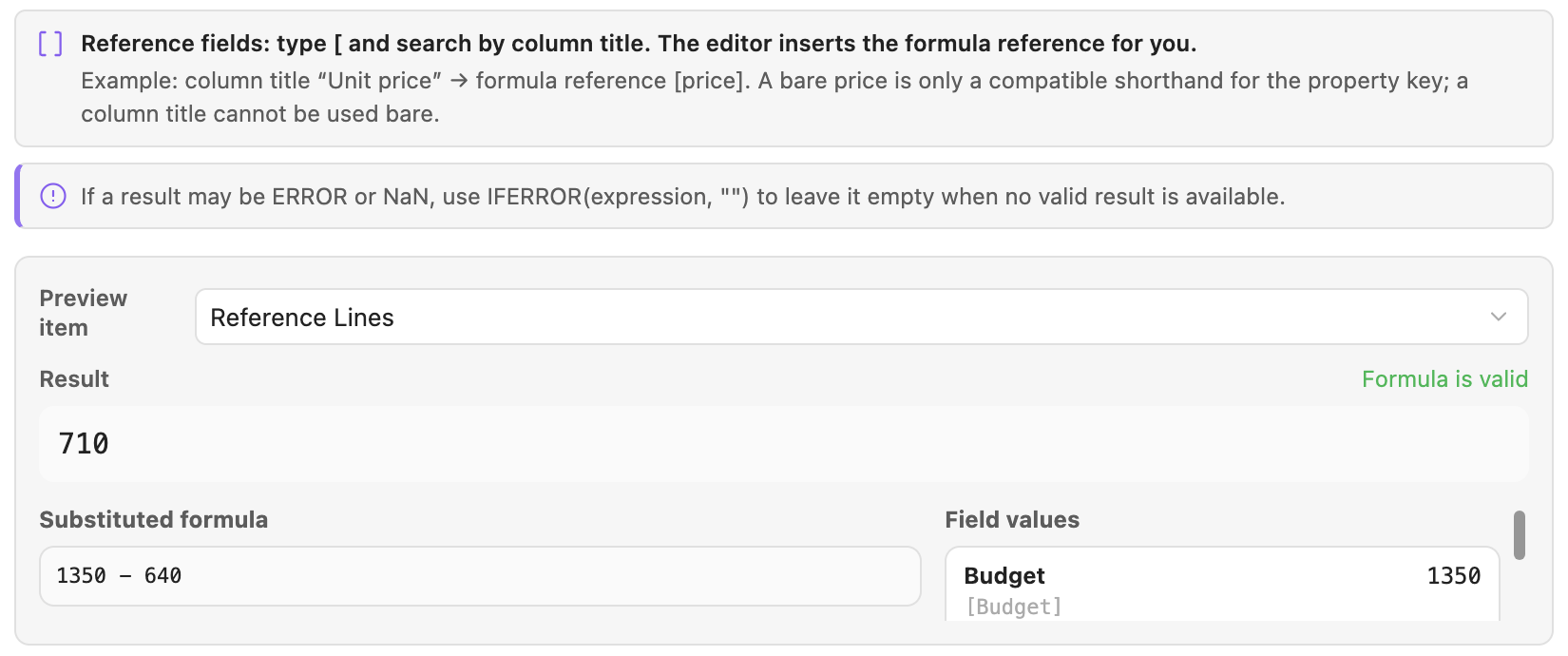
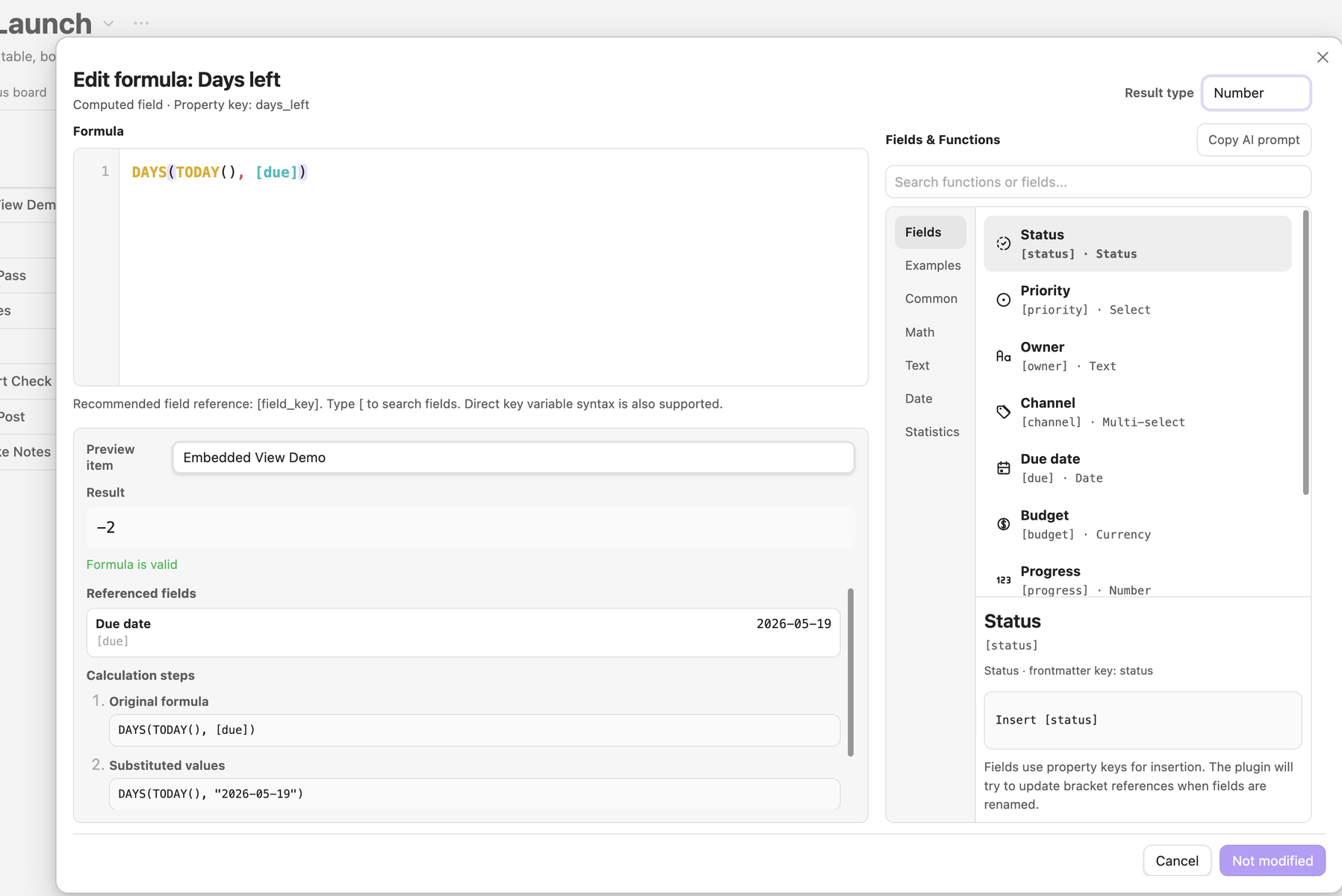
Distinguish display names from frontmatter keys, preview substituted values, use file.name / file.tags, and recover with IFERROR. |
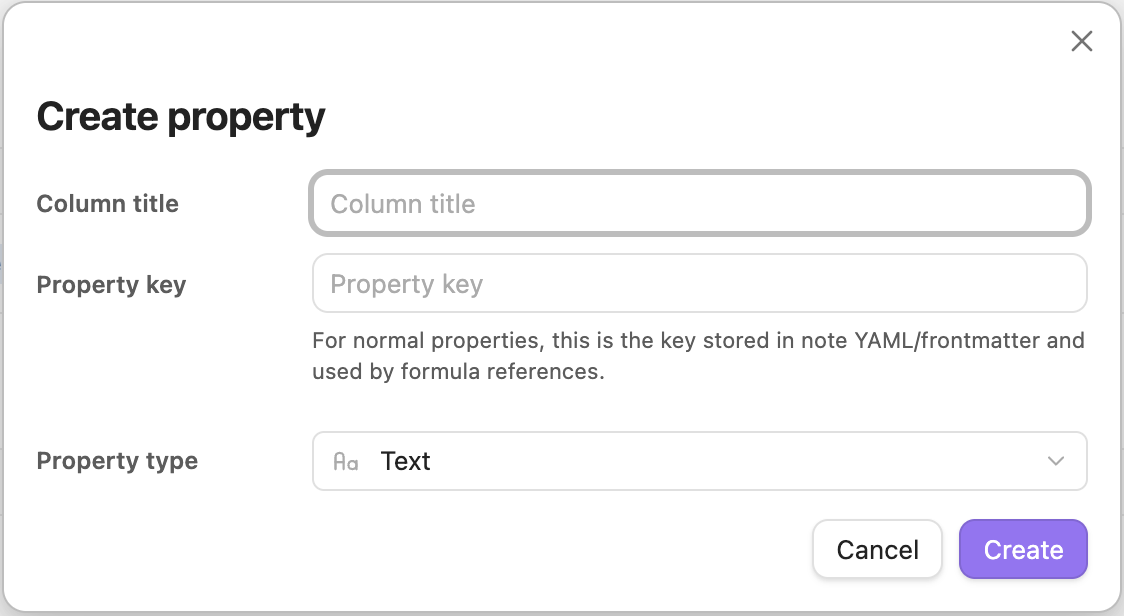
Confirm the display name, frontmatter key, and property type from every creation entry point. |
| Relations | Rollups |
|---|---|
 |
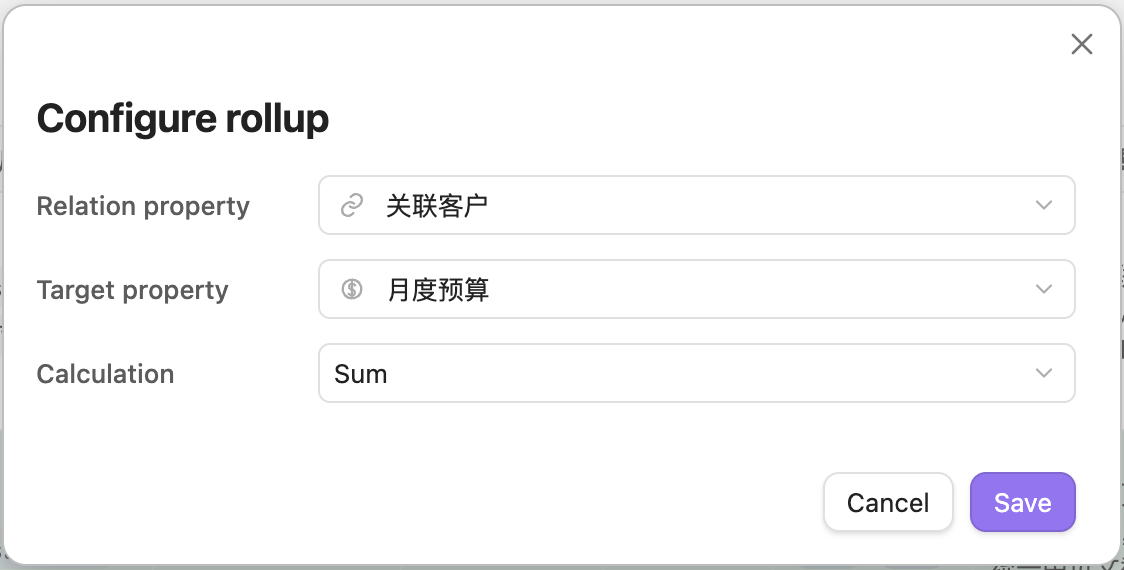 |
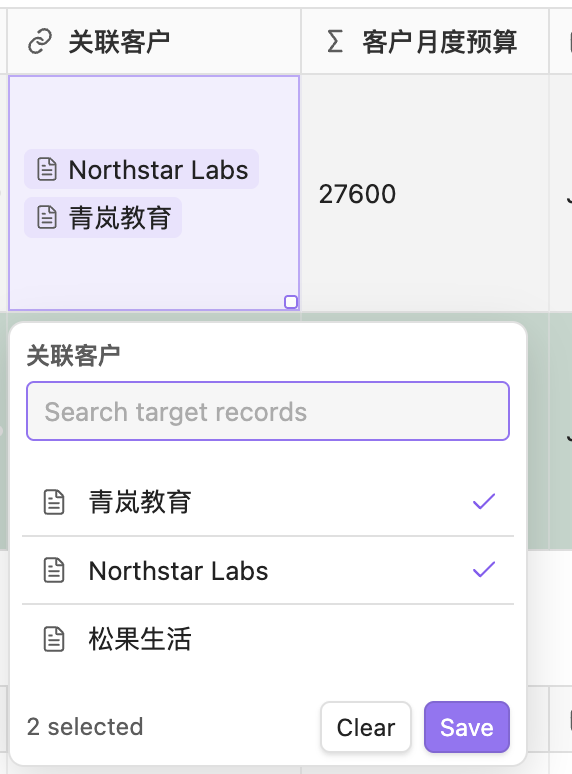
| Store relations as wikilinks and clear old values as one undoable target change. | Double-click a table cell to configure its Rollup. |
| Native note preview |
|---|
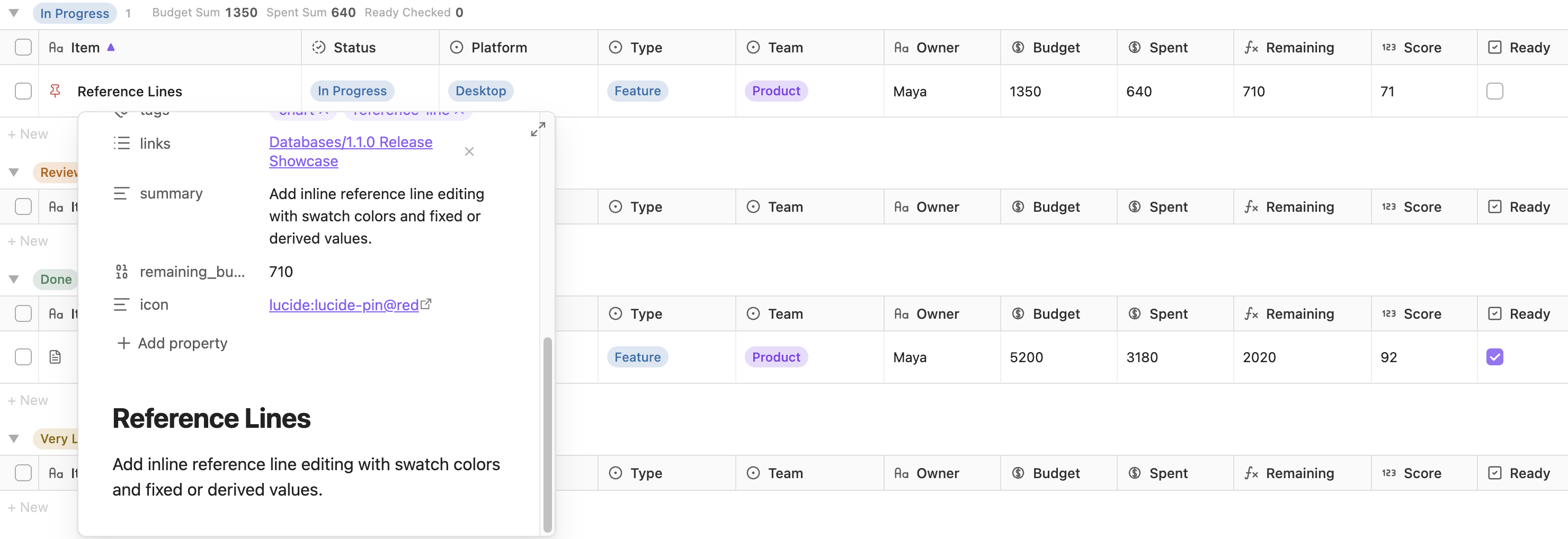 |
| Preview internal links with Obsidian's Page Preview and the user's chosen modifier key. |
Enable Obsidian's core Page preview plugin first. Preview works on record titles, Relation properties, clickable file.* metadata, text properties in Link display mode, and internal links or [[wikilinks]] in inline-Markdown text/computed-text properties. Table, Board, Gallery, List, Calendar, Timeline, the record detail panel, database-file views, and embedded views share the same behavior.
Edit many notes without opening them
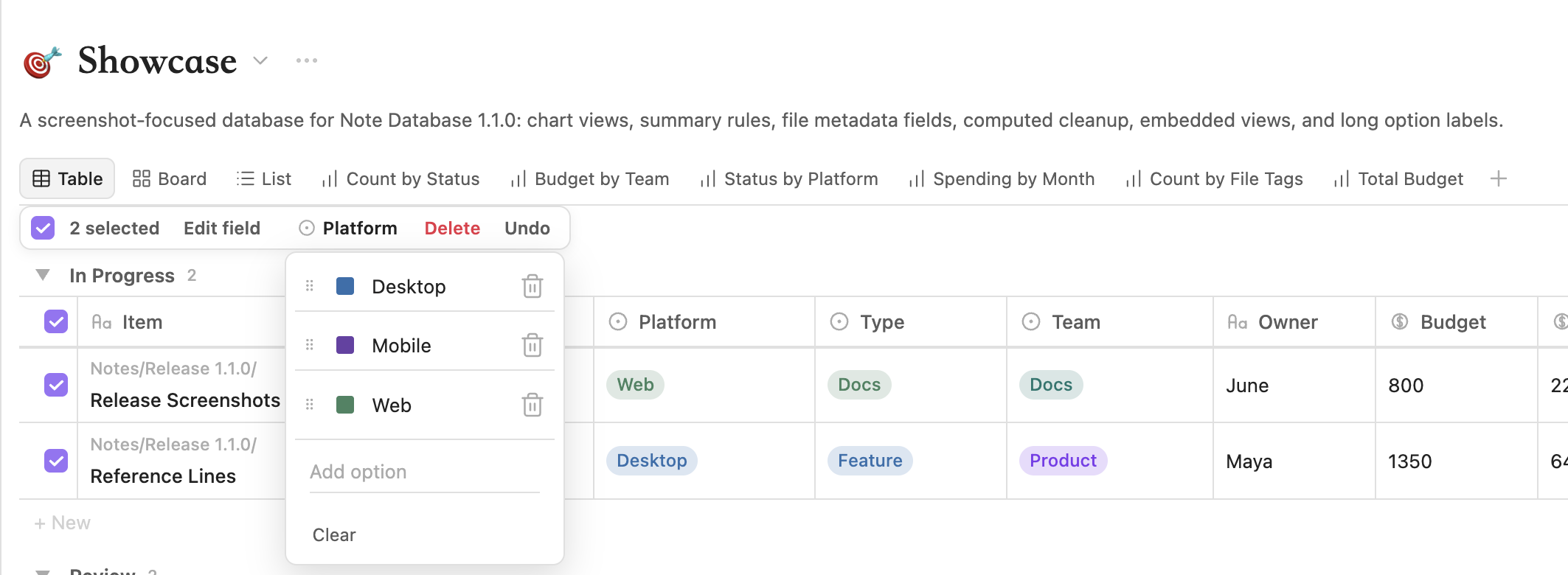
Field-aware editors cover text, numbers, currency, dates, checkboxes, selects, multi-selects, statuses, and file names. Table workflows include range selection, copy/paste, fill, overflow row creation, safe file renaming, and single-step undo.
| Typed bulk editing | Inline Markdown and number displays |
|---|---|
 |
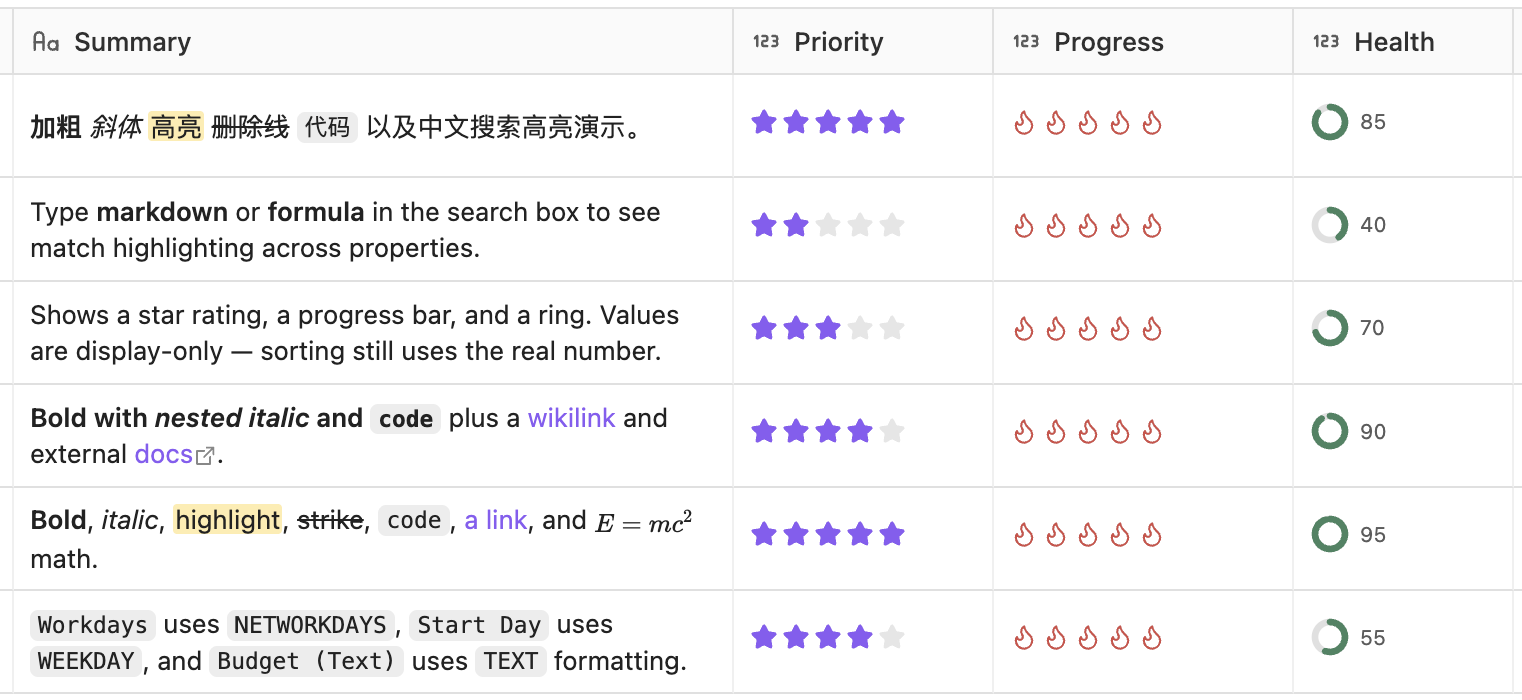 |
| Preview the affected records, confirm risky writes, and roll back a failed transaction. | Render text as links or inline Markdown; show numbers as ratings, bars, or rings without changing stored values. |
Organize, highlight, and summarize
| Conditional formatting | Group summaries |
|---|---|
 |
 |
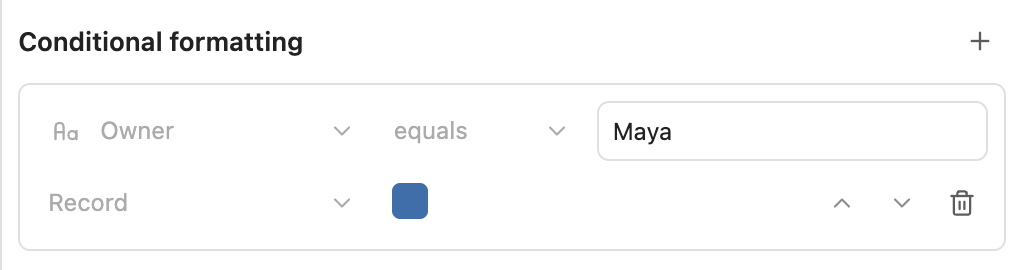
| Highlight a matching property or the whole record with view-specific rules. | Add and reorder count, sum, average, min/max, and other summaries in grouped views. |
Active filter and sort chips use the same rules as the full toolbar panels. Source rules can combine folders, tags, properties, links, and expressions with AND, OR, and NOT.
Calculate and connect
| Formulas | Relations and Rollups |
|---|---|
 |
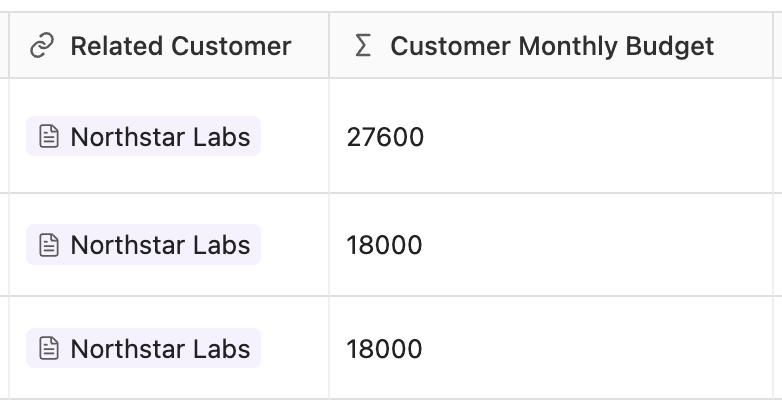 |
| Build computed properties with field references, date/text/number functions, live previews, and optional frontmatter sync. | Keep relationships as ordinary Obsidian wikilinks and calculate count, sum, average, or list values from linked notes. |
No eval, hidden relation database, or cloud copy is used.
Make records easier to scan
| Database and record icons | Covers and visual cards |
|---|---|
 |
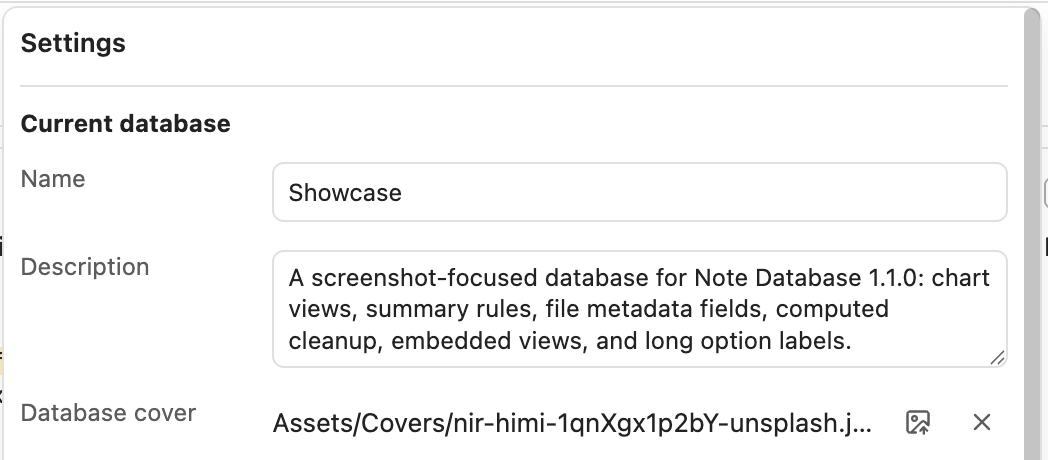 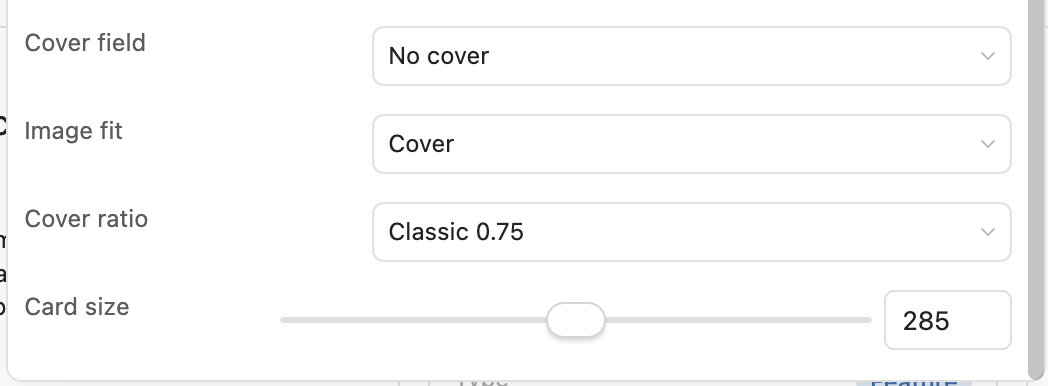 |
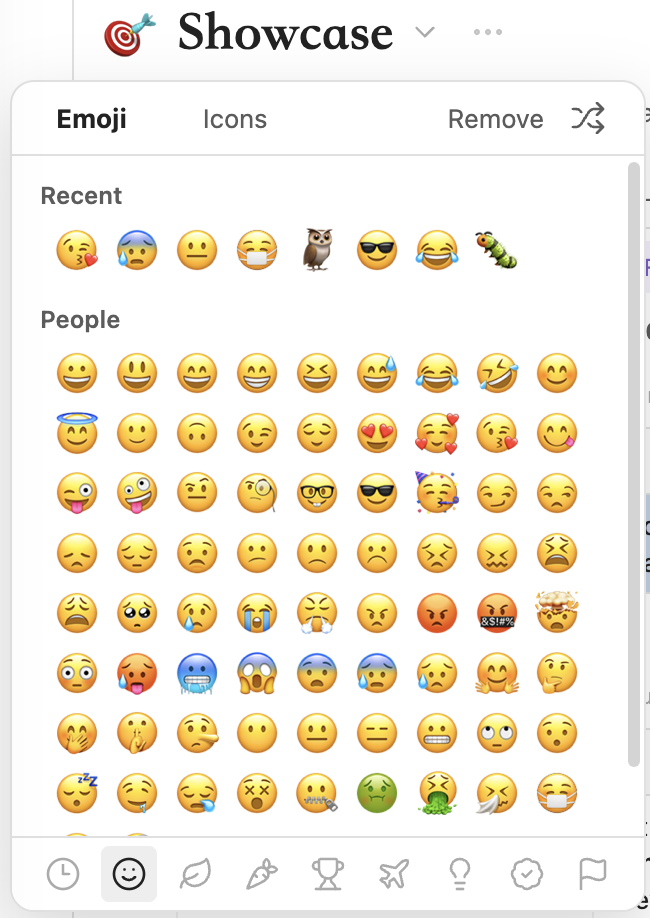
| Use Unicode Emoji or Lucide icons, with database defaults and per-view record-icon fields. | Add a draggable database cover and choose independent cover settings for board and gallery views. |
Option-based group titles keep their colors across table, board, gallery, and list views. Search highlights file names and visible values, including localized dates.
Plan dates and inspect results
| Search across Calendar and Timeline | Chart drilldown and summaries |
|---|---|
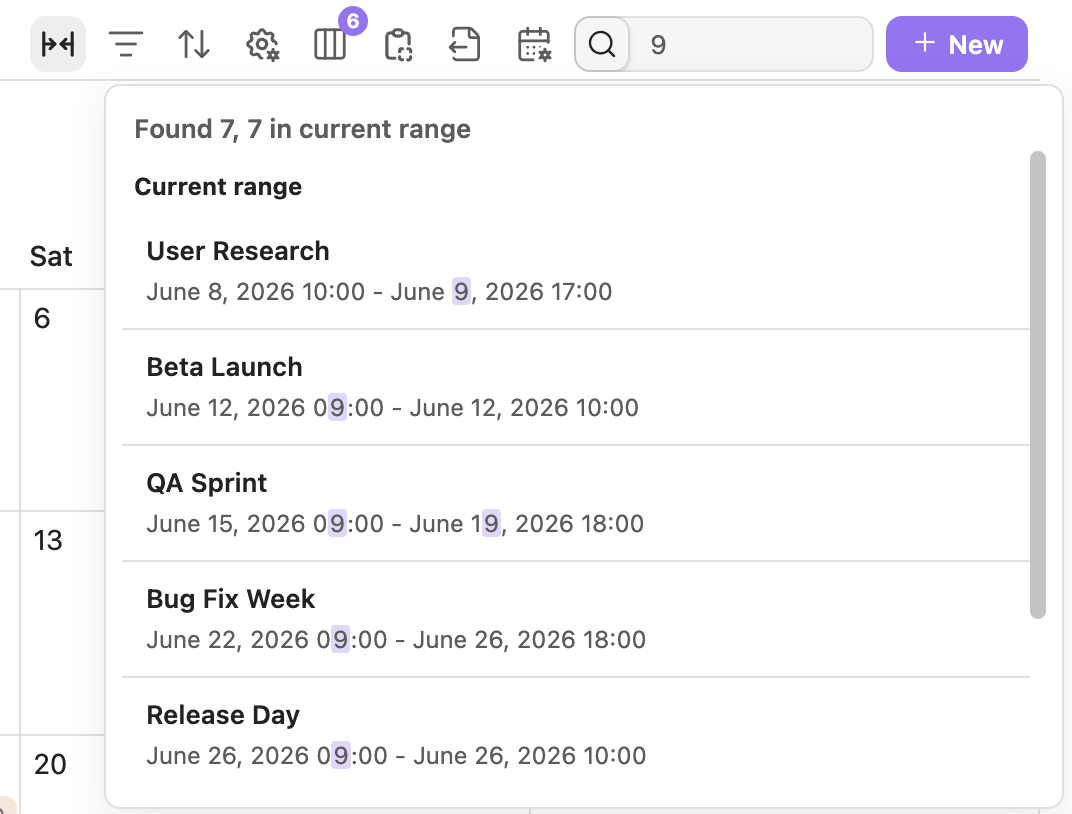 |
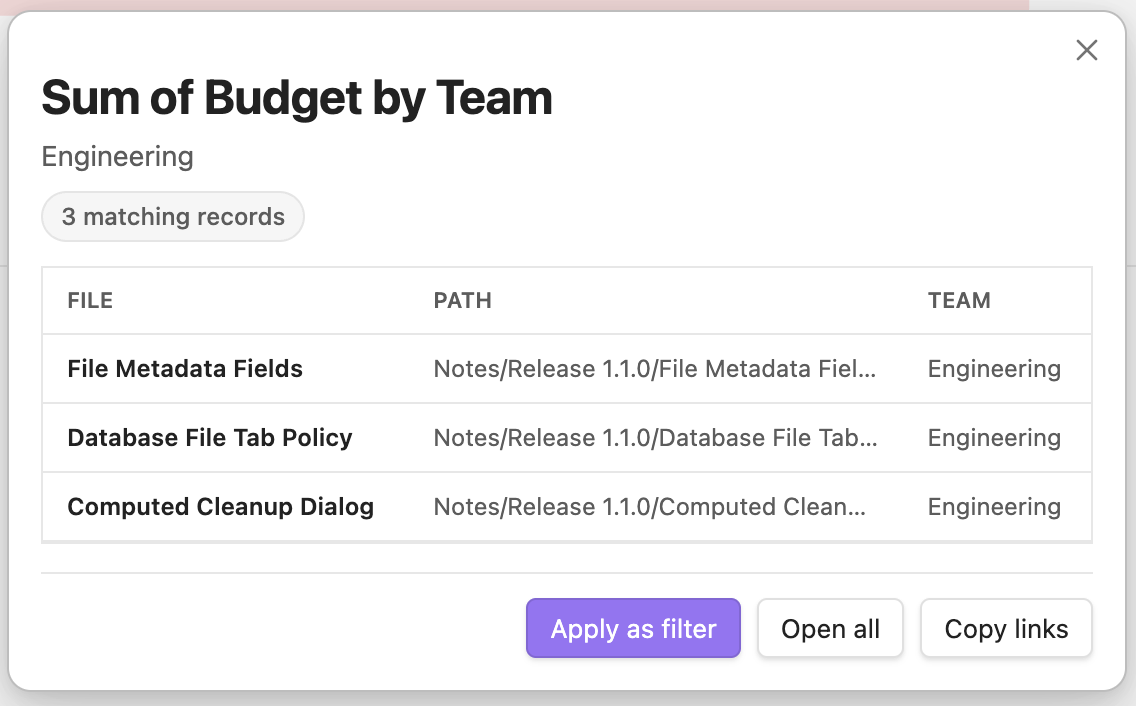 |
| Search the fields visible on event cards, then drag or resize date and datetime records. | Click a chart value to inspect its records before applying a filter. |
Calendar supports month, week, and day. Timeline supports day, week, month, and quarter.
Use database views anywhere
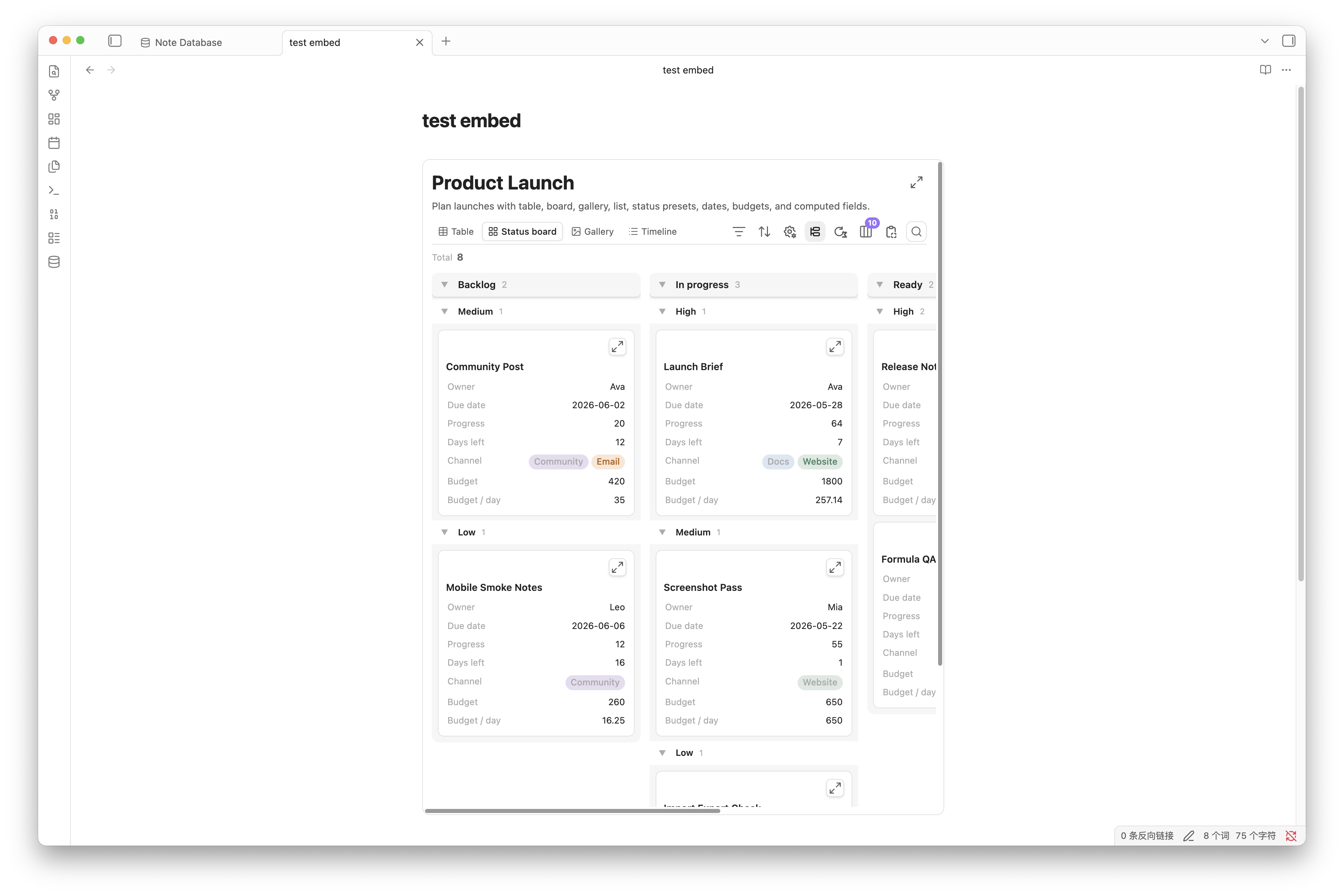
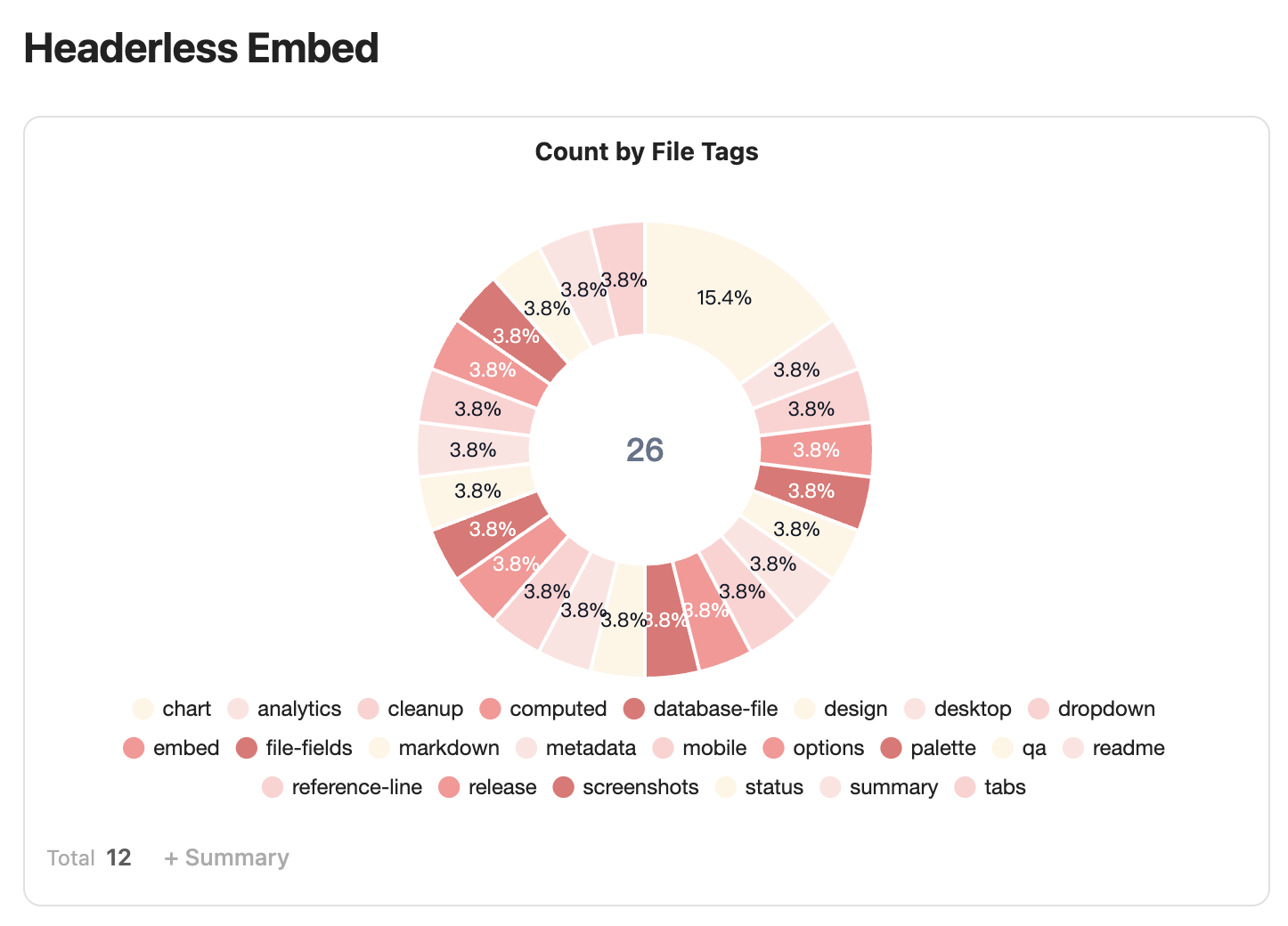
| Embedded view | Headerless embed |
|---|---|
 |
 |
Paste a generated note-database block into any note. |
Hide the database header when the surrounding note already provides context. |
Embedded records stay read-only, while view switching, filters, sorting, grouping, computed values, and copy/export tools remain available. If a database explicitly enables automatic formula-result storage, that database-level background task still runs while the database is shown in an embedded view.
Markdown remains the source of truth
| What | Stored as |
|---|---|
| Database | A normal Markdown file with db_view: true |
| Records and property values | Markdown notes and their frontmatter |
| Relations | Obsidian wikilinks in frontmatter |
| Templates | Existing Obsidian Templates or Templater files |
| Views | Saved configuration in the database file |
Create records from source rules, groups, subgroups, or row insertion. Apply templates at creation. Export CSV + Markdown ZIP, copy CSV/Markdown tables, or convert an Obsidian .base file.
Start in three steps
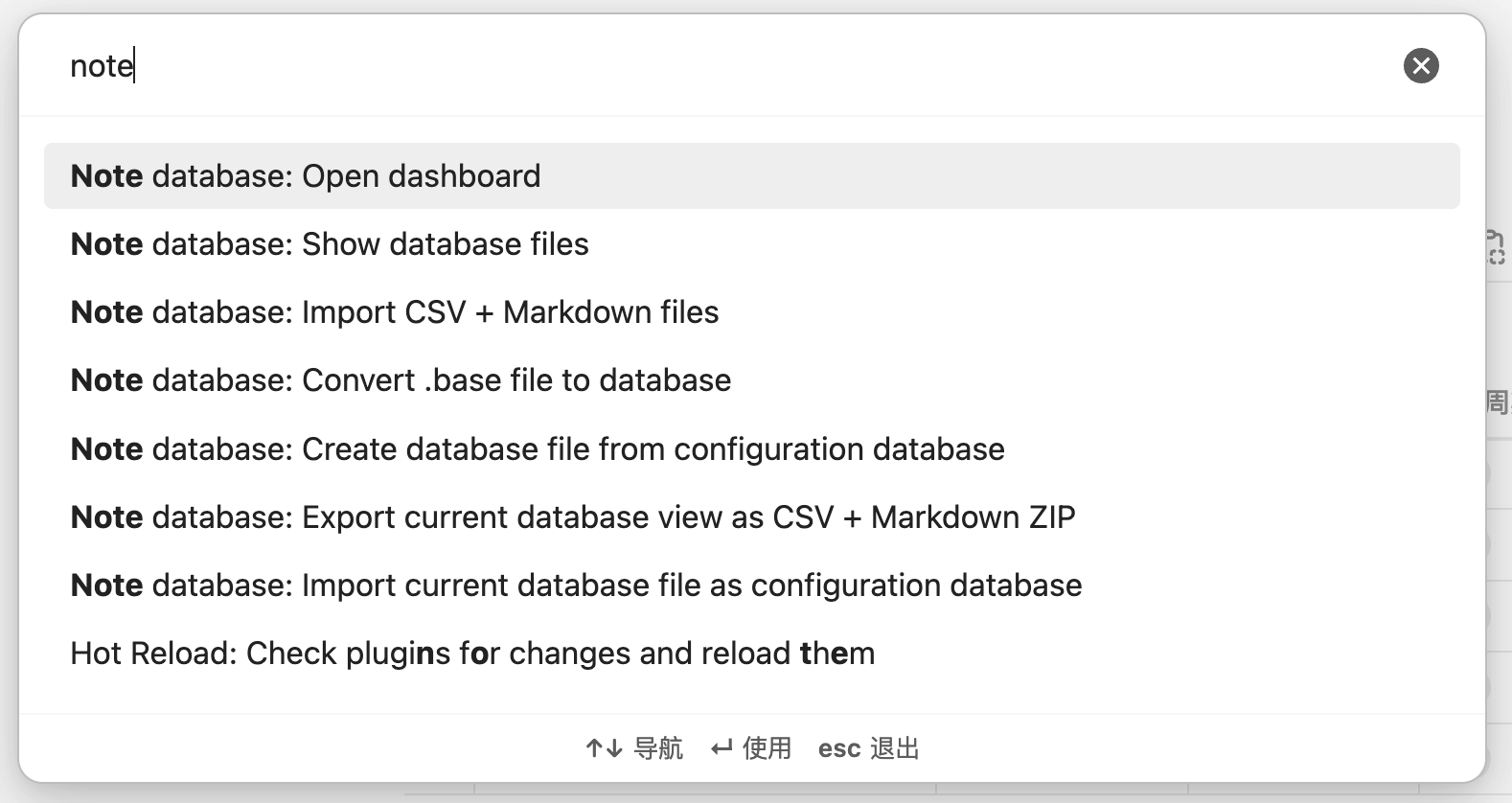
- Install and enable Note Database, then open the dashboard from the ribbon or command palette.
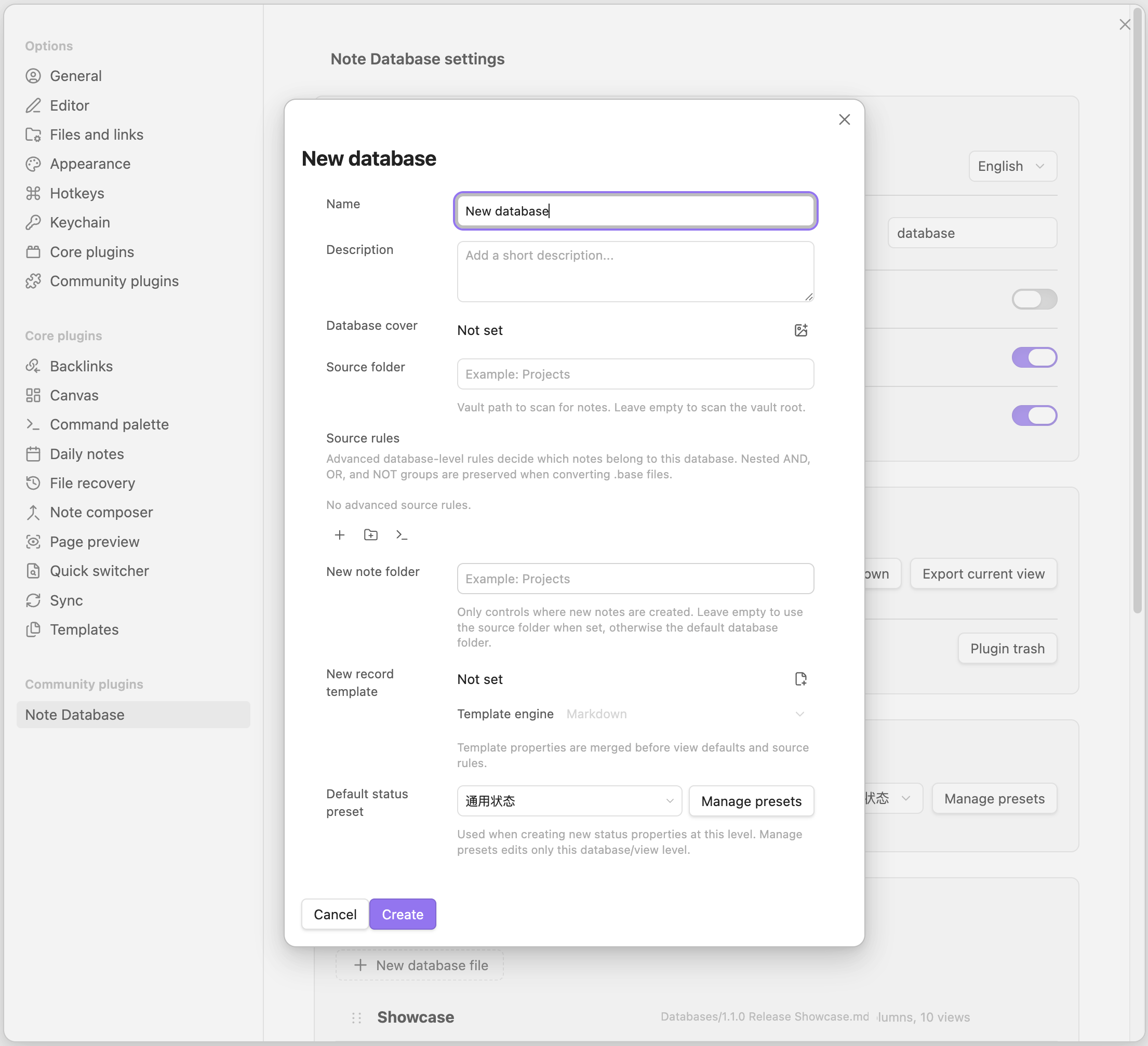
- Create a database and choose a folder or source rules for its notes.
- Add properties and views. Edits write back to the original Markdown files.
Installation
- Open Settings → Community plugins.
- Search for Note Database.
- Install and enable it.
For manual installation, download main.js, styles.css, and manifest.json from the latest release and copy them to .obsidian/plugins/note-database/.
Privacy
Note Database runs locally in Obsidian. It does not send vault content, metadata, formulas, or settings to an external service. Read the full privacy policy.
Support
If Note Database is useful to you, star the repository or support continued development:
Release notes and the full change history are available on GitHub Releases.