
README file from
GithubMusic Pro
A plug-and-play music app for deep work inside Obsidian.
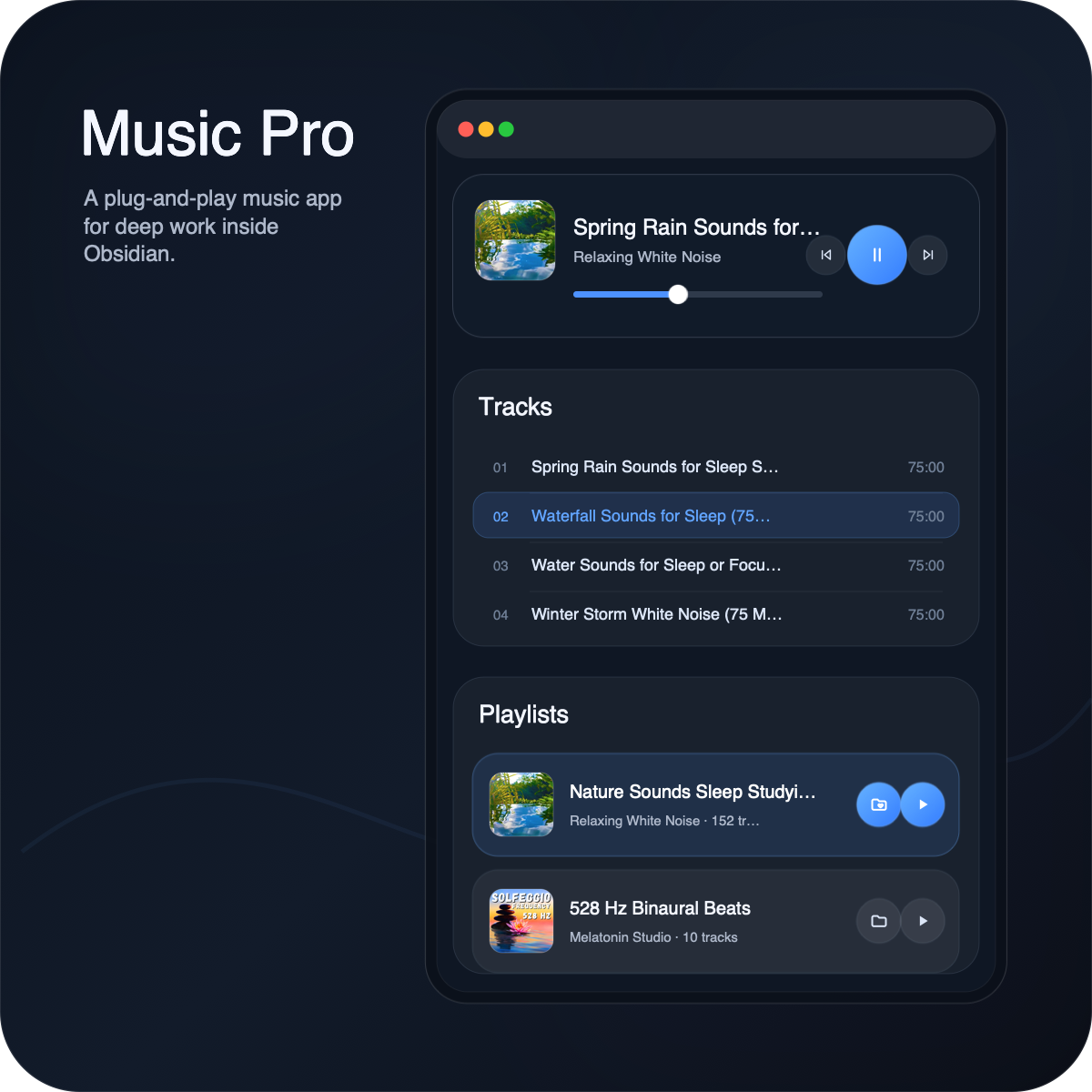
Why Music Pro?
- No ads.
- No complex setup.
- Curated playlists specifically for work, study, reading, and deep focus.
- Clean & Modern UI.
- Lightweight:
- No MP3 files stored in your vault.
- Music comes from public SoundCloud playlists.
- Music loads only when needed.
- Music consumes much less network data than music video. => Maybe wanna work outside? Not a problem!
Features
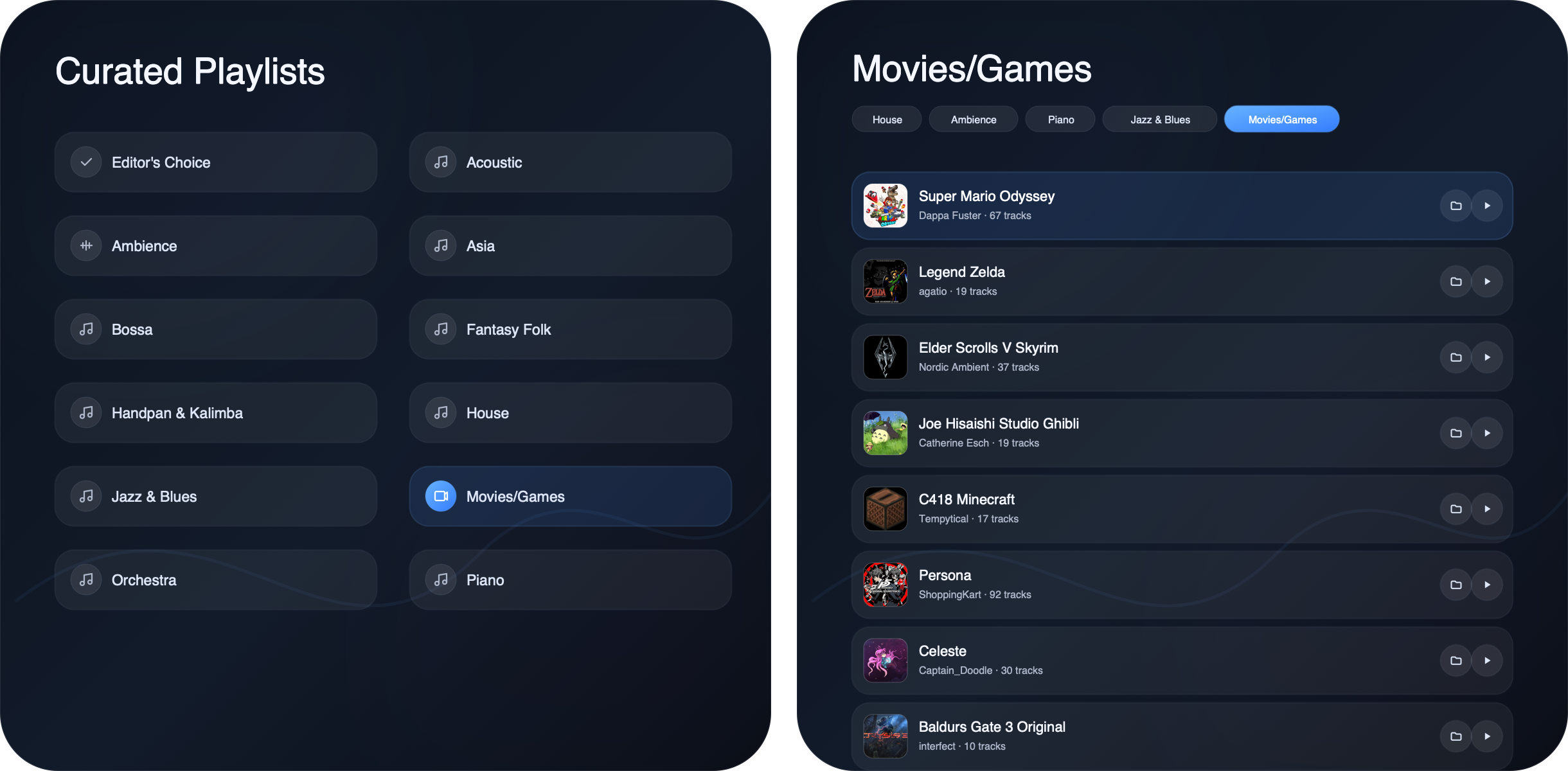
Curated Playlists
Music comes from public SoundCloud playlists. Music Pro organizes them into focused playlists for work, study, reading, ambience, piano, orchestra, jazz, games, and more.
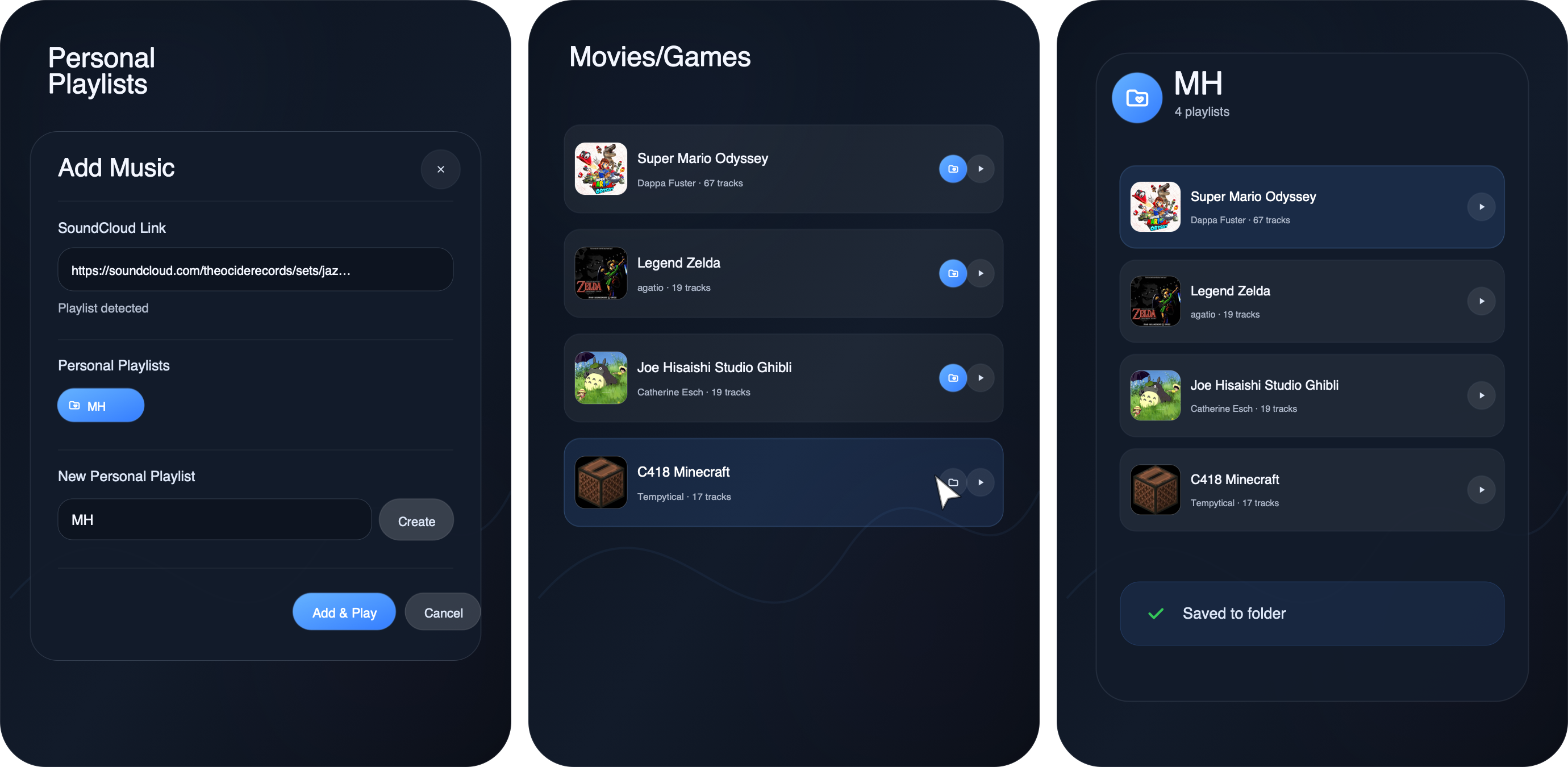
Personal Playlists
Add your own SoundCloud tracks, playlists, albums. Create and manage personal playlist folders, from saving your favorite tracks to renaming, deleting, and reordering folder structure. You could even turn off the list that you are not the fan of.
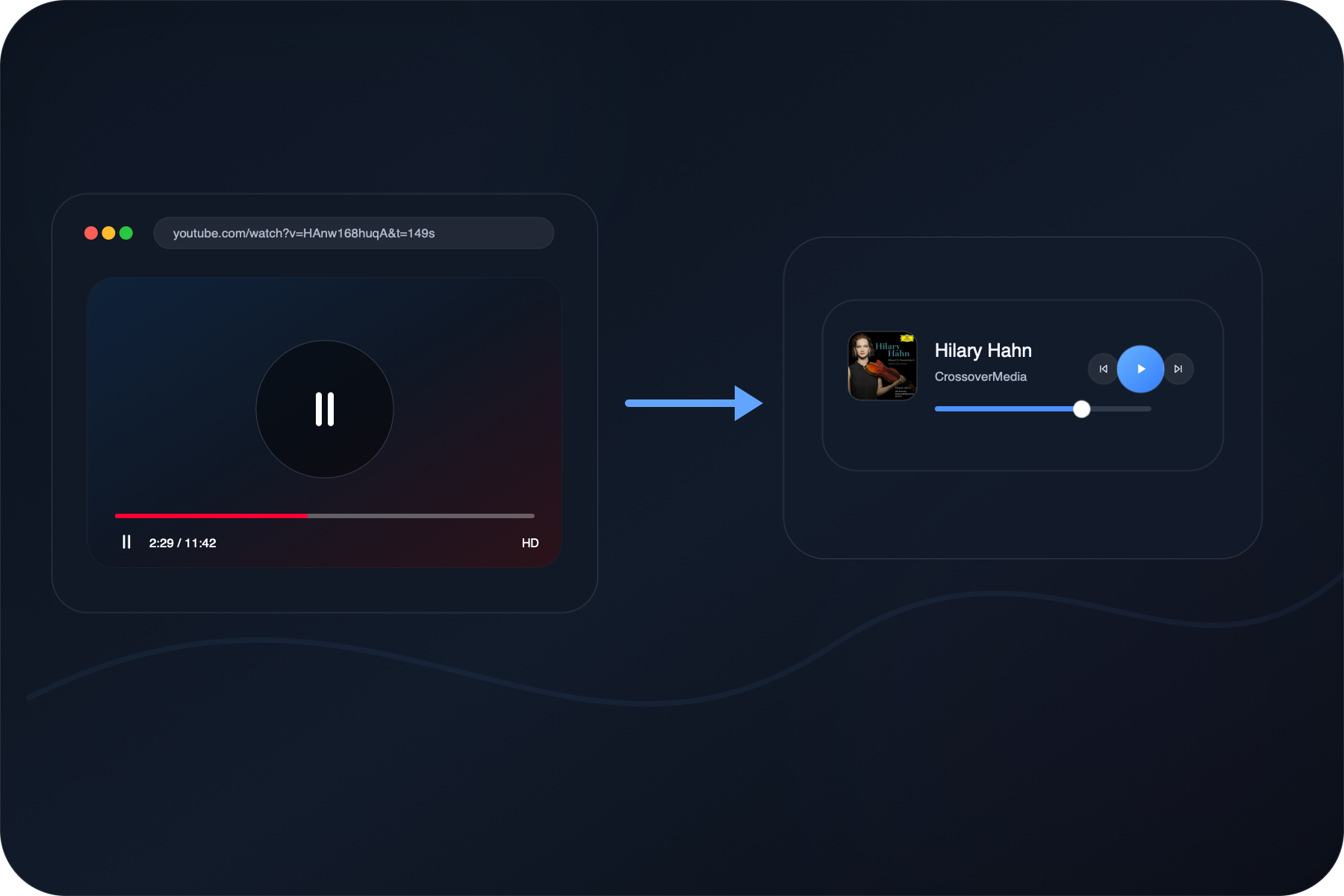
Auto-pause For Other Audio
When a website, webview, audio, or video inside Obsidian starts playing, Music Pro pauses automatically. When that audio stops, Music Pro automatically resumes the music.
Full-size And Compact
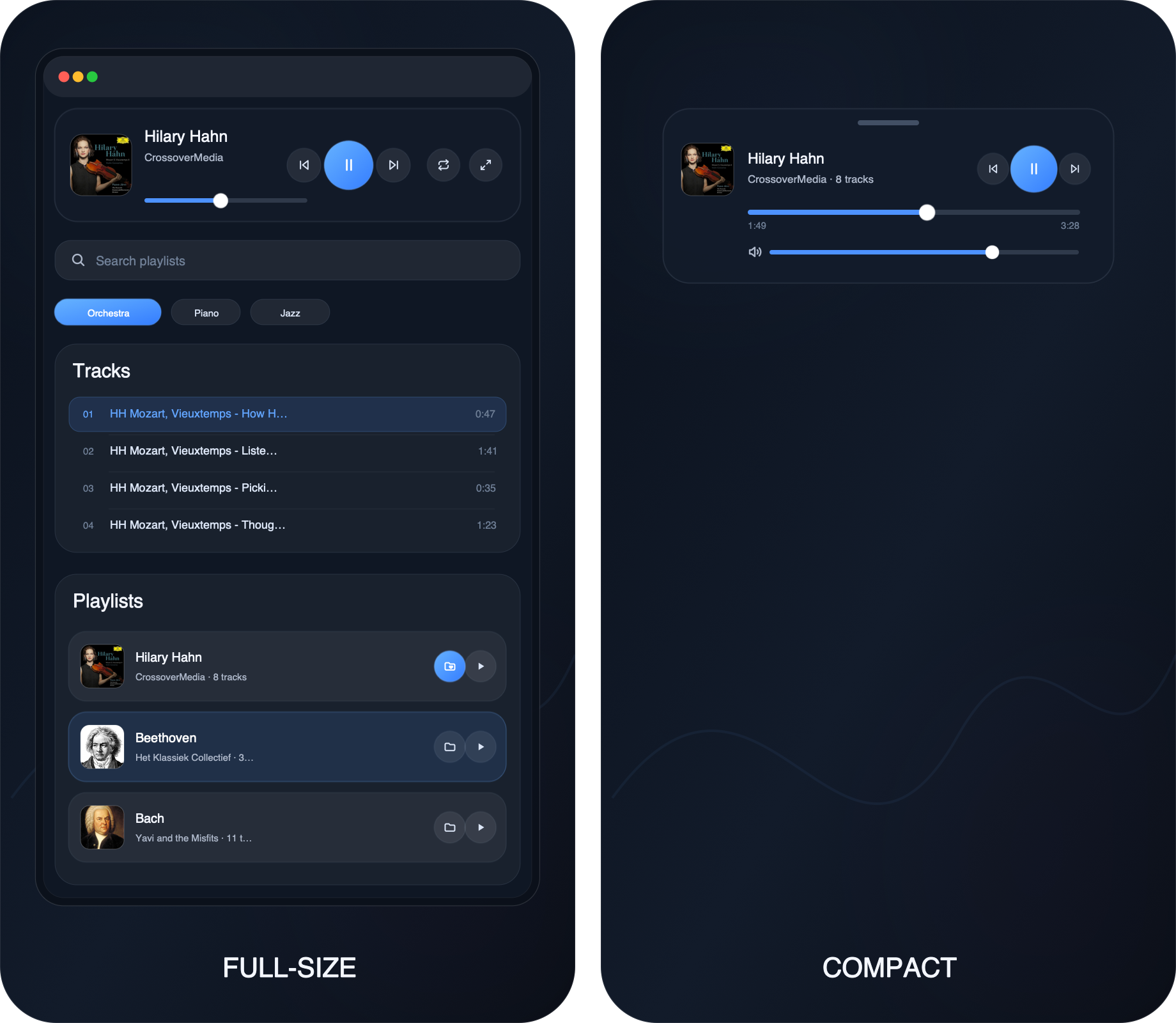
Use full-size mode when you want the complete app: player, tracks, playlists, search, and folders. Use compact mode when you want small controls nearby; it can auto-hide and tuck into the sidebar when you do not need it.

Installation
Install Music Pro from inside Obsidian:
- Open Settings → Community plugins.
- Search for Music Pro.
- Click Install, then Enable.
- Open Music Pro from the ribbon icon or run Music Pro: Open.
Commands
In Obsidian's command palette, search for Music Pro and run:
- Music Pro: Open
- Music Pro: Shutdown
- Music Pro: Play/Pause
- Music Pro: Next Track
- Music Pro: Previous Track
- Music Pro: Compact/Fullsize
- Music Pro: Volume 0%
- Music Pro: Volume 30%
- Music Pro: Volume 60%
- Music Pro: Volume 90%
Privacy and Network Use
Music Pro is not affiliated with SoundCloud or Obsidian. Music Pro has no telemetry, analytics, ads, or account requirement.
It only connects to:
- SoundCloud, to play music and load public playlist info.
Saved locally in Obsidian:
- Your personal playlists and SoundCloud links.
- Playback, recent items, order, ranking, cache, and UI preferences.
Future Roadmap
Music Pro is not a one-and-done project. I keep an eye on bugs, playback issues, and playlist quality. Constantly, I check the playlists, remove weak or broken picks, keep the good ones, and add fresh music.
If Music Pro helps your workflow, consider supporting the work: Support on Ko-fi.
Feedback
Found a bug or have an idea? Send feedback on Ko-fi.
License
Music Pro is released under the GNU General Public License v3.0 only (GPL-3.0-only). Copyright © 2026 Minh Hoang.