
README file from
GithubMove Completed Tasks



An Obsidian plugin that moves completed tasks to the bottom of the list when you check them off, like Apple Notes, Todoist, and Noteplan.
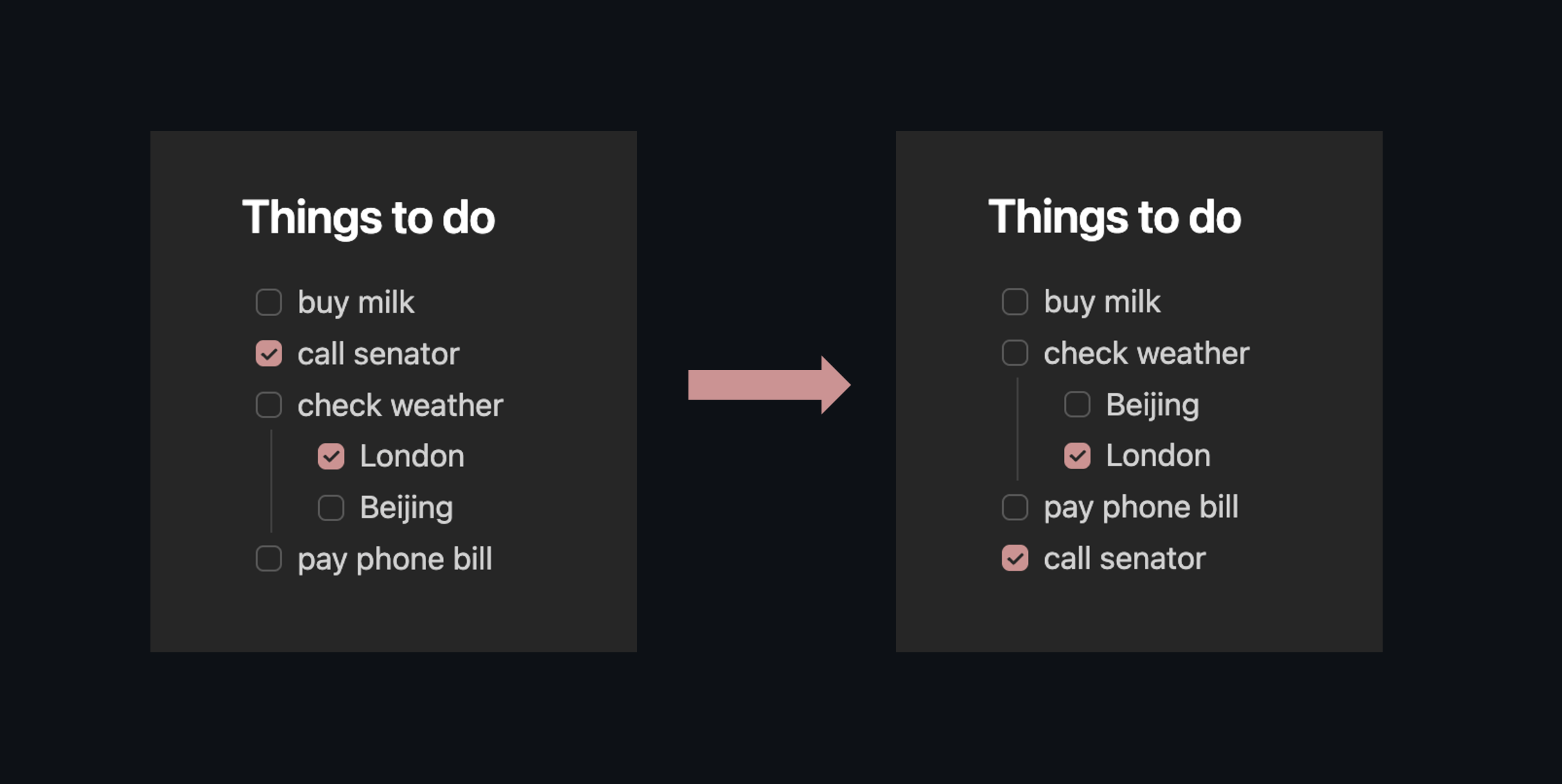
It does two things:
- When you check a task, it drops to the bottom of its list automatically. A highlight flashes so you can see where it went. Ctrl+Z to undo.
- Two commands let you sort or collect completed tasks across the whole document, if you have a page that's already messy. Both are bindable to hotkeys.
Delay, placement, subtask handling, which checkbox characters count as "done", and more are all configurable.
Install
Community plugins: Settings > Community plugins > Browse, search "Move Completed Tasks", Install, Enable. Or install directly.
Manual: Grab move-completed-tasks.zip from the latest release, unzip into <vault>/.obsidian/plugins/, enable in Settings > Community plugins.
BRAT: Add aaronpenne/move-completed-tasks.
How it works
A "group" here means any unbroken run of checkboxes at the same indent level. Blank lines, headings, code fences, or non-checkbox content end a group. This matches what the plugin's settings UI calls a group.
Check a task and it moves to the bottom of its group, subtasks and all. The whole operation is one undo step. Subtasks stay with their parent; a nested checkbox never jumps out of its parent list.
Commands
Open the command palette (Ctrl/Cmd+P) and search "Move completed":
| Command | What it does |
|---|---|
| Move all completed tasks down (scoped) | Goes through every group in the document and pushes completed tasks to the bottom. Handles nesting. Keeps relative order. |
| Collect all completed tasks to end of document | Pulls every completed task out of the body and drops them under a configurable ## Completed heading at the end of the note. |
Both can be bound to hotkeys in Settings > Hotkeys.
Settings
| Option | Default | What it does |
|---|---|---|
| Enable | On | Master toggle for auto-move on check |
| Move with subtasks | On | Move nested items as a block with their parent |
| Skip subtasks with open parent | Off | Don't move a completed subtask if its parent task is still open |
| Placement | Above completed | Where newly completed tasks land: above other completed items, or absolute bottom of the group |
| Excluded characters | ?!*"lbiSIpcfkwud |
Checkbox characters that count as statuses, not completions (Minimal theme decorators by default) |
| Completed heading | Completed | Heading text used when collecting completed tasks to the end of the document |
| Section-aware collection | Off | When collecting, group completed tasks under sub-headings that mirror the original document structure |
| Highlight moved task | On | Brief visual flash at the task's new position |
| Move delay | 0s | Seconds to wait before moving (0 = instant). Uncheck before the delay fires to cancel. |
Per-note opt-out
Add move-completed: false to a note's frontmatter to disable all auto-move and bulk commands for that note:
---
move-completed: false
---
Theme compatibility
Works with any theme that uses standard markdown checkboxes. Themes like Minimal, AnuPpuccin, and ITS Theme add alternative checkbox states ([?] for question, [!] for important, etc.), and the excluded characters setting keeps those from being treated as completed. The default exclusion list covers all Minimal theme decorators:
[?] question    [!] important
[*] star        ["] quote
[l] location    [b] bookmark
[i] info        [S] savings
[I] idea        [p] pros
[c] cons        [f] fire
[k] key         [w] win
[u] up          [d] down
Related plugins
There are a lot of great task plugins for Obsidian. Here's what else is out there:
- Tasks: full task management with dates, recurrence, and queries
- Completed Task Display: hides completed tasks with CSS rather than moving them
- Todo Sort: sorts tasks when you open the file
- Task Mover: moves completed tasks to a separate file or heading
- Archiver: archives completed tasks to a designated section or separate file
- To-Do to Done Mover: moves done tasks between specific headings
- DoneDrop: drops completed tasks to the bottom of the note
- Move Completed Tasks Down: similar idea with a fixed 5-second delay
Plugin compatibility
- Tasks: moves happen after Tasks appends completion dates, so timestamps are preserved
- Dataview: no conflicts (Dataview reads, this plugin writes)