
README file from
GithubObsidian Node Graph View — Plugin
An Extension for Visualizing Markdown Files Network Graph in Obsidian
It is a copy of mkdocs-nodegraph - github | pypi
Example
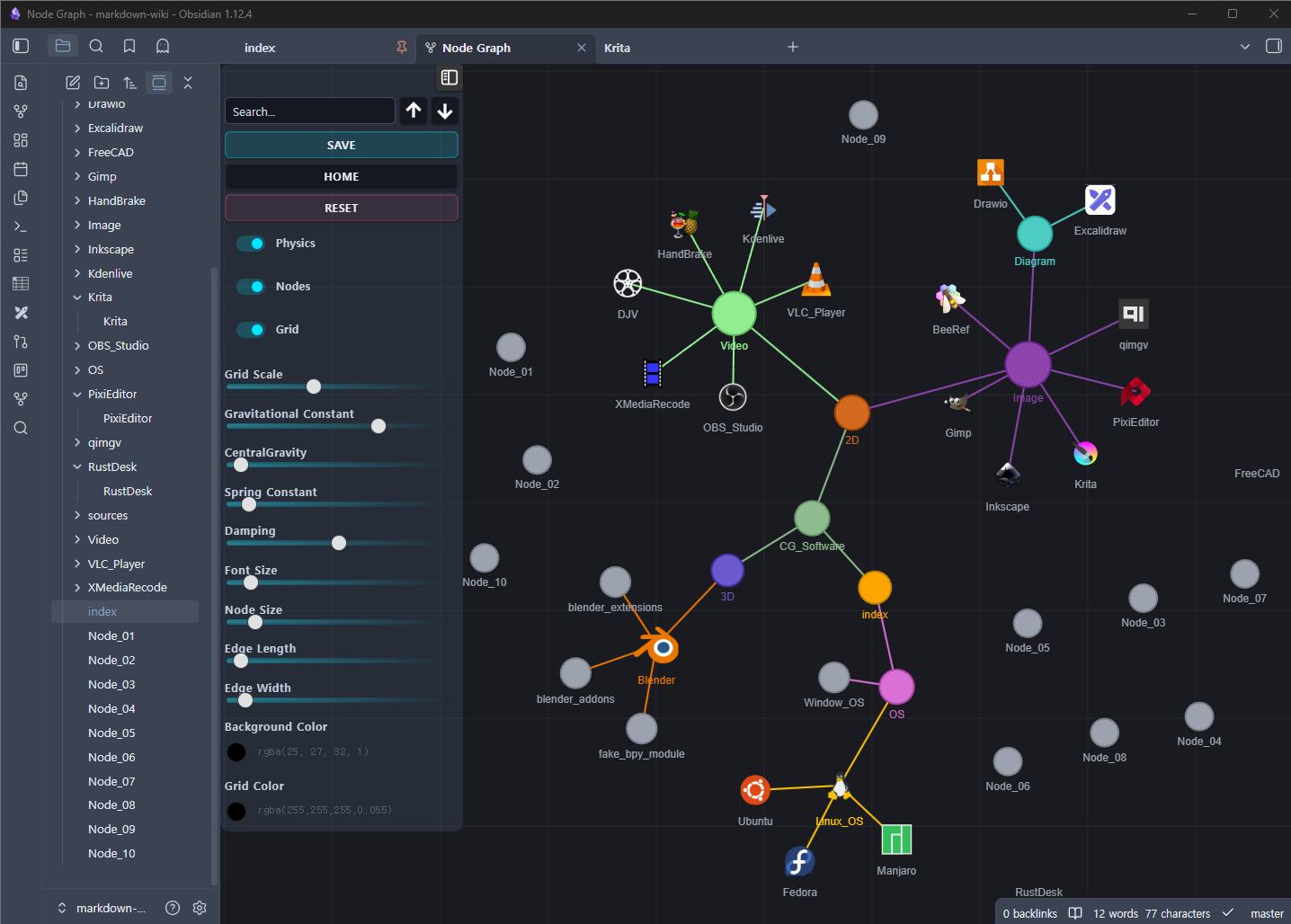
Features
- Visualizes links between
.mdfiles as an interactive force-directed graph - Click a node to open the md file
Ctrl+Click/Cmd+Clickto open in a new tabAlt+Clickto openmdfile_siteURL (if set in frontmatter)- Search nodes by filename with keyboard navigation
- Physics simulation with full slider controls (identical to original)
- Persistent node positions and preferences across sessions
- Auto-refresh when markdown files are created, deleted, or modified
Setup Tags, Node Icon and Color on Markdown File
---
tags:
  - CG
  - 3D software
mdfile_icon: "_sources/svgs/blender.svg"
mdfile_color: "#ea7600"
mdfile_site: "https://www.blender.org/"
---
Installation
From source
- Copy this folder to
~/.obsidian/plugins/ - Restart Obsidian
Usage
- click the Open Graph View Button
Panel Controls
| Control | Description |
|---|---|
| Search | Filter nodes by filename; ↑↓ buttons or Enter/Shift+Enter to cycle |
| Save | Persist current layout + settings |
| Home | Fit all nodes into view |
| Reset | Restore default settings and clear saved positions |
| Refresh | Re-scan workspace files and rebuild graph |
| Physics toggle | Enable/disable force simulation |
| Nodes toggle | Show/hide file nodes |
| Grid toggle | Show/hide background grid |
| Sliders | Tune physics, font, node/edge size |
| Color pickers | Change background and grid color |
