
README file from
GithubLore Graph — Obsidian plugin
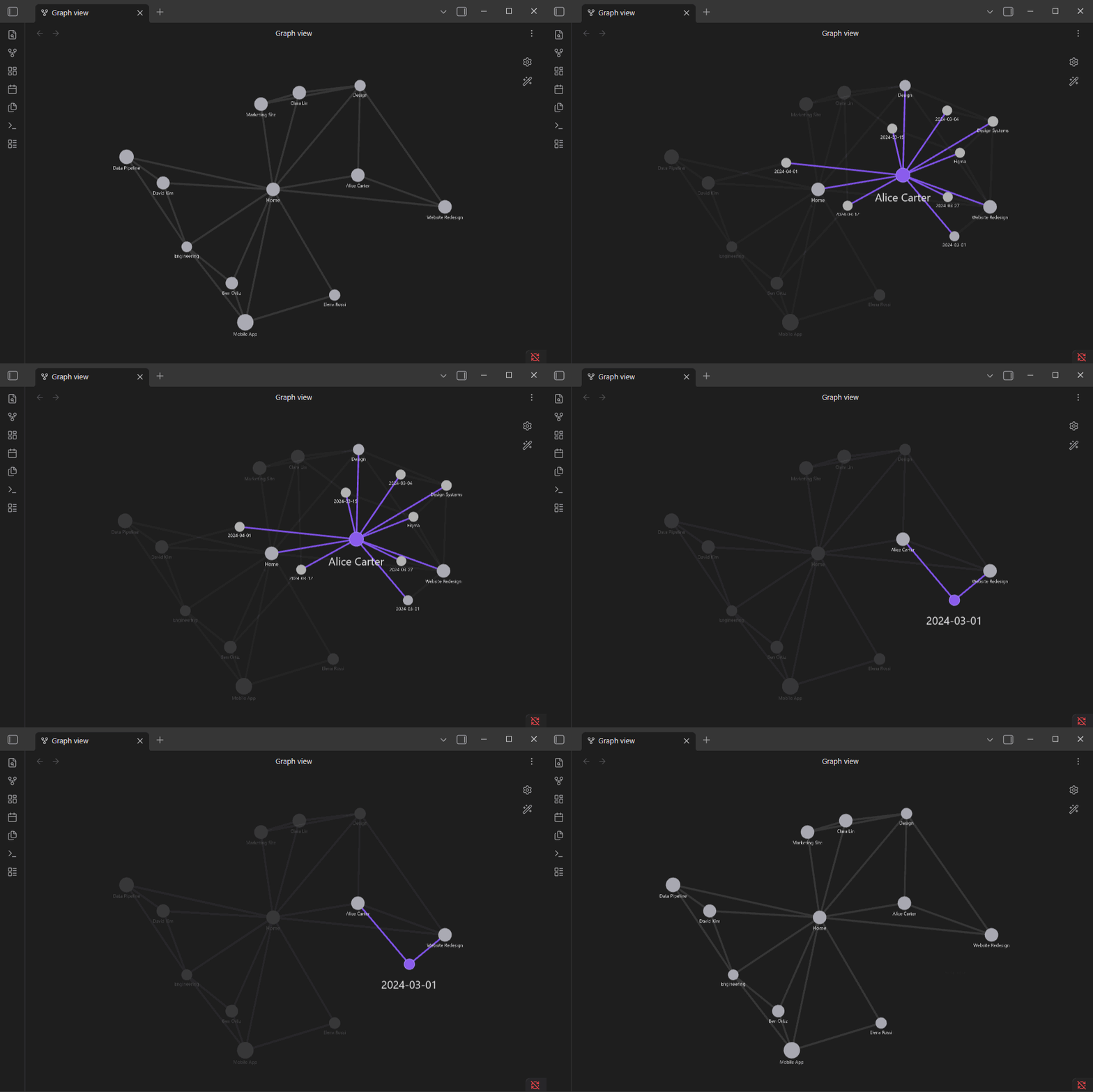
Hide whole folders from Obsidian's graph view and reveal their notes on demand, by clicking a related node. Ideal for "second brain" vaults that accumulate many daily notes (journal/, inbox/, archive/) — the graph stays readable while keeping contextual backlinks one click away.
Status: early development (v0.1.0). The plugin hooks undocumented internal APIs of Obsidian's graph renderer, so it may break between Obsidian versions. All such access is isolated in a single adapter (
src/rendererAdapter.ts) to make those breakages easy to fix.
Why
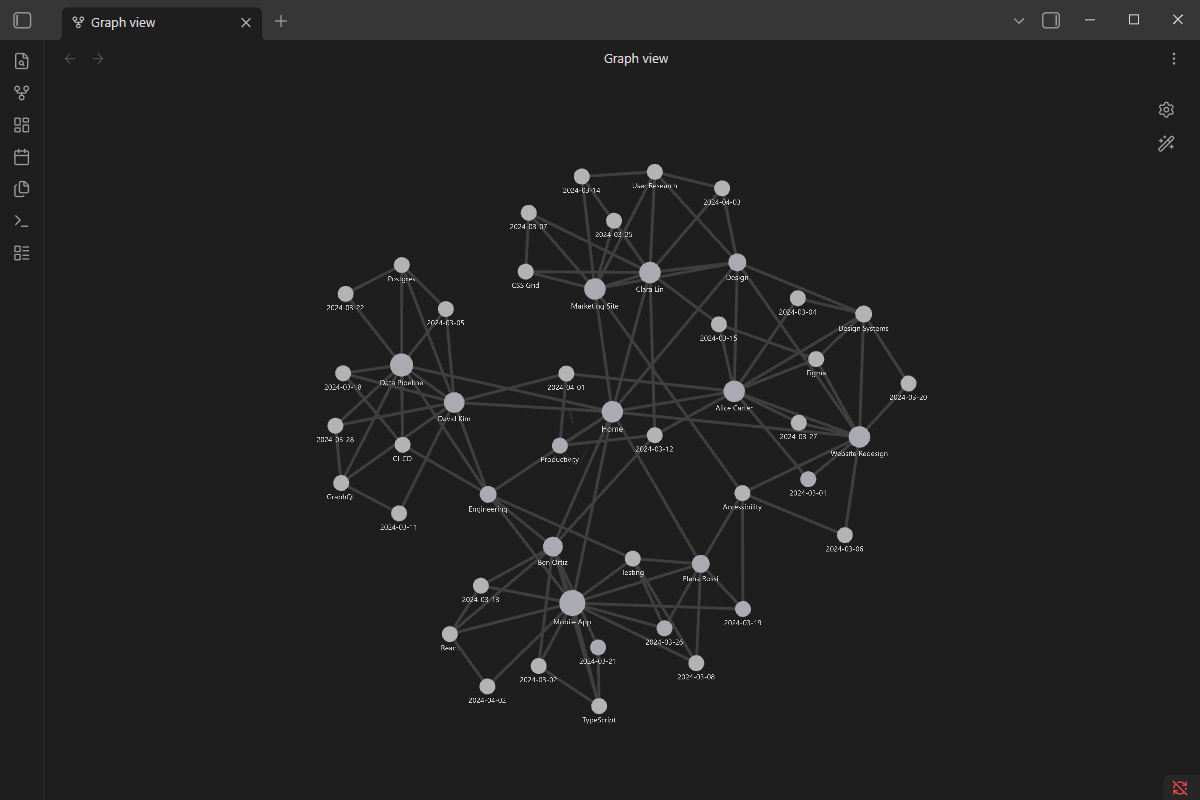
A real "second brain" graph drowns in daily notes and topic notes — every node is connected to everything, and the view becomes noise:
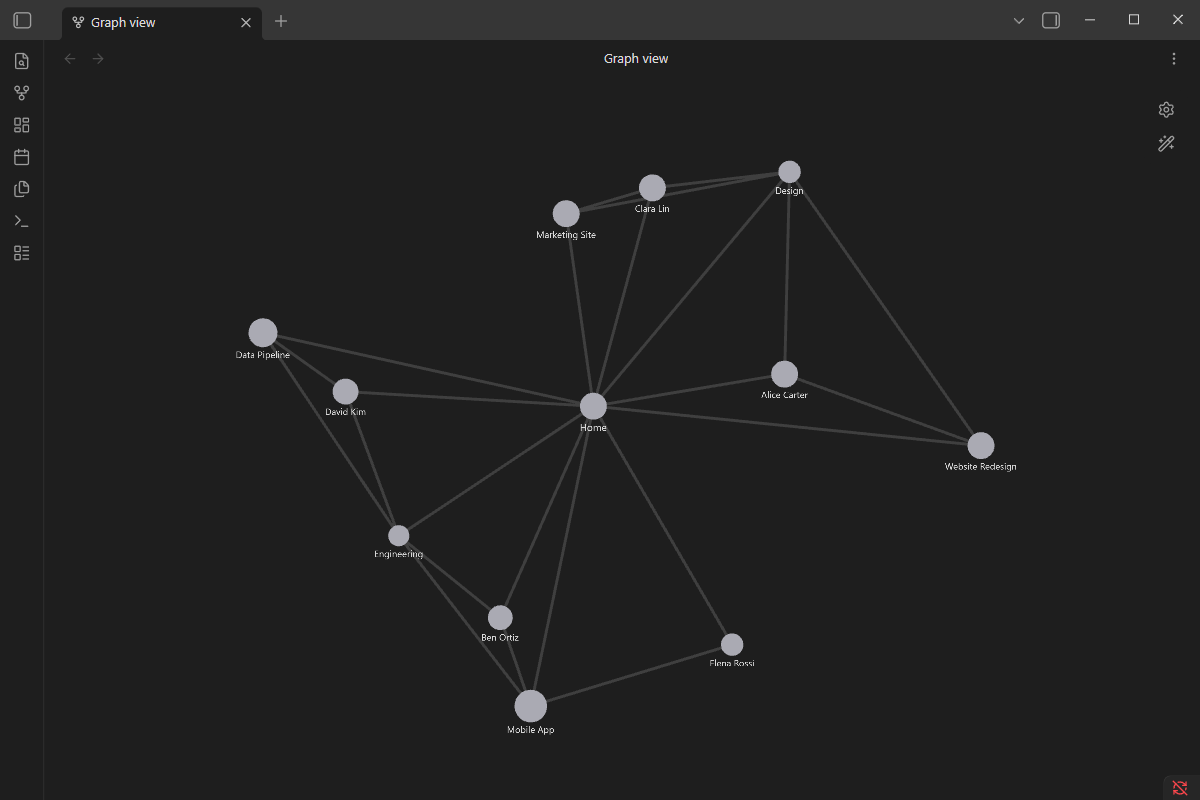
Lore Graph hides the noisy folders, leaving only your evergreen people/projects/MOCs — a graph you can actually read:
Reveal on demand
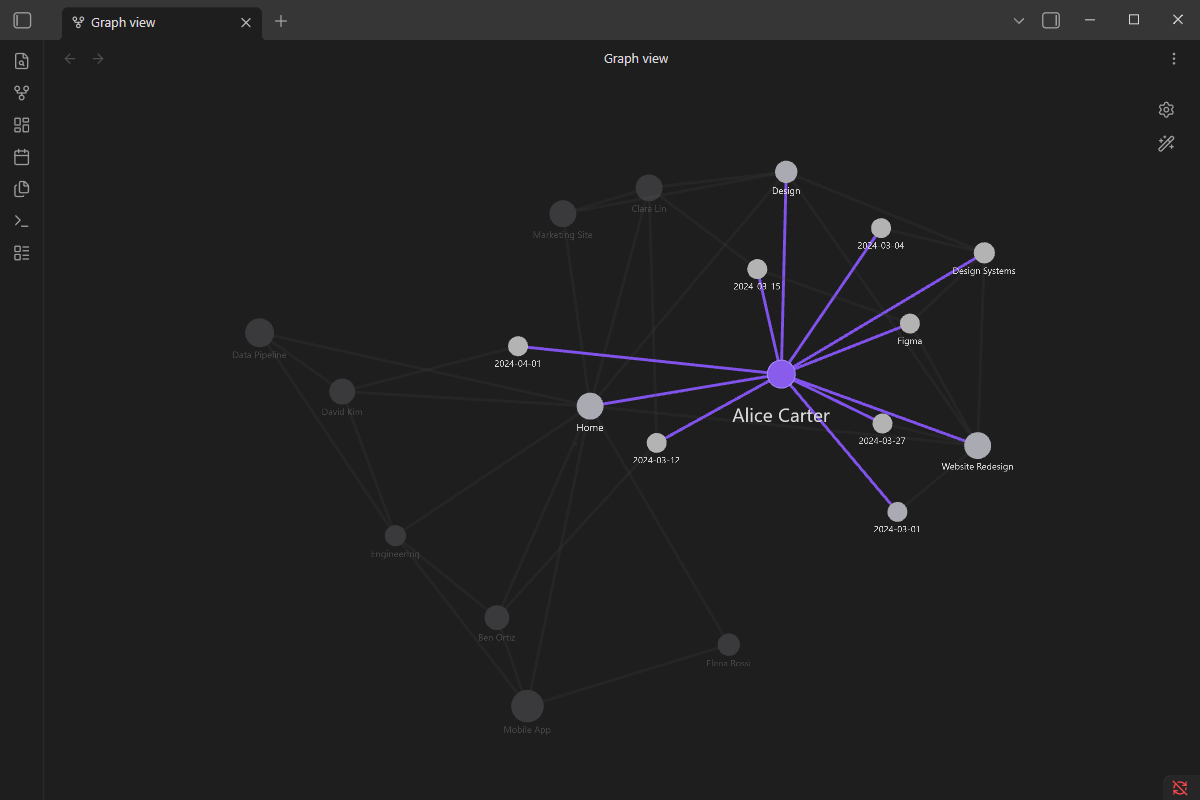
Hover or click a node and its hidden journal entries and topics fan out around it, highlighted — while the rest of the graph dims. Click again to open the note; click empty space to reset.
Behavior
- Initial state: notes inside the folders listed in Settings → Lore Graph → "Hidden folders" are hidden from the graph (their nodes are faded out and made non-interactive).
- Hover a visible node → its linked hidden notes fade in around it (ephemeral preview).
- First click on a node → pins the reveal (it stays shown, highlighted like the native selection).
- Click a revealed hidden node → cascade: it becomes the new center and reveals its own hidden links (excluding nodes already shown in the session).
- Second click on the pinned node → opens the note in the active tab.
- Click empty space → resets the reveal session.
Settings
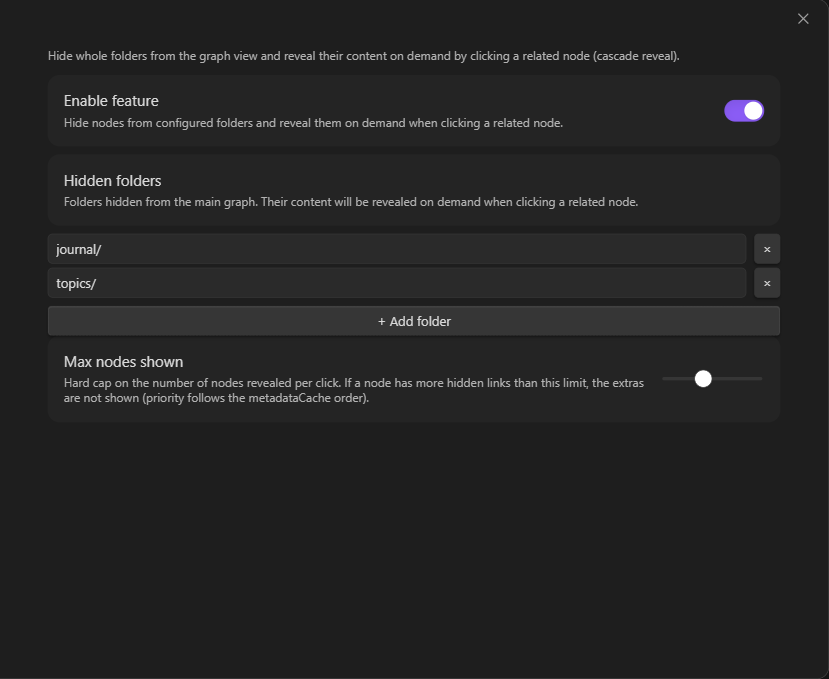
- Enable feature — global toggle.
- Hidden folders — list of folder paths to hide (default:
journal/). - Max nodes shown — hard cap on the number of nodes revealed per click (default: 20).
Install
Until it is available in the community plugins list, install manually:
- Build (
npm install && npm run build) or download a release. - Copy
main.js,manifest.jsonandstyles.cssinto your vault under<vault>/.obsidian/plugins/lore-graph/. - Enable Lore Graph in Settings → Community plugins.
How it works
Lore Graph never removes nodes from the graph — it keeps their force-directed positions and edges, and only toggles their PIXI alpha/renderable (visibility) and eventMode (interactivity). Revealed nodes are rendered natively by Obsidian (same look as a native hover/selection).
main.ts                  → LoreGraphPlugin (entry point, settings)
src/
  ├── graphHook.ts       → attaches/detaches per graph view on layout-change
  ├── rendererAdapter.ts → the single place that touches Obsidian's private renderer API
  ├── rendererPatcher.ts → owns the renderer overrides, hover listeners, rAF loop
  ├── revealManager.ts   → reveal/cascade logic + smooth fade
  ├── settings.ts        → settings + validation
  └── i18n.ts            → EN/FR strings (auto-detected from Obsidian's locale)
Development
npm install
npm run dev    # esbuild watch mode
npm run build  # typecheck + production bundle (main.js)
npm test       # unit tests (Vitest)
This plugin makes no network requests, requires no account, and reads no files outside the vault.
License
MIT — see LICENSE.