
README file from
GithubLocal Graph Tag Links
An Obsidian plugin that fixes a bug in the built-in local graph where notes connected through shared tags are not shown.
Screenshots
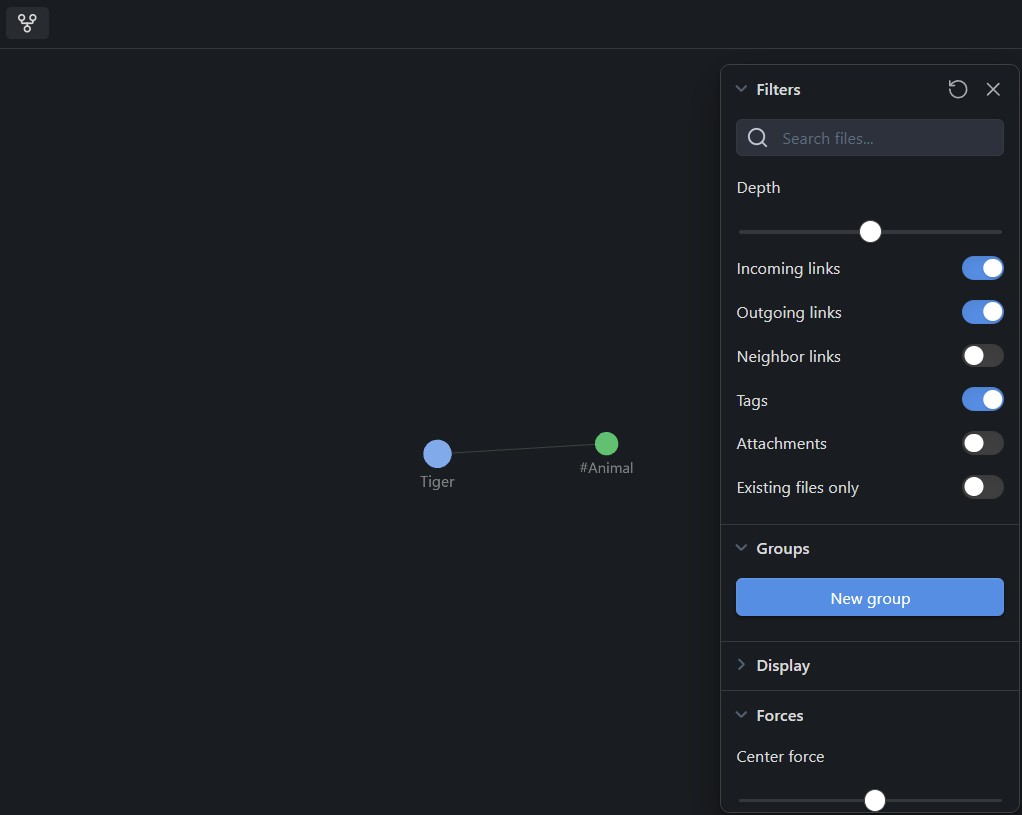
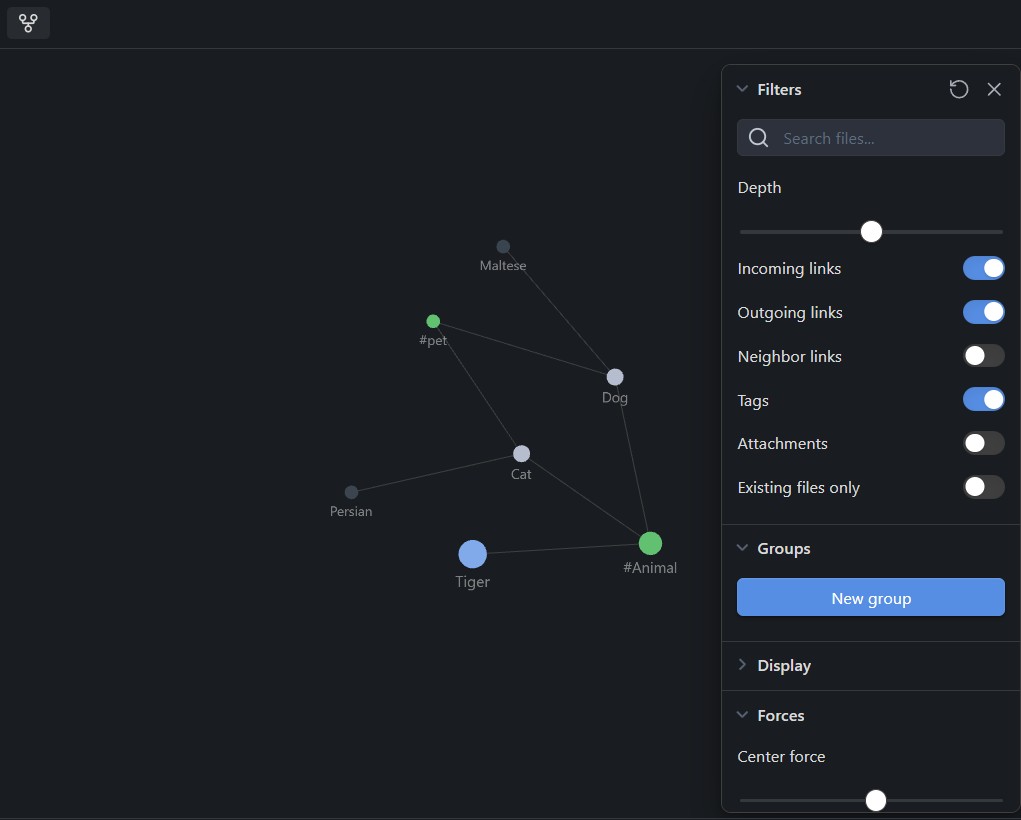
| Without plugin | With plugin |
|---|---|
 |
 |
The problem
When Show Tags is enabled in the local graph, Obsidian renders tag nodes but deliberately stops BFS traversal at them — so notes that share a tag with the current note never appear, regardless of the depth setting. This plugin monkey-patches the graph engine to continue traversal through tag nodes.
What it does
The plugin wraps Obsidian's internal graph engine prototype to intercept the subgraph data just before it reaches the renderer. It then runs its own BFS pass seeded from every tag node already in the graph, injecting:
- Notes that share a tag with any tag node in the subgraph
- Forelinks and backlinks of those injected notes (respecting the Forward links / Back links toggles)
- Unresolved links (notes that don't exist yet), including their backlinks
- Tags of injected notes (when Show Tags is on), which can themselves be expanded further
All of this respects the configured Depth slider, mirroring Obsidian's own weight/depth scheme so nodes appear at the correct distance from the center note.
Usage
- Install the plugin and enable it in Settings → Community plugins.
- Open the local graph for any note (More options → Open local graph, or via the command palette).
- In the local graph filter panel, enable Show Tags.
- Notes connected through shared tags will now appear at the appropriate depth.
All existing local graph filters and toggles (Forward links, Back links, Show non-existing files, Depth) continue to work as expected.
Installation
Manual
- Download
main.jsandmanifest.jsonfrom the latest release. - Copy them into
<your vault>/.obsidian/plugins/local-graph-tag-links/. - Reload Obsidian and enable the plugin under Settings → Community plugins.
Using BRAT
BRAT lets you install plugins that aren't yet in the community directory.
- Install Obsidian42 - BRAT from the Community Plugins directory.
- Open Settings → BRAT and click Add Beta plugin.
- Enter the repository URL:
https://github.com/Lumyo/obsidian-local-graph-tag-links - Click Add Plugin, then enable it under Settings → Community plugins.
BRAT will also notify you of future updates automatically.
From source
git clone https://github.com/Lumyo/obsidian-local-graph-tag-links.git
cd obsidian-local-graph-tag-links
yarn install
yarn build
Copy the resulting main.js and manifest.json into your vault's plugin folder as above.
Compatibility
- Tested against Obsidian 1.12+
- Works on desktop and mobile
- Uses internal Obsidian APIs that are not part of the public plugin API — may break on major Obsidian updates
License
MIT