
README file from
Githublinkmind
Edit Markdown notes as interactive mind maps in Obsidian. linkmind renders headings and lists as a clean SVG + DOM mind map, writes every edit back to plain Markdown, and stays out of your way.
Features
- Markdown-native -- headings and bullet lists become the mind map tree; edits sync back as plain Markdown.
- Keyboard-driven editing --
Tabto add a child,Enterto add a sibling,F2to edit, arrow keys to navigate,Alt + Arrowsto restructure. - Drag & drop -- drag nodes to reorder or reparent, including long-press on touch devices.
- Right-facing or balanced layout -- choose a classic tree or a two-sided map in settings.
- Emoji icons & tags -- add emoji icons and
#tagsto nodes; filter the map by tag. - Cross-branch links -- dashed association lines drawn automatically for
[[#Heading]]and[[Heading]]wikilinks. - Collapsible outline -- navigate large maps with a built-in outline panel.
- Undo & redo -- local history stack with
Ctrl/Cmd + ZandCtrl/Cmd + Shift + Z. - Export -- export the full map or a selected branch as SVG or PNG.
- Multi-select --
Ctrl/Cmd + Click,Shift + Click, orCtrl/Cmd + A. - Copy & paste -- copy a branch as Markdown, paste Markdown as new nodes.
- Node links -- copy an
obsidian://openURI for any node. - Bilingual UI -- Chinese and English interface.
- Mobile-friendly -- responsive toolbar and touch support.
Keyboard Shortcuts
| Shortcut | Action |
|---|---|
Tab |
Add child node |
Enter |
Add sibling node |
F2 |
Edit selected node |
Delete / Backspace |
Delete selected node |
Space |
Toggle collapse |
/ |
Focus search |
Alt/Option + Arrow |
Move / indent / outdent node |
Ctrl/Cmd + Z |
Undo |
Ctrl/Cmd + Shift + Z |
Redo |
Ctrl/Cmd + A |
Select all nodes |
Ctrl/Cmd + = / - |
Zoom in / out |
Ctrl/Cmd + Shift + F |
Fit map to view |
Ctrl/Cmd + F |
Focus selected node |
Installation
- Download
main.js,manifest.json, andstyles.cssfrom the latest release. - Create a folder named
linkmindinside your vault's.obsidian/plugins/directory. - Copy the three files into that folder.
- Open Obsidian Settings > Community plugins, refresh the list, and enable linkmind.
styles.css is optional, but recommended.
Usage
- Open any Markdown note that contains headings or bullet lists.
- Click the brain icon in the left ribbon, or run "Open current note as mind map" from the command palette.
- Edit nodes, restructure the tree, and export -- all changes are saved back to Markdown automatically.
Screenshots
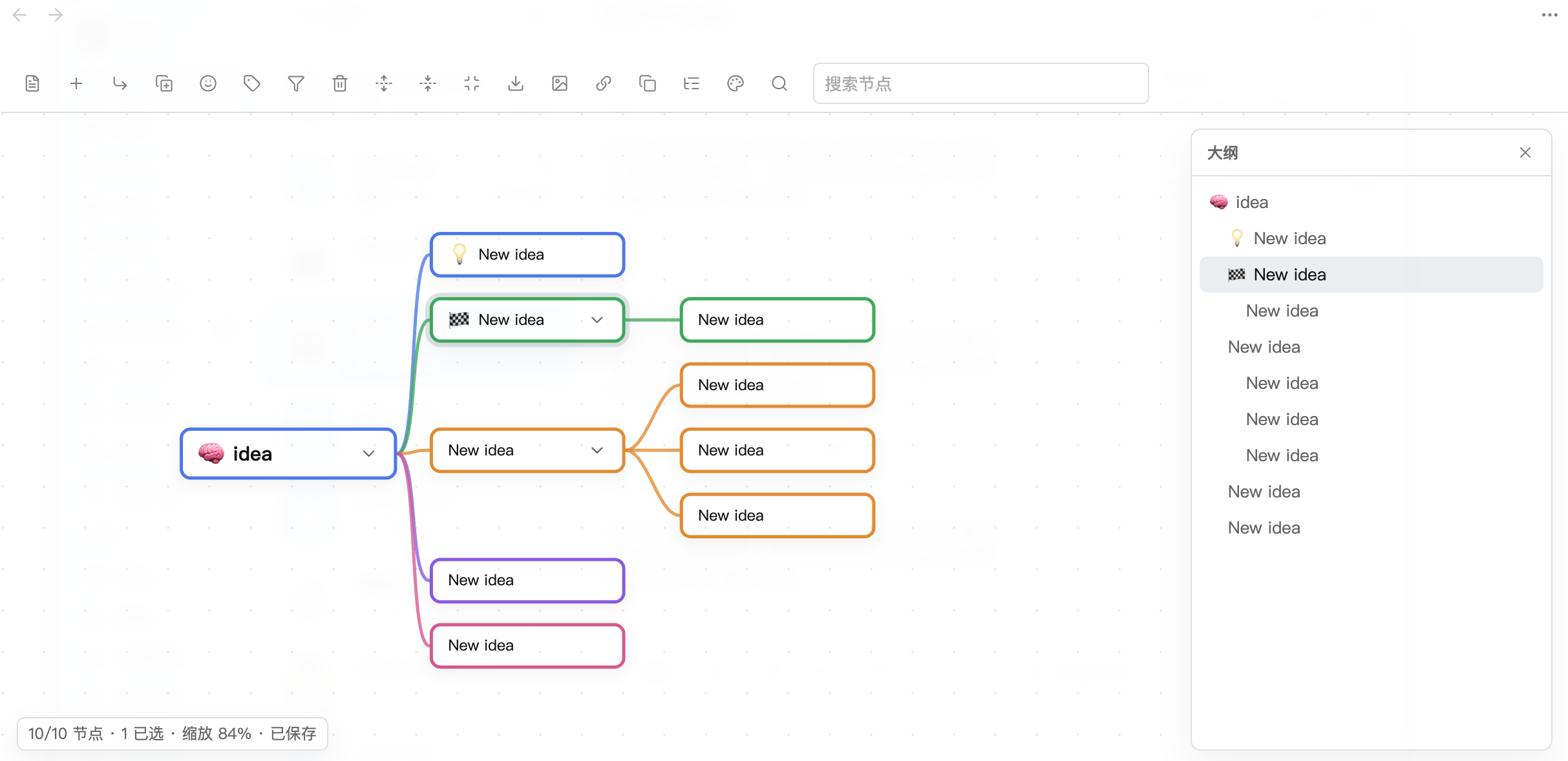
Settings
| Setting | Default | Description |
|---|---|---|
| Language | Chinese | UI language (Chinese / English) |
| Auto-save delay | 300 ms | Delay before writing edits back to Markdown |
| Default expand depth | 99 | Levels expanded on open (99 = all) |
| Layout direction | Right | Right-facing tree or balanced two-sided |
| Layout animation | On | Animate node movement after edits |
| Show association links | On | Dashed lines for local wikilinks |
| Branch colors | 5 preset colors | CSS colors for first-level branches |
| PNG export scale | 2x | Resolution multiplier for PNG export |
| Transparent PNG | Off | Transparent background in PNG exports |