
README file from
GithubLight Mindmap
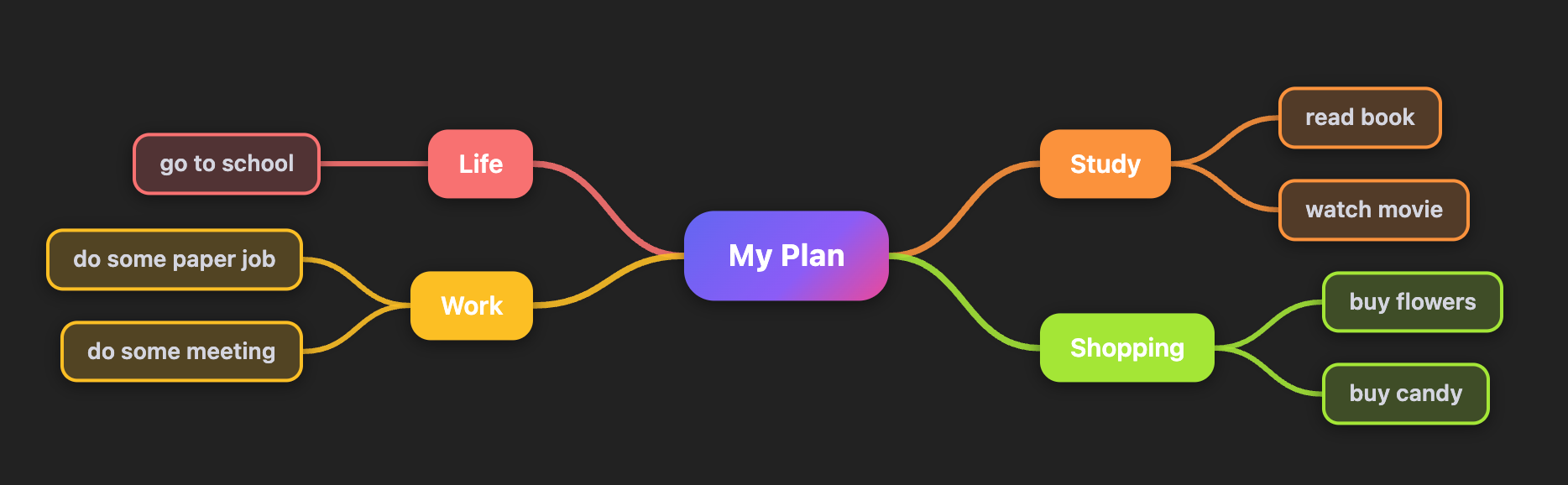
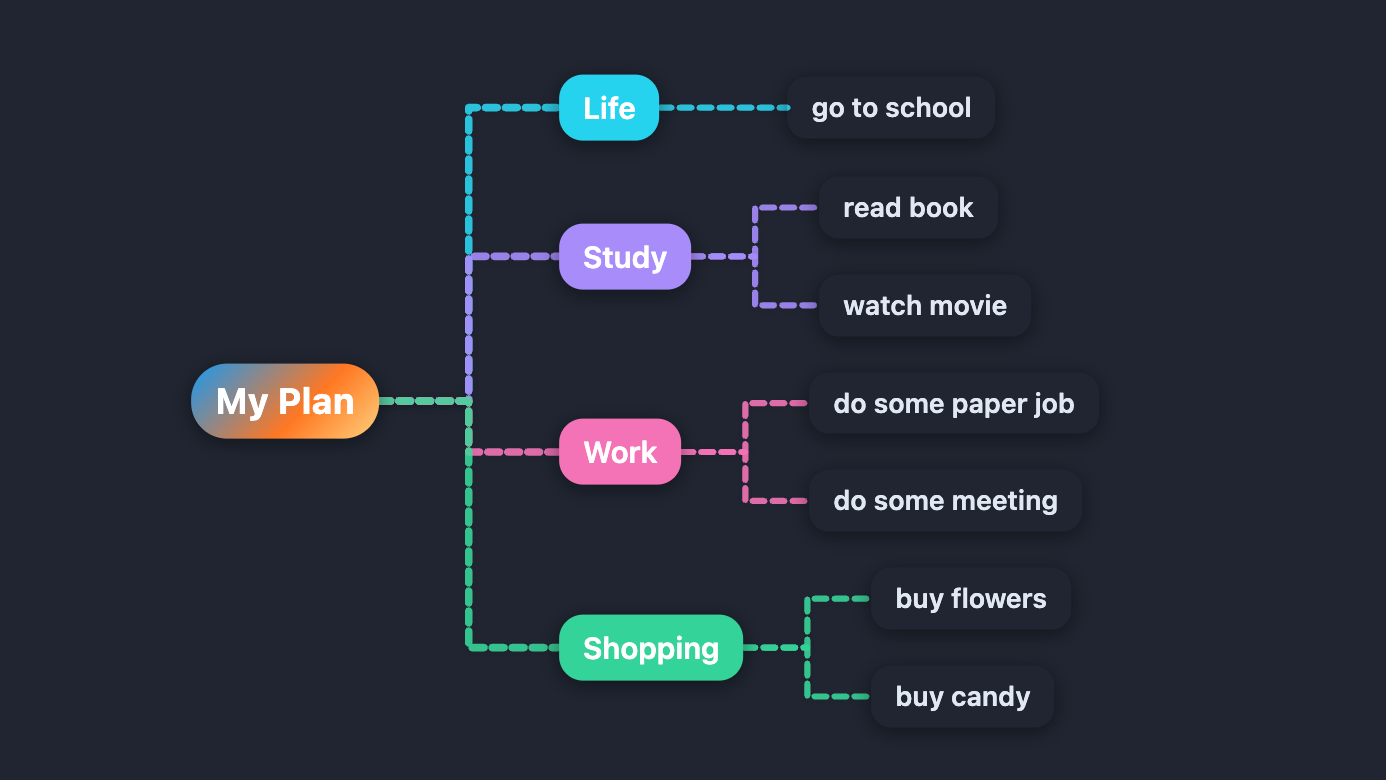
Auto-renders markdown headings as a colorful, interactive mindmap — no extra syntax required.
Preview
How It Works
Add type: mindmap to any note's frontmatter. The plugin replaces the editor/reading view with a live mind map built from the note's heading hierarchy.
---
type: mindmap
---

# My Plan
## Life
### go to school
## Work
### do some paper job
### do some meeting
## Study
### read book
### watch movie
## Shopping
### buy flowers
### buy candy
The mind map updates in real time as you edit the source.
Features
Auto-Render from Headings
- Parses all heading levels (
#through######) into a tree - Strips inline markdown (bold, italic, links, wikilinks, code) from node labels
- When multiple top-level headings exist, a virtual root node (named after the file) is created automatically
- Fenced code blocks are skipped during parsing
Layouts
Three layout modes, switchable from the toolbar or via command:
| Layout | Description |
|---|---|
| Balanced | Children are distributed to both sides of the root, weighted by subtree height |
| Right | All branches expand to the right |
| Left | All branches expand to the left |
Themes
Six built-in color palettes:
| Theme | Style |
|---|---|
| Vibrant | Indigo/violet/pink gradient — the default |
| Classic | Earth tones on a warm cream background |
| Fresh | Greens and teals on a light mint background |
| Ocean | Blues and indigos on a pale blue background |
| Sunset | Reds, oranges, and pinks on a warm background |
| Midnight | Neon accents on a dark slate background |
Themes adapt automatically to Obsidian's dark/light mode.
Connection Line Styles
| Style | Shape | Dash |
|---|---|---|
| Smooth | Cubic Bézier curve | Solid |
| Smooth Dashed | Cubic Bézier curve | Dashed |
| Straight | Direct line | Solid |
| Right Angle | Horizontal + vertical segments | Solid |
| Right Angle Dashed | Horizontal + vertical segments | Dashed |
Node Shapes
| Shape | Appearance |
|---|---|
| Rounded | Rounded rectangle (default) |
| Square | Sharp corners |
| Borderless | No border or background on leaf nodes |
| Pill | Fully rounded capsule |
Pan & Zoom
- Drag the canvas background to pan
- Scroll to pan vertically/horizontally
- Ctrl/Cmd + Scroll to zoom in/out around the cursor
- Toolbar buttons: Fit (fit all nodes into view), + / − (step zoom), 1:1 (reset to 100%)
Node Editing
Nodes can be edited directly on the canvas — changes are written back to the markdown file:
| Action | Gesture / Key |
|---|---|
| Select node | Click |
| Edit node text | Double-click or F2 |
| Confirm edit + add sibling | Enter |
| Confirm edit + add child | Tab |
| Cancel edit | Escape |
| Add sibling (without editing) | Select node, press Enter |
| Add child (without editing) | Select node, press Tab |
| Delete node | Select node, press Delete or Backspace |
The root node cannot be deleted.
Persisted Settings
All per-file display preferences are written to frontmatter and restored on next open:
| Frontmatter key | Values |
|---|---|
mindmap-layout |
balanced / right / left |
mindmap-theme |
vibrant / classic / fresh / ocean / sunset / midnight |
mindmap-line |
curve / straight / polyline / polyline-dashed / curve-dashed |
mindmap-node |
rounded / square / borderless / circle |
Toggle Source View
- Edit Source button in the toolbar hides the mind map and shows a floating Show Mindmap button
- Command palette: Toggle mindmap / source view
- Command palette: Cycle mindmap layout (balanced / right / left)
Installation
From Obsidian Community Plugins (recommended)
- Open Settings → Community plugins → Browse
- Search for Light Mindmap
- Click Install, then Enable
Manual
- Download
main.js,manifest.json, andstyles.cssfrom the latest release - Copy the three files into
<vault>/.obsidian/plugins/obsidian-light-mindmap/ - Reload Obsidian and enable the plugin in Settings → Community plugins
Example Frontmatter
---
type: mindmap
mindmap-layout: balanced
mindmap-theme: vibrant
mindmap-line: curve
mindmap-node: rounded
---
Compatibility
- Minimum Obsidian version: 1.4.0
- Desktop and mobile supported
- Works with both light and dark Obsidian themes
License
MIT