
README file from
GithubLife Calendar
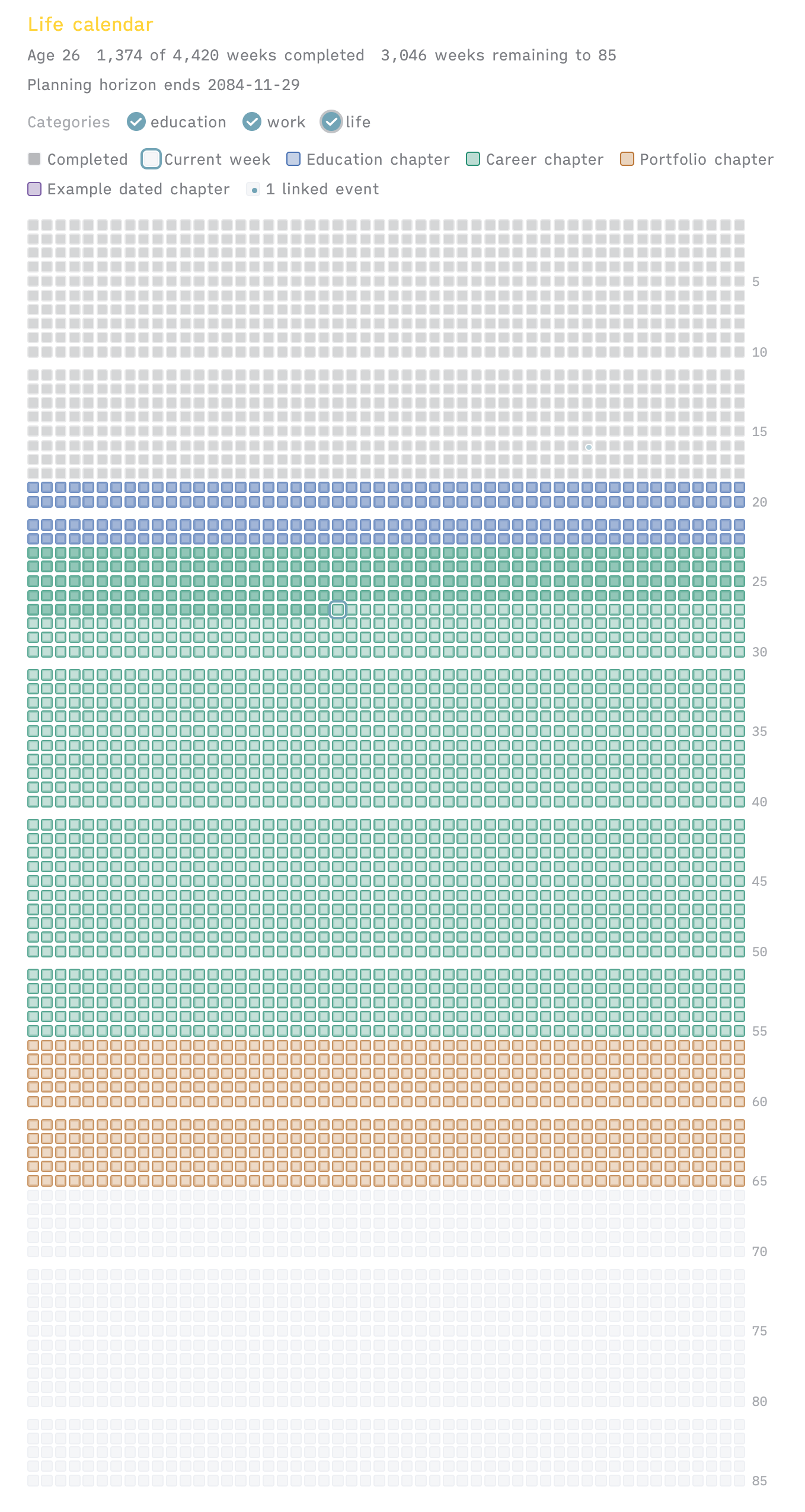
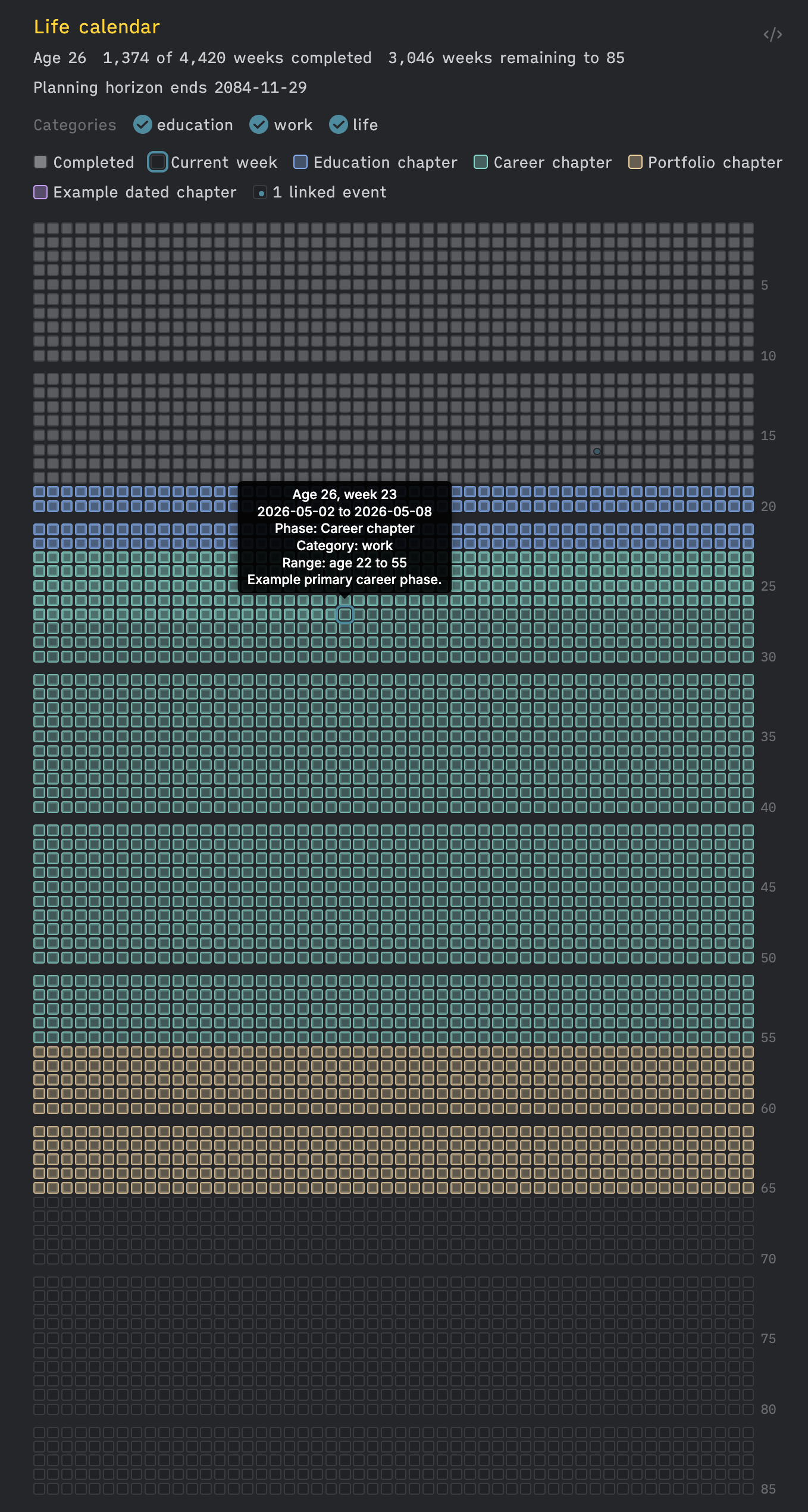
Life Calendar is an Obsidian plugin for rendering a life-in-weeks calendar. It shows completed weeks, the current week, planning phases, category filters, and linked events from either inline code block configuration or vault notes.
In this plugin, memento mori means representing a lifespan as a week-by-week calendar. The format is useful because it turns abstract dates and age ranges into a single visual map: completed weeks, the current week, future planning phases, and dated events can all be read in context.
Status
This plugin is available from Obsidian's Community Plugins directory. The current release version is 1.0.1.
Screenshots
| Light mode | Dark mode |
|---|---|
 |
 |
Features
- Renders one row per age-year and 52 squares per row.
- Shows completed weeks, the current week, and remaining weeks to the configured planning horizon.
- Uses responsive 52-week rows to avoid routine horizontal scrolling.
- Shows age labels on the right-hand side at a configurable interval.
- Adds optional visual spacing between decades.
- Supports planning phases by age range or date range.
- Supports phase categories such as life, work, education, and sport.
- Adds in-calendar category toggles when multiple categories are visible.
- Cycles phases through a 12-colour palette tuned for light and dark mode.
- Supports optional phase colour overrides.
- Supports event markers from inline code block configuration or from vault notes with frontmatter.
- Opens linked event notes from the calendar.
- Keeps all data local to the vault.
- Renders directly from explicit
life-calendarcode blocks in notes.
Installation
Install Life Calendar from Obsidian's Community Plugins directory:
- Open Settings → Community plugins in Obsidian.
- Make sure community plugins are enabled.
- Select Browse, search for Life Calendar, and install it.
- Enable Life Calendar after installation.
Manual installation
Manual installation is only needed for local development or testing unreleased builds:
- Download the release assets for the plugin.
- Create
.obsidian/plugins/life-calendar/inside the target vault if it does not already exist. - Copy these files into that folder:
manifest.jsonmain.jsstyles.css
- Restart Obsidian or reload community plugins.
- Enable Life Calendar in Settings → Community plugins.
versions.json is required for the plugin repository and release process, but it does not need to be copied manually into a local vault installation.
Usage
Use the command palette command Life Calendar: Insert life calendar block to add a pre-populated life-calendar block to any note. The block is the source of truth for that calendar:
```life-calendar
title: Life calendar
birthDate: YYYY-MM-DD
lifeExpectancy: 85
showLabelsEvery: 5
showDecadeGaps: true
includeVaultEvents: true
phases:
  - label: Education chapter
    category: education
    startAge: 18
    endAge: 22
    description: Example education phase.
  - label: Career chapter
    category: work
    startAge: 22
    endAge: 55
    description: Example primary career phase.
  - label: Portfolio chapter
    category: work
    startAge: 55
    endAge: 65
    description: Example independent, advisory, or portfolio work phase.
  - label: Later-life chapter
    category: life
    startAge: 65
    endAge: 85
    description: Example later-life planning phase.
# Optional category filters:
# visibleCategories: [life, work]
# hiddenCategories: [education]
# Optional inline events can sit alongside vault-backed event notes.
# events:
#   - title: Example event
#     date: 2026-05-03
#     link: [[Example Life Event]]
```
There is no separate global calendar view. Each calendar is managed explicitly in the note that contains its life-calendar block.
The plugin settings define small defaults: age label interval, decade spacing, and the frontmatter fields used for vault-backed event notes. These can still be overridden in an individual block with showLabelsEvery, showDecadeGaps, eventProperty, eventDateProperty, and eventTitleProperty.
Code block options
| Option | Type | Description |
|---|---|---|
title |
string | Calendar title shown above the grid. |
birthDate |
YYYY-MM-DD |
Date used to calculate completed weeks and age rows. |
lifeExpectancy |
number | Number of age rows to render. |
showLabelsEvery |
number | Interval for right-hand age labels. Defaults to the plugin setting, initially 5. |
showDecadeGaps |
boolean | Adds larger spacing between decades when enabled. Defaults to the plugin setting, initially true. |
includeVaultEvents |
boolean | Includes event notes found in the vault. |
eventProperty |
string | Frontmatter property that marks event notes. Defaults to the plugin setting, initially life-calendar-event. |
eventDateProperty |
string | Frontmatter property used as the event date. Defaults to the plugin setting, initially date. |
eventTitleProperty |
string | Frontmatter property used as the event title. Defaults to the plugin setting, initially title. |
phases |
list | Planning phases to render on the calendar. |
visibleCategories |
list | Optional allow-list of phase categories to render. |
hiddenCategories |
list | Optional block-list of phase categories to hide. |
events |
list | Inline events to render as linked or unlinked markers. |
Planning phases
Each phase can use either an age range or a date range:
hiddenCategories:
  - sport
phases:
  - label: Career chapter
    category: work
    startAge: 22
    endAge: 55
  - label: Example job
    category: work
    startDate: 2016-03-01
    endDate: 2021-10-31
    paletteIndex: 3
  - label: Dormant experiment
    category: life
    startDate: 2021-01-01
    endDate: 2021-06-01
    enabled: false
Age ranges are useful for forward planning. Date ranges are better for schools, jobs, house moves, and other historical chapters where the actual dates matter.
Colours are optional. Phases automatically cycle through 12 palette colours that adapt to light and dark mode. Add paletteIndex to choose one of the default palette slots, or add colour / color to override a specific phase.
Categories are optional. Use category to group phases, enabled: false to suppress an individual phase, visibleCategories as an allow-list, and hiddenCategories as a block-list. When more than one category is visible, the rendered calendar also shows category checkboxes for quick local toggling.
Vault-backed event notes
Any Markdown note can appear as a life calendar event if it has frontmatter like this:
---
life-calendar-event: true
date: 2026-05-03
title: Example event
category: planning
---
The plugin also recognises type: life-event and the tag life-calendar/event.
Inline events
Inline events can be added directly in the code block:
events:
  - title: Example event
    date: 2026-05-03
    link: [[Example Life Event]]
Privacy and data handling
Life Calendar runs entirely inside Obsidian. It does not make network requests, does not use telemetry, and does not send vault content to external services.
If vault-backed events are enabled, the plugin reads Markdown file metadata from the local vault to find matching event notes. Plugin settings are stored by Obsidian in the local plugin data file for that vault.
Release package contents
A public release should include these files at the repository root:
manifest.jsonmain.jsstyles.cssREADME.mdCHANGELOG.mdversions.jsonLICENSE
Do not include local vault state such as data.json, .DS_Store, test vaults, screenshots containing private notes, or other generated local files. data.json is created by Obsidian for local plugin settings and is intentionally excluded from the release package.