
README file from
GithubObsidian Kanban View
A powerful, intuitive Kanban board plugin for Obsidian that brings visual project management and task organization directly into your markdown-based workflow.
Overview
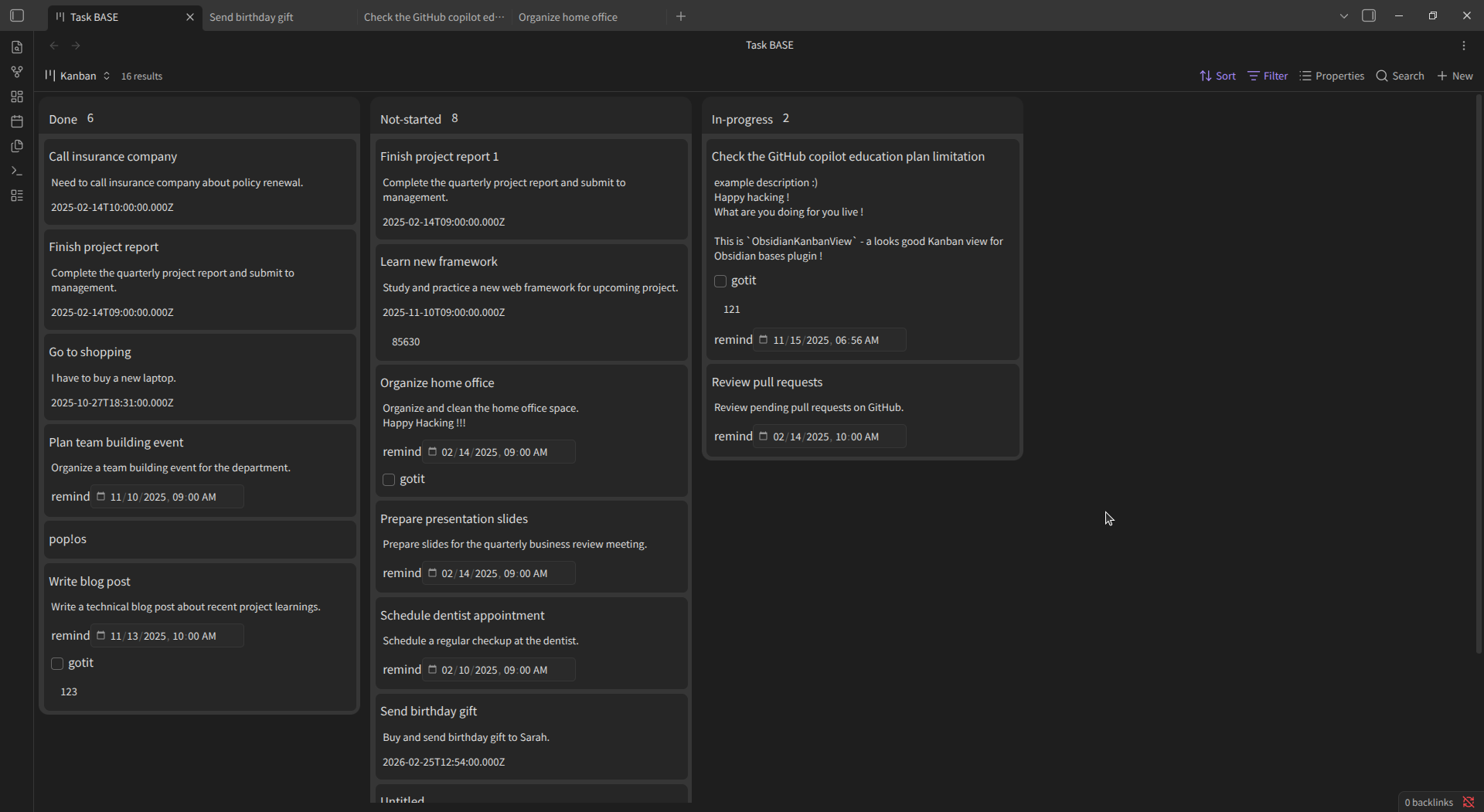
Demonstration Watch demonstration (MP4)
Features
- Kanban Board Interface: Visualize and manage tasks as draggable cards organized in customizable columns
- Drag-and-Drop Support: Seamlessly move cards and columns with mouse or touch gestures
- Flexible Card Sizing: Choose from small, medium, or large card layouts to suit your preferences
- Column Customization: Add custom colors to columns for better visual organization and categorization
- Auto-Save: Board layout and column order are automatically persisted to your vault
- React-Powered UI: Fast, responsive, and highly interactive user interface
- Built-In Settings: Configure board behavior and appearance directly within Obsidian
- Markdown Native: Cards maintain full integration with your markdown files, with metadata synchronized via frontmatter
Installation
-
Download the Plugin
- Clone or download this repository
- Place it in your
.obsidian/plugins/directory
-
Install Dependencies
npm install -
Build the Plugin
npm run build -
Enable in Obsidian
- Open Obsidian Settings
- Navigate to Community Plugins
- Enable "Kanban view"
Usage
- Open a Kanban board from the "Bases" menu in Obsidian
- Create and organize cards by dragging them between columns
- Edit card content directly within the board
- Card metadata syncs automatically with your markdown frontmatter
- Customize card sizes and column colors through the plugin settings panel
Development
Tech Stack
- TypeScript, React, @dnd-kit (drag-and-drop), Obsidian API
Available Commands
npm run dev– Lint, build, and copy files for developmentnpm run build– Create production buildnpm run watch– Watch for file changes and rebuild automaticallynpm run lint– Lint TypeScript and JavaScript files
License
Developed by Chihiro Watanabe GitHub