
README file from
GithubJust Vertical Tabs
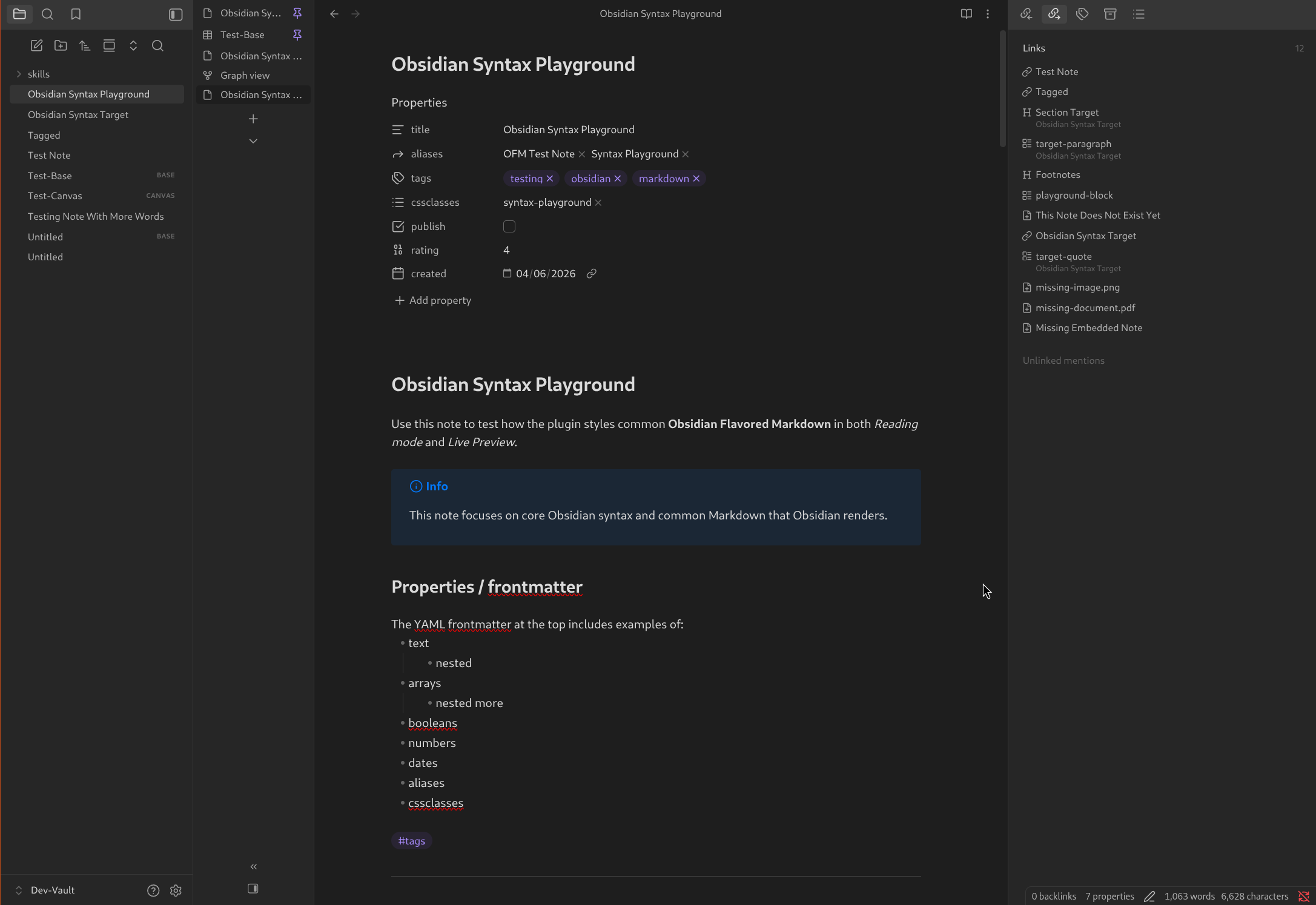
Enables you to have note tabs aligned vertically instead of horizontally.
Features
- Vertical Tabs
- Orient tab bar on the left, or the right
- Right-sidebar toggle placement options: default, note header, or bottom of the vertical tab bar
- Optional tab icons toggle
- Command + setting to collapse the tab bar down to icons, or title initials when icons are hidden
- Collapse/expand button in the vertical tab bar above the right sidebar toggle
- Optional toggle to hide/show the collapse/expand button
Installation
- Install and enable BRAT through the Community Plugins
- Open the Obsidian settings, and navigate to the BRAT settings page
- Click the "Add beta plugin" button
- Paste the link to this repository in the Repository field
- Make sure the "Enable after installing the plugin" box is checked
- Click the "Add plugin" button