
README file from
GithubInsightA Obsidian Plugin :bulb: :books:


Overview 🔍
InsightA uses AI to transform long articles into concise, atomic notes and generates organized Maps of Content (MOC). Ideal for structuring complex information inspired by the Zettelkasten method. 🚀📝
Features ✨
- AI-Powered Notes: Breaks down articles into linked, atomic notes.
- Automatic MOC: Creates well-organized Maps of Content for easy navigation.
Installation ⚙️
- Open Obsidian and go to
Settings. - Navigate to
Community Pluginsand disableSafe Mode. - Click
Browseand search forInsightA. - Install and enable the plugin.
Usage 💡
Before using, open setting, select a LLM and setup an API key.
Extract Notes
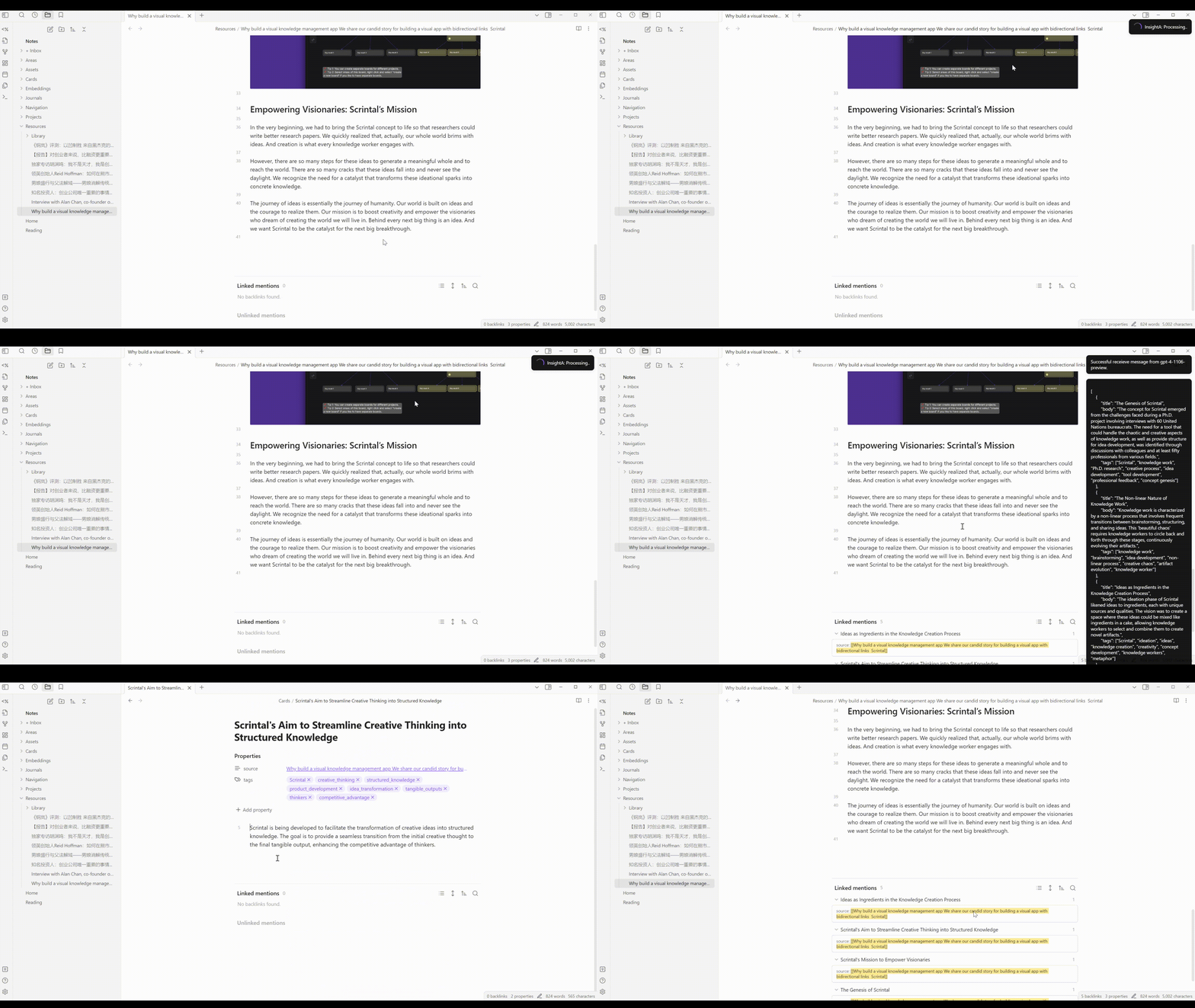
Open an article for processing. Click the InsightA icon in the toolbar or use the command (ctrl+P). The plugin will process the article, creating atomic notes that include links back to the source note and a set of relevant tags for easy organization and reference.
Customize options such as the number of notes, tags, language, and additional properties (e.g., year, location).
Create MOC
Open a new note file, use Create MOC command. The plugin will embed all notes in specific folder and note title, then find all related notes to the note title, group found notes using LLM and show them. You can modify similar threshold in setting.
https://github.com/user-attachments/assets/c6480f4c-29a1-4d47-b3d5-ef2dbaad72f1
PS: Please note that processing times can vary depending on the length of the article. Typically, it takes about 30 seconds or longer for extensive articles.
Rodamap :hammer_and_wrench:
- Model: Select different LLM model
- Model: add support to local LLM
- Note Extraction: set number of generated notes
- Note Extraction: set number of tags
- Note Extraction: control the language of generated notes, with options for source or specific language input.
- Note Extraction: user can ask for additional properties like year, location, author
- Note Extraction: let LLM decide how many notes should craete
- MOC: Modify similar threshold
- New feature: extract journals into well-organized tables
Contributing :raised_hands:
Your contributions are what make the community amazing! If you have ideas, issues, or want to contribute, feel free to check the issues page or submit a pull request.
License :page_facing_up:
This project is under the MIT License.
Acknowledgements :tada:
- A huge thank you to the Obsidian community for their continuous support and insightful feedback.
- This tool is inspired by the Zettelkasten method, renowned for its efficient approach to knowledge management and organization.
- Special credits to Liam's Periodic Notes Plugin and HyeonseoNam's Auto Classifier. Portions of their code were instrumental in the development of InsightA.
Crafted with :heart: by Hongjian Tang for the Obsidian community.