
README file from
Github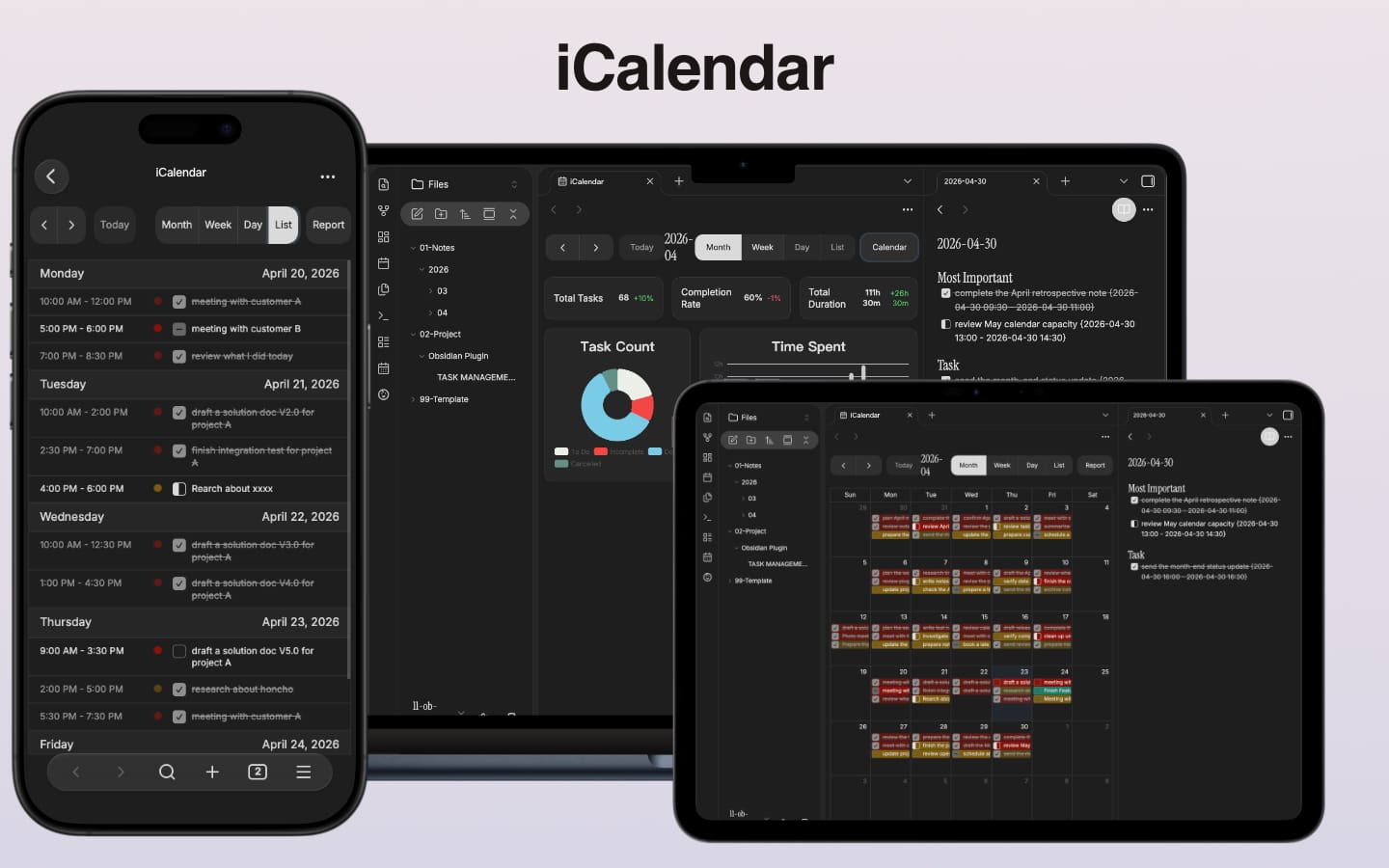
iCalendar

iCalendar is an Obsidian calendar plugin that visualizes and manages tasks from both daily notes and project files in an interactive calendar view.
Features
Task Management
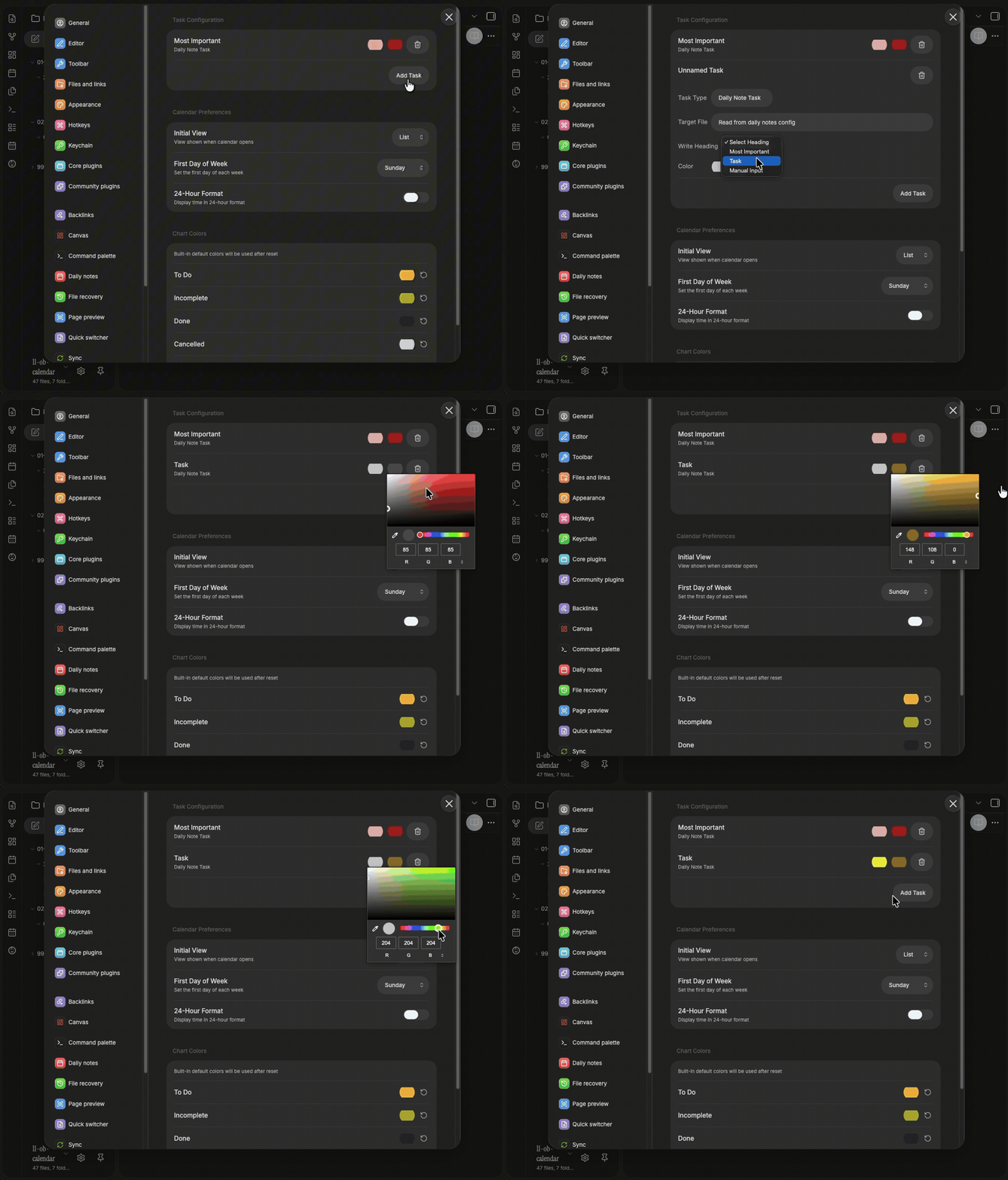
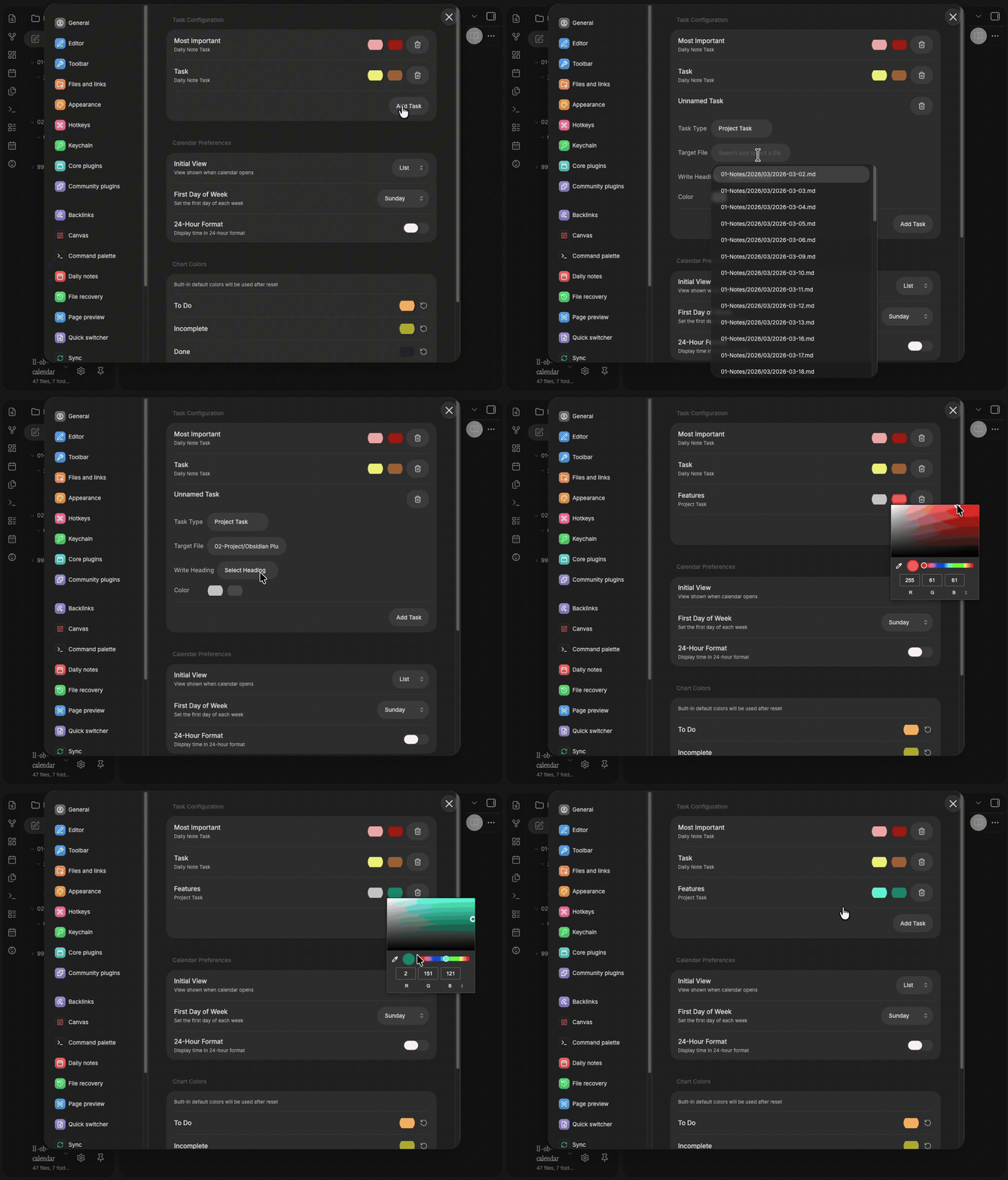
Tasks come from two sources, each with its own color on the calendar:
- Daily note tasks — compatible with the built-in Obsidian daily notes plugin. Tasks are read from a configurable heading in each daily note.
- Project tasks — point to any Markdown file in your vault and pick a heading to pull tasks from.
Calendar View
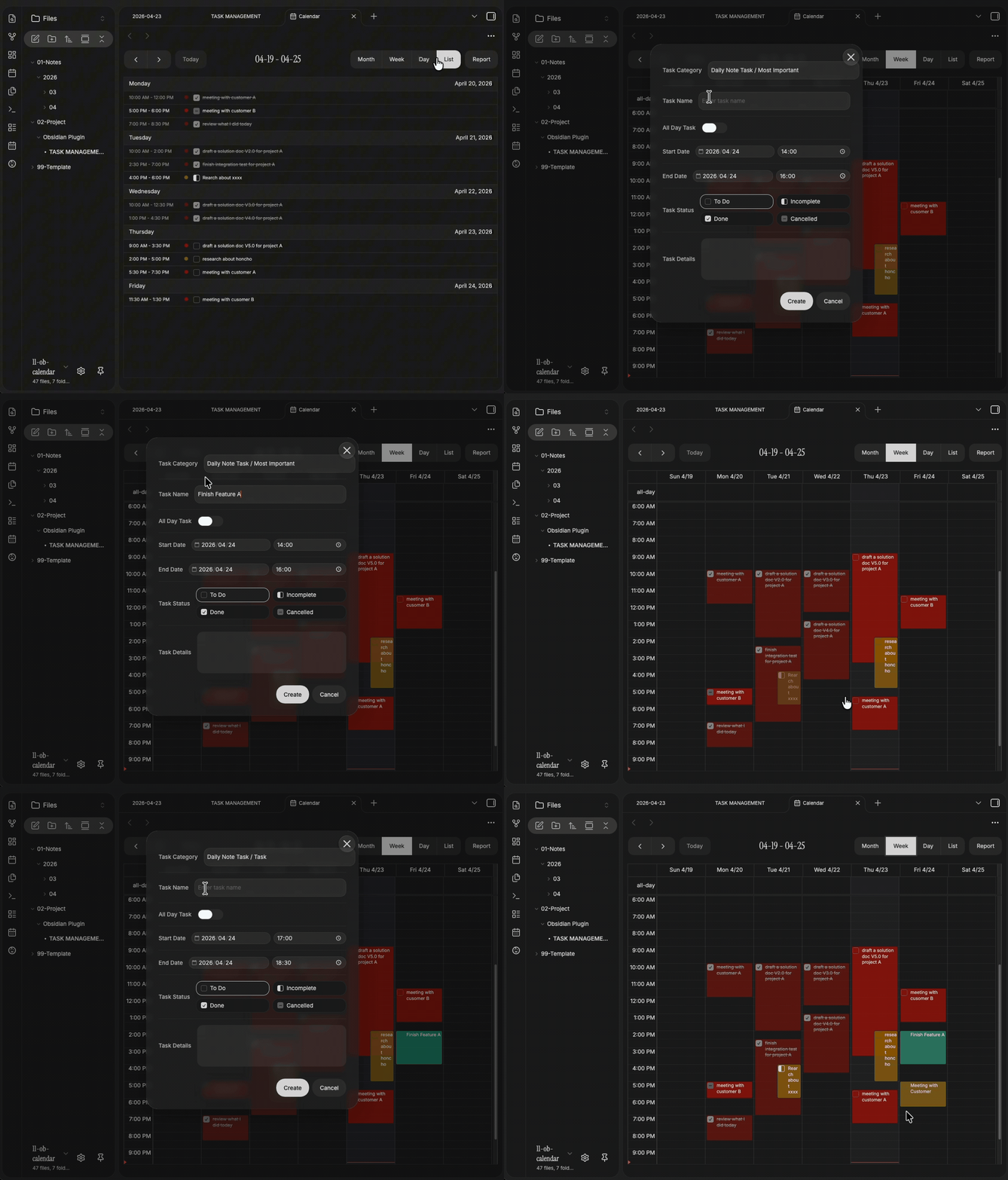
- Month, week, and list views with smooth switching
- Tasks color-coded by source and status
- Click a date to open the corresponding daily note
- Drag and drop to reschedule tasks
- Configurable 12 / 24-hour time format
Task Management
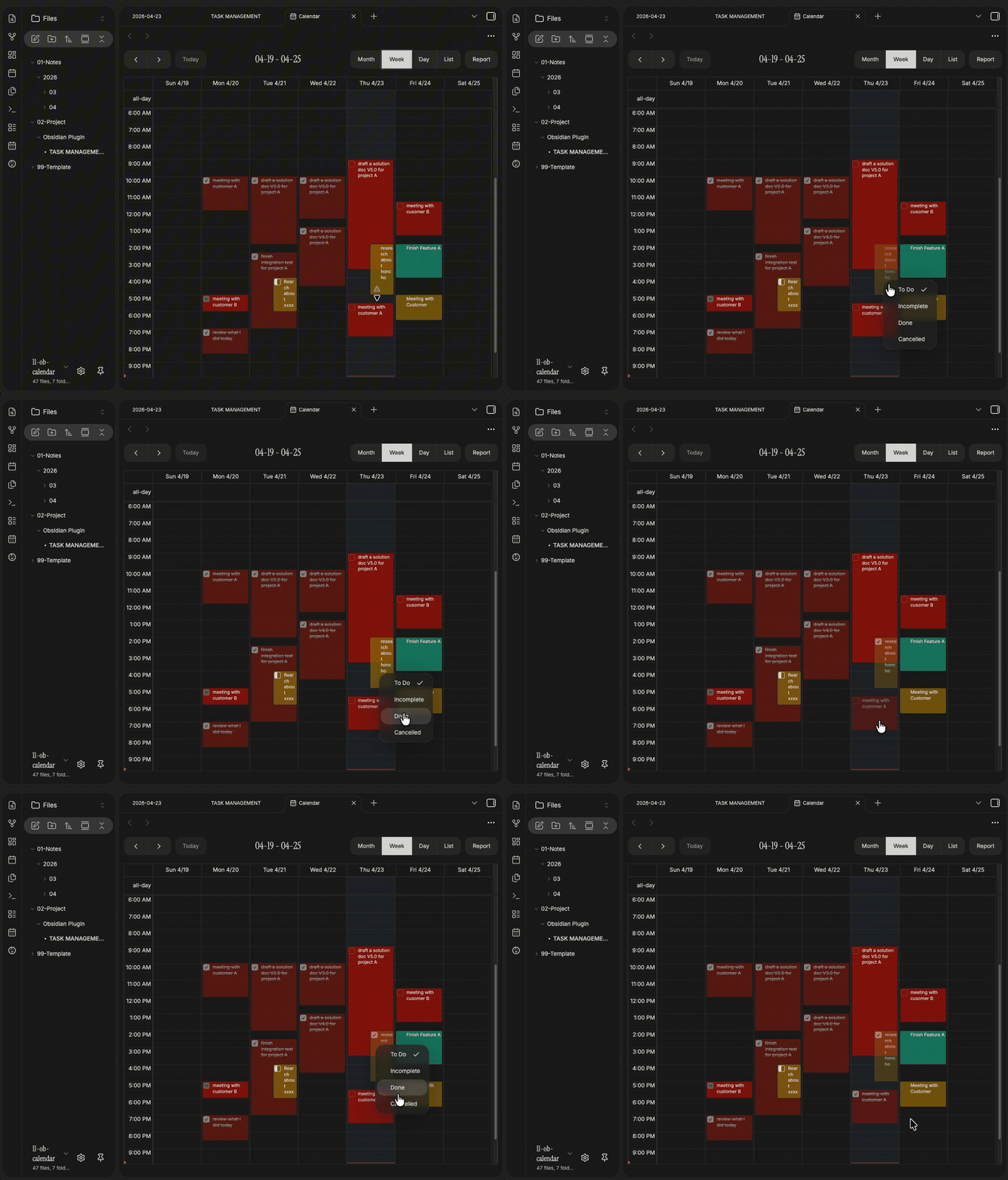
- Click on empty space to create a task — auto-written to the corresponding daily note or project file
- Click an existing task to open the edit modal — title, time, status, and Markdown description
- Right-click a task to quickly change status or delete it
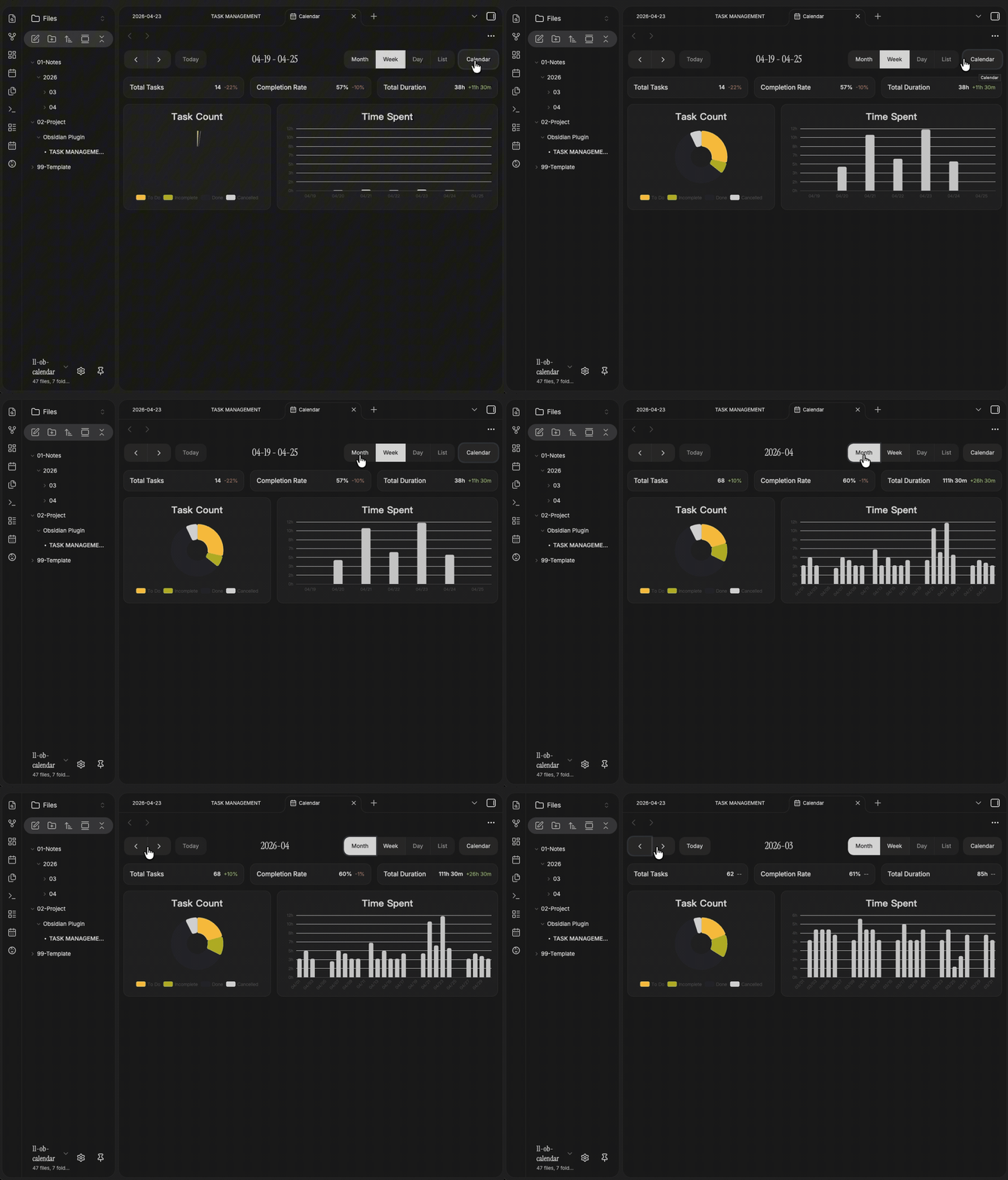
Dashboard
Switch to the stats view for a visual summary of your work:
- Stats cards — total tasks, completion rate, total duration, with period-over-period comparison
- Donut chart — task status distribution
- Bar chart — daily time spent, switchable between week / month views
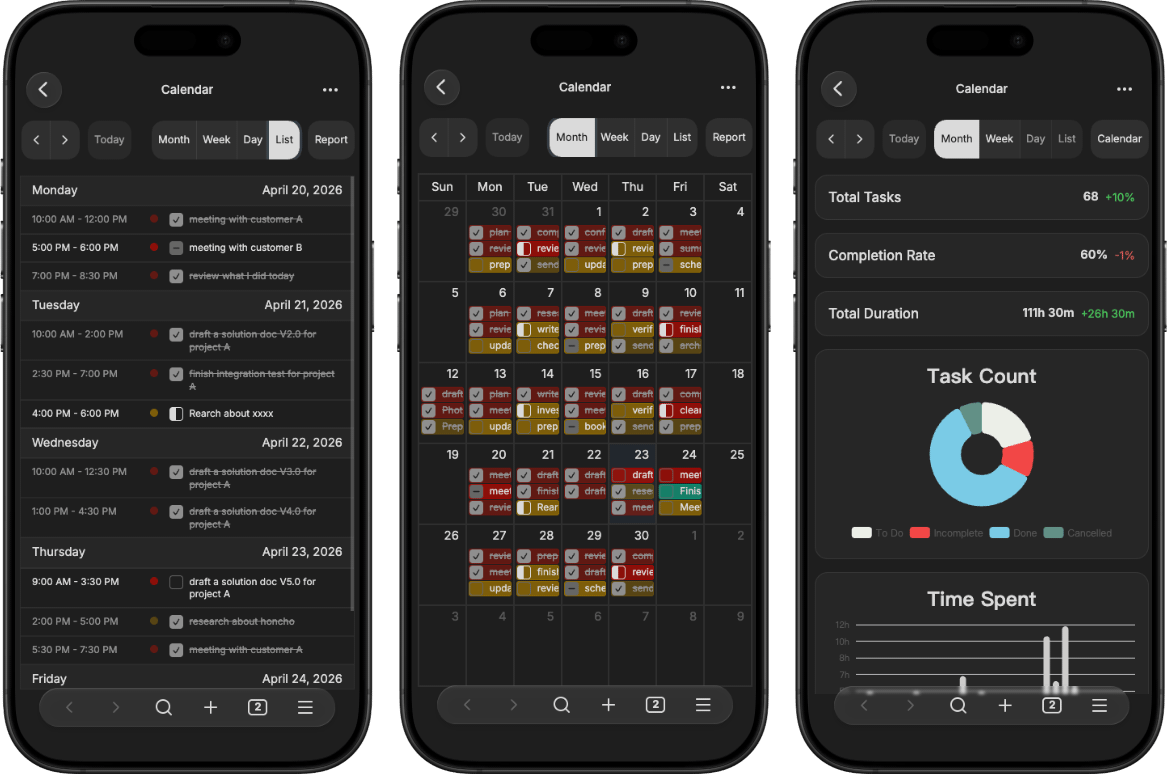
Mobile Optimized
Deeply optimized layout and interactions for mobile devices — compact toolbar, touch-friendly editing, and responsive charts.
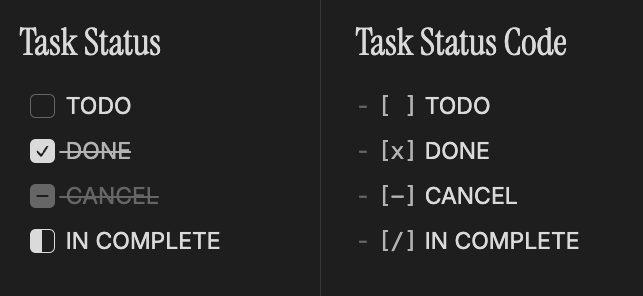
Extended Checkbox Status
Works with themes that support alternate checkbox types ([/] in-progress, [-] cancelled, etc.).
i18n
- Supports Chinese (zh-CN) and English (en)
- Follows Obsidian's language setting automatically
Installation
BRAT (Recommended)
- Install the BRAT plugin
- Add Beta Plugin:
https://github.com/that-yolanda/obsidian-calendar - Enable the plugin
Manual Installation
- Download
main.js,manifest.json,styles.cssfrom the latest release - Place the files in
<Vault>/.obsidian/plugins/icalendar/ - Enable the plugin in Obsidian settings
Development
See Development Guide.
Changelog
See CHANGELOG.md.