
README file from
GithubGTDown
A TaskPaper-style plain-text task editor for Obsidian. Opens .gtd files in a dedicated editor with filtering, tagging, and project organisation.
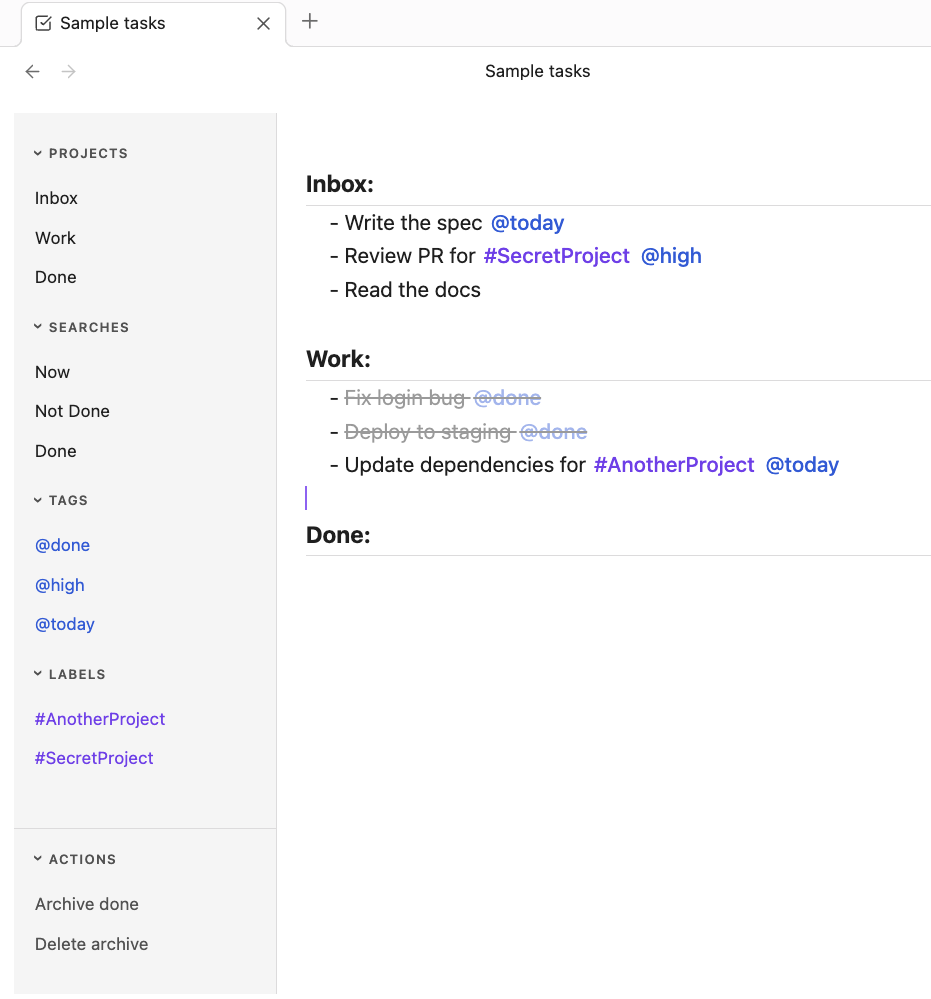
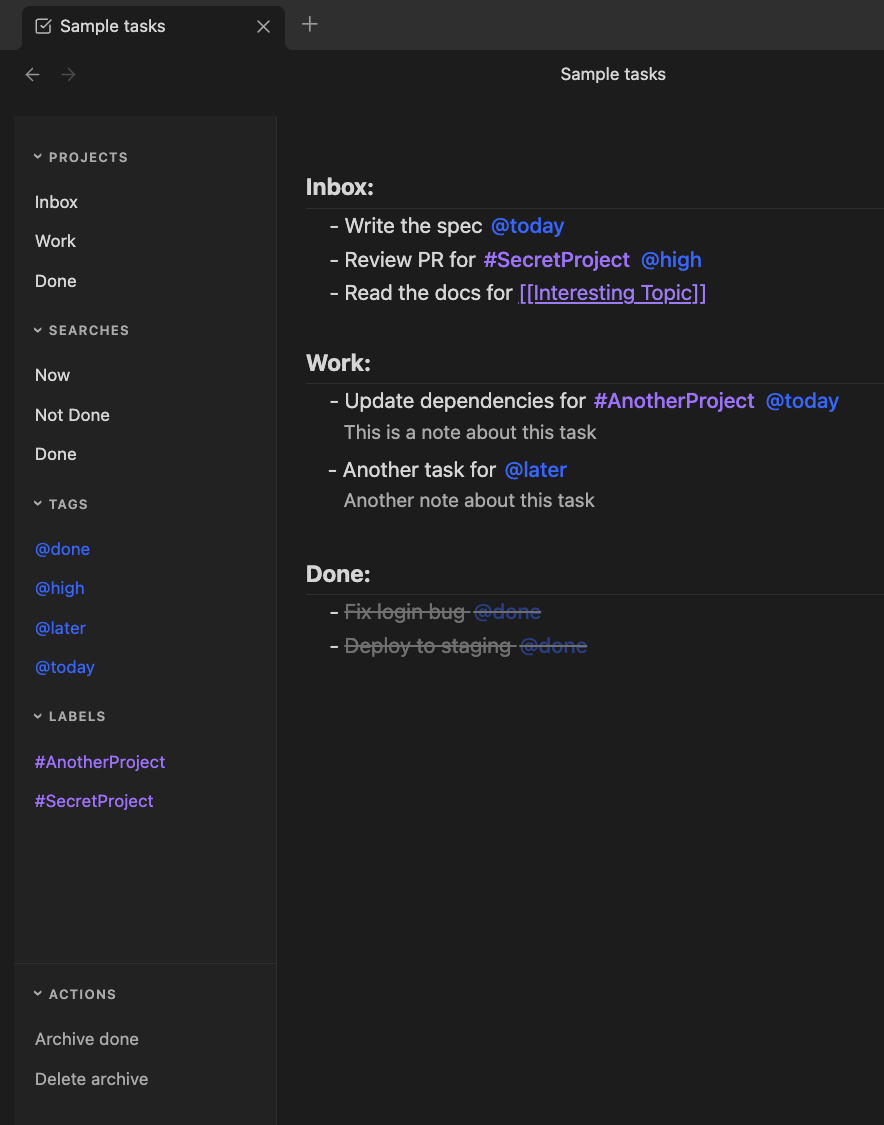
Features
- TaskPaper format — plain text
.gtdfiles, readable and portable outside Obsidian - Projects, tasks, notes — structured by indentation and line type
@tagsand#labels— contexts and categories, styled and filterable- Sidebar — browse projects, saved searches, tags, and labels; filter by clicking
- Multiple filters — combine
@tagand#labelfilters (AND semantics) - Archive Done — moves
@donetasks into a Done section in one click - Smart Enter — context-aware new task/note insertion
- Keyboard shortcuts — toggle done, indent/dedent, move blocks, copy to clipboard
- Obsidian theme support — automatically adapts to any light, dark, or custom theme
File Format
GTDown uses .gtd files in TaskPaper format:
Inbox:
	- Write the spec @today
	- Review PR @high
	- Read the docs

Work:
	- Fix login bug @done
	- Deploy to staging @done
	- Update dependencies @today

Done:
- Project lines — non-indented, end with
:(e.g.Work:) - Task lines — indented with a
-prefix - Note lines — indented, no
-prefix @tags— styled blue;@donemarks a task complete#labels— styled purple
Installation
GTDown is not yet in the Obsidian Community Plugin registry. To install manually:
- Download the latest release (or build from source — see below)
- Copy
main.js,manifest.json, andstyles.cssinto your vault at.obsidian/plugins/gtdown/ - Enable GTDown in Obsidian → Settings → Community Plugins
Usage
Creating a file
Open the command palette (Cmd+P) and run New GTDown file. A new Untitled.gtd file opens in the GTDown editor.
Importing an existing file
Run Import GTDown file from the command palette. Select a .gtd file from your filesystem — GTDown copies it into your vault and opens it in the editor.
Opening files
Any .gtd file in your vault opens automatically in the GTDown editor when clicked in the file explorer.
macOS tip: If your
.gtdfiles open in the wrong editor, check Finder → Settings → Advanced → "Show all filename extensions". macOS can silently hide extensions like.mdthat follow.gtd, causing Obsidian to misidentify the file type.
Keyboard Shortcuts
| Shortcut | Action |
|---|---|
Enter |
Smart new task/note |
Cmd+D |
Toggle @done |
Tab |
Indent |
Shift+Tab |
Dedent |
Backspace |
Delete empty - marker |
Escape |
Clear tag filters; if none, blur editor |
Opt+Cmd+↑ |
Move line block up |
Opt+Cmd+↓ |
Move line block down |
Cmd+S |
Save |
Cmd+Shift+C |
Copy document to clipboard |
Building from Source
git clone https://github.com/jonny/gtdown-obsidian
cd gtdown-obsidian
npm install --legacy-peer-deps
npm run build
Copy main.js, manifest.json, and styles.css into your vault's plugin folder.
Tech Stack
- React 19 + TypeScript
- CodeMirror 6 (via Obsidian's bundled instance)
- esbuild
License
MIT