
README file from
GithubGTD Flow
GTD-style project and task management for Obsidian, built on plain Markdown.
GTD Flow covers the whole loop — capture to the inbox, organise into sequential or parallel projects, see what's genuinely next, forecast the week, review on a cadence. There's no hidden database: every task stays an ordinary checklist line in your own notes, so it's greppable, portable, and still readable with the plugin turned off.
It speaks the Tasks plugin emoji syntax, so the two can share the same files.
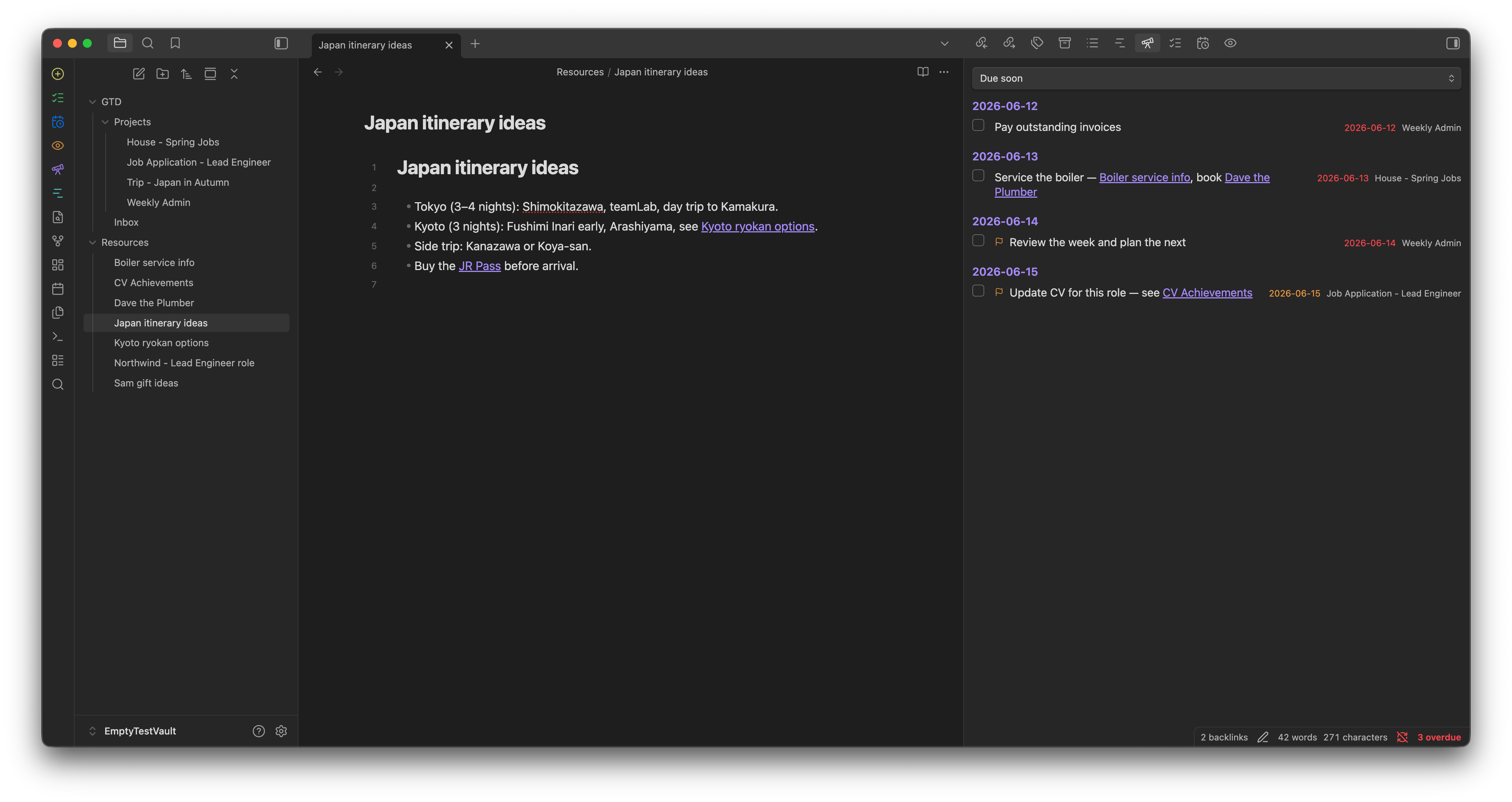
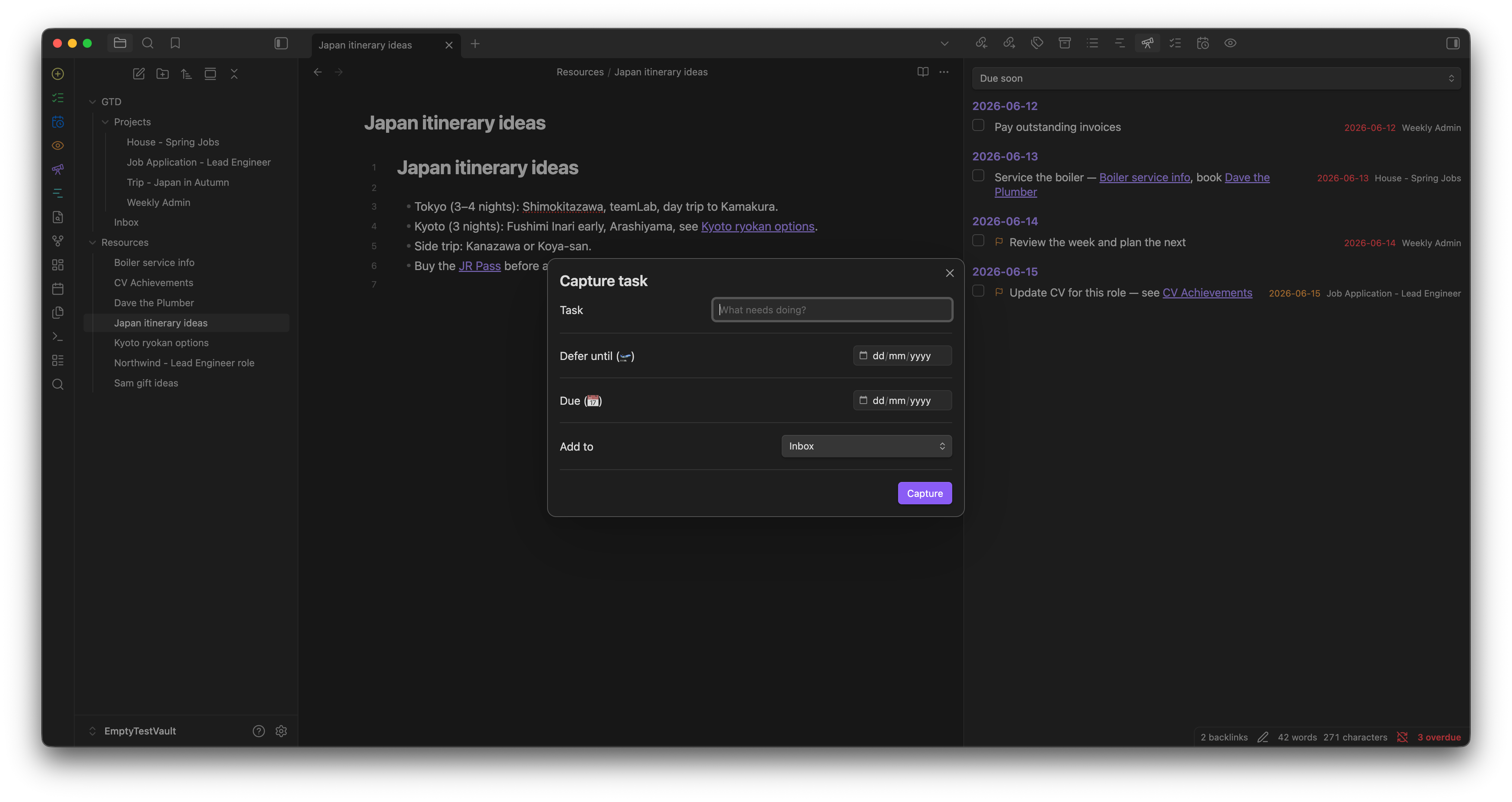
Screenshots
| Next actions | Forecast | Timeline |
|---|---|---|
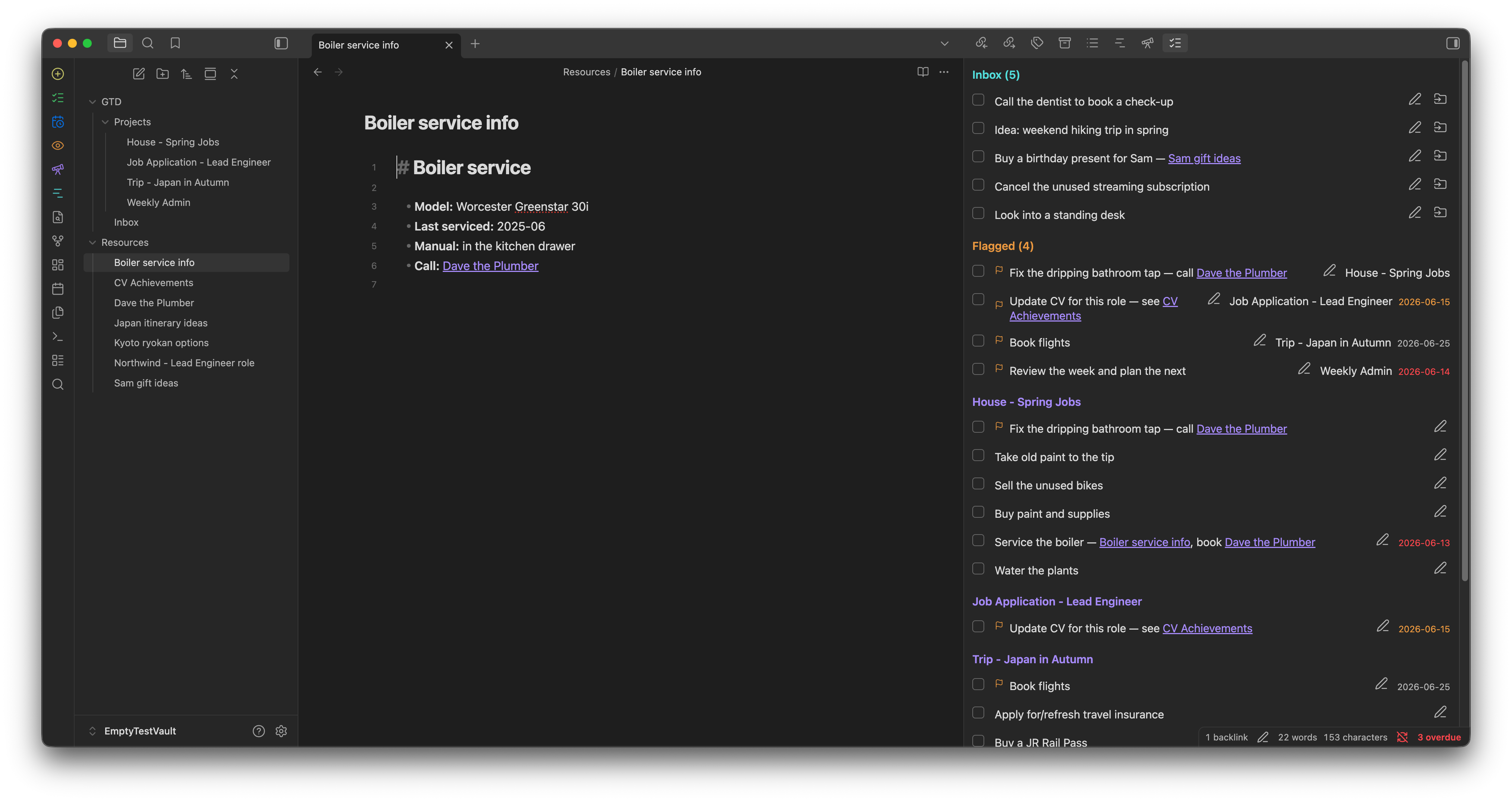 |
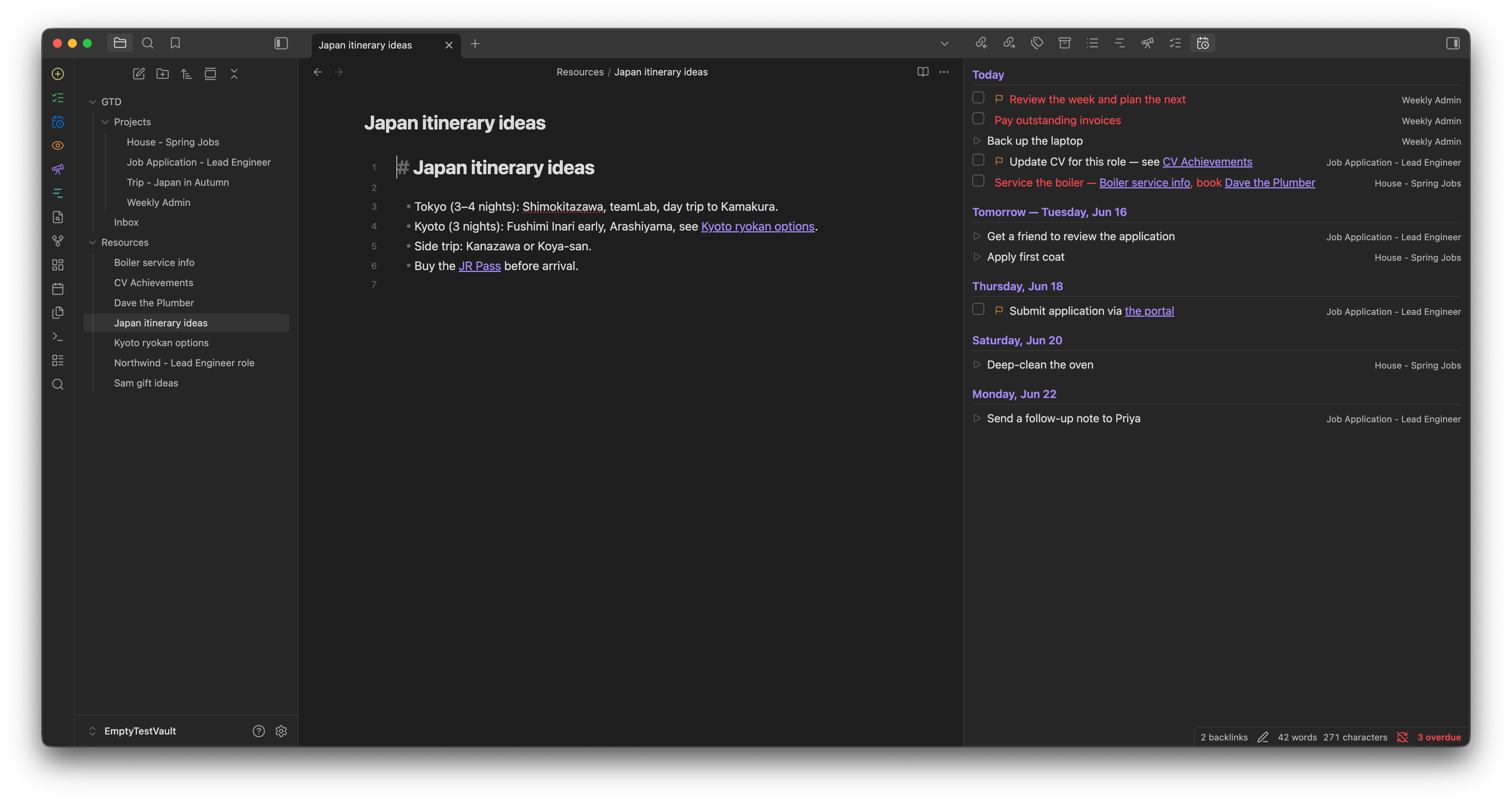 |
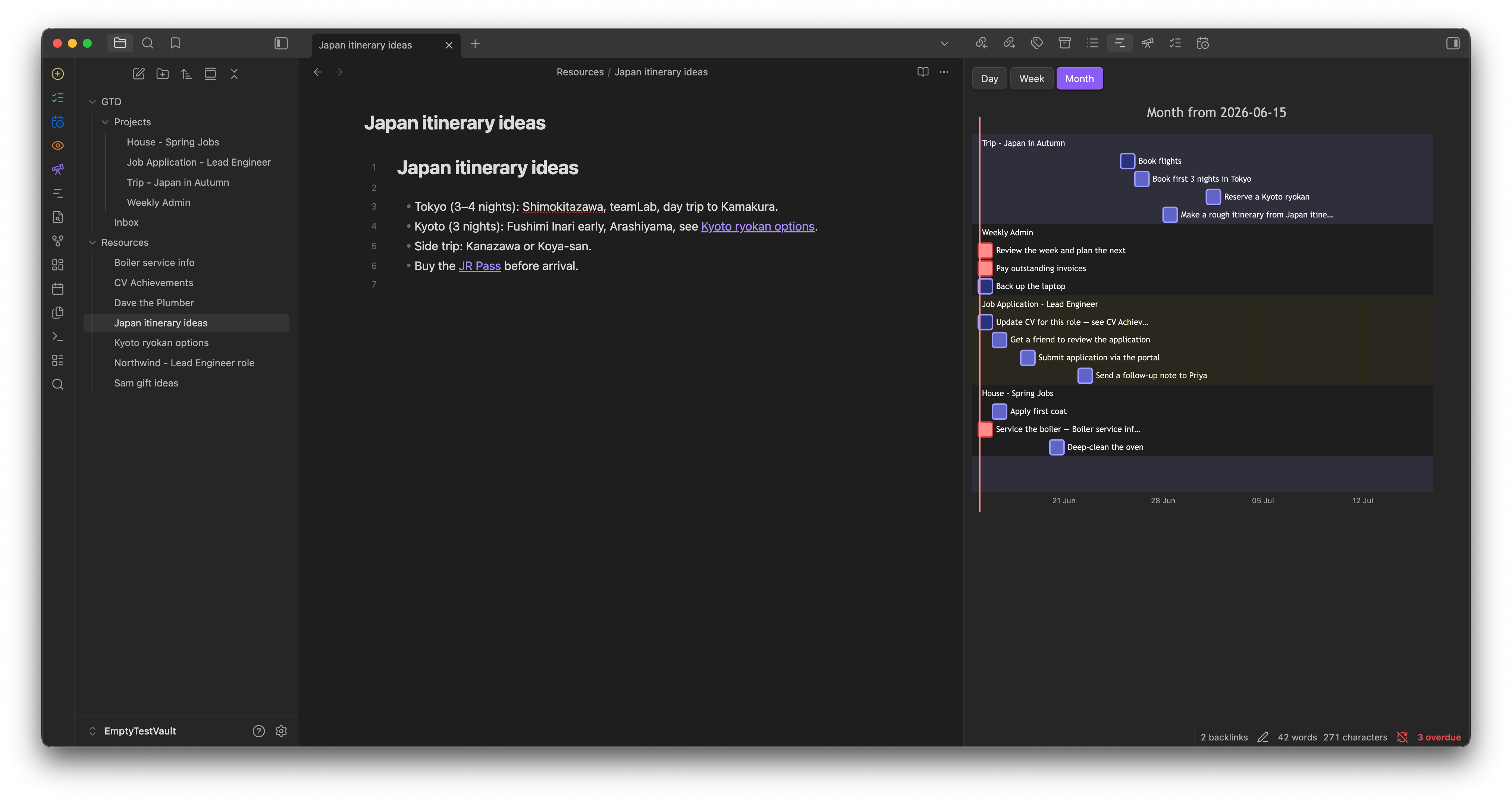 |
| Review | Perspectives | Capture |
|---|---|---|
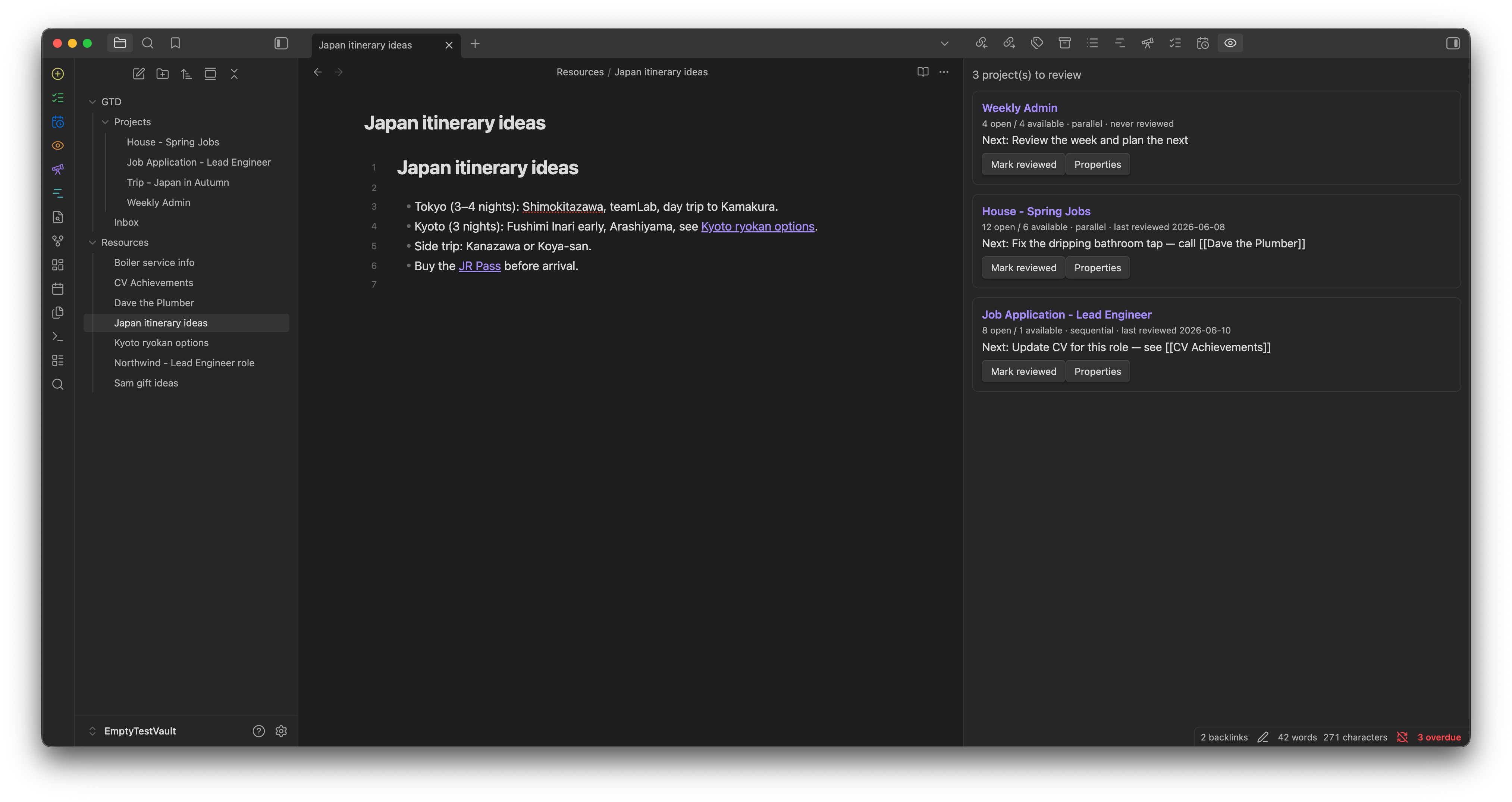 |
 |
 |
Why GTD Flow
- Your notes stay yours. Projects are ordinary Markdown notes; tasks are ordinary
- [ ]lines. Greppable, portable, Git-friendly, and fully usable without the plugin. - Real next-action logic. A task is available only when its project is active, its defer date has passed, and — in sequential projects — everything before it is done.
- Action groups. Indent tasks to nest them; a group with open children isn't actionable until those children are finished.
- One pane for the day. Forecast and a Mermaid-powered Gantt timeline (day / week / month) show what's due and what's coming.
- Capture without friction. A quick-capture modal, a global command, and an
obsidian://gtd-captureURL for grabbing tasks from anywhere. - Stays out of the way. Flags, durations, repeats, perspectives, archiving, and per-project page colors — use as much or as little as you like.
Core ideas
| Concept | GTD Flow |
|---|---|
| Project | A note with type: project frontmatter |
| Sequential / parallel | flow: key (overridable per action group) |
| Defer / Due | 🛫 / 📅 on the task line |
| Flag | a tag (default #flag) |
| Important | a tag (default #important) — star in views + an Important perspective |
| Someday / Maybe | status: someday projects and a #someday tag for single tasks |
| Contexts | hierarchical tags (#home/plumbing), filterable in perspectives |
| Forecast | Forecast + Timeline views |
| Review | per-project interval + a review queue |
| Inbox | a capture note you triage into projects (dated inbox items still show in Forecast) |
Feature highlights
- Sequential/parallel projects with nested action groups
- Defer, due, time of day (⏰), duration (⏱), repeat (🔁) on tasks, with inline auto-suggest (natural-language dates: "Thursday", "end of week"…)
- Task statuses — to-do, in-progress
[/], done, dropped[-]— with 💬 closure reasons - Edit right in the note — right-click menu on task lines and checkbox clicks that record ✅ and the 🔁 next occurrence, no Tasks plugin needed
- Next Actions, Forecast, Timeline (Gantt), Review, and Perspectives views, with drag-to-reorder in Forecast/Perspectives
- Quick capture (modal, command, and URL handler) and inbox triage into projects
- Repeat-on-complete, flags, someday/maybe, archiving, an overdue badge, and due-task notifications
- Done queries — a
gtd-doneblock that lists what you closed in any period (presets, project/folder filters), plus an exportable report note - In-note highlighting of next/available/blocked/deferred/overdue tasks, plus an opt-in per-project status block
- Per-project page styling (tint/banner) and project pills matching your file-explorer colors
Install
Until the community-directory listing is live, install with BRAT: add this repository as a beta plugin, then enable GTD Flow in Settings → Community plugins. Works on desktop and mobile.
Manual install: download main.js, manifest.json, and styles.css from a release into <vault>/.obsidian/plugins/gtd-flow/ and enable the plugin.
Quick start
- Set your projects folder and inbox note in the plugin settings (defaults:
GTD/Projects,GTD/Inbox.md). - Run GTD Flow: New project, or right-click the projects folder → New GTD project.
- Add tasks as
- [ ]lines; type at the end of a line for the date/duration/repeat suggester. - Open Next actions from the ribbon and start working.
Documentation
Full usage, syntax, settings, and architecture: INSTRUCTIONS.md.
License
MIT © Marco Guidetti