
README file from
GithubFluorite
Features / 機能概要
This plugin adds the following features to Obsidian.
- Display image files from the device on the floating panel.
- Display Obsidian note on the floating panel.
このプラグインはObsidianに以下の機能を追加します
- 端末の画像ファイルをフローティングパネルに表示する
- Obsidianのノートをフローティングパネルに表示する
Installation / インストール方法
Obsidian Settings > Community plugins > Browse > Type 'fluorite' into the search box > Select the 'Fluorite' card > Install > Enable
Obsidianの設定 > コミュニティプラグイン > 閲覧 > 検索ボックスに「fluorite」と入力 > 「Fluorite」のカードを選択 > インストール > 有効
Usage / 使い方
Open the floating panel / フローティングパネルを開く
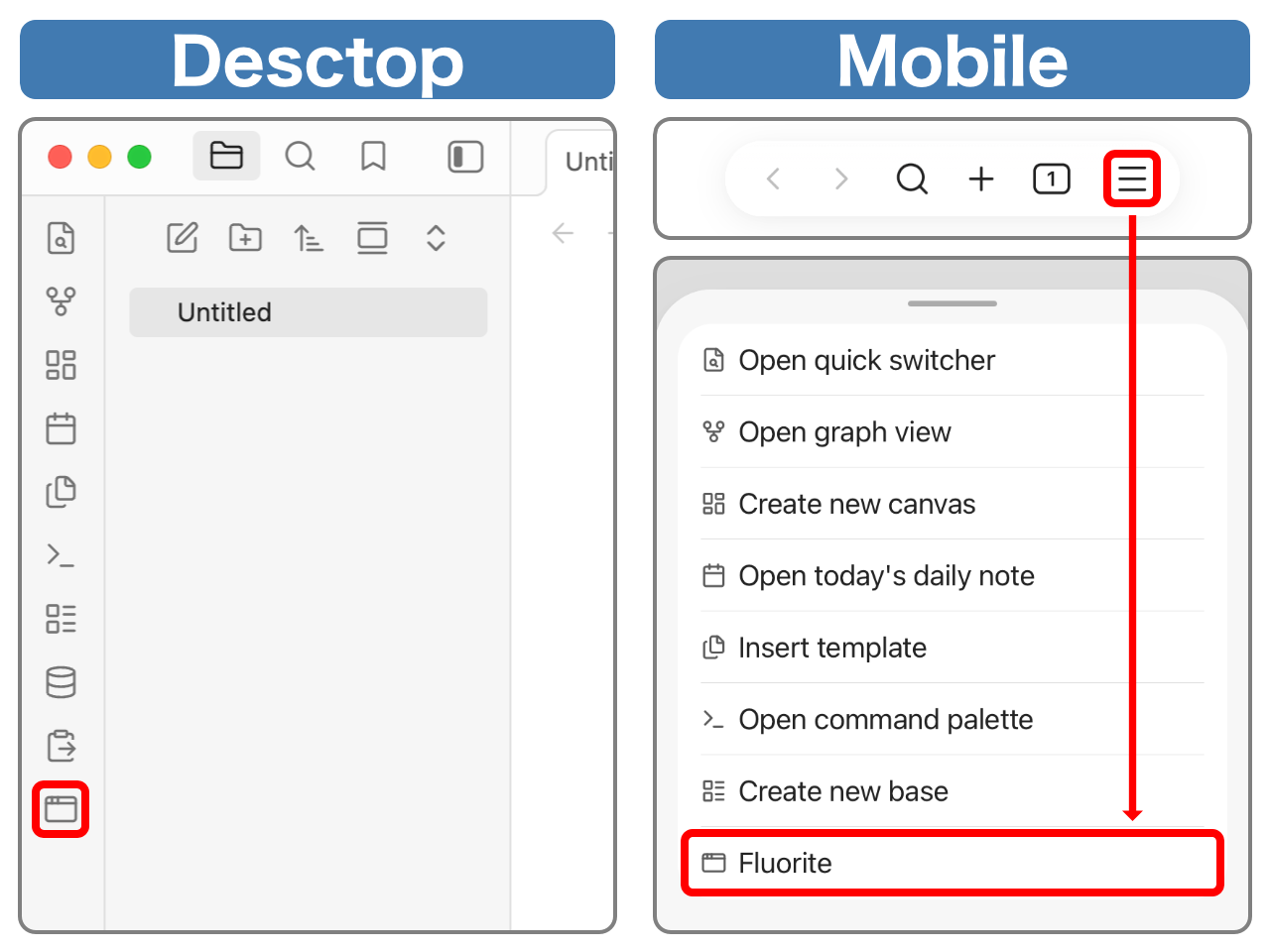
Desktop: Ribbon menu > Window icon button
Mobile: Menu icon button on the navigation bar > Fluorite
デスクトップ:リボンメニュー > ウィンドウアイコンボタン
モバイル:ナビゲーションバーのメニューボタン > Fluorite
List of Operations / 操作一覧
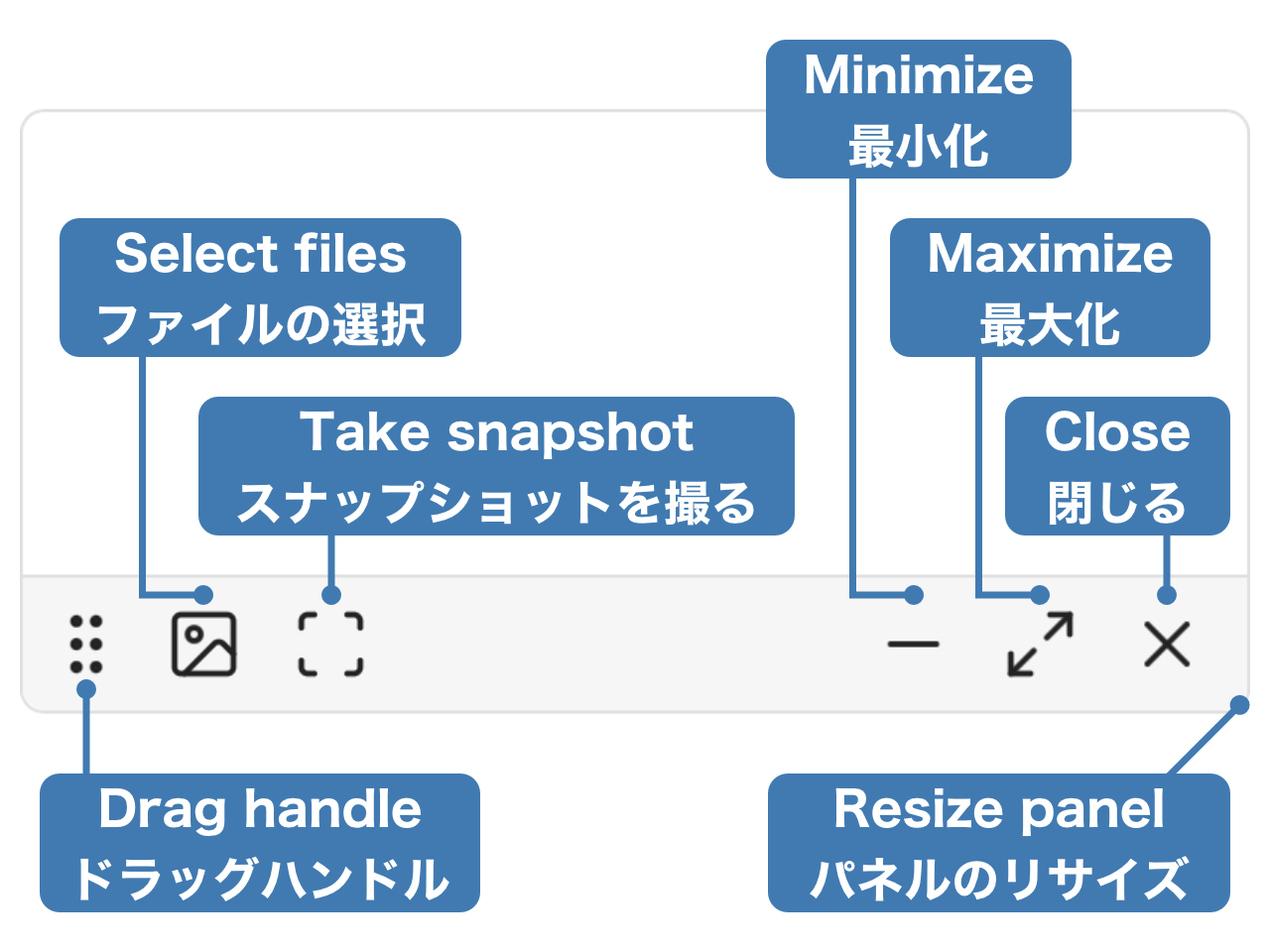
Display image files on the device / 端末の画像ファイルを表示
Photo icon Button on the floating panel > Select images to display (multiple selections allowed)
フローティングパネルの写真アイコンボタン > 表示したい画像を選択(複数選択可能)
Display Obsidian note / Obsidianのノートを表示
Open the note to display > Scan icon button on the floating panel
A snapshot of the current state will be taken and displayed. Any edits made to the note will not be reflected in the snapshot. Also, the snapshot is read-only.
表示したいノートを開く > フローティングパネルのスキャンアイコンボタン
その時点でのスナップショットを取得し表示します。ノートに加えた編集内容はスナップショットに反映されません。また、スナップショットは読み取り専用です。