
README file from
GithubEMRALD for Obsidian
Track what work costs you, not just what you finish.
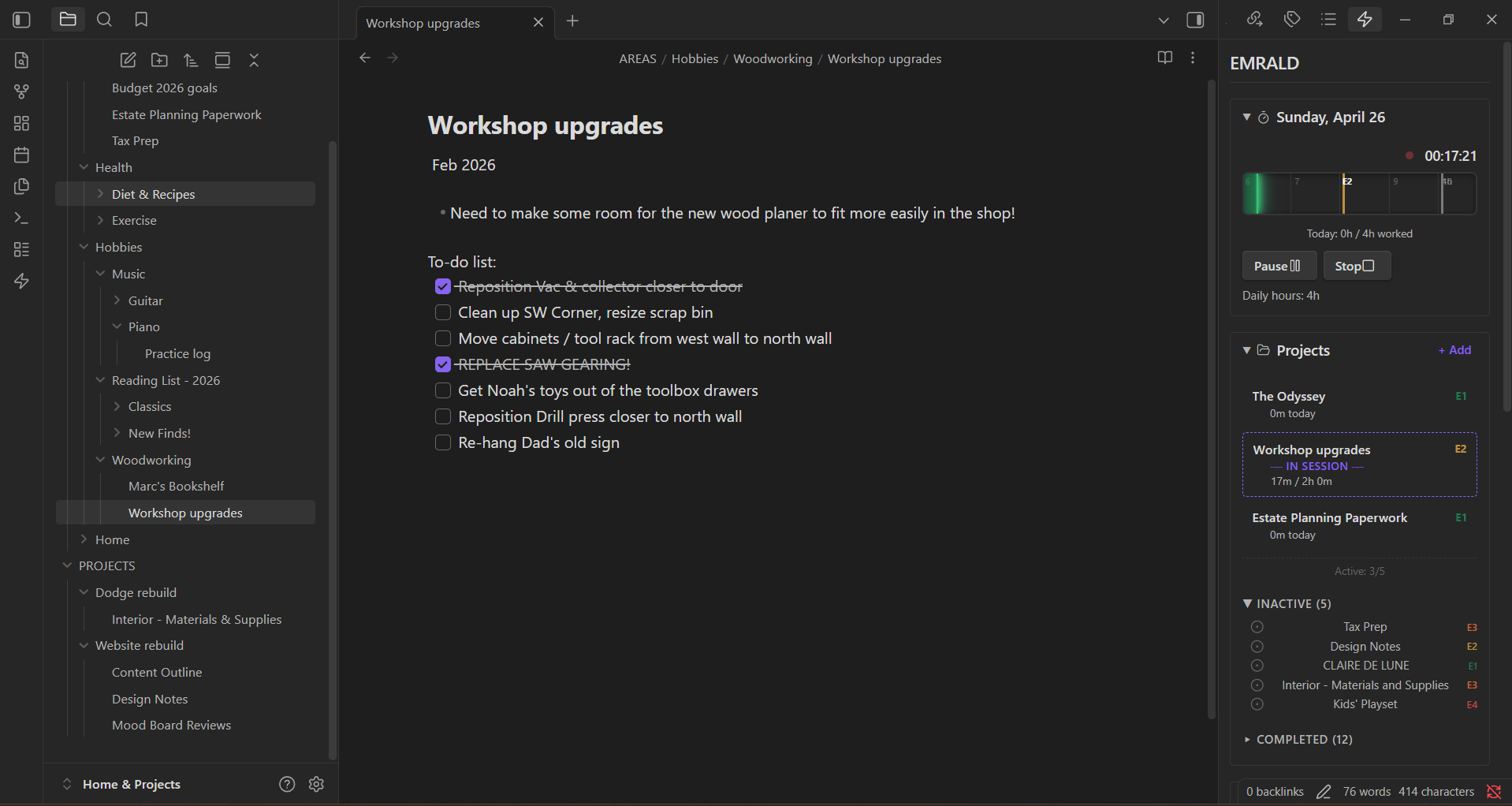
EMRALD is an effort management plugin for Obsidian. It helps you track patterns around effort, flow, energy, recovery, and burnout risk without leaving the notes and projects you already rely on.
Most productivity tools can tell you what got done. EMRALD is built to help you understand what the work actually cost you.
Why EMRALD exists
A task list can say you're doing fine while your actual capacity says otherwise.
EMRALD was built for that gap.
Instead of forcing you into a brand-new productivity system, it adds an effort-aware layer to Obsidian so you can keep the workflow you already trust and gain a clearer picture of how your work affects you over time.
Keep your stuff. We'll make it smarter.
What it does
- Track focused work sessions from inside Obsidian
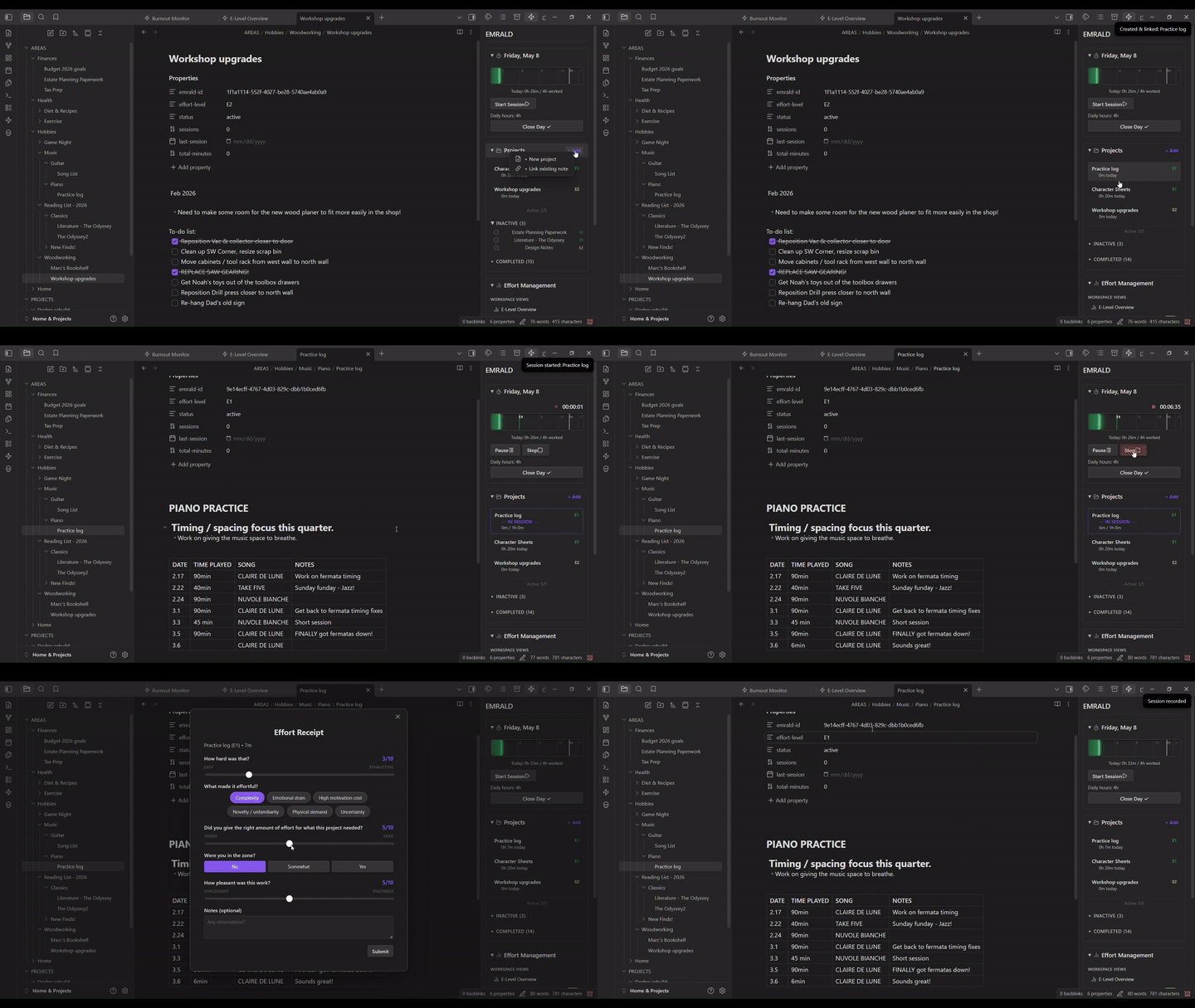
- Capture quick post-session effort receipts
- Record daily check-ins around energy and readiness
- Monitor patterns in effort, flow, and recovery over time
- Surface burnout-related signals before they become obvious
- Keep project and effort awareness close to your notes
- Work alongside your vault instead of replacing it
Who it's for
EMRALD is especially useful if you:
- already manage work or life systems inside Obsidian
- want more than time tracking or task completion
- regularly feel "productive" but still end the day cooked
- care about sustainable output, not just maximum output
- want your system to reflect real capacity, not fantasy capacity
Screenshots
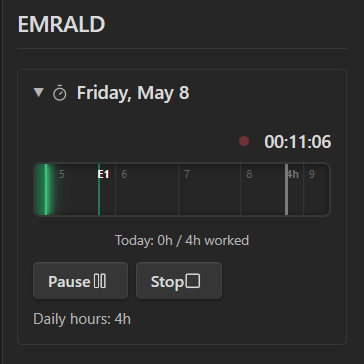
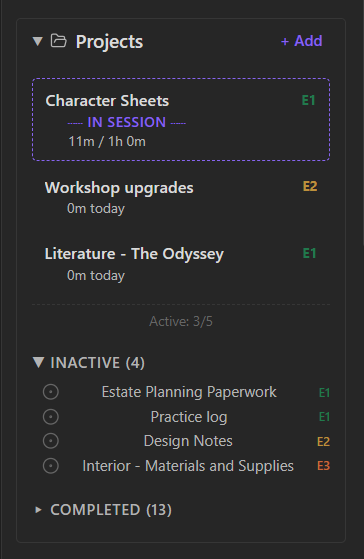
The sidebar — your daily workspace
Timeblock timer, projects, and effort tools — always one click away.
| Timeblock (active session) | Projects |
|---|---|
 |
 |
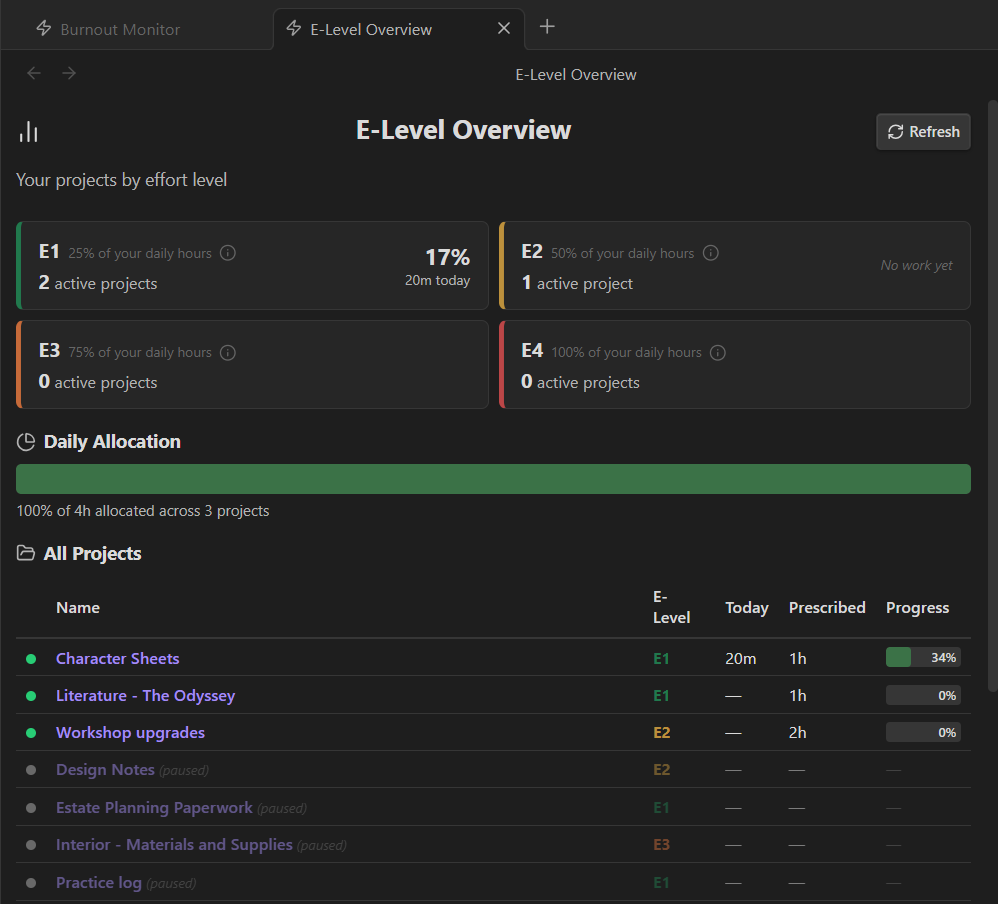
The workspace views — your patterns over time
E-Level Overview — see how your day breaks down across effort tiers.
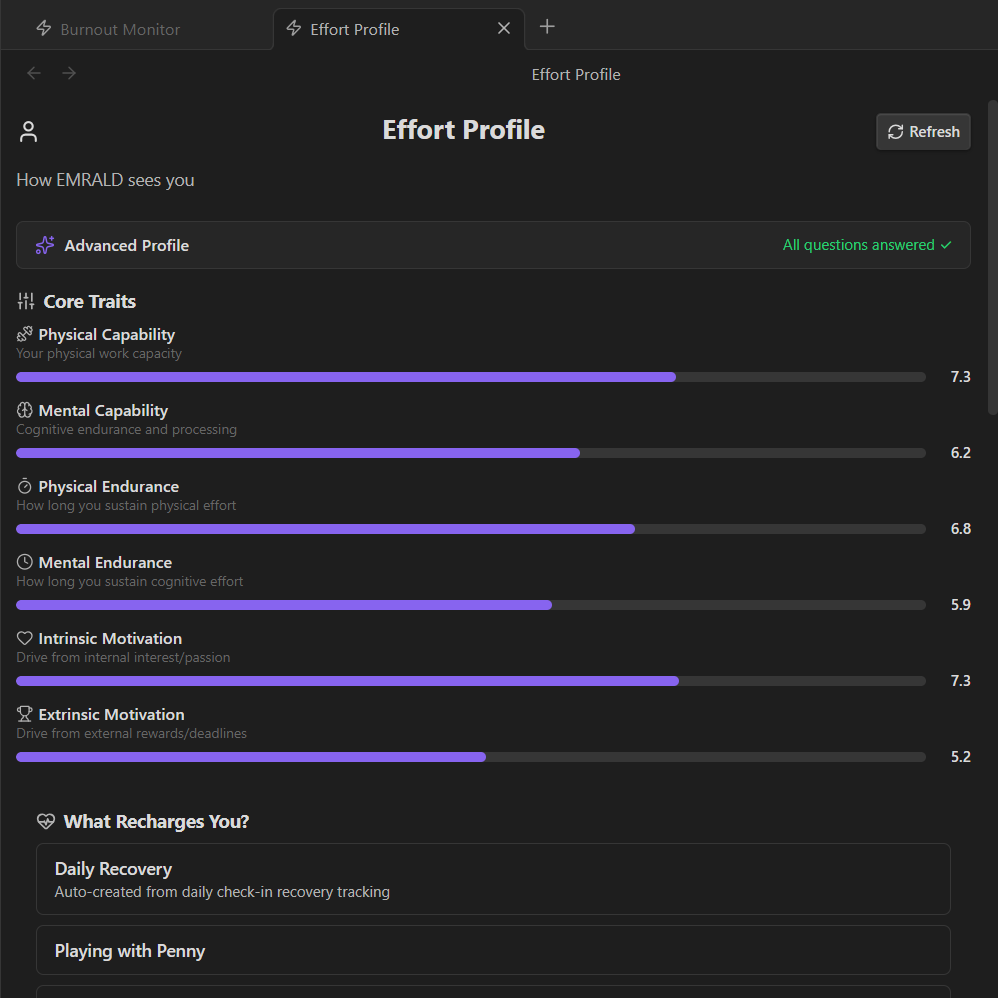
Effort Profile — how EMRALD sees your capacity, endurance, and motivation.
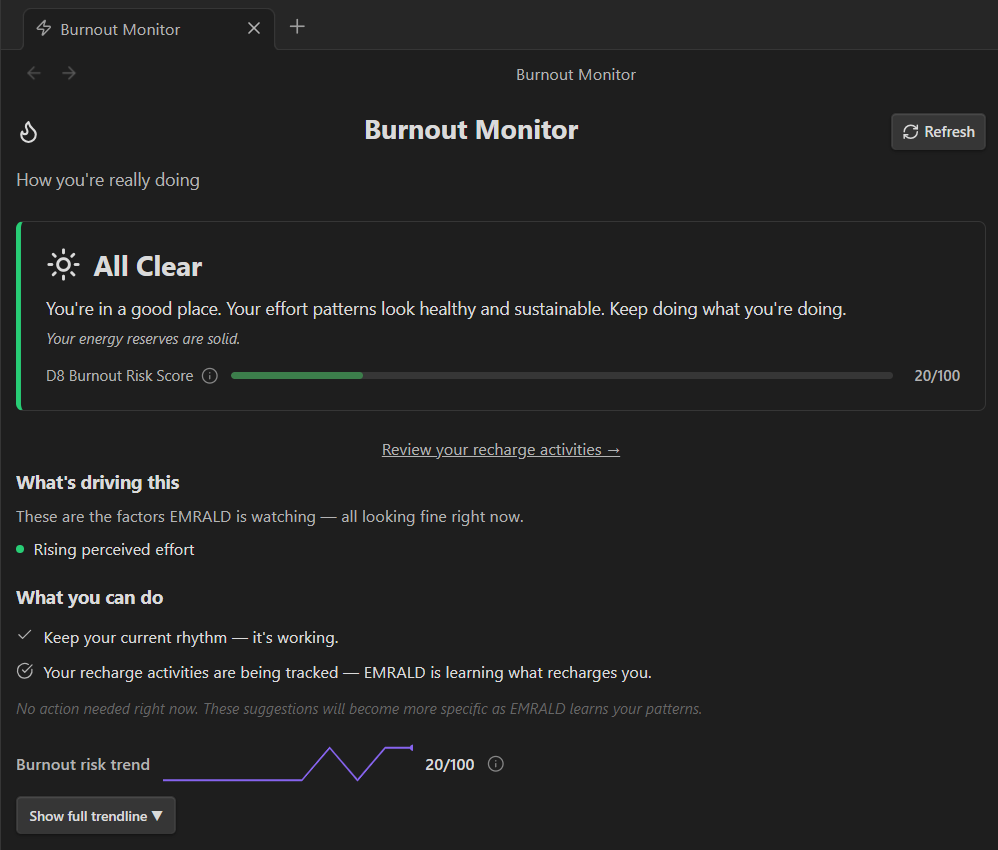
Burnout Monitor — sustained-effort signal watching, before patterns get obvious.
Screenshots show dark mode. EMRALD adapts to your active Obsidian theme.
See it in action
A full session flow — Start → work → Stop → Effort Receipt:
Getting started
- Create an account at app.effortmastery.com
- Sign in and generate your API key
- Install the EMRALD plugin in Obsidian
- Open EMRALD settings and paste in your API key
- Start your first session
If this is your first time using EMRALD, expect the value to build over time. The first few sessions establish the baseline. The pattern recognition gets stronger as the data accumulates.
What's new: effort profiles, area grouping, and forecasting
Per-project effort profiles. Tell EMRALD what a project will cost you before you start. Complexity, how familiar the work is, whether it's the kind of thing you get pulled into. Once you've logged sessions, EMRALD shows your prediction next to what actually happened, side by side. It never blends the two into a fake composite score.
Effort forecasting. For multi-day projects, EMRALD can suggest a starting effort level and field hints. Drawn from how similar past projects actually went for you, not some generic guess. If there isn't enough history yet, it tells you that plainly.
Area grouping. Tag projects by area (Work, Health, Family, or whatever fits your life) and see across your workspace.
(PRO mode) Smarter insights. The insight engine now varies its phrasing instead of repeating the same sentence. It also learns from insights you dismiss and surfaces new insights in two categories: Discovery (patterns in your own data) and expanded Warnings (early heads-ups on sleep and effort volatility). Burnout warnings are unchanged. Same high bar as always.
Templater & Periodic Notes integration
EMRALD automatically writes a daily summary file to your vault at .emrald/daily-summary.md. This file updates every time you stop a session, complete a check-in, or close your day.
If you use Templater and Periodic Notes, you can pull this data into your daily notes automatically.
Setup (3 steps)
-
Install Templater from the Obsidian community plugins, if you haven't already.
-
Add this line to your daily note template wherever you want the summary to appear:
<%- await app.vault.adapter.read(".emrald/daily-summary.md") %>Why
adapter.read()? Obsidian's vault index doesn't see dotfile paths (.emrald/), so the standardtp.file.include()can't resolve them. This reads the file directly from disk. -
That's it. The next time Periodic Notes creates a daily note (or you manually create one from your template), your EMRALD data fills in automatically.
What the summary includes
- Session count and total hours for the day
- Project breakdown — which projects you worked on, how long, what effort level, how many sessions
- Check-in scores — energy, focus, stress, sleep quality, mental clarity
- Burnout risk level — Low / Moderate / High / Critical with score
Example output
## Today's Effort
- **Sessions:** 3 | **Total:** 4h 12m
- **Check-in:** Energy 4/5 | Focus 4/5 | Stress 2/5 | Sleep 7/10 | Clarity 8/10
- **Burnout Risk:** Low (18/100)

## Project Breakdown
- **EMRALD MVP** (E3): 2h 48m ×2
- **Marketing** (E2): 1h 24m ×1
Notes
- The
.emraldfolder is created automatically the first time EMRALD writes the summary. - A
README.mdinside.emrald/has setup instructions and use case ideas — it’s created once and never overwritten. - The file updates in place — it always reflects today's data, not historical.
- If you don't use Templater, you can still open
.emrald/daily-summary.mddirectly — it's a plain markdown file on disk.
Suggested uses
The summary gives you the raw data. Your daily note is where you add the meaning.
Pair it with a Reflections section in your daily note template:
<%- await app.vault.adapter.read(".emrald/daily-summary.md") %>

## Reflections
- What did the numbers miss? How did the day *feel*?
- Did I work on what I planned, or did something pull me away?
- What would I do differently tomorrow?
Track patterns over time:
- Compare your check-in scores with how the day actually went
- Notice when high-stress days cluster — that’s a burnout signal your task list won’t show
- Catch effort drift — spending hours on the wrong project without realizing it
Use it as an accountability mirror:
- "I planned to focus on Project X but spent 80% of my effort on Project Y"
- "Burnout risk has been Moderate three days straight — time to ease off"
- "My clarity was 9/10 and I wasted it on admin tasks"
Companion theme
The optional EMRALD Theme is the official companion theme for the plugin. It is built to match the workspace visually, but it is completely optional and can stand on its own.
Privacy and data
EMRALD connects to the Effort Mastery API (api.effortmastery.com) to sync session data, metrics, and insights. This is how the plugin works — there is no local-only mode.
What EMRALD sends:
- Session data (start/stop times, effort level, project association)
- Daily check-in responses (energy, readiness)
- Project metadata (name, folder, effort level)
What EMRALD never sends:
- Note content — EMRALD does not read, upload, or modify the body of your notes
- File contents, attachments, or images
- Vault structure beyond the folders you designate as Active/Inactive during onboarding
Vault access:
- EMRALD uses
vault.getFiles()during onboarding to let you pick Active and Inactive project folders processFrontMatterwrites metadata (effort-level, session info) to note YAML — never note content- No background vault scanning occurs outside of the folder sync you configure
External domains:
api.effortmastery.com— API (session sync, metrics, insights, authentication)app.effortmastery.com— linked from settings for account managementgetemrald.com— linked from the About view for documentation
No data is shared with third parties. No analytics or tracking SDKs are included. Full privacy policy: effortmastery.com/privacy
Development
npm install
npm run dev
Build
npm run build
License
MIT — Effort Mastery LLC