
README file from
GithubEmbedding (Obsidian plugin)
Semantic, keyboard-first navigation for your vault. This plugin builds embeddings for your notes and opens a floating pop-out panel so you can jump through related ideas without touching the sidebar.
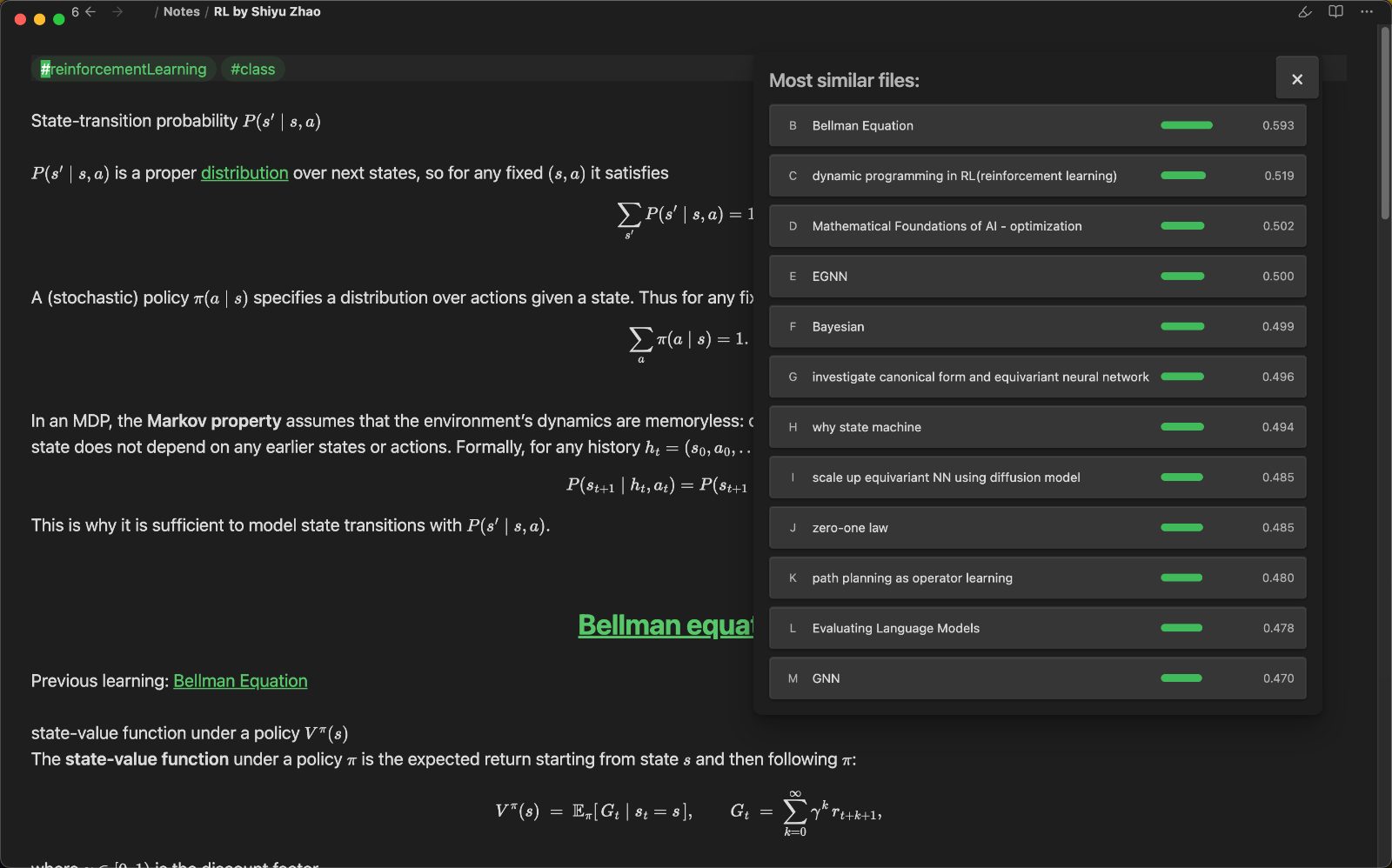
Currently supports OpenAI embeddings via an OpenAI API key.
What it feels like
- Open the pop-out and stay on the keyboard.
aalways opens the original note.b/c/d… open ranked similar notes.zrecomputes using the currently open note as the new “original”.- Hotkeys are captured while the panel is open, so focus changes do not break navigation.
Features
- Floating similarity panel (ESC closes it)
- Single-letter navigation with deterministic hotkeys
- Batch embedding updates for all notes
- Optional auto-update on startup (same logic as manual update)
- Configurable model, dimensions, and API base URL
MCP server (optional)
Enable the MCP JSON-RPC server in settings to expose semantic search over http://127.0.0.1:<port>/mcp. Tools: semantic_search_text, semantic_search_note, fetch_note.
Commands
See connections for current noteUpdate all note vectors
Settings
- API key
- API base URL
- Model
- Dimensions
- Max input chars
- Similarity limit
- Batch size
- Auto update on startup
Installation (manual)
- Copy this folder to
YOUR_VAULT/.obsidian/plugins/embedding/ npm installnpm run build- Enable the plugin in Obsidian
Usage
- Configure your API key in settings.
- Run
Update all note vectorsonce to generateembeddings.json. - Run
See connections for current noteto open the pop-out panel.
Data
- Embeddings are stored in
embeddings.jsonat the vault root. - The file is created automatically if missing.