
README file from
GithubEmbed Editor for Obsidian
Notion-style synced blocks for Obsidian. Click any transcluded embed (![[]]) to edit its source content in a floating panel — no more navigating away from your current note.
Obsidian's transclusion (![[note]], ![[note#heading]], ![[note#^block]]) lets you display content from other notes inline. But editing that content requires navigating to the source file first. Embed Editor closes that gap: click the embed, edit in place, save — the source file and all embeds update instantly.
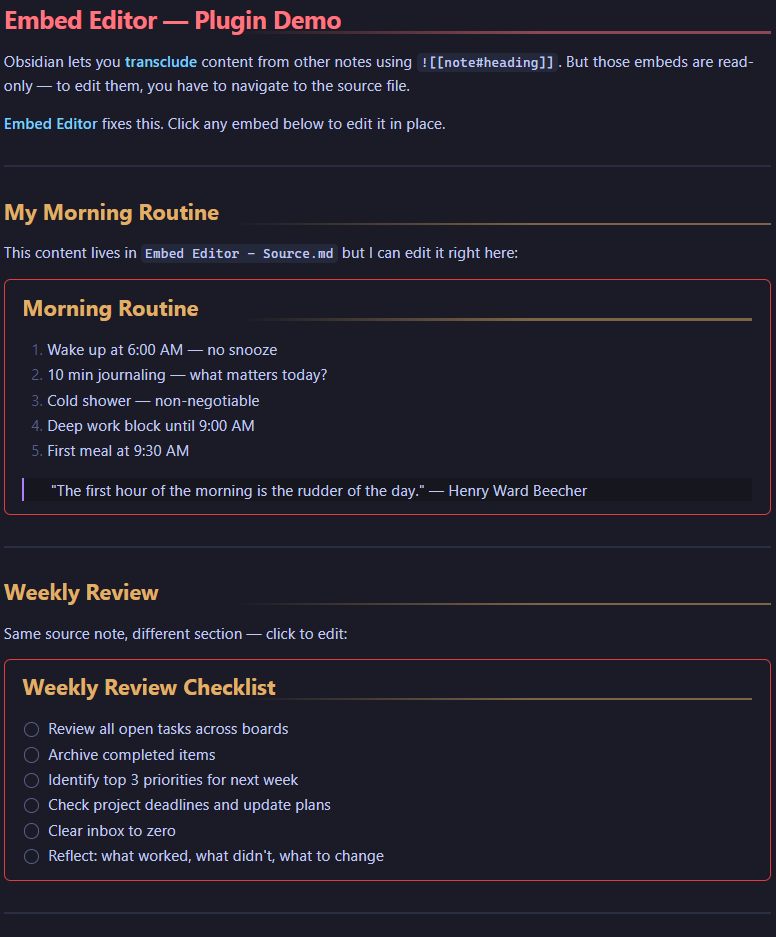
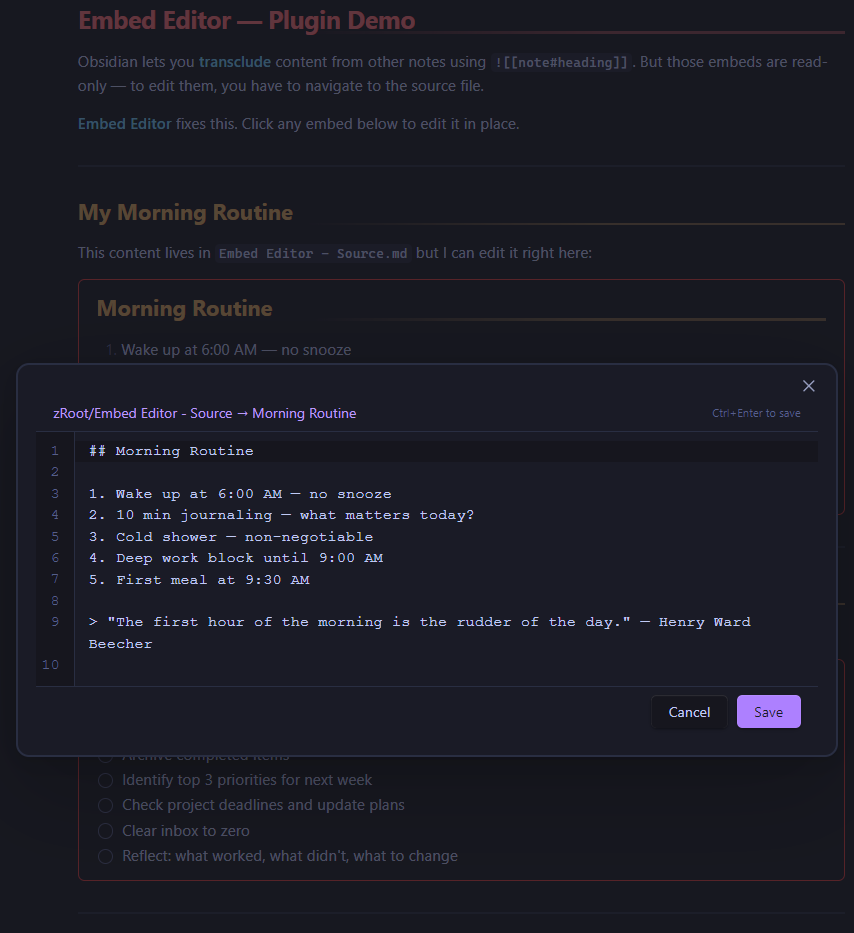
Click any embed to open the floating editor:
Features
- Click-to-edit — Click any transcluded embed to open a floating editor panel
- All transclusion types — Works with full notes (
![[note]]), heading sections (![[note#heading]]), and block references (![[note#^blockid]]) - Source-view editor — Line numbers, monospace font, tab support — styled to match Obsidian's native editor
- Keyboard shortcuts —
Ctrl/Cmd+Enterto save,Escapeto cancel - Unsaved changes indicator — Blue dot appears when you've made edits
- Click source link — Header shows the source file path; click it to navigate to the source note
- Hover hints — Embeds show a subtle outline on hover so you know they're clickable
- Theme-aware — Inherits all colors from your current Obsidian theme
- Canvas-safe — Does not affect Canvas card styling
Bonus: Seamless Embeds CSS Snippet
The repo includes seamless-embeds.css — a CSS snippet that makes transclusions look like native content instead of boxed embeds:
- Removes the default embed border, title bar, link icon, and scroll container
- Adds a clean red border frame (similar to Notion's synced blocks)
- Scoped to markdown views only — does not affect Canvas
Installation
Manual Install
- Download
main.js,manifest.json, andstyles.cssfrom the latest release - Create a folder called
embed-editorin your vault's.obsidian/plugins/directory - Copy the three files into that folder
- Open Obsidian → Settings → Community plugins → Reload → Enable "Embed Editor"
CSS Snippet (optional)
- Download
seamless-embeds.cssfrom the latest release - Copy it to your vault's
.obsidian/snippets/directory - Open Obsidian → Settings → Appearance → CSS Snippets → Refresh → Enable "seamless-embeds"
Usage
- Add a transclusion anywhere in your notes:
![[Some Note#Some Heading]] - In Reading View or Live Preview, click the embedded content
- A floating editor opens with the source text
- Edit the content, then press Ctrl+Enter to save (or click the Save button)
- The source file updates and the embed refreshes automatically
Keyboard Shortcuts
| Shortcut | Action |
|---|---|
Ctrl/Cmd + Enter |
Save and close |
Escape |
Cancel and close |
Tab |
Insert tab character |
How It Works
Embed Editor registers a click handler on embed elements. When you click:
- It resolves the embed's source file and subpath (heading or block reference)
- Reads the source file and extracts the relevant lines
- Opens a modal with an editor pre-filled with that content
- On save, it splices your edits back into the exact line range in the source file
- Obsidian's built-in reactivity re-renders the embed with the updated content
The plugin uses Obsidian's metadata cache for heading lookups and the Vault API for file reads/writes — no external dependencies.
Compatibility
- Obsidian v1.0.0+
- Desktop and mobile
- Works with any Obsidian theme (inherits CSS variables)
- Does not conflict with Canvas views