
README file from
GithubDaily Checklist
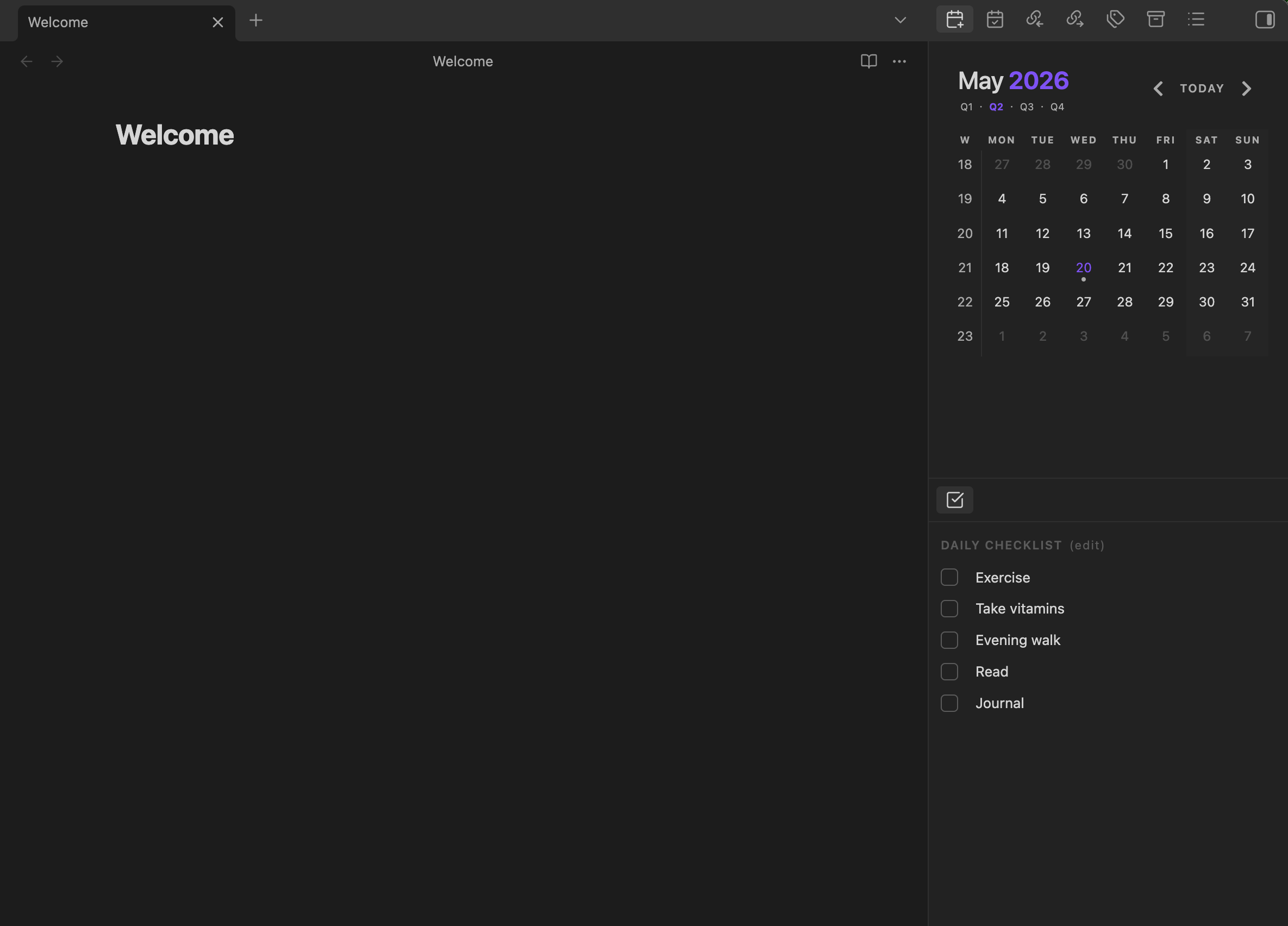
A minimal Obsidian sidebar plugin for a lightweight daily checklist. Check off your daily routines without leaving your active note, and optionally sync them into your daily note as an Obsidian callout.
Features
- Right-sidebar checklist with one focused section: Daily Checklist.
- Check / uncheck items with one click.
- Edit mode to add, rename, delete, and drag-and-drop reorder items (desktop).
- Daily reset. Checked state clears automatically when the local date rolls over.
- Optional daily note sync. Items are written into an Obsidian callout in today's daily note. The callout type, title, and fold state are configurable.
- Conservative daily-note safety. The plugin only ever touches today's daily note, only after an explicit checklist mutation, only inside its exact configured callout, and only when the sync toggle is on.
- Focus-preserving startup. Optionally add the view to the right sidebar at startup without stealing focus from your active sidebar tab.
Screenshots
Installation
Manual installation
- Download the latest release from the Releases page and extract:
main.jsmanifest.jsonstyles.css
- Copy those three files into your vault at:
<vault>/.obsidian/plugins/daily-checklist/ - In Obsidian, open Settings → Community plugins, refresh the list, and enable Daily Checklist.
(The plugin is not yet on Obsidian's community plugin directory; manual installation is the supported path for now.)
Settings overview
- Enable daily checklist — toggles whether the sidebar section renders.
- Add Daily Checklist to sidebar on startup — when on, ensures the view is available in the right sidebar at startup without stealing focus from your active sidebar tab. Manual ribbon / command opens still reveal and focus the view.
- Write checklist to daily note — gates all daily-note writes. When off, the plugin never touches your daily note.
- Daily note callout type — the string inside
[!type]. Defaults totodo. Allowed characters: letters, digits,_,-. - Daily note callout title — the title shown after the marker. Defaults to
Daily Checklist. - Daily note callout fold state —
Collapsedwrites-,Openwrites+. - Daily notes folder — folder where today's note lives.
- Daily note date format — moment.js format string. Forward slashes create nested folders (e.g.
YYYY/MM-MMMM/YYYY-MM-DD - dddd [Note]). - Daily note template path — optional. Used only when creating a new daily note.
- Checklist items — add, delete, and reorder the items shown in the sidebar.
Daily note integration
When "Write checklist to daily note" is enabled, the plugin writes (and updates) a single Obsidian callout in today's daily note. With default settings:
> [!todo]- Daily Checklist
> - [ ] Exercise
> - [x] Take vitamins
> - [ ] Evening walk
> - [ ] Read
> - [ ] Journal
The callout type, title, and fold state are configurable.
Daily note safety
These rules are non-negotiable:
- Only today's daily note is ever read or written.
- No historical scanning, no bulk modification of other notes.
- No writes on plugin load, sidebar open, settings open, or render. Only explicit checklist mutations (check / uncheck / add / rename / delete / reorder) trigger writes, and only when the "Write checklist to daily note" setting is on.
- Only the exact configured callout is rewritten. Plain markdown headings, other callout types, other titles, and the opposite fold marker are all ignored.
- Replacement boundary: the plugin replaces from the configured callout header line through the last consecutive line starting with
>. Content after that boundary is never modified. - Existing daily notes are never overwritten. A missing daily note is created; an existing one is read in place.
- Template content is applied only at creation time. Existing notes are never re-templated.
- Path traversal blocked. Folder/template paths containing
..are rejected with a notice. - Atomic writes via
app.vault.process.
If you change the callout type / title / fold state mid-stream, the plugin does not retroactively migrate or rewrite the old callout. The next mutation will append a fresh callout with the new configured header; the old one stays in place for you to delete manually if you want to.
A note on autocomplete
The "Daily notes folder" and "Daily note template path" settings show autocomplete suggestions drawn from your vault's folder and markdown-file paths. The plugin lists path names only — it does not read the contents of any note for autocomplete and does not scan or modify historical notes. The autocomplete is read-only and only runs while you're typing into those two settings fields.
Development
npm install          # one-time
npm run dev          # esbuild watch — rebuilds main.js on every save
npm run build        # production build
npx tsc --noEmit     # typecheck only
To test locally, symlink (or copy) this folder into <vault>/.obsidian/plugins/daily-checklist/, then enable the plugin in Community plugins.
Both npm run build and npx tsc --noEmit should pass clean before shipping any change.
Release files
Each GitHub release attaches exactly three files at the top level:
main.jsmanifest.jsonstyles.css
Users drop those three into <vault>/.obsidian/plugins/daily-checklist/.
Releases are built by GitHub Actions from the tagged source. Each release asset (main.js, manifest.json, styles.css) is published with a GitHub artifact attestation so that downloaders can verify the asset was produced by this repository's CI from the tagged commit.
License
MIT — see LICENSE.