
README file from
GithubCopy Text Protocol
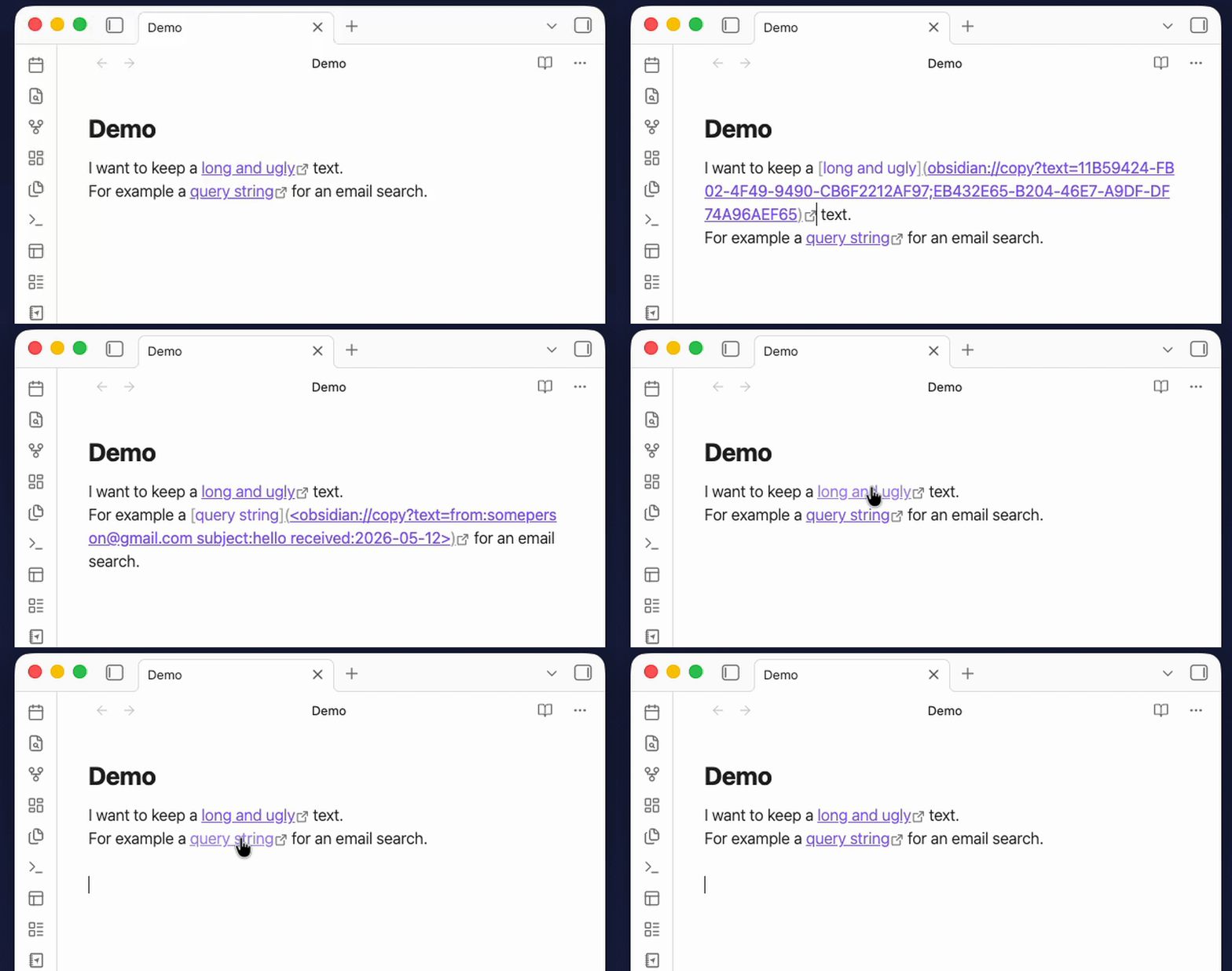
What is this for?
Have you ever wanted to create a note that, when you click a link, automatically copies a snippet of text to your clipboard? This plugin makes that possible.
Some use cases:
- A "cheat sheet" note with commands, passwords, or templates — click the link, paste anywhere.
- A collection of code snippets ready to paste into a terminal.
- Frequently used texts (email signatures, boilerplate, addresses) accessible from any note.
- Query strings to paste into other apps (e.g. to search specific emails in Outlook, my primary use case)
How it works
The plugin registers a custom obsidian://copy protocol. When you click a link using this protocol, the text embedded in the URL is silently copied to your clipboard and a small confirmation notice appears — no popups, no external apps.
Creating links manually
[Click to copy](obsidian://copy?text=Your-text-here)
When clicked, "Your-text-here" is copied to your clipboard.
For text containing spaces, wrap the URL in angle brackets:
[Click to copy](<obsidian://copy?text=Hello world>)
Other special characters need to be encoded, and as you can see it can be tedious to do manually, so a command for that is included.
Creating links with a keyboard shortcut
The plugin includes a command called Copy Protocol: Paste clipboard as copy-protocol link that automates the process. It reads your current clipboard content and inserts a ready-to-use markdown link at the cursor. If you have text selected in the editor, that selection becomes the link label; otherwise, the clipboard text itself is used as a label.
To assign a keyboard shortcut
- Open Settings → Hotkeys.
- Search for "Paste clipboard as copy-protocol link".
- Click the
+button and press your preferred key combination.
Example workflow
- Copy a command or text you want to reuse (e.g.
git log --oneline). - In your note, type a label like
Show git logand select it. - Press your hotkey.
- The selection is replaced with:
[Show git log](<obsidian://copy?text=git%20log%20--oneline>) - Clicking that link copies
git log --onelineto your clipboard instantly.
Installation
You can install this plugin from the Community Plugins settings of Obsidian, or via BRAT:
- Open the BRAT settings in Obsidian.
- Click Add Beta plugin.
- Paste the repository URL:
jldiaz/copy-protocol-plugin. - Enable the plugin in your Community Plugins list.