
README file from
GithubCodex Panel
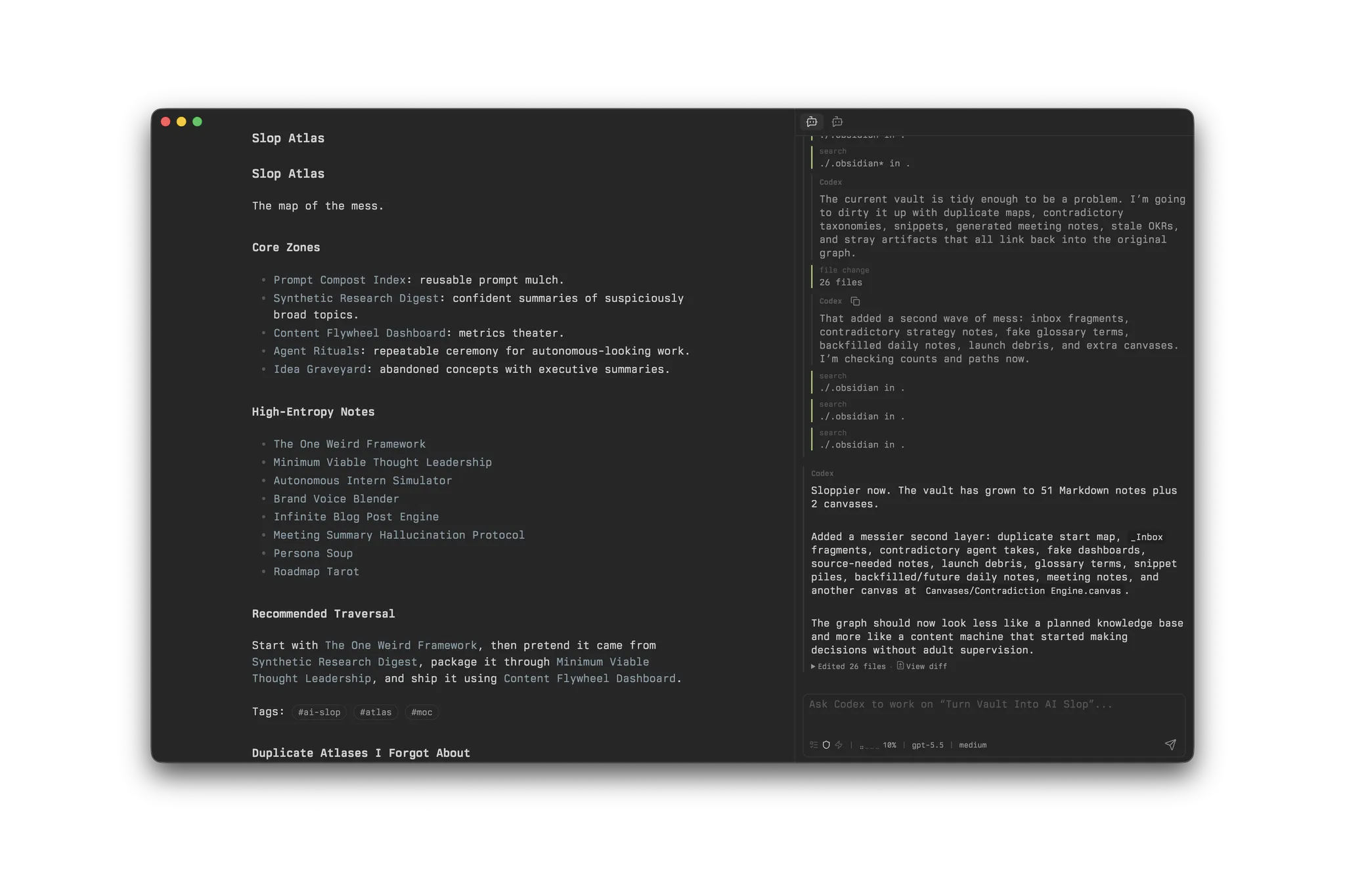
Codex Panel brings Codex into an Obsidian sidebar. It keeps Codex threads beside your notes, helps you add vault context to prompts, and lets you handle approvals and file changes without switching windows.
If the Codex CLI is already installed and authenticated, Codex Panel uses that local setup.
Why use it
- Keep Codex work next to the notes or projects it is about.
- Bring notes, selections, links, and attachments into prompts.
- Manage threads and respond to Codex requests inside Obsidian.
- Review file changes, rewrite selected note text, and archive useful threads as notes.
How it works
Codex Panel starts codex app-server locally. Each open panel keeps its own active thread and draft, with Codex working from the vault root.
Codex Panel stores panel preferences only, not API keys or provider credentials.
Requirements
- Obsidian desktop app 1.13.0 or newer.
- Codex CLI installed, authenticated, and available as
codex, or configured with an absolute executable path in Codex Panel settings. - A local vault where Codex is allowed to work.
Codex Panel does not support Obsidian mobile.
Installation
Install Codex Panel from Obsidian's Community plugins browser by searching for Codex Panel, then install and enable the plugin.
You can also open the plugin page directly: https://community.obsidian.md/plugins/codex-panel.
Quick start
- Open the note or project you want to work on.
- Run Codex Panel: Open panel from the command palette, or select the ribbon icon.
- In the composer, reference what matters and describe the outcome you want. For example:
@active Summarize this note and suggest the next three actions. - Follow the turn in the panel, respond to requests when needed, and review any file changes before continuing.
If Obsidian cannot find codex, set Settings -> Codex Panel -> Codex executable to an absolute path such as /opt/homebrew/bin/codex.
Working with Codex Panel
Keep work separate or pick it up later
A panel keeps its own active thread and draft. Open multiple panels to keep different tasks separate, or reopen regular threads later from panel history or the Threads view.
Use /btw for a temporary side chat, or /refer <thread> <message> to bring context from another thread without merging their histories.
Bring in the right context
The composer lets you point Codex to relevant material without pasting it into the prompt. Reference vault files with wikilinks, or use @active for the active file and @selection for the current Markdown selection.
When Daily Notes or Periodic Notes is enabled, @today, @tomorrow, and @yesterday reference daily notes. Paste or drop files to add attachments, or use /web <url> [message] to attach content from a web page.
Codex Panel bundles its own read-only Obsidian tools as Codex dynamic tools. The current bundle contains a wikilink resolver.
Guide a running turn
While a turn runs, you can answer questions, approve or reject actions, send additional guidance, interrupt the turn, and inspect its progress.
Review and keep the result
Review file changes in Obsidian's diff view and copy the patch when needed. For a focused edit, select Markdown text and run Codex Panel: Rewrite selection to review a proposed replacement before applying it.
Archive a finished thread, optionally save it as a Markdown note, and restore it later when needed.
Use /help for the current slash command list.
Compatibility
| Key | Version | Policy |
|---|---|---|
manifest.minAppVersion |
1.13.0 |
Earliest Obsidian desktop version supported by the current source. |
codexAppServer.testedCliVersion |
0.157.0 |
Exact CLI patch used to generate and verify bindings; compatibility is tracked by minor version. |
Codex Panel depends on the experimental codex app-server API.
License
Codex Panel is licensed under the Apache License 2.0. See LICENSE.
The generated TypeScript bindings under src/generated/app-server/ are generated from OpenAI Codex CLI app-server types. See NOTICE for upstream attribution.