
README file from
GithubEchoInk Agent is a personal knowledge agent for Obsidian. It keeps conversations going, organizes and maintains the current vault, stores useful long-term context as visible and correctable memory, and gradually develops its own way of working with you. No Codex CLI installation is required. Connect a supported model service to get started.
What's new in 2.5.2
Fixed Codex authorization and chat compatibility. Fixed compatibility issues with certain Codex request parameters, authorization tokens, and streamed responses. Connection tests now use lower reasoning effort and wait up to 60 seconds. Request rejection, unavailable models, usage limits, network failures, and expired authorization now produce distinct messages, reducing misleading response-format errors and requests to sign in again.
Fixed Codex chat connectivity. Fixed an issue where desktop OpenAI Codex Beta could report a network interruption when sending messages after authorization and model setup. All other features remain as in 2.5.0.
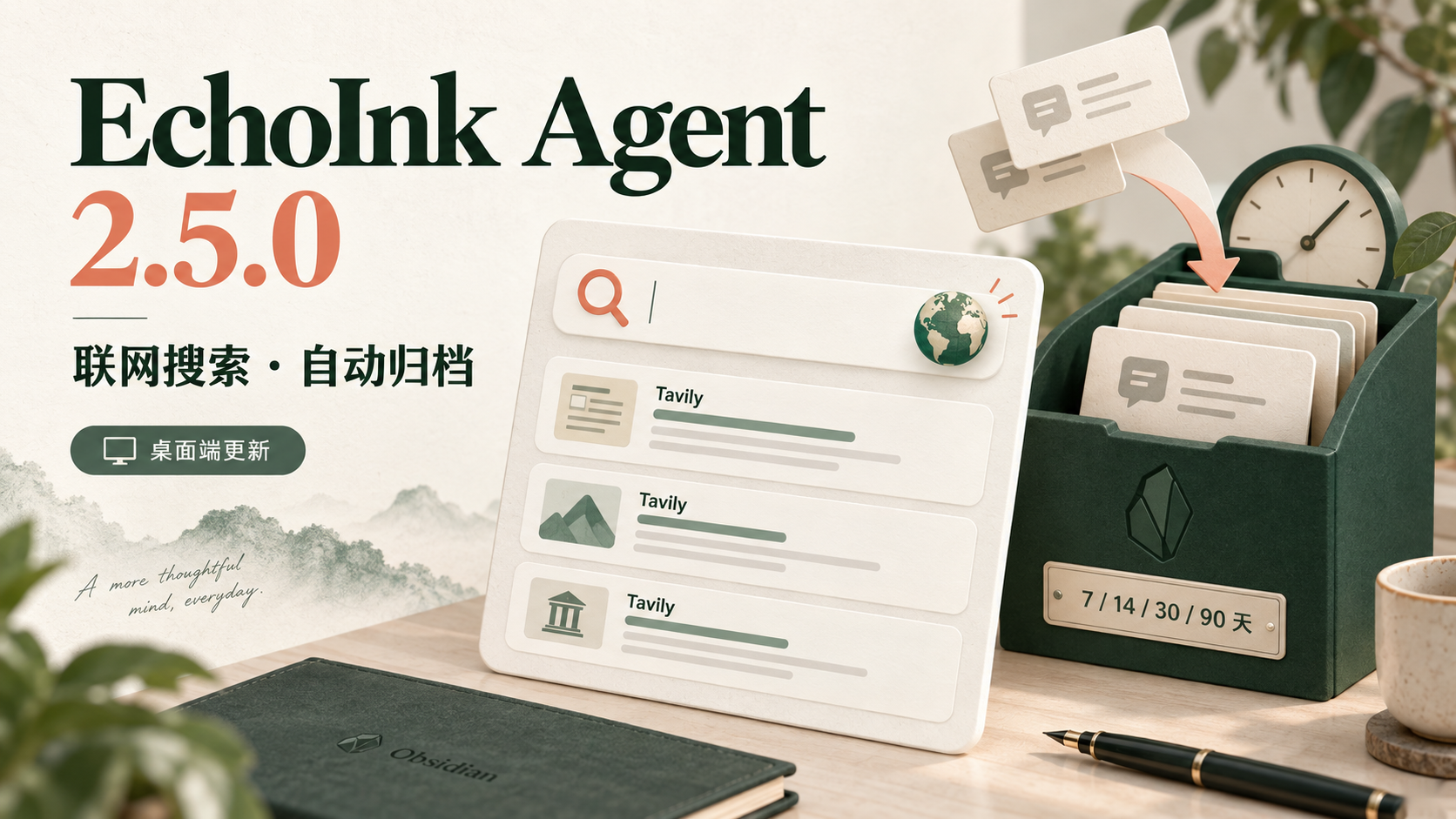
Web search and automatic conversation archiving arrive on desktop. Ask EchoInk to look up web sources, and keep inactive conversations out of the active list on a schedule you choose.
- Search the web and follow sources: Enter your Tavily API key under API Provider → tool 工具 (Tools), test the connection, and enable web search. The model can search when a question calls for it and answer using the returned links.
- Configure models and tools separately: The Provider page now separates model APIs from tool APIs. Search uses its own Tavily key, so you can keep your existing chat model.
- Archive older conversations automatically: Choose 7, 14, 30, or 90 days under Review → Management → Automatic archiving. Conversations in use are skipped, and archived conversations can be restored. It is off by default and needs no model or API key.
- Use settings in a narrow window: Tavily descriptions and the search switch now stay aligned in smaller settings windows.
Web search and automatic archiving are desktop-only in this release. Mobile retains its existing Beta features; real iOS and Android device validation is not complete. Tavily requires a separate account and API key. Each connection test makes one basic search and consumes 1 credit; quotas and pricing follow Tavily's current policy. Read the 2.5.2 release notes.
Features
The sections below describe the desktop experience. Mobile Beta currently covers chat, Markdown note reading and creation, local memory, and a custom welcome. Cross-device memory sync, background tasks, CLI, attachments, and the complete desktop Skills/MCP features are not included on mobile.
Persistent conversations with a visible working process
- Create, rename, archive, restore, and soft-delete conversations. Reading local history does not depend on a Provider.
- Reasoning, tool activity, approval requests, task plans, file changes, and final answers share one timeline.
- Expand reasoning while it streams. Scrolling up pauses auto-follow until you return to the bottom.
- Open Plan mode from the composer's
+menu when a complex task should show its steps first. Approve or reject requested tool access inside the conversation. - Manage archived conversations under Settings → EchoInk Agent → Review → Archived conversations.
Agent identity and long-term growth
- The updated five-step guide points to the Agent profile, where General settings let you choose a style, name, and avatar. Names can be up to 24 characters; choose one of 15 built-in avatars or upload an SVG.
- Long-term memory is enabled by default. The Agent can add or update information worth keeping during ordinary conversations without requiring a repeated “remember this” instruction.
- Offline memory organization (Dreaming) runs three times per day by default and can be set from one to six. It connects related experiences and gradually updates the Agent profile, user profile, and learned working habits.
- Open Settings → EchoInk Agent → General → Long-term memory / Identity and user profile to view profiles, change the schedule, or choose another starting style. Changing the Agent's name or avatar does not reset its style or memory.
- Turning off offline organization leaves normal memory writes and recall available. Turning off long-term memory keeps the Agent's name, avatar, and base style.
Images, documents, and note context
- Paste or drag images into the composer, or use
+to add images and files. - PNG, JPEG, GIF, and WebP are supported directly. BMP, HEIC, HEIF, and SVG are converted to PNG when possible. EchoInk warns before sending when the current model cannot accept images.
- Attach PDF, DOC, DOCX, Markdown, and HTML. A turn accepts up to eight documents, 20 MiB per file and 50 MiB in total.
- Encrypted, damaged, or over-context documents are rejected instead of silently losing content. OCR for scanned PDFs is not included yet.
- Type
@to find Markdown notes in the current vault by file name, path, alias, Pinyin, or initials. - Sent images and documents remain available as openable thumbnails or file cards.
Providers and models
- Built-in entries for OpenAI Codex Beta, Qwen, Qwen Token Plan, Zhipu GLM, Kimi China, MiniMax China, DeepSeek, local Ollama, and Custom endpoints.
- OpenAI Responses, OpenAI Chat Completions, and Anthropic Messages protocols.
- Save multiple instances of the same Provider. Enable several models per instance, choose a default, discover available models, or add a Model ID manually.
- Deep-reasoning controls appear only when the selected model supports them, avoiding unsupported parameters.
- API keys for ordinary Providers and OpenAI Codex Beta sign-in credentials are stored in plugin settings for the current vault. The local Ollama entry does not require an API key by default.
Vault knowledge maintenance
/askfocuses on knowledge-base questions and shows the sources used for the turn./maintainrefines Raw notes, writes reusable knowledge to Wiki or Projects, and verifies the result by reading it back.- Maintenance binds to the current target revision. If a note changes while generation is running, EchoInk refuses to overwrite the newer content.
- Writing depends on your workspace permissions and your request.
/askand/maintaindo not grant or remove file access; ordinary chat can also save a journal when you explicitly ask. - Choose Default plan to organize existing material into Raw, or Custom plan to review and adjust note assignments first. Organization starts when you select Start initialization. Missing standard folders can also be restored without moving, deleting, or rewriting existing notes.
Visible, correctable long-term memory
- Current memory is grouped into Facts, Views, Decisions, Active, and Episodes. Each record shows its title, content, and recall context.
- The correction dialog keeps the original, your correction notes, and the corrected preview visible together. Generating a preview never changes the original; only Save creates a new version.
- Stop, close, generation failure, late output, or a revision conflict cannot overwrite the current record.
Review, Skills, and MCP
- Generate Agent or knowledge-base weekly reports on demand. Choose the previous full week or the current week to date, a destination inside the vault, and whether to open the resulting HTML.
- Manage plugin resources, Skills, and MCP connections for the current vault.
- Read-only MCP tools run through the current conversation and respect each connection's enabled and trusted settings.
- Select text in the editor and use the context menu to translate it to English with the current default Provider.
Installation
Obsidian Community Plugins
If EchoInk Agent is available in the Obsidian Community Plugins directory:
- Open Settings → Community plugins → Browse.
- Search for
EchoInk Agent. - Install and enable the plugin.
Manual installation
- Download
main.js,manifest.json, andstyles.cssfrom the 2.5.2 Release. - Create this directory inside your vault:
<vault>/.obsidian/plugins/codex-echoink/
- Place the three files in that directory.
- Restart Obsidian and enable
EchoInk Agentunder Community plugins.
Sync note: Obsidian Sync Standard has a 5 MiB per-file limit. Plugin files must fit the limit, and community-plugin syncing must be enabled on each device.
Mobile Beta
After installing the same three files in your mobile vault, enable EchoInk and run 打开移动对话 (Open mobile chat). In the mobile settings, open API Provider → 模型与提供商 (Models and providers), enter your API key, endpoint, and model ID, and select the model. You can then ask a question, reference a note, or request a new Markdown note. The mobile interface is currently in Chinese.
Manage local memory under 复盘 → 记忆 (Review → Memory), and customize the welcome under 基础设置 (General). Mobile conversations and memory are stored separately from the desktop format; this release does not merge or sync the two histories.
Quick start (desktop)
On first use, the five-step guide points to these controls. Go back, jump between steps, or dismiss it at any time:
- Select the feather icon in Obsidian's left ribbon to open the workspace and EchoInk Agent sidebar.
- Select the gear in the upper-right corner of the EchoInk sidebar to open settings.
- Connect a model service under API Provider.
- Under Knowledge, choose Default plan or Custom plan. Review custom assignments before selecting Start initialization.
- Choose the Agent's starting style, name, and avatar under General.
Create a conversation when setup is complete. Before the first ordinary chat turn, use the folder control in the composer to choose a local workspace. Use /ask for Knowledge questions and /maintain for refinement. Use the composer's + menu or @ when a turn needs images, documents, note context, or Plan mode.
Add images, documents, and notes to a conversation
| Action | Result |
|---|---|
| Paste or drag an image | Add the image to the current input |
+ → Add image |
Select an image from the computer |
+ → Files and folders |
Select one or more supported files; this version does not import an entire folder |
+ → Add current note |
Add the Markdown note currently open in the editor |
Type @ |
Find and add a Markdown note from the current vault |
+ → Plan mode |
Ask a complex task to show its plan first |
Attachments belong to the current input. Remove a card before sending to cancel it. If preparation fails, the whole turn stops with a clear reason instead of sending incomplete content.
Configure Providers and models
Open Settings → EchoInk Agent → API Provider → Add model:
- For an API-key Provider, choose the service, enter its API URL and API key, discover or add models, enable the models you need, and choose a default.
- For OpenAI Codex Beta, open the Account sign-in group, choose the entry, and select Sign in with OpenAI. If the browser cannot return automatically, paste the callback URL or authorization code into the settings dialog and select Complete authorization.
- Qwen API and Qwen Token Plan are separate entries. Choose the one that matches your account.
- To disconnect OpenAI Codex Beta, select Log out in the same Provider dialog.
Knowledge maintenance
/maintain supports three scopes:
| Input | Scope |
|---|---|
/maintain |
Check all maintainable Raw notes |
Select one raw/**.md note in the composer, then run /maintain |
Maintain only that Raw note |
/maintain note name |
Fuzzy-search Raw notes and maintain within the candidate set |
Single-note mode accepts one Raw Markdown note from the current vault. If a name query has no reliable match, EchoInk does not fall back to global maintenance. Already-refined content with no changes finishes normally without another write.
Review and memory correction
Open Settings → EchoInk Agent → Review:
- Under Generate reports, choose the date range, destination folder, and whether to open the HTML result.
- Under Archived conversations, search, restore, or soft-delete conversations. The original conversation record remains available.
- Under Memory correction, browse current records by category, generate a corrected preview, and decide whether to save it.
Upgrade notes
Upgrading from 2.1.0 or 2.0.3
- Upgrade in place without rebuilding conversations, Knowledge, or long-term memory. Saved Provider and model settings are upgraded automatically.
- 2.5.2 does not rewrite content already stored in old conversations. If an older conversation already contains repeated answers or failed turns, create a new conversation after upgrading.
- Users who completed the guide may not see it again after upgrading. To replay it, disable and re-enable EchoInk in Community plugins; the completion screen also offers Replay.
Upgrading from 1.x
- EchoInk 2.x stores Provider API keys directly. If an existing configuration contains only a retired Credential reference, enter its API key once in Provider settings.
- EchoInk 2.x does not read or migrate retired Codex, OpenCode, or Hermes conversations, or data from retired Cognitive, Reflection, and Memory formats. It does not proactively delete those files.
- Keep a vault snapshot before upgrading, following your normal backup practice.
Privacy and data
- EchoInk accesses the current vault through Obsidian APIs. Desktop keeps its existing capabilities; Mobile Beta limits note operations to the current vault.
- Conversation records, knowledge files, memory, and reports stay in the local vault.
- API keys, Provider configuration, and OpenAI Codex Beta sign-in credentials are stored in plugin settings for the current vault. Configure them only on trusted devices and in trusted vaults.
- On desktop, a local workspace selected for a conversation can be outside the current vault. The composer's file access can be Read only, Workspace write, or Full access. Full access removes the workspace boundary and should be used only for trusted tasks. EchoInk also reads outside-vault attachments only when you explicitly select, drag, or paste them.
- Remote Providers receive the prompt, conversation, Knowledge, memory, notes, attachments, and tool results required for the current request. EchoInk does not upload the entire vault or workspace by default.
- Desktop Tavily web search is off by default. When enabled, search queries are sent to Tavily (
api.tavily.com), and returned snippets and links go to the current model for its answer. Queries may include content from your current question. Connection tests also send one public query to Tavily and consume credits. The Tavily key is stored in local plugin settings; service terms, quotas, and pricing follow Tavily. - Custom Providers and MCP connections are also subject to the policies of their services, servers, and commands. Configure only services and local commands you trust.
- EchoInk has no telemetry service of its own.
Requirements
- Obsidian 1.11.4 or later. Desktop retains its existing interface; mobile features are Beta.
- Cloud Providers require their own API key or account and may charge for usage.
- Image input requires a vision-capable model.
- Mobile requires an API-key model using OpenAI Chat Completions or Responses. Real iOS/Android device validation is still pending.
- Node.js is required only for local development, not for normal installation.
Development
Node.js 22.19.0 or later is recommended:
npm install
npm run test
npm run typecheck
npm run build
Create a local manual-install package:
npm run package
License
EchoInk is released under the MIT License. Third-party notices are available in THIRD_PARTY_NOTICES.md.