
README file from
GithubCMDS Eagle
Obsidian plugin to connect Eagle asset library with your vault.
Features
- Search & Embed: Search Eagle library and embed images directly into notes
- Cloud Upload: Upload images to cloud storage (ImgHippo, Cloudflare R2, Amazon S3, WebDAV)
- Paste/Drop Integration: Automatically handle pasted or dropped images
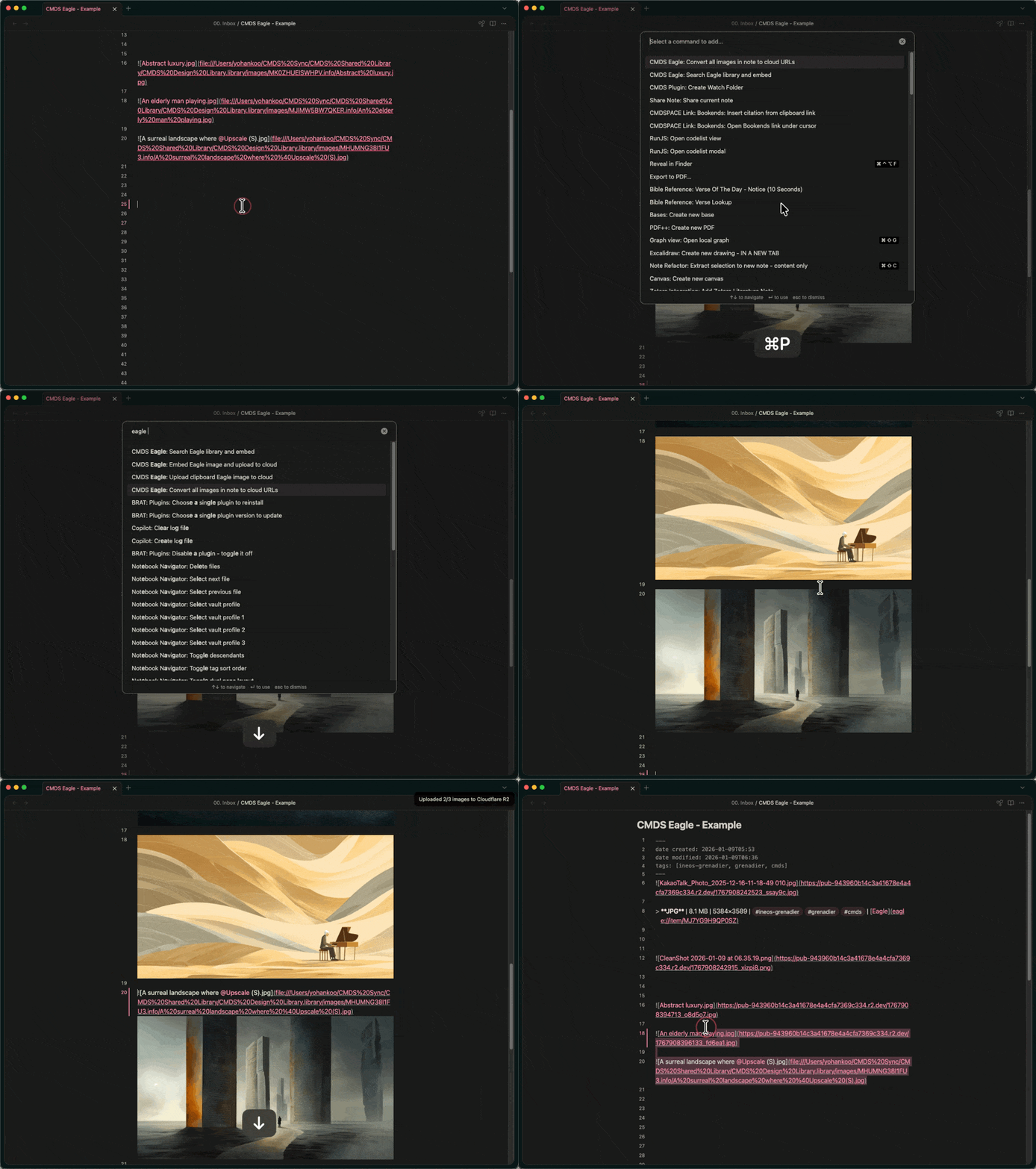
- Batch Convert: Convert all local images in a note to cloud URLs
- Cross-Platform Sync: Automatically convert image paths between Mac and Windows
Installation
Using BRAT (Recommended)
- Install BRAT plugin
- Open BRAT settings → Add Beta Plugin
- Enter:
johnfkoo951/cmds-eagle - Enable the plugin
Manual Installation
- Download
main.js,manifest.json,styles.cssfrom Releases - Create folder:
.obsidian/plugins/cmds-eagle/ - Copy downloaded files into the folder
- Enable plugin in Obsidian settings
Requirements
- Eagle app running locally
- Obsidian 1.5.0+
Usage
Search & Embed
Search your Eagle library and embed images directly into notes.
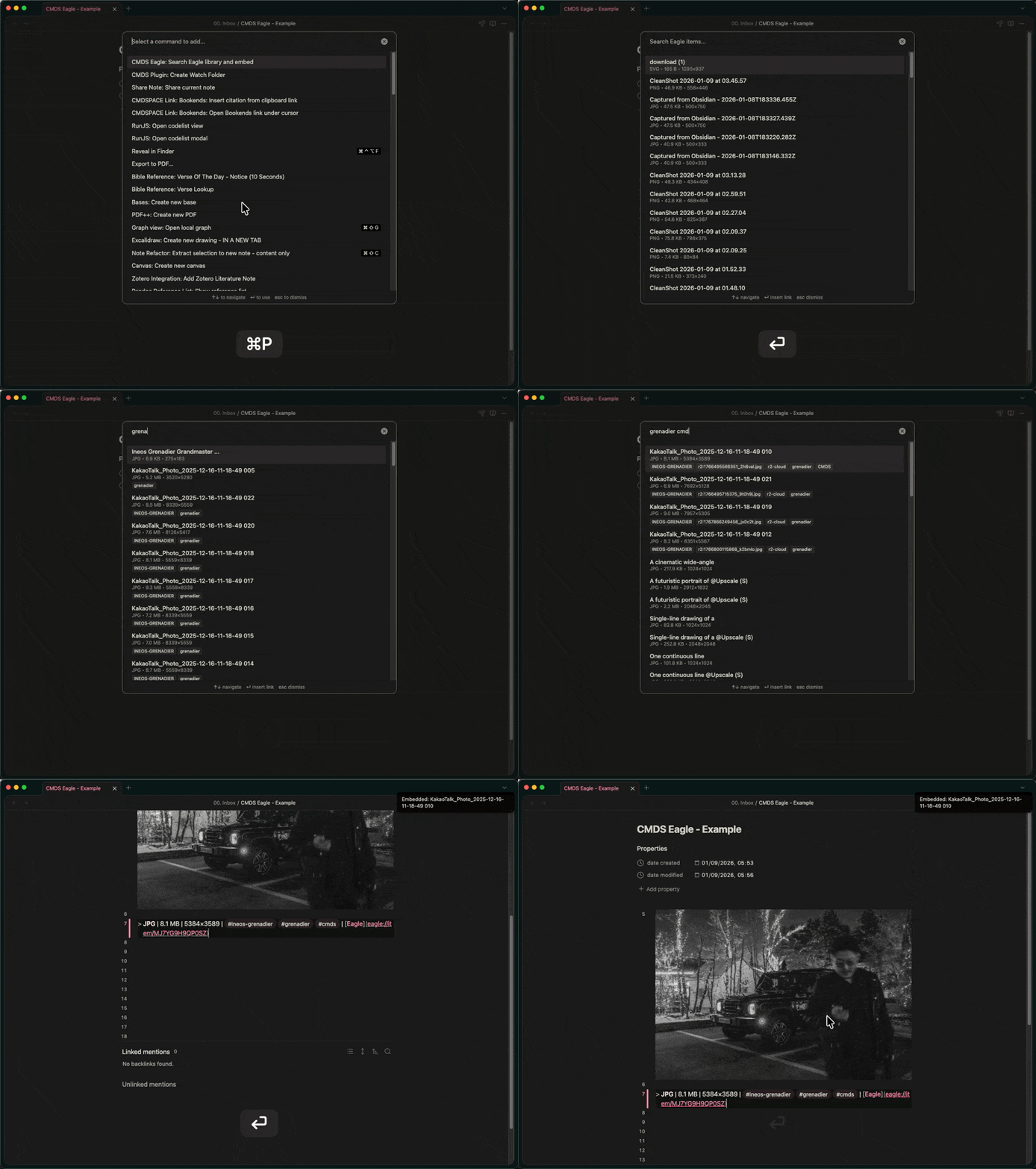
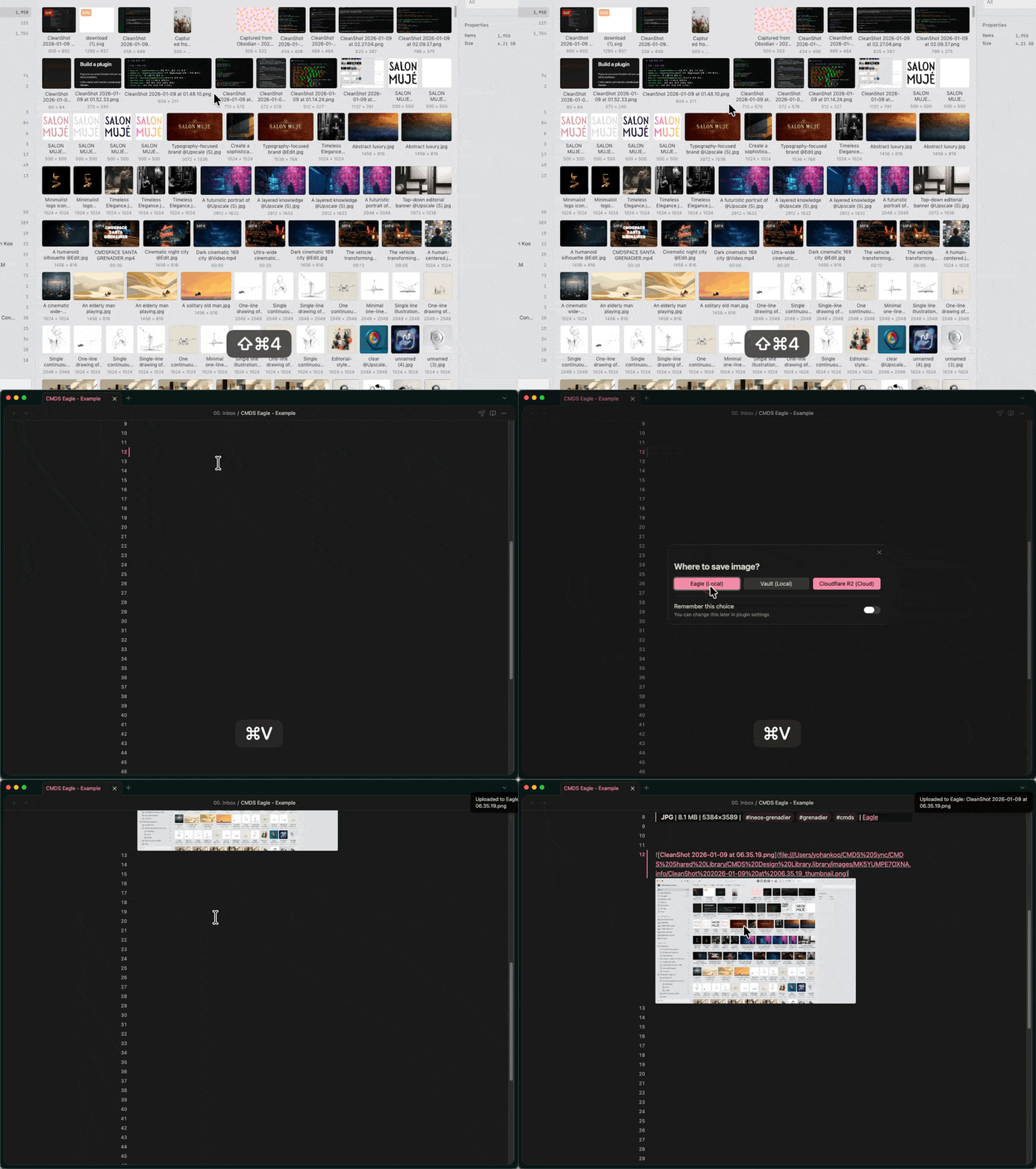
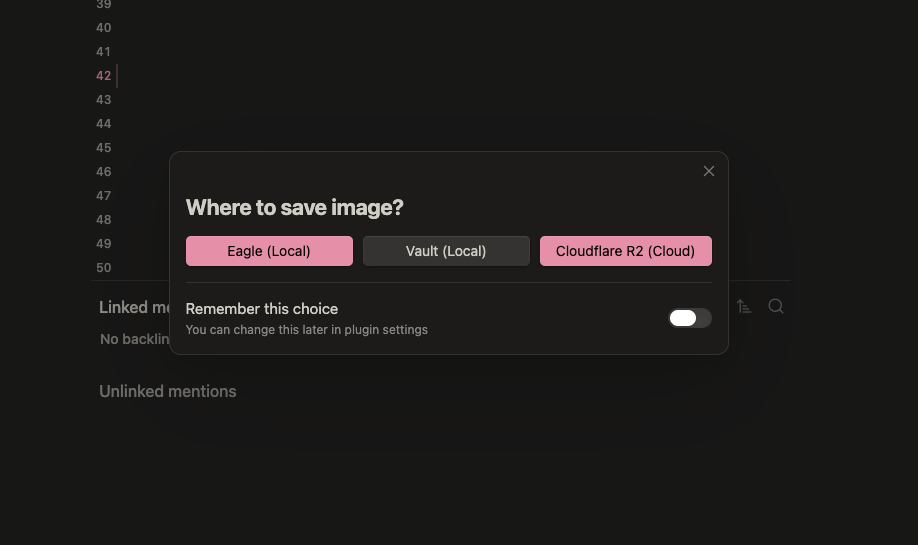
Image Paste/Drop
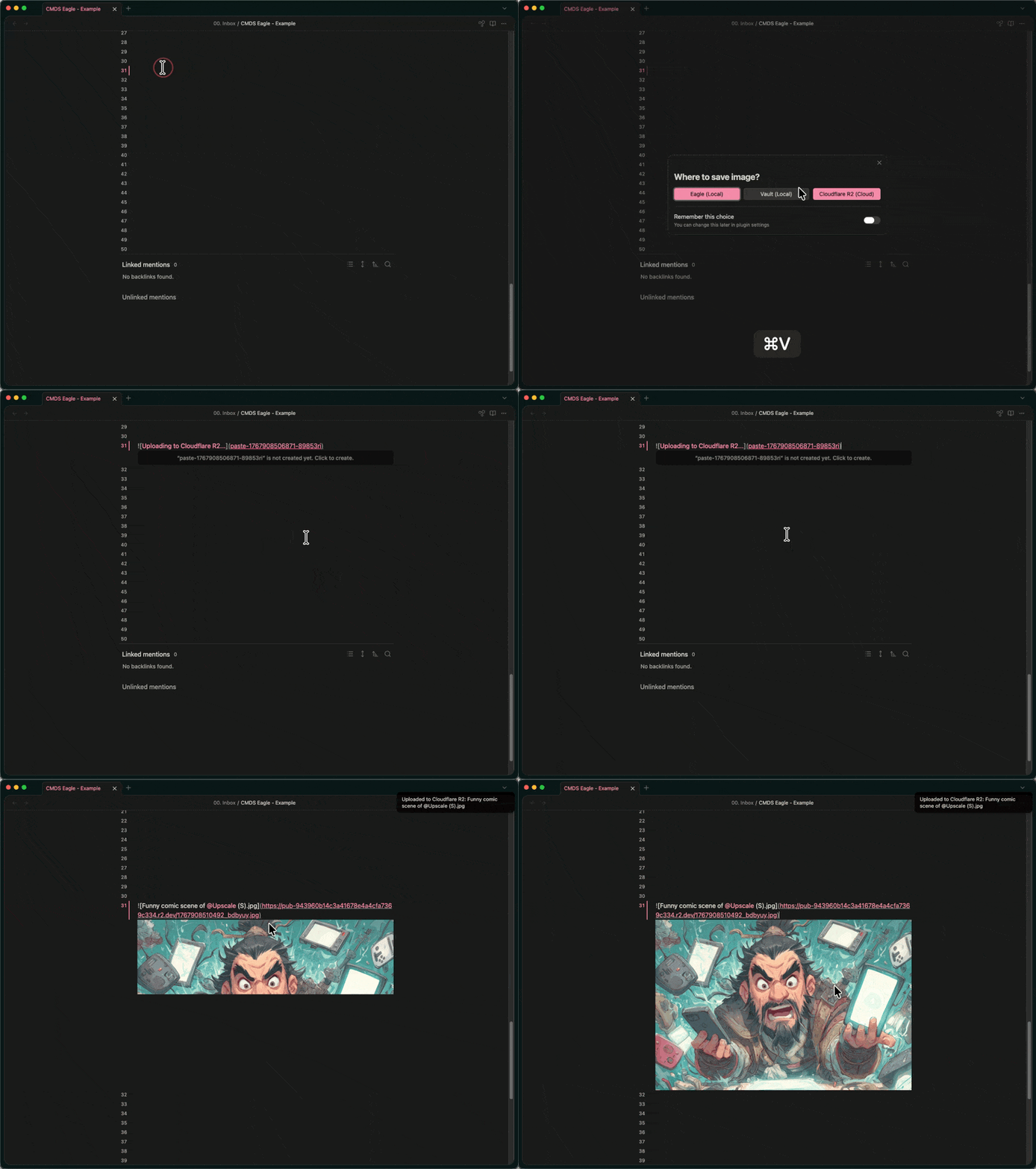
When pasting or dropping images, choose where to save them.
Cloud Upload
Upload images to cloud storage for sharing and portability.
Cross-Platform Sync
Use the same Eagle library across Mac and Windows with automatic path conversion.
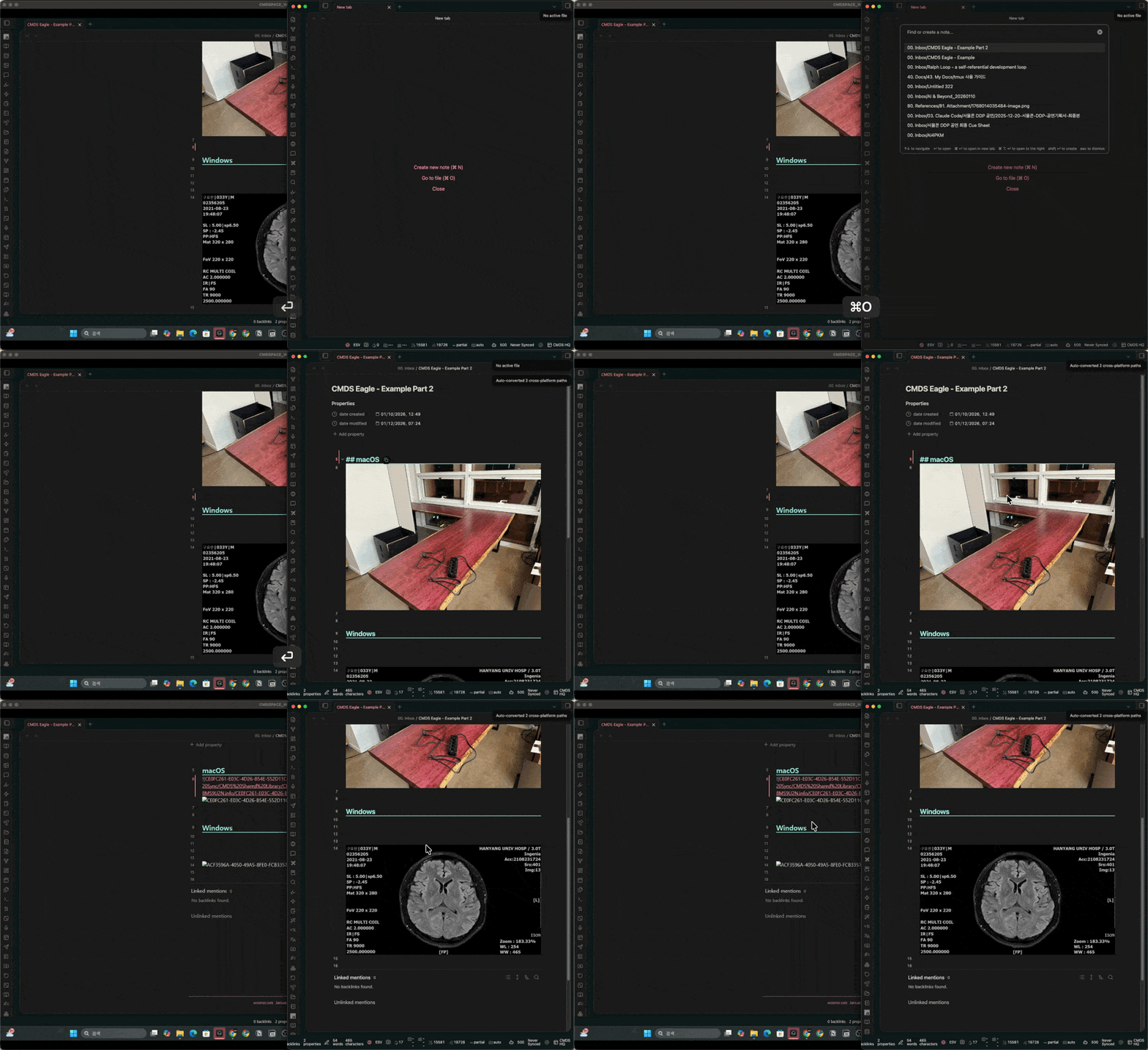
How it works:
- Register your computers in settings (Mac and Windows)
- Eagle library synced via cloud storage (e.g., Dropbox, iCloud, OneDrive)
- Image paths automatically convert when opening notes on different platforms
Settings:
Enable cross-platform path conversion: Turn on/off the featureAuto-convert paths on file open: Automatically convert paths when opening notes
Manual conversion:
- Command:
Convert cross-platform image paths in current note
Settings
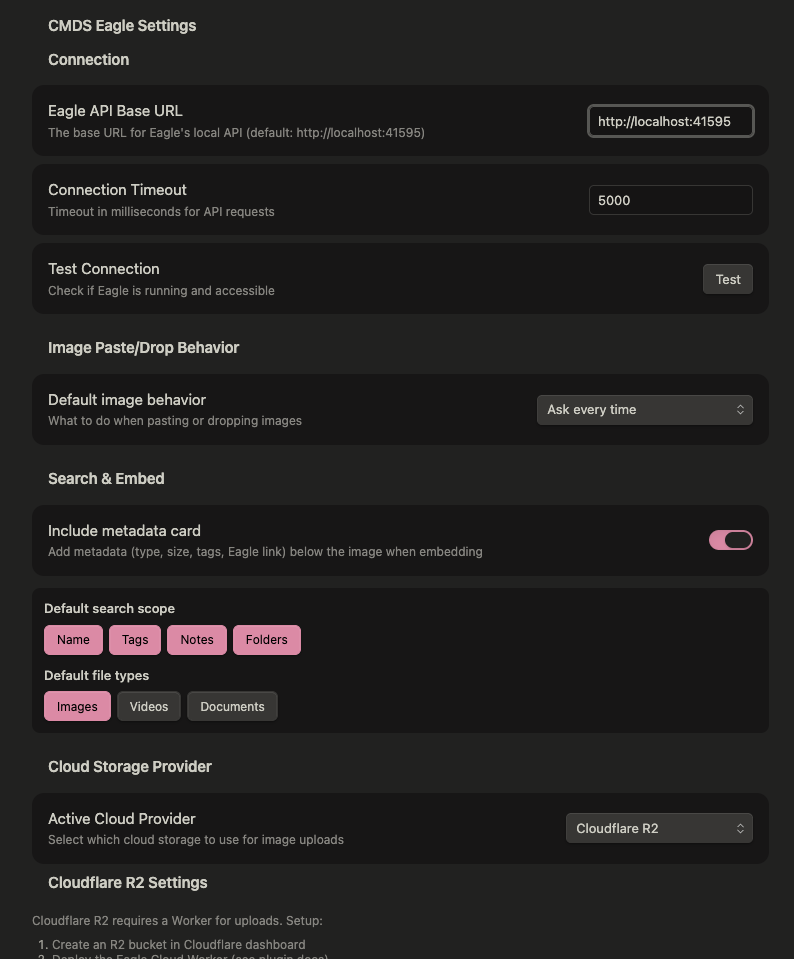
Configure your preferred cloud provider and search defaults.
Cloud Providers
| Provider | Setup |
|---|---|
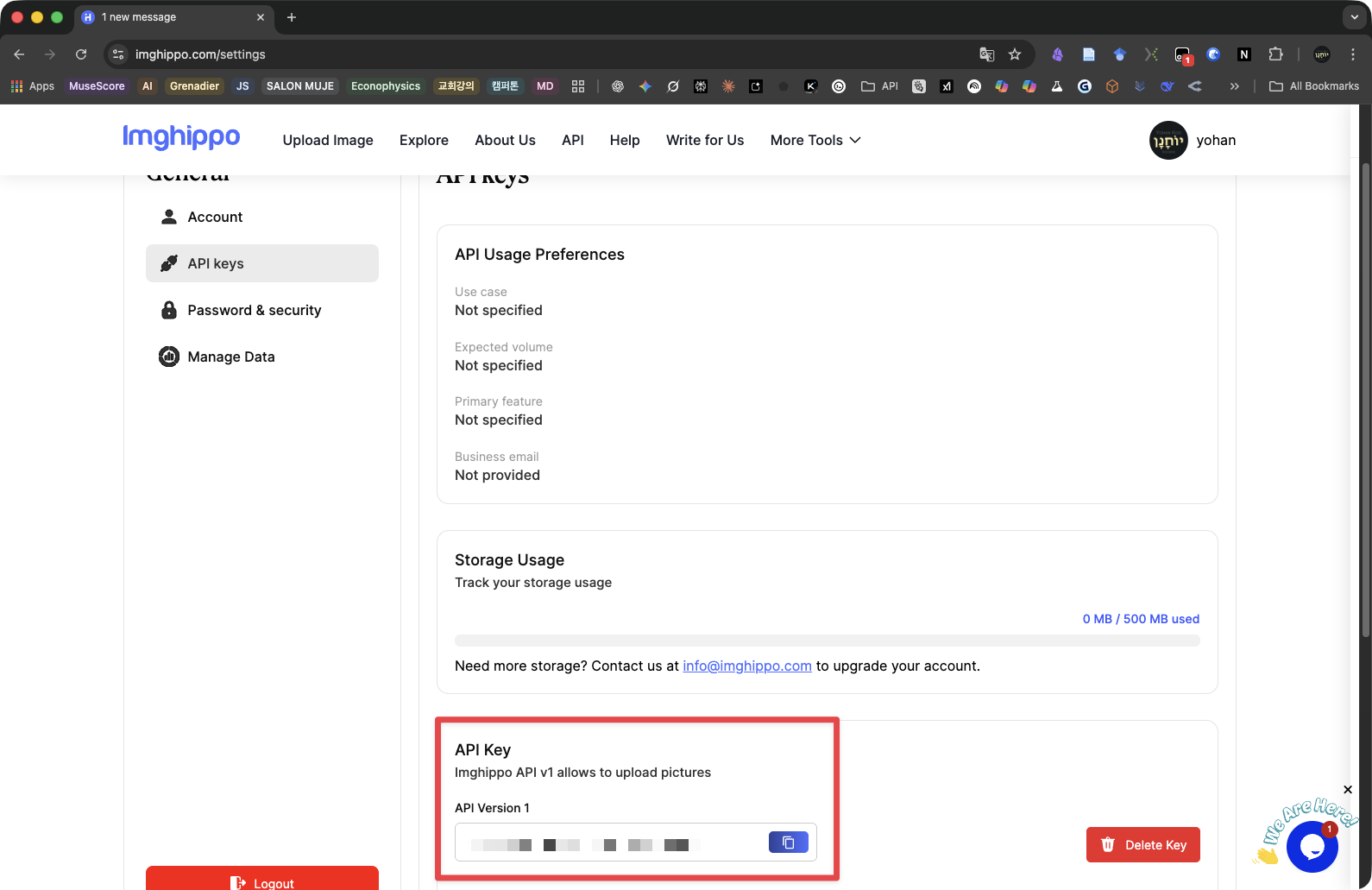
| ImgHippo (Free) | Sign up at imghippo.com, get API key from settings |
| Cloudflare R2 | Requires Worker deployment (see docs) |
| Amazon S3 | Standard S3 credentials |
| WebDAV | Works with Synology, Nextcloud, etc. |
Commands
| Command | Description |
|---|---|
Search Eagle library and embed |
Open search modal |
Upload clipboard Eagle image to cloud |
Upload from clipboard |
Embed Eagle image and upload to cloud |
Embed + upload in one step |
Convert all images in note to cloud URLs |
Batch convert local images |
Convert cross-platform image paths in current note |
Convert Mac/Windows paths |
License
MIT