
README file from
GithubChesser
A chess game viewer/editor for Obsidian.
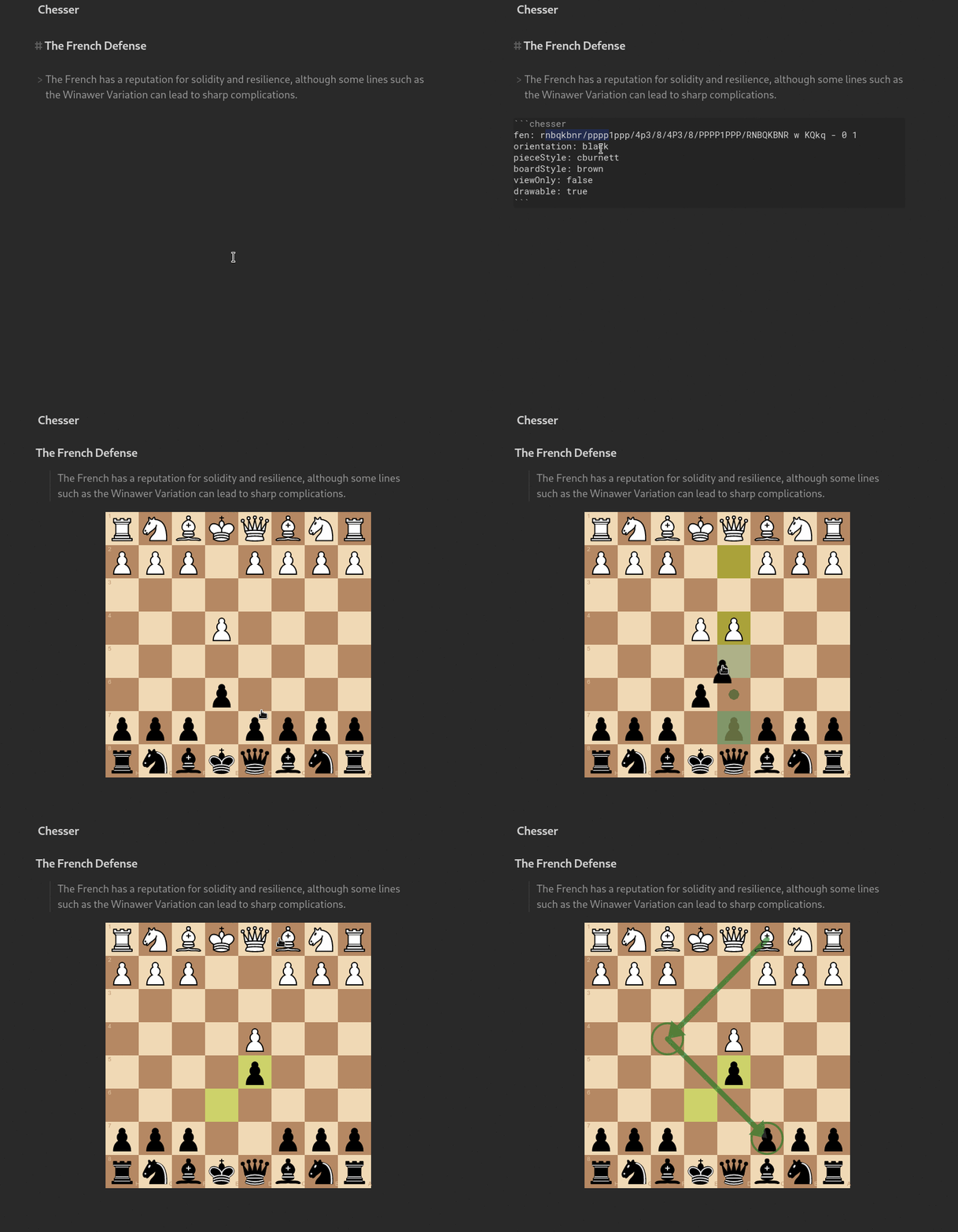
Demonstration
Usage
To use Chesser, you first need to declare a chess code block like so:

This will create a basic chess board in the start position.
You can declare various settings inside the chess code block, like a FEN string to describe a particular board position. You can find the full settings list below.
Settings
Here are the available settings for a chesr code block:
| Name | Possible Values | Description |
|---|---|---|
fen |
A valid FEN string | Starts the chess board with a particular position. |
pgn |
A valid PGN string formatted for YAML | Loads the chess board with the moves from a PGN game |
orientation |
white/black |
Orientation of the board. |
pieceStyle |
A valid piece style name.Check this to view available styles. | Style of the pieces on the board. |
boardStyle |
A valid board style name.Check this to view available styles. | Style of the chess board. |
drawable |
true/false |
Controls the ability to draw annotations (arrows, circles) on the board. |
viewOnly |
true/false |
If enabled, displays a static chess board (no moves, annotations, ...). |
free |
true/false |
If enabled, disables the chess logic, all moves are valid. |
You can permanently set some settings in Chesser's obsidian plugin settings.
PGN must be properly formatted as a multiline YAML string (pipe to indicate multiline and 2 or 4 spaces for indent) eg;
pgn: |
  [Event "Mar del Plata"]
  [Site "Mar del Plata ARG"]
  [Date "1960.03.30"]

  1. e4 e5 2. f4 exf4 3. Nf3 g5 4. h4 g4 5. Ne5 Nf6 6. d4 d6
  7. Nd3 Nxe4 8. Bxf4 Bg7 9. Nc3 $6 Nxc3 10. bxc3 10... c5
  11. Be2 cxd4 12. O-O Nc6 13. Bxg4 O-O 14. Bxc8 Rxc8 15. Qg4 f5
  16. Qg3 dxc3 17. Rae1 Kh8 18. Kh1 Rg8 19. Bxd6 Bf8 20. Be5+
  Nxe5 21. Qxe5+ Rg7 22. Rxf5 Qxh4+ 23. Kg1 Qg4 24. Rf2 Be7
  25. Re4 Qg5 26. Qd4 Rf8 27. Re5 Rd8 28. Qe4 Qh4 29. Rf4 1-0
TODO
- Add PGN file support
Installation
After disabling Safe Mode, you can find third-party plugins in Settings > Community plugins > Browse > Search for "Chesser".
After installing, you can then find the installed plugins under Settings > Community plugins. They need to be enabled in order to take effect. You can also uninstall them there.
Alternatives
Contributing
Feel free to contribute.
You can create an issue to report a bug, suggest an improvement for this plugin, etc.
You can make a pull request to contribute to this plugin development.
License
Chesser is licensed under the GNU AGPLv3 license. Refer to LICENSE for more informations.
Support
If you want to support me and my work, you can donate me a little something by clicking here.