
README file from
GithubCerebro Mycelium
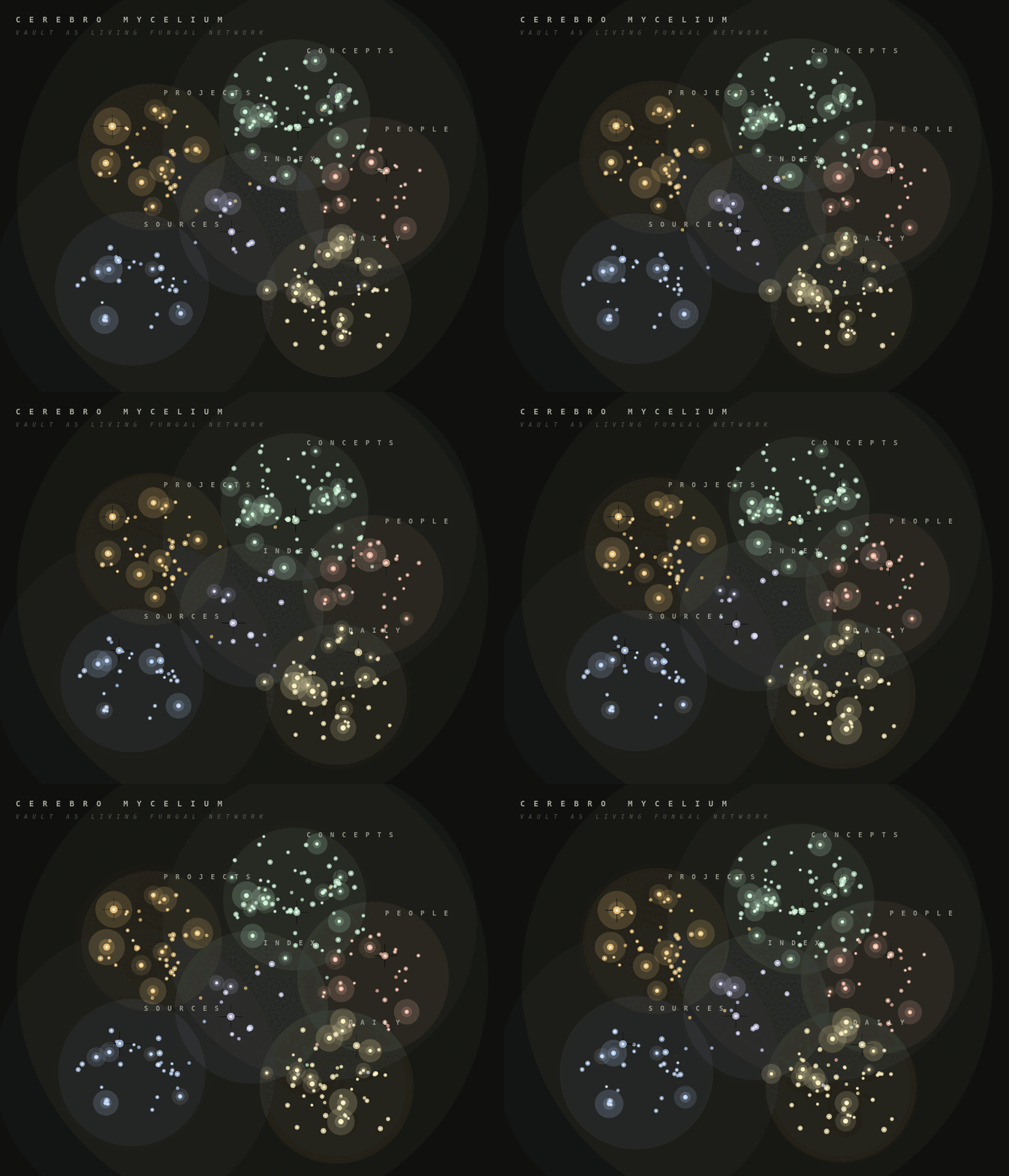
Cerebro Mycelium is an Obsidian community plugin that renders your vault as a 2D living fungal network. Markdown notes become soft kind-clusters, wikilinks become curved hyphae, recently edited notes glow as fruiting bodies, and clicking a node sends a light cascade through its nearby graph.
The animated preview below uses synthetic demo vault data.
Features
- Native Obsidian custom view, no separate app required.
- Read-only vault adapter built from
metadataCacheandvault.getMarkdownFiles(). - Kind classification from frontmatter, tags, folders, and date-style daily notes.
- Curved multi-fibre hyphae for wikilinks.
- Recent-note fruiting halos driven by
file.stat.mtime. - Hover blooms, click cascades, shockwaves, drag pan, and scroll zoom.
- Drag notes to pin them into persistent positions, with a reset command when you want to return to automatic layout.
- Settings for palette, recency window, spore density, cluster haze, decorative micro-leaves, and click behavior.
Install
Cerebro Mycelium is available in Obsidian's community plugin directory:
https://community.obsidian.md/plugins/cerebro-mycelium
- Open
Settings -> Community plugins. - Search for
Cerebro Mycelium. - Install and enable the plugin.
- Run Cerebro Mycelium: Open mycelium from the command palette.
Manual Installation
- Run
npm install. - Run
npm run build. - Copy
manifest.json,main.js, andstyles.cssinto:
<your-vault>/.obsidian/plugins/cerebro-mycelium/
- In Obsidian, enable community plugins, then enable Cerebro Mycelium.
- Run Cerebro Mycelium: Open mycelium from the command palette.
Development
npm install
npm test
npm run build
npm run demo:gif
The plugin does not make network requests and does not modify notes. It enumerates markdown files so it can build the vault graph locally.