
README file from
GithubCaretsort
A minimalist table sort for Obsidian. Named for the ▾ caret you click and a quiet nod to quicksort.
Why I made this
Obsidian is one of those amazing tools which allow you to customize it to your liking. I like using tables in my vault for things like project lists, job trackers, reading lists, etc. I wanted a simple "one-click" solution that sorts the tables alphabetically/ascending/descending. After looking around, I came across plugins like Dataview and Advanced Tables, but no click-to-sort like I wanted.
This is my "painkiller solution." There are no API calls or external services or config files etc. One button, one dropdown, and done.
What it does
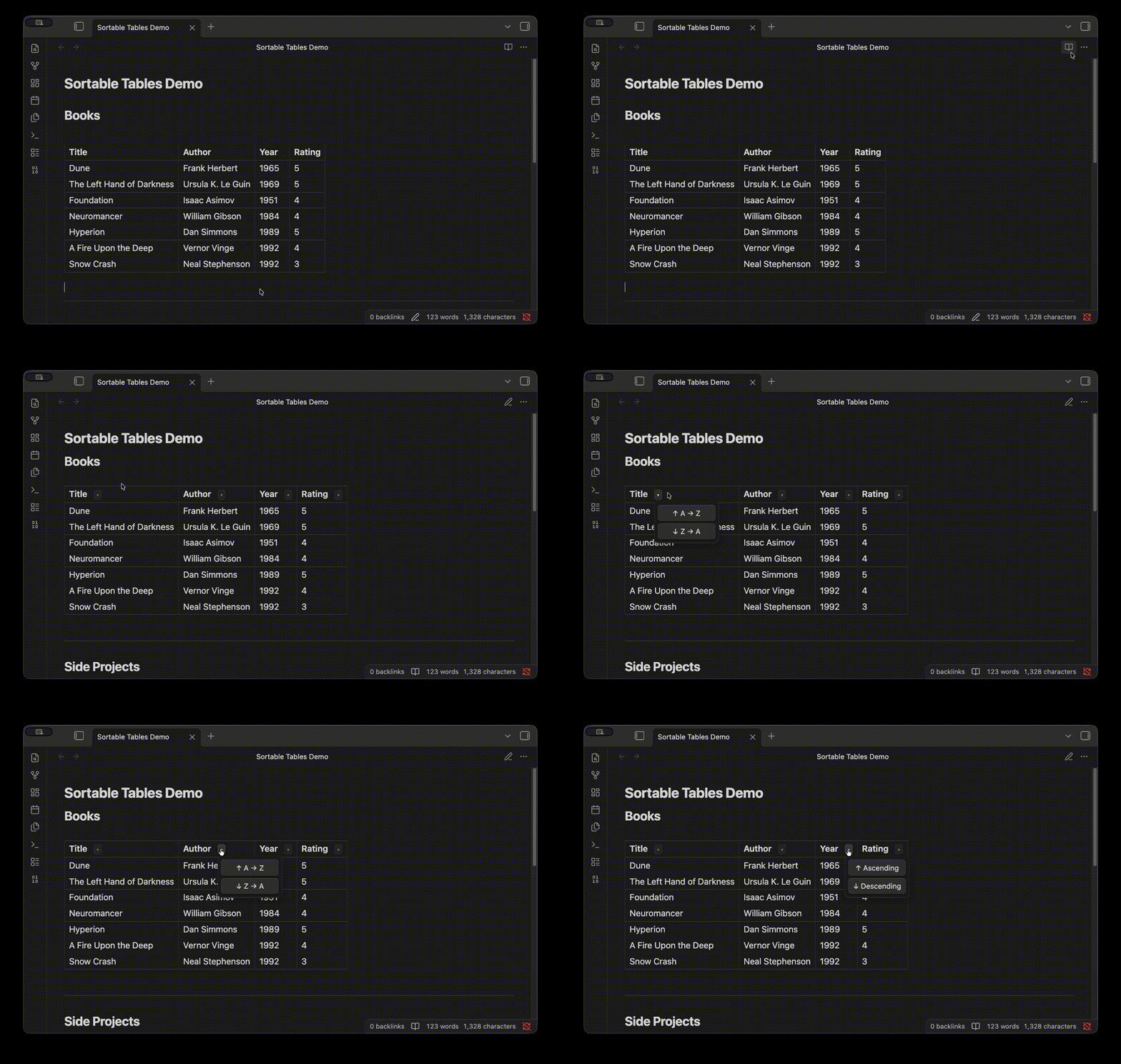
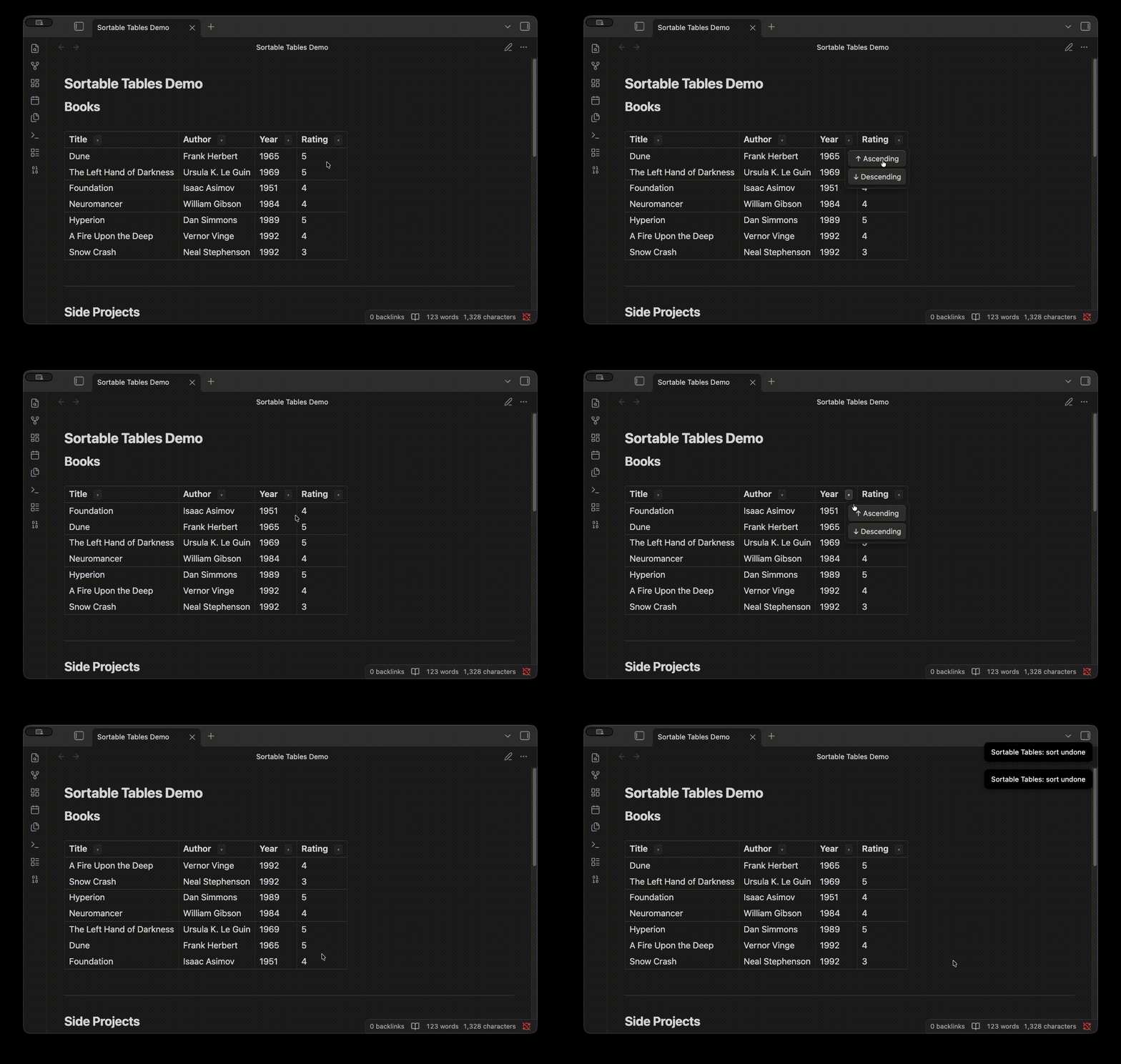
Adds a little ▾ next to every column header. Click the arrow, pick A → Z or Z → A, and the plugin rewrites your markdown file in place. For numerical values, it shows Ascending or Descending. The new sort order reflects in the markdown file because it's actually edited on the disk, not just in a view.
You can also undo the last sort from reading view. To use it, open Settings → Hotkeys, search for "Caretsort: Undo last table sort", and bind whatever key you want (e.g. Cmd/Ctrl+Z). No default is set to avoid conflicting with Obsidian's built-in shortcuts.
Installation
Manual (for now):
- Grab
main.js,manifest.json, andstyles.cssfrom the latest release. - Drop them into
<your-vault>/.obsidian/plugins/caretsort/. - In Obsidian: Settings → Community plugins → enable Caretsort.
Works in both reading view and live preview (as long as your cursor isn't inside the table you're sorting).
What it handles
- Wiki-links with aliases like
[[file|display name]]— the internal pipe doesn't break column splitting (regex swaps them out before parsing, swaps them back after). - Numeric columns sort numerically.
- Text columns sort alphabetically, ignoring link syntax so you sort by what you see, not the URL.
What it doesn't do (yet)
- Sort while your cursor is inside the table in live preview (would need a CodeMirror extension, much bigger lift).
- Multi-column sort.
- Remember last sort per table.
If I end up wanting any of these I'll add them. PRs welcome if you beat me to it.
Development
Clone the repo, install dependencies, and either watch for changes or build once.
npm install
npm run dev      # watch mode — rebuilds on file save
npm run build    # one-off production build
Output lands in main.js. Copy main.js, manifest.json, and styles.css into <your-vault>/.obsidian/plugins/caretsort/ and reload Obsidian (Cmd/Ctrl+R) to test.
Credits
Built in a single session with Claude Code. The idea, the regex implementation, and the scope decisions were mine — Claude wrote the scaffolding and the TypeScript faster than I could have alone.
Made by Simrat Bains · MIT