
README file from
GithubCadence — a workspace for working life
A unified Obsidian plugin for CRM, PRM, project management, daily planning, and reminders — all on top of plain markdown. No server, no sync service, no lock-in. Your vault stays your vault.
Why Cadence
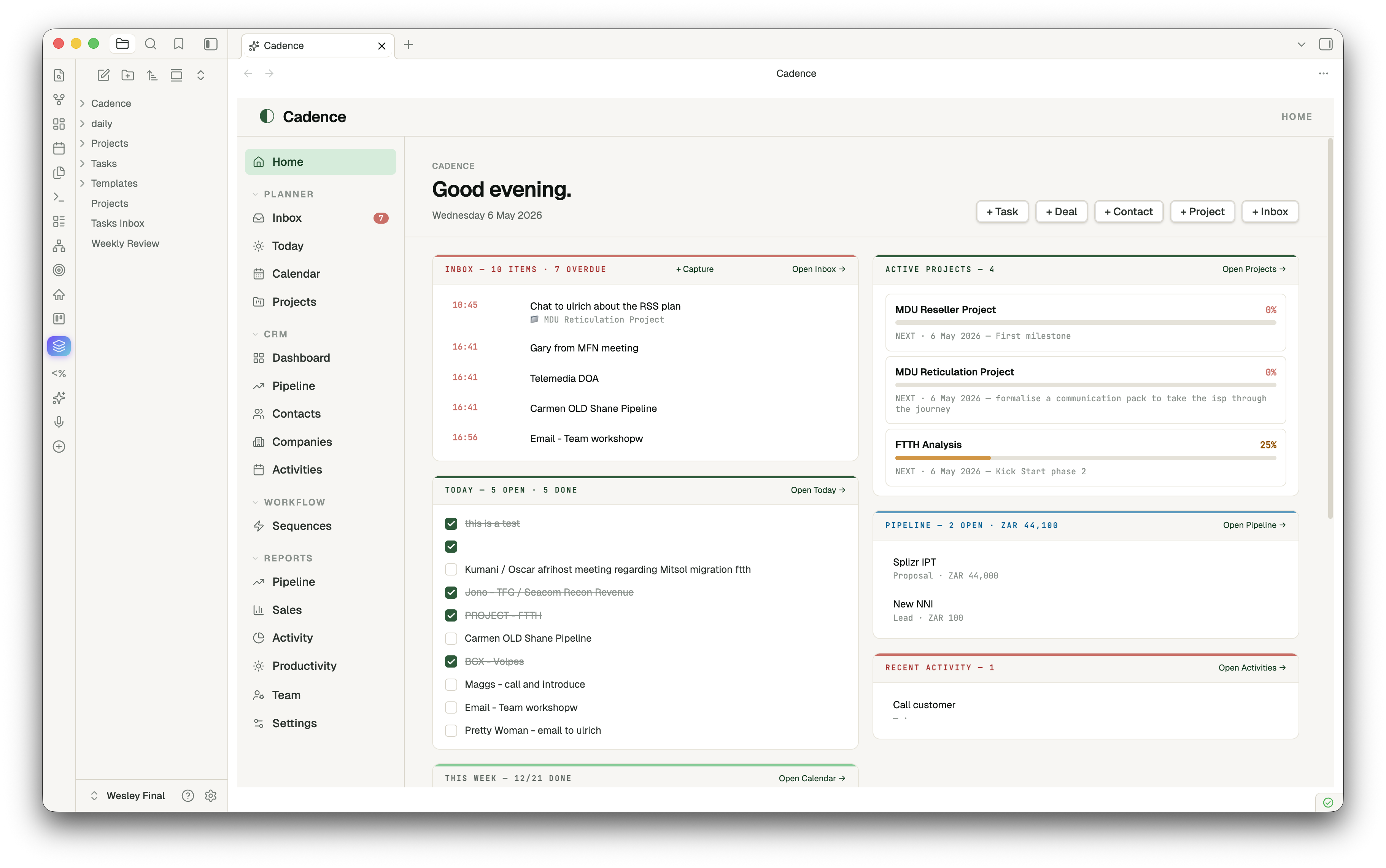
Most "second brain" plugins do one thing well. Cadence is the opposite: a coherent workspace that brings together the surfaces a working person actually moves between every day — today's tasks, the week ahead, deals in flight, contacts, projects, recurring reminders — and presents them in a single tab with one familiar nav.
- Markdown is the source of truth. Every contact, deal, project, activity is a
.mdfile with frontmatter. Tasks, Dataview, Templater all keep working. Move to a different vault tomorrow — your data goes with you. - One tab, many surfaces. A left rail lets you flip between Home → Today → Pipeline → Contacts → Projects → Inbox → Reports without ever leaving the Cadence tab.
- Module toggles. Turn off CRM, PRM or Planner if you only want some of it.
- Reminders that fire. A small Inbox + capture modal + ticker = real notifications, not just a tag on a note.
Features
Home — your command centre
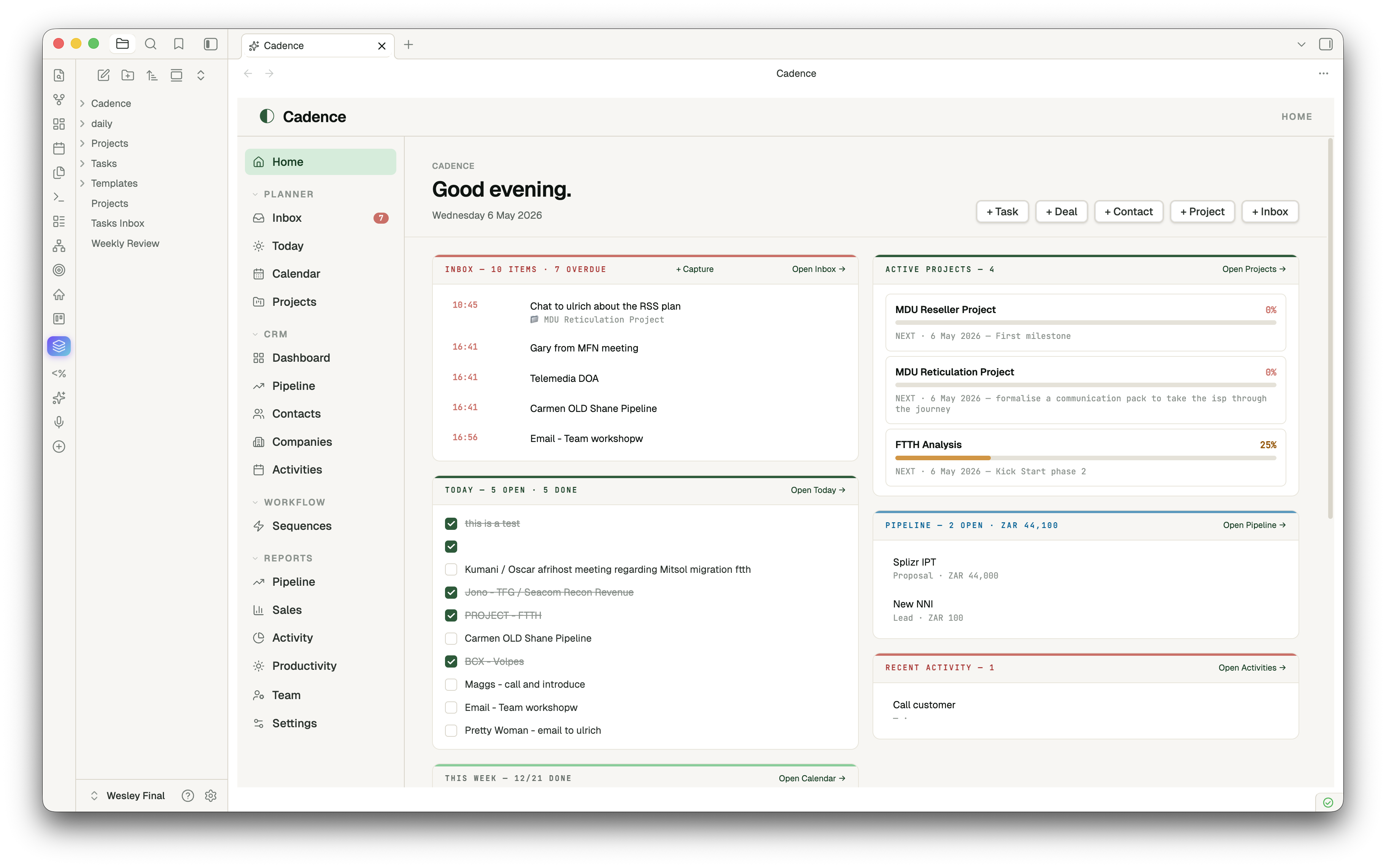
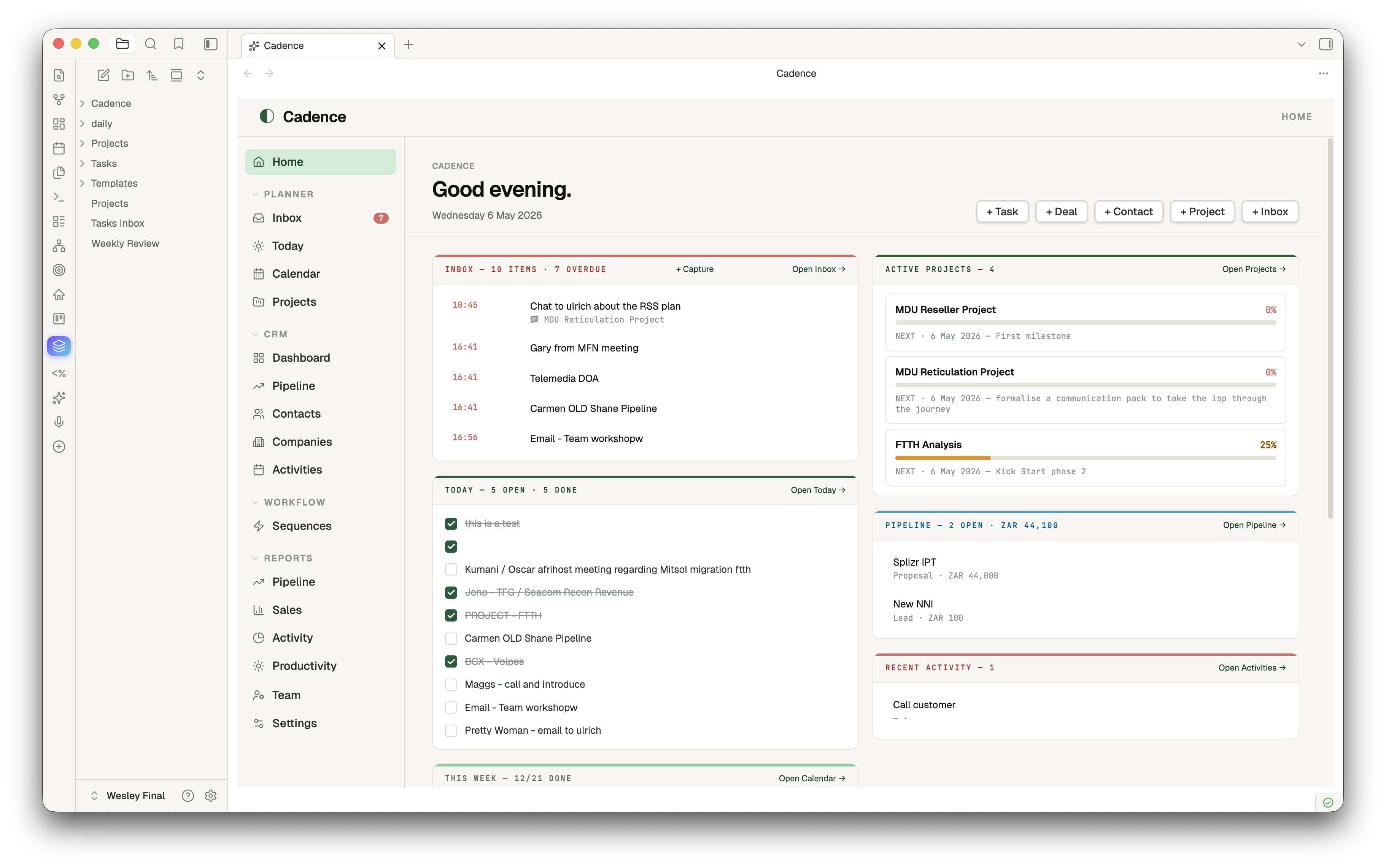
Two-column dashboard: today's tasks (tickable inline) · this week's progress · upcoming deadlines · partners due for follow-up · top active projects with milestone progress · pipeline at a glance · recent activity. Optional "open on Obsidian startup" + Homepage plugin compatible.
Planner
- Today — diary view of today's daily note with quick-add task and autosaving journal
- Calendar (week) — Mon–Sun grid across daily notes; tick any task from any day
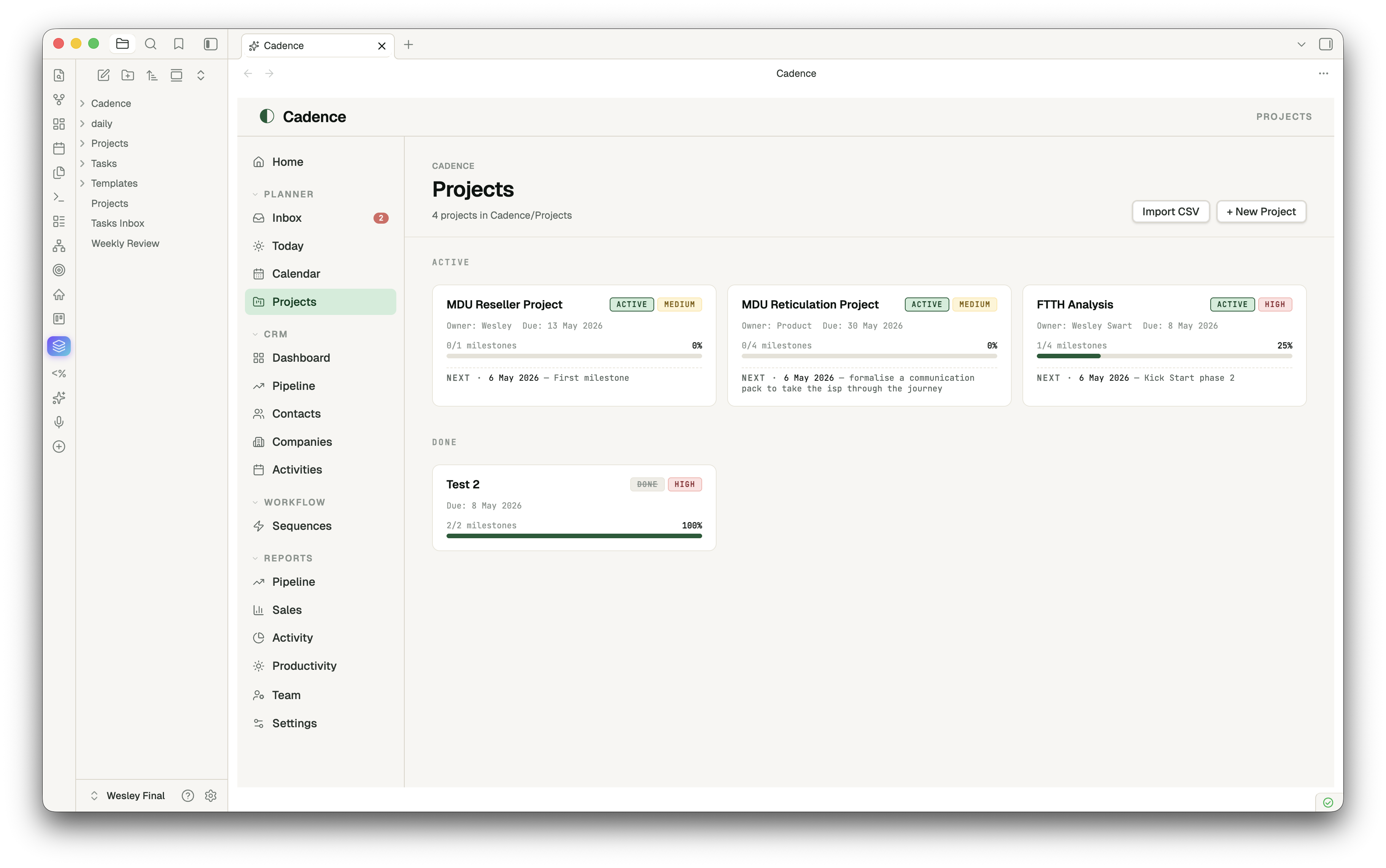
- Projects — status-grouped card grid with milestone progress and next-up dates
- Inbox — universal capture + reminders; items grouped by Now / Today / This Week / Later
CRM
- Dashboard — pipeline-by-stage bars, hot deals (top by value), stale deals (no edits in 14+ days), recent activity, customer base mini-stats
- Pipeline — kanban board across deal stages; drag-and-drop a card to update its
stagefrontmatter; Won column gets a soft emerald tint - Contacts / Companies / Activities — sortable list views with rich frontmatter editing
PRM
Partners · Registrations · Commissions · Leads · Certifications · Analytics — same entity-list pattern, in their own folders, with status enums and Reports that aggregate across them.
Project Management
Click a project, get a real PM surface — not a markdown editor. Hero with status/priority pills, owner, due date, color-banded progress bar. Left column: tickable milestones (date + title + delete on hover) and tasks with + Add buttons. Right column: Brief, Scope, Risks, Stakeholders, Notes — all autosaving textareas writing back to their H2 sections. Open as note for full body editing in Obsidian's editor.
Reminders
Quick-capture with Cmd+Shift+I → modal with text, optional datetime, optional repeat (daily/weekly). The plugin ticks every 30 seconds and fires due reminders as in-app notices (and optionally desktop notifications). Snooze 15m / 1h / tomorrow on any reminder. The nav badge shows live overdue count.
Reports
Pipeline · Sales · Partners · Activity · Productivity (over your daily notes — completion %, streaks, journal volume, 14-day done-tasks bar chart).
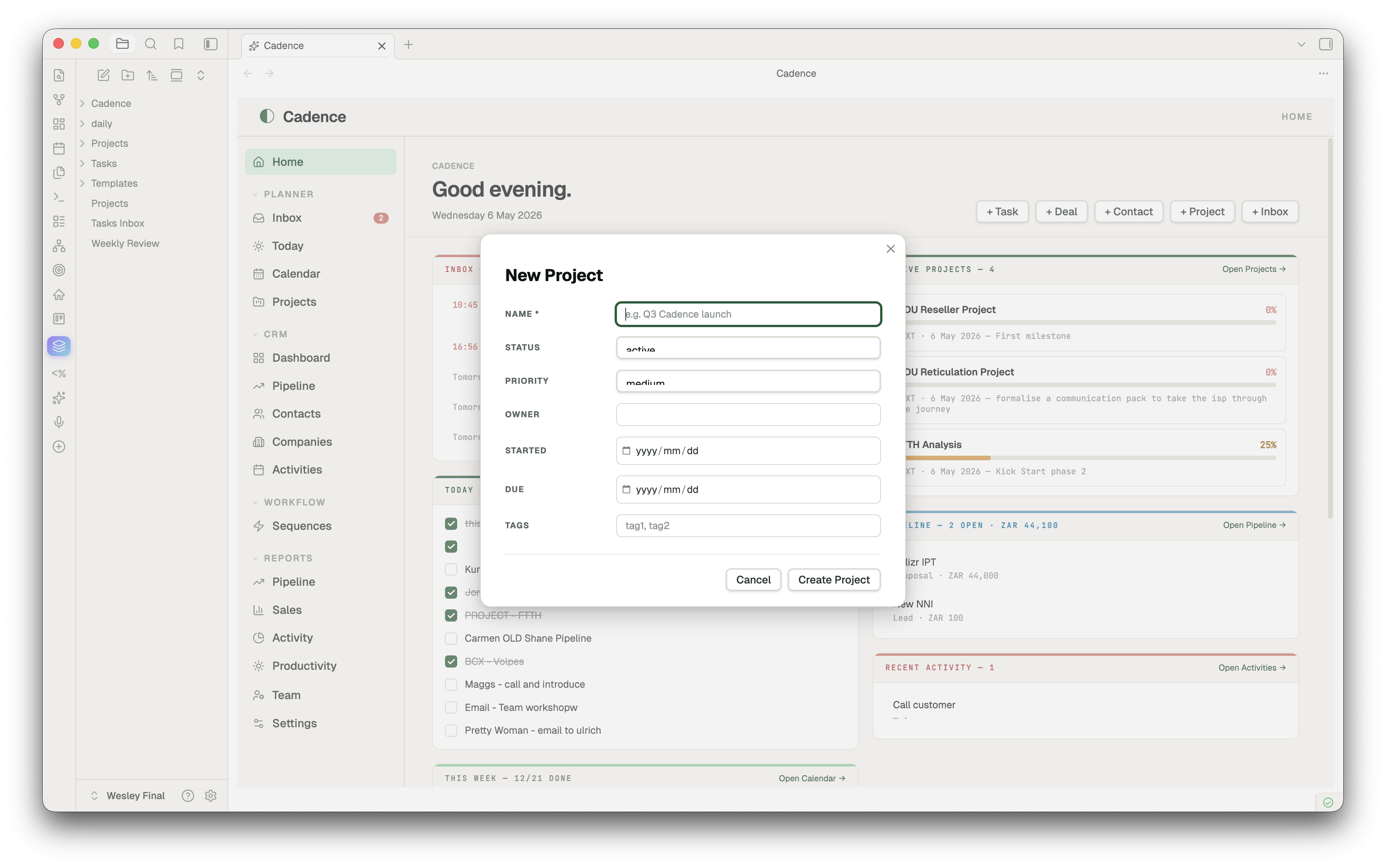
New entity capture
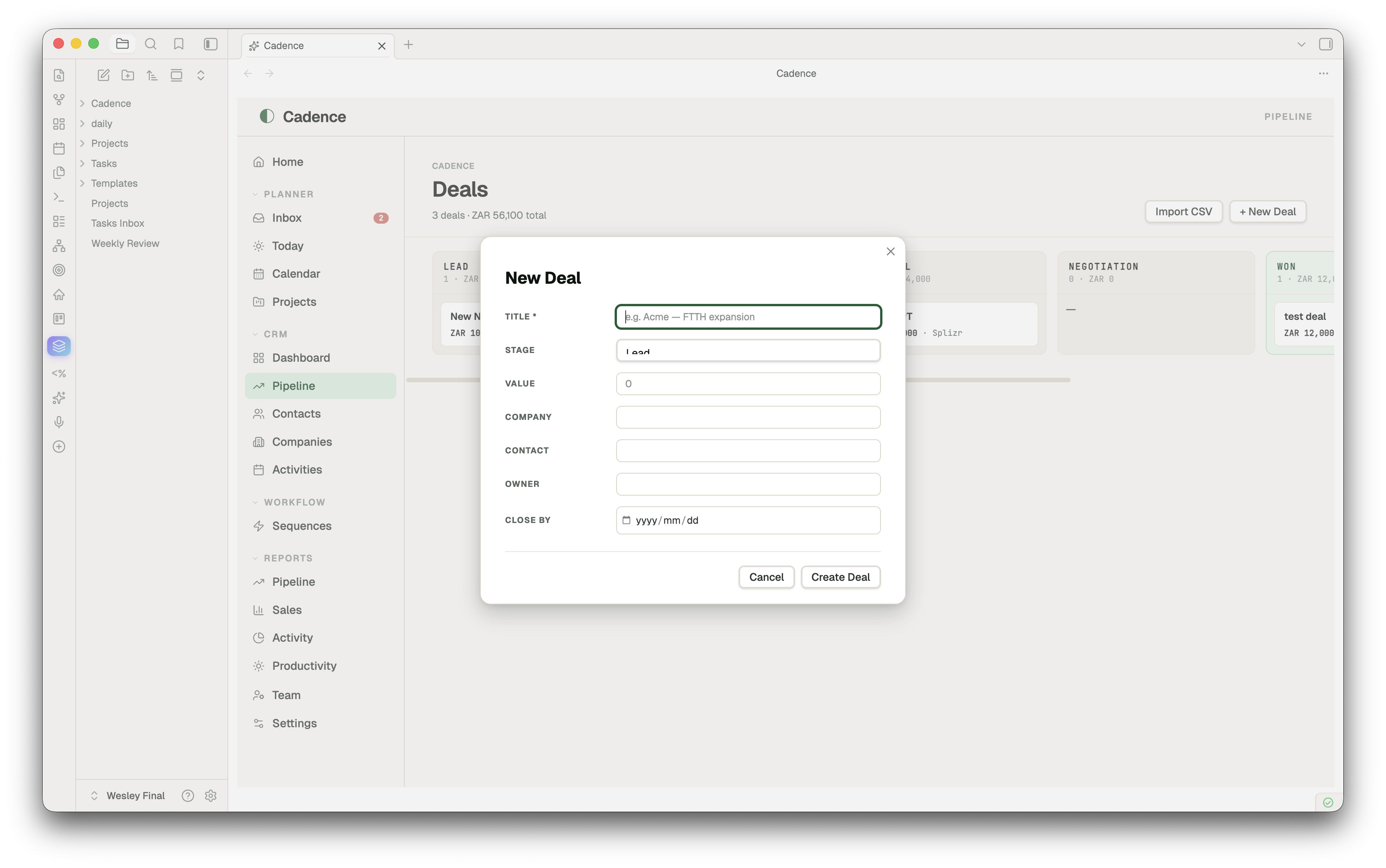
A clean two-column modal for every entity type — type-aware widgets (date pickers, dropdowns for stage/status/priority/tier/type), smart defaults, smart placeholders, primary field marked required. Enter to submit, Esc to cancel.
CSV import
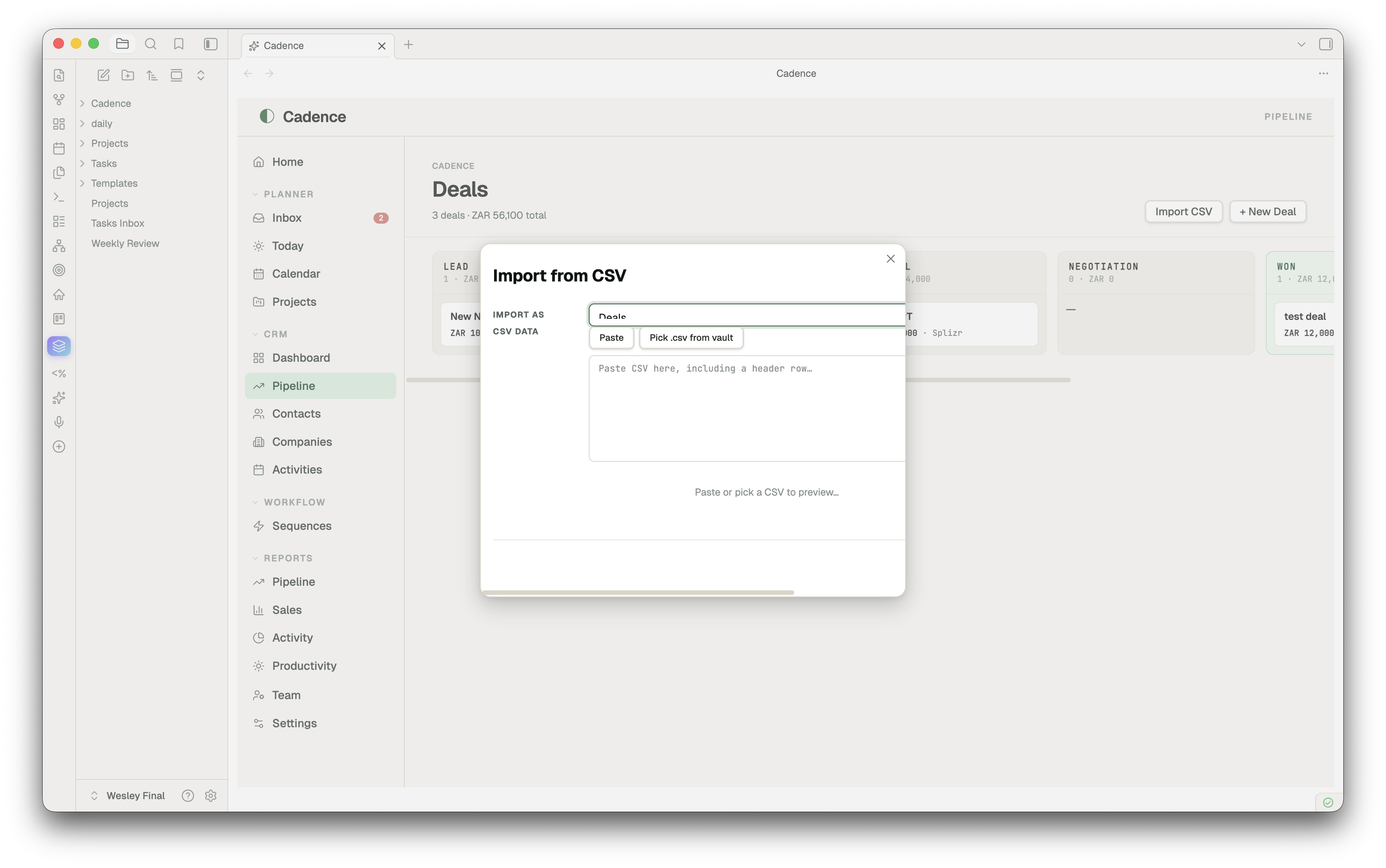
Bring an entire client list, pipeline, or partner roster in from a spreadsheet. Run Cadence: Import from CSV (or hit "Import CSV" on any list view) → pick a .csv from your vault or paste raw text → Cadence auto-maps columns to entity fields by name (with synonyms — Email, email, Email Address all map to email). Override any mapping, see a sample of the first two rows, then import. Each row becomes one markdown file with frontmatter populated.
Install
Community plugin store (once approved)
- Settings → Community plugins → Browse
- Search "Cadence"
- Install → Enable
Manual install (works today)
- Download
main.js,manifest.json,styles.cssfrom the latest release - Drop them into
<your-vault>/.obsidian/plugins/cadence-planner/ - Settings → Community plugins → Reload → Enable Cadence
Quick start
- Open the app — Click the ✨ sparkles icon in the left ribbon, or run Open Cadence from the command palette
- Capture a deal — CRM → Pipeline →
+ New Deal→ fill in title, stage, value → Create - Capture a contact — CRM → Contacts →
+ New Contact - Plan a project — Planner → Projects →
+ New Project→ click into it → tick milestones, fill in Brief - Set a reminder —
Cmd+Shift+I→ "Call John" → Remind me → +1h → Capture. Wait. The notification fires. - Make Cadence your homepage — Settings → Cadence → toggle "Open Cadence on Obsidian startup"
Cadence creates folders on demand: Cadence/Contacts/, Cadence/Pipeline/, Cadence/Partners/, etc. Move them anywhere afterwards — change paths in Settings if you do.
Configuration
Settings → Cadence:
- Modules — Toggle Planner / CRM / PRM. Disabled modules disappear from the nav and from dependent Reports.
- Reminders — Desktop notifications (opt-in, requests permission), clear completed.
- Currency — USD default; ZAR, EUR, GBP, AUD, CAD, CHF, JPY, INR, BRL, AED.
- App — Open on startup, default tab, week starts on, daily-note folder, tasks/journal headings.
Hotkeys
| Action | Shortcut |
|---|---|
| Open Cadence | (assignable, no default) |
| Quick capture (with optional reminder) | Cmd+Shift+I (Ctrl+Shift+I on Windows/Linux) |
| Open Cadence — Home | (assignable) |
| Open Cadence — Today | (assignable) |
| Open Cadence — Calendar | (assignable) |
| Open Cadence — Pipeline | (assignable) |
| Open Cadence — Inbox | (assignable) |
| Import from CSV | (assignable) |
| New today entry (creates if missing) | (assignable) |
Bind your favourites under Settings → Hotkeys → search "Cadence".
How the data is stored
your-vault/
  daily/                          ← daily notes (your existing setup)
    2026-05-05.md
  Cadence/
    Contacts/Jane Smith.md
    Companies/Acme.md
    Pipeline/Acme — FTTH expansion.md
    Partners/Distribution Co.md
    Activities/Discovery call with Jane.md
    Projects/Q3 launch.md
    ...
Each entity is plain markdown with YAML frontmatter — readable, editable, scriptable, portable. Cadence's views are just rich lenses over these files; everything you do in the UI writes back to them.
Companion theme
A matching Cadence theme is available separately for vaults that want a fully-tuned visual system (warm paper surfaces, emerald accents, Geist + JetBrains Mono typography). The plugin works with any Obsidian theme; the Cadence theme is purely cosmetic.
Roadmap
- Drag-to-reorder milestones in Project Detail
- Linked entities (project ↔ deal ↔ contact pickers with fuzzy search)
- Time-blocked Calendar (drag tasks onto today's hour grid)
- Pomodoro / focus timer linked to a reminder
- Optional sync to a Cadence web instance (the API setting is the placeholder for this)
Development
git clone https://github.com/wesswart77/obsidian-cadence
cd obsidian-cadence
# Plugin is plain JS, no build step. Drop main.js + manifest.json + styles.css
# into <vault>/.obsidian/plugins/cadence-planner/ to test.
PRs welcome. For bug reports, please include your Obsidian version, OS, and a minimal vault to reproduce.
License
MIT © Wesley Swart