
README file from
GithubBetter Links




English
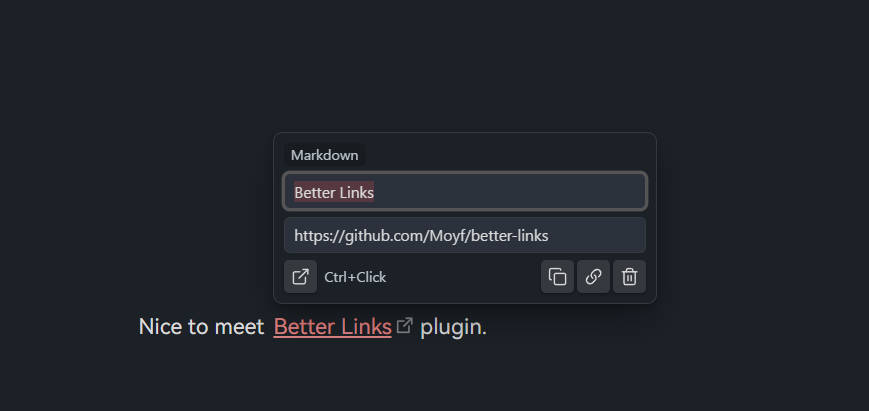
Better Links is an Obsidian plugin for quick link editing in the Markdown editor. Click a link to open a small popover where you can edit text/target and run quick actions.
Features
- Supports WikiLinks, Markdown links, plain URLs, and image-form links.
- Normal click opens the editor popover.
- Ctrl/Cmd + Click opens the link directly.
- Quick actions:
- Open link
- Copy link in preferred format
- Copy URL or file name (for image links)
- Delete link (hidden for image links)
- Localized UI (English + Chinese).
- Support suggestion for internal links and heading.
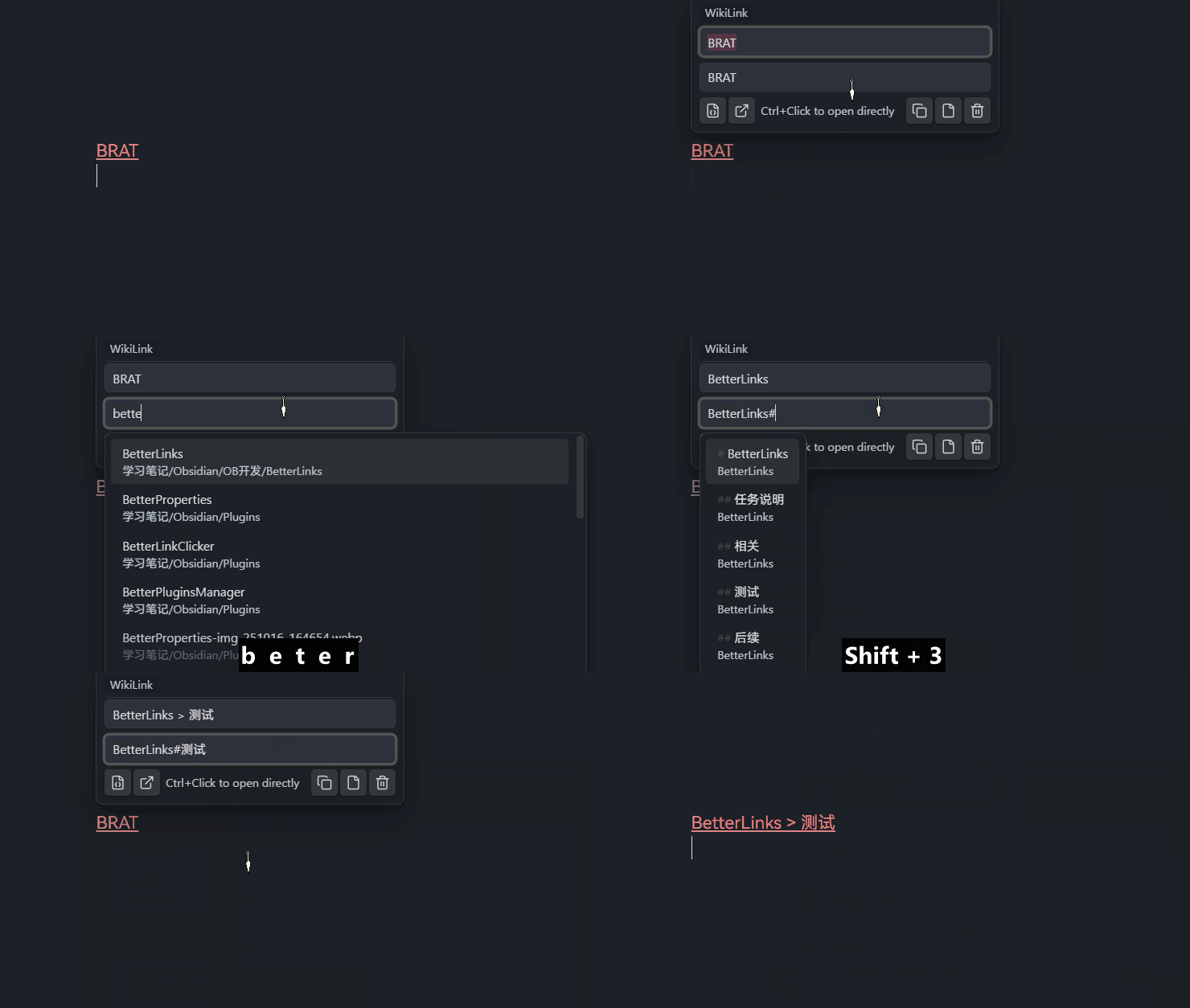
- Auto-complete files and headings in the vault, quickly select and insert link targets.
- Automatically update display text.
Notes
- External URLs are always copied as Markdown links.
- Internal links and image links follow Obsidian link format setting (WikiLink vs Markdown).
- Mobile (iOS): In "Click" trigger mode, tapping a collapsed link in Live Preview will open the editor popover instead of navigating. Due to technical constraints, scrolling cannot begin from a link area — start your scroll gesture from a non-link area instead.
Declaration
- This idea and solution are inspired by Octarine.
- This project is based on David V. Kimbal's obsidian-sample-plugin-plus and was developed with AI assistance; I actively install it in my own vault for frontline testing and daily use.
中文
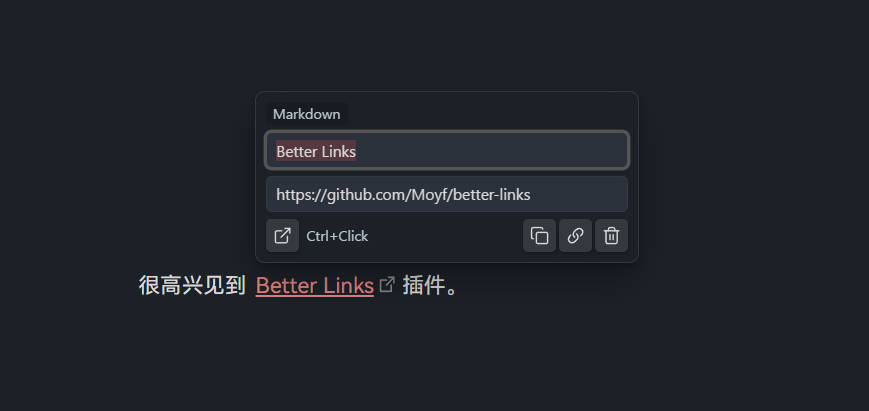
Better Links 是一个 Obsidian 插件,用于在 Markdown 编辑器中快速编辑链接。 点击链接会弹出轻量浮窗,可直接修改文本和目标,并执行快捷操作。
功能
- 支持 Wikilink、Markdown 链接、纯 URL、图片类链接。
- 普通点击打开浮窗。
- Ctrl/Cmd + 点击直接打开链接。
- 快捷操作:
- 打开链接
- 按设置复制链接格式
- 复制 URL(图片类复制文件名)
- 删除链接(图片类隐藏删除按钮)
- 支持中英文界面。
- 内部链接建议功能。
- 支持自动补全库内文件和标题,快速选择并插入链接目标。
- 自动更新显示名称。
说明
- 外部网址始终按 Markdown 链接格式复制。
- 内部链接和图片链接会跟随 Obsidian 的链接格式设置(Wikilink / Markdown)。
- 移动端(iOS):「点击」触发模式下,点击 Live Preview 中折叠的链接会打开编辑浮窗而非跳转。由于技术限制,从链接区域无法发起滚动手势——请从非链接区域开始滑动。
声明
- 这个想法和方案灵感来自 Octarine。
- 该项目基于 David V. Kimbal 的 obsidian-sample-plugin-plus ,由 AI 进行开发;我会第一时间将插件安装到自己的库中进行测试和实际使用。