README file from
GithubBases Style Enhancer
Customize the appearance of Obsidian Bases views.
This first version focuses on table font size. It injects a custom CSS variable and rules so that all Bases table cells (and optionally headers) use a configurable font size. Future updates may add more style options for Bases views.
Features
- Adjust Bases table cell text size globally.
- Choose units:
remorpx. - Optionally apply the same size to table headers.
- Choose units:
How to use
- Install and enable Bases Style Enhancer from the Community plugins tab.
- Open a Bases table view.
- Adjust the settings until the table text is comfortable to read.
Settings
Open Settings → Community plugins → Bases Style Enhancer → Options:
- Table font size value – numeric value like
1.0or16. - Units –
rem(relative to base text size) orpx. - Apply to table headers – when enabled, headers use the same font size as cells.
Compatibility
- Requires Obsidian 1.5.0 or higher.
Screenshots
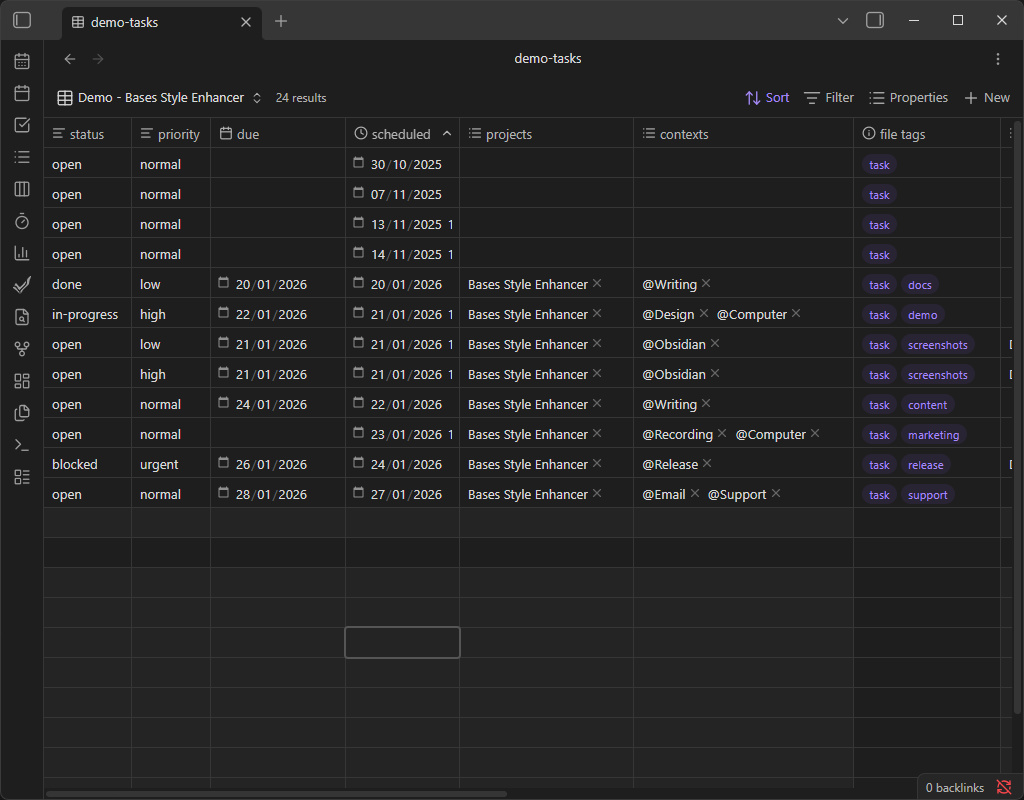
-
Before – Bases table text uses the default font size.
-
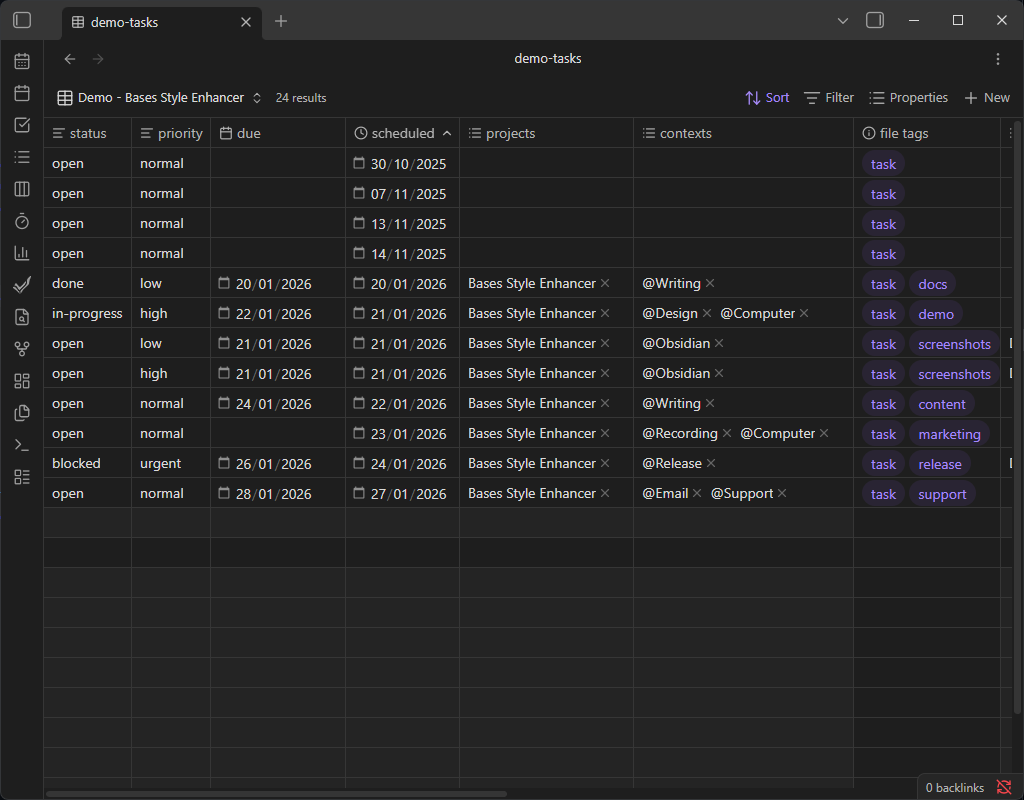
After (1.0rem) – table text will match the base text size of Obsidian.
-
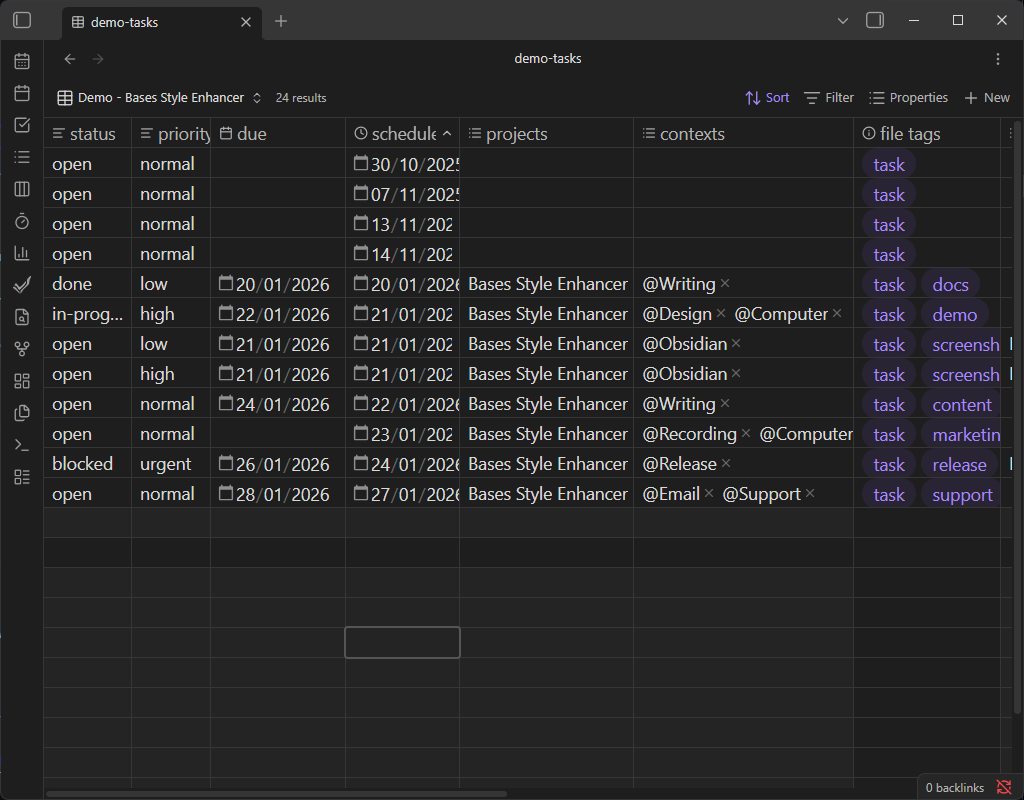
After (1.25rem) – table text is moderately larger for improved readability.
-
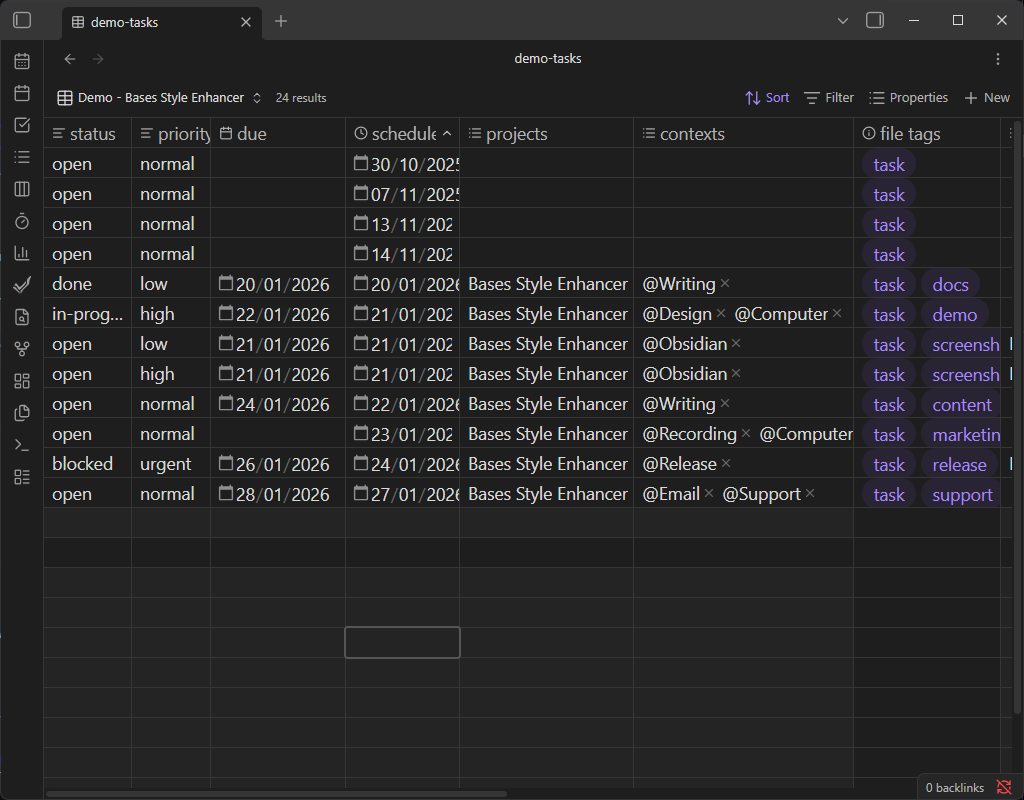
After (20px) – table text is significantly larger for maximum readability.
Support
If this plugin improves your Bases experience and you’d like to support development, you can: