
README file from
GithubObsidian Authorship
Track and visualize text authorship in Obsidian — see what you typed vs what you pasted.
Inspired by iA Writer's Authorship feature. Compatible with the open Markdown Annotations spec (v0.2).
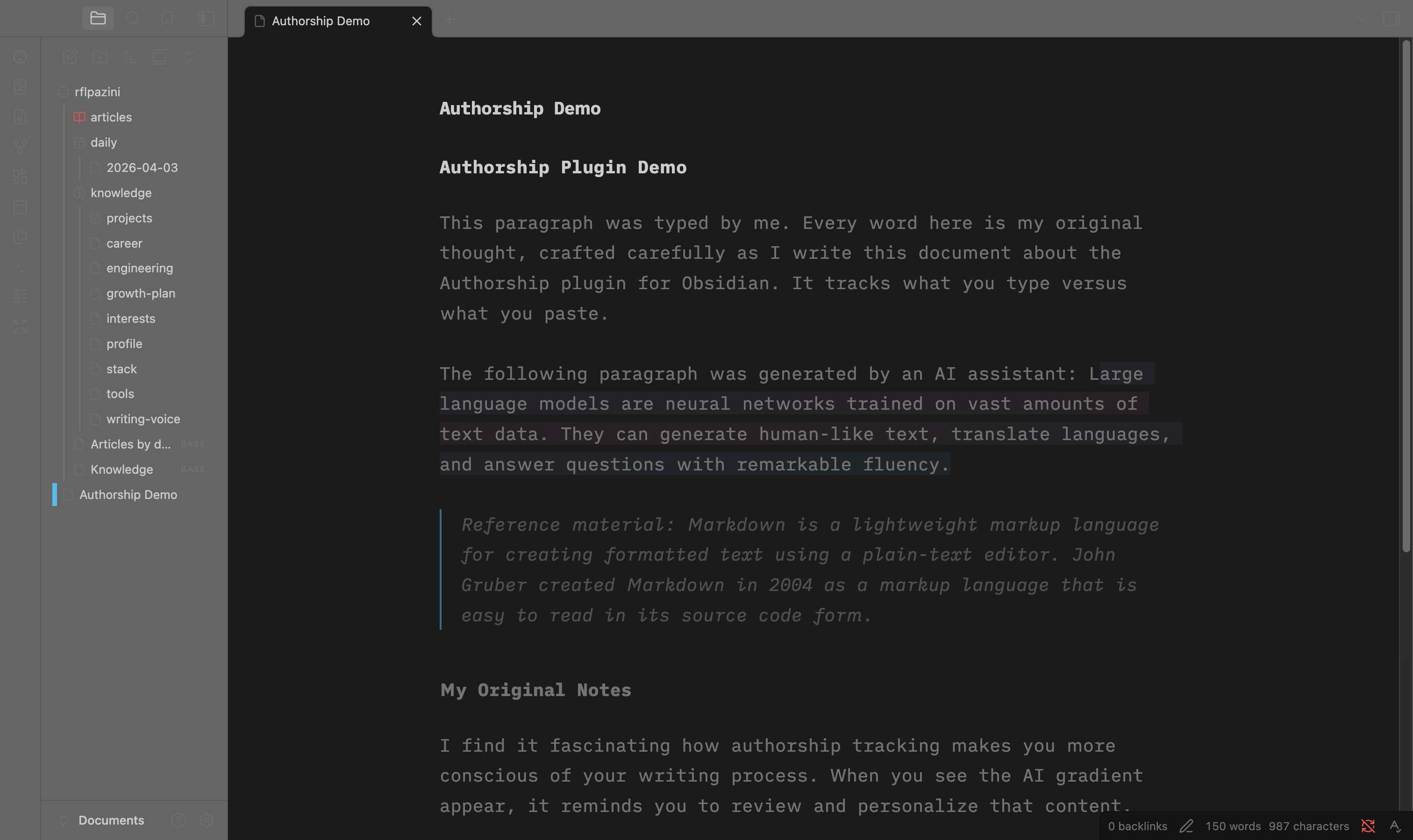
What it does
- Automatically tracks whether text was typed or pasted using CodeMirror 6 transaction events
- Visual distinction in the editor: AI text gets a gradient highlight, pasted text is subtly marked, reference material is italicized
- Manual marking via commands: select text and mark it as AI, Self, or Reference
- Persists authorship at the end of your markdown files using the Markdown Annotations format
- SHA-256 validation detects when files are modified outside Obsidian
- 100% local — zero network calls, zero cost, open source (MIT)
Commands
| Command | Description |
|---|---|
Mark selection as AI |
Mark selected text as AI-generated |
Mark selection as self |
Mark selected text as self-authored |
Mark selection as reference |
Mark selected text as reference material |
Toggle highlighting |
Show/hide authorship decorations |
How authorship data is stored
Authorship annotations are appended to the end of your markdown files, following the Markdown Annotations spec:
Your regular markdown content here...

---
Annotations: 0,42 SHA-256 abc123def456789012345678901234
@Self: 0,20
&AI: 20,22
...
@= human-authored text&= AI-generated text*= reference material- Ranges use grapheme cluster indexes:
start,length - SHA-256 hash validates integrity when reopening
Settings
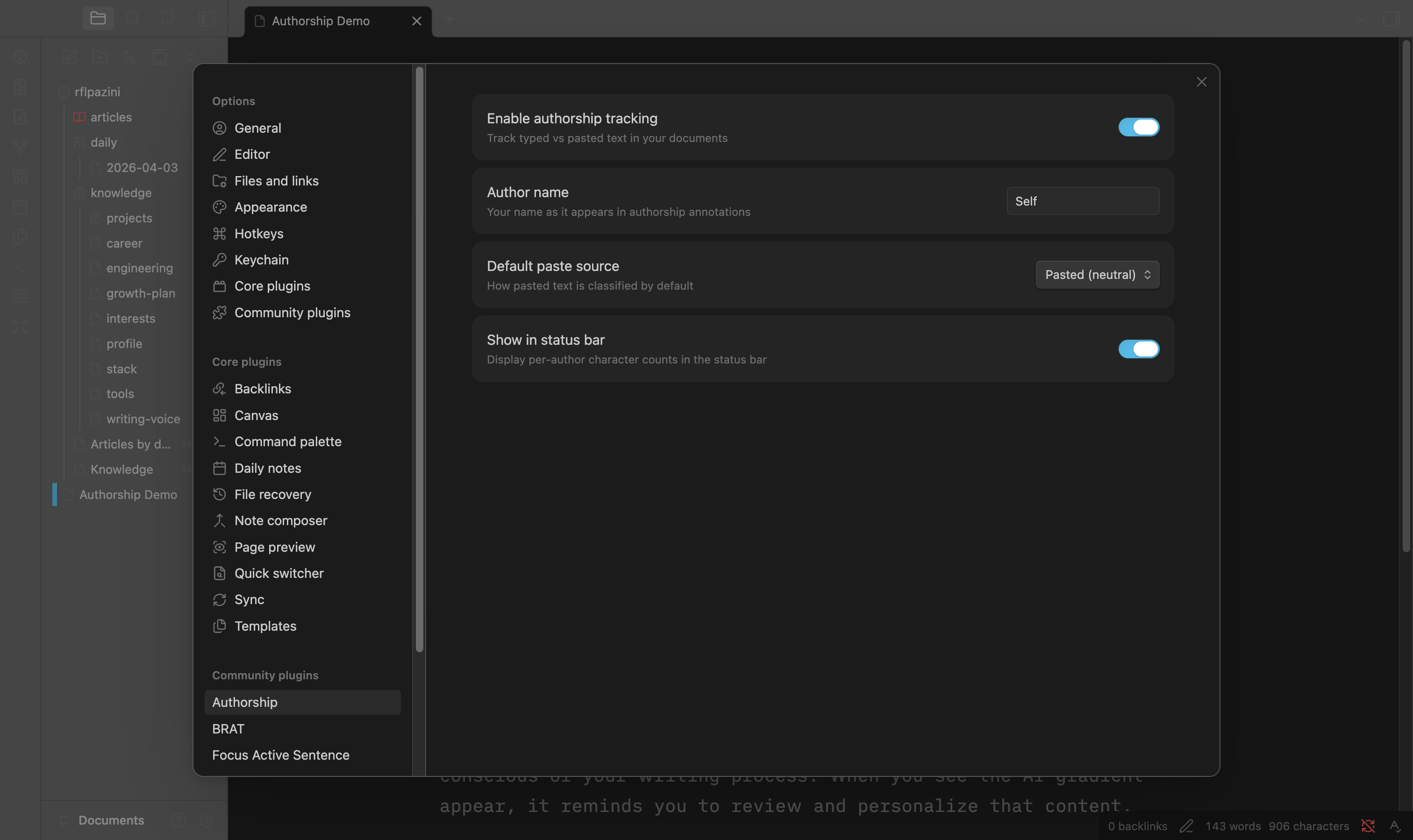
- Enable authorship tracking — global on/off toggle
- Author name — your name in annotations (default: "Self")
- Default paste source — how pasted text is classified (Pasted / AI / Reference)
- Show in status bar — per-author character count percentages
Installation
From Obsidian Community Plugins (coming soon)
- Open Settings > Community plugins
- Click Browse and search for "Authorship"
- Click Install, then Enable
Manual Installation
- Download
main.js,manifest.json, andstyles.cssfrom the latest release - Create a folder
authorshipin your vault's.obsidian/plugins/directory - Copy the downloaded files into that folder
- Enable the plugin in Settings > Community plugins
With BRAT (Beta Testing)
- Install the BRAT plugin
- Add
rflpazini/obsidian-authorshipas a beta plugin in BRAT settings
Development
npm install
npm run dev      # watch mode
npm run build    # production build
npm test         # run tests
npm run test:coverage  # coverage report
Architecture
Built with SOLID principles. Core domain logic is fully decoupled from Obsidian/CodeMirror APIs:
src/core/— Pure domain logic (RangeManager, HashValidator, AuthorshipTracker)src/annotations/— Markdown Annotations parser/serializersrc/editor/— CodeMirror 6 integration (StateField, decorations, input detection)src/commands/— User-facing commandssrc/ui/— Settings tab, modals, status barsrc/utils/— Cryptographic hashing, grapheme cluster utilities
License
MIT