
README file from
GithubAICHE Voice for Obsidian
Speak into your notes. Polished text in seconds.
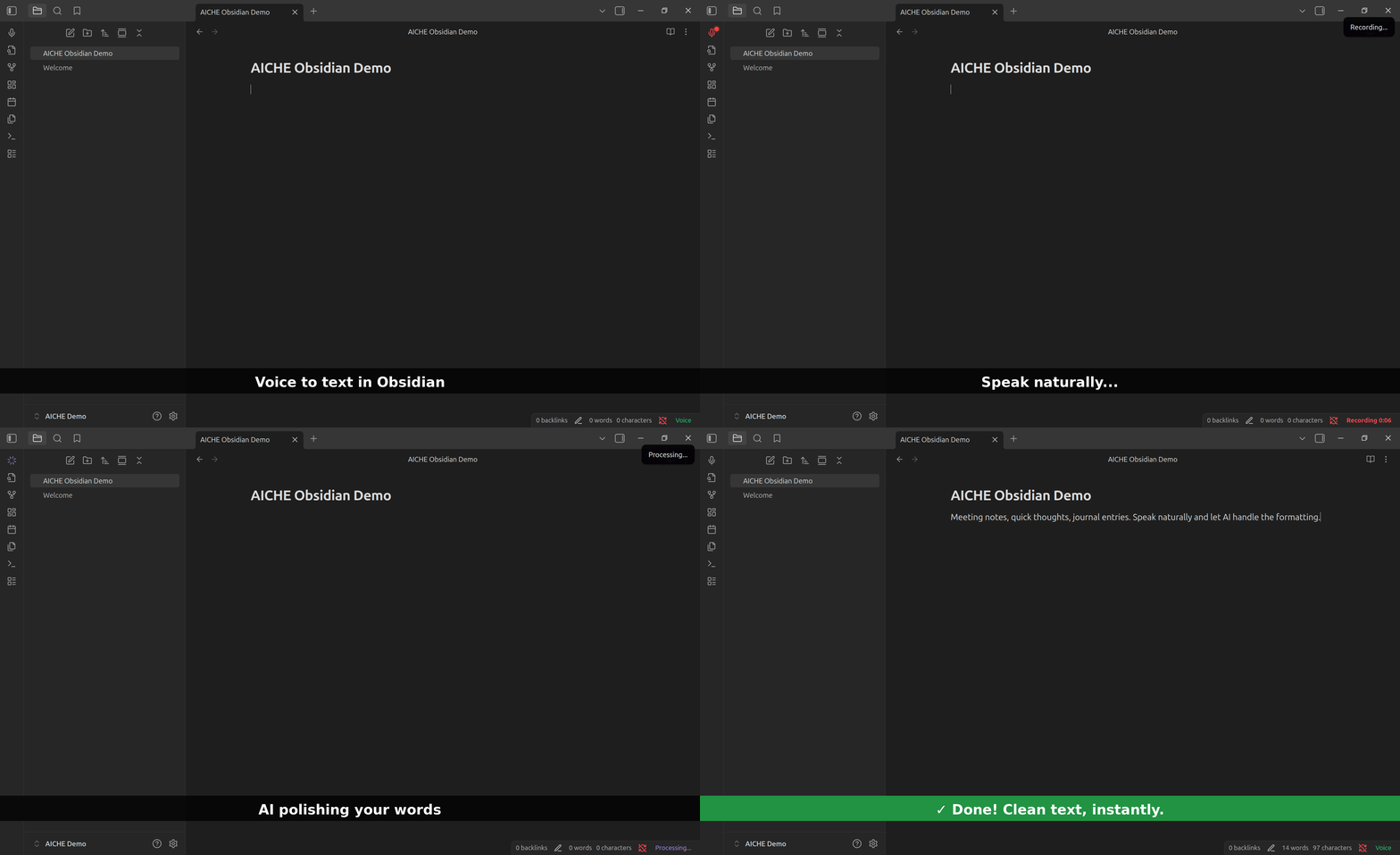
Part of AICHE - one subscription, voice-to-text everywhere: desktop apps, Obsidian, mobile, browser.
What It Does
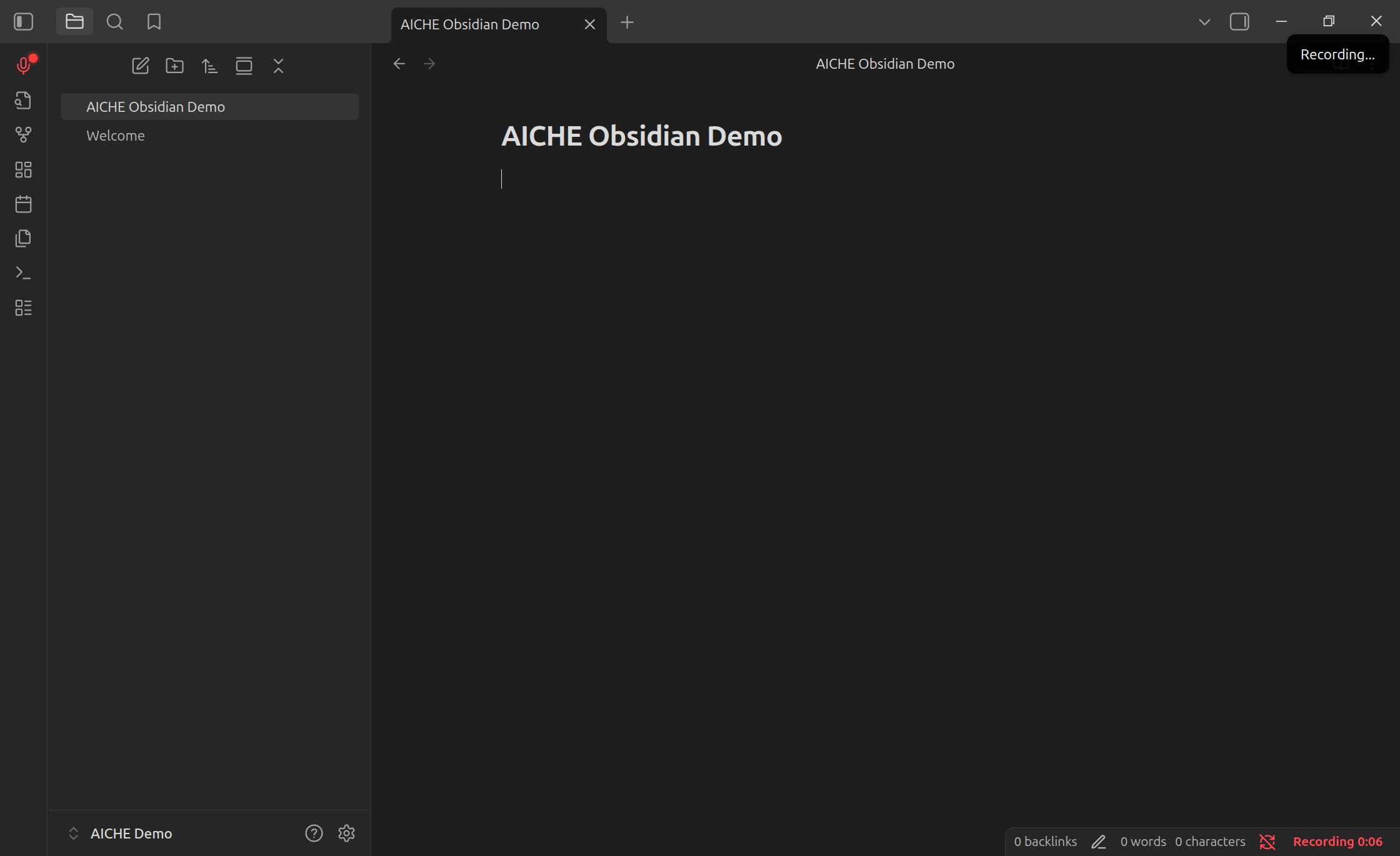
Press record, speak naturally, get clean text with grammar and punctuation handled. Not raw transcription - readable sentences.
Install
Community Plugins
- Settings → Community Plugins → Browse
- Search "AICHE Voice"
- Install → Enable
Manual
- Download latest release
- Extract to
.obsidian/plugins/aiche-voice/ - Enable in Community Plugins
Setup
- Settings → AICHE Voice → Sign In
- Authenticate in browser
- Start recording
Usage
| Method | Action |
|---|---|
| Ribbon | Click microphone icon |
| Hotkey | Settings → Hotkeys → search "AICHE" |
| Command | Ctrl/Cmd + P → "Toggle Recording" |
| Status Bar | Click indicator, right-click for menu |
Settings
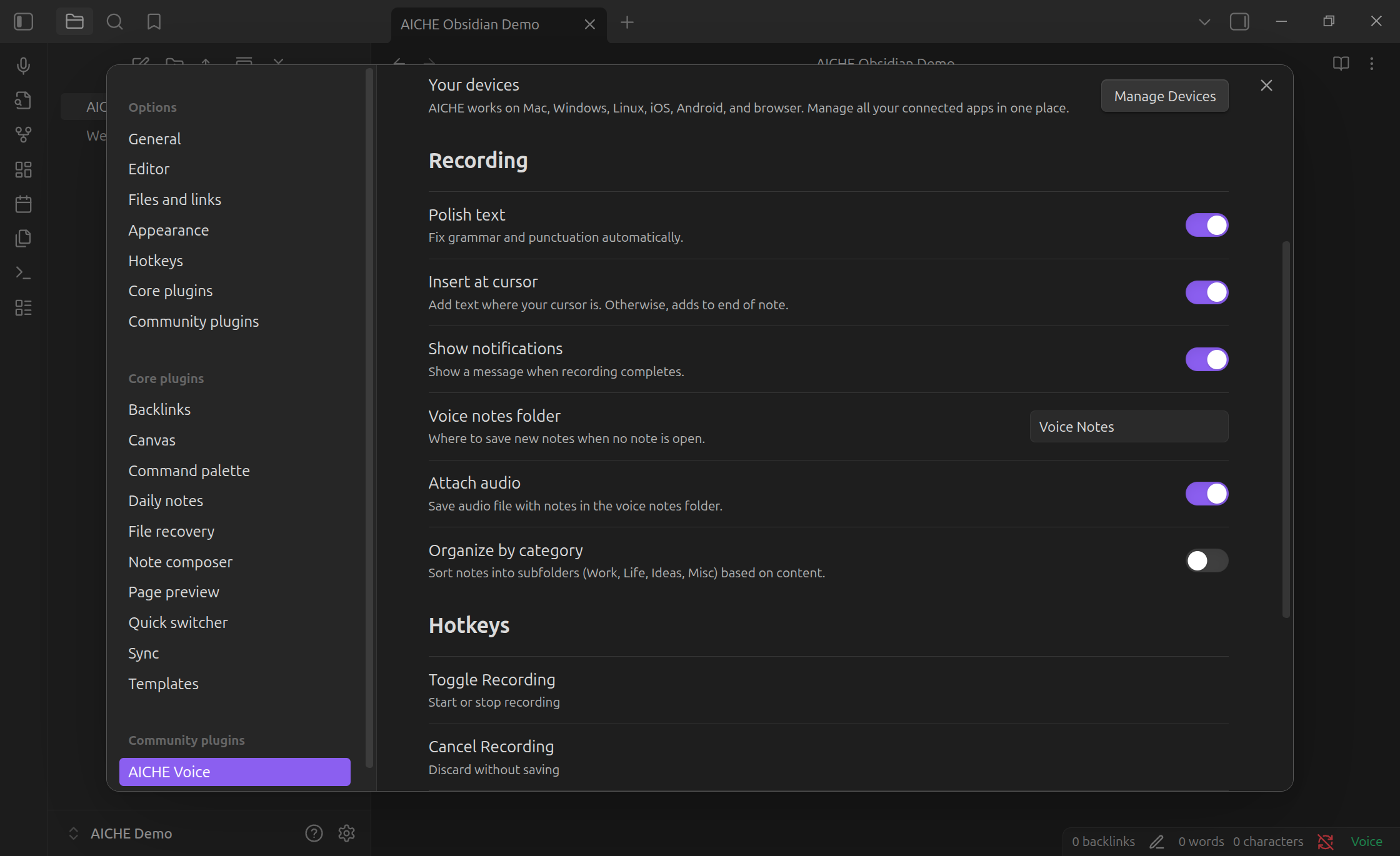
| Option | Description |
|---|---|
| Polish text | Grammar and punctuation cleanup |
| Insert at cursor | Text at cursor vs end of note |
| Notifications | Show completion notices |
| Voice notes folder | Auto-created notes location |
| Attach audio | Embed audio with voice notes |
| Category folders | Organize into Work/Life/Ideas/Misc |
Privacy
Audio sent to AICHE servers, deleted immediately after transcription. Zero retention.
- Audio: processed and purged (not stored)
- Text: stored with your account
- Offline: encrypted locally (AES-GCM), deleted after upload
Pricing
One AICHE subscription works everywhere - desktop, Obsidian, mobile, browser.
7-day free trial. Plans start at $4.99/month.
Support
License
MIT