
README file from
GithubObsidian AI Tag Curator
简体中文 | English
AI tag management and governance for Obsidian vaults.
AI Tag Curator is not a generic "generate tags for this note" plugin. It helps you keep an existing Obsidian tag taxonomy coherent by reusing known tags, explaining recommendations, and surfacing vault-level tag problems before any risky cleanup work.
Current MVP Capabilities
Vault tag index
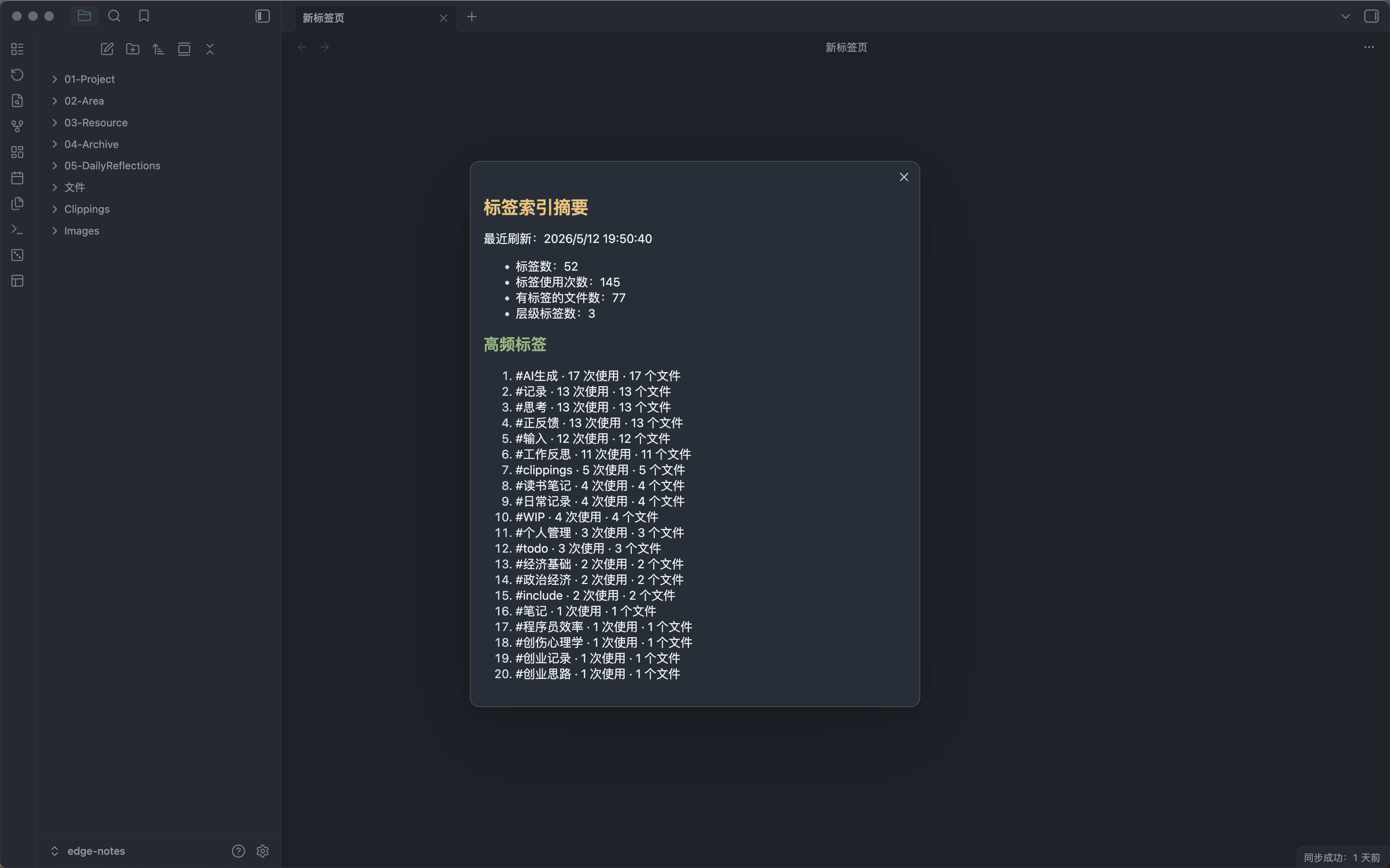
- Build a tag index from Obsidian metadata, frontmatter tags, and optional inline tags.
- Show a tag index summary with tag counts, usage counts, file counts, and top tags.
- Reuse the cached index for recommendations and health reports instead of scanning the whole vault every time.
Current note recommendations
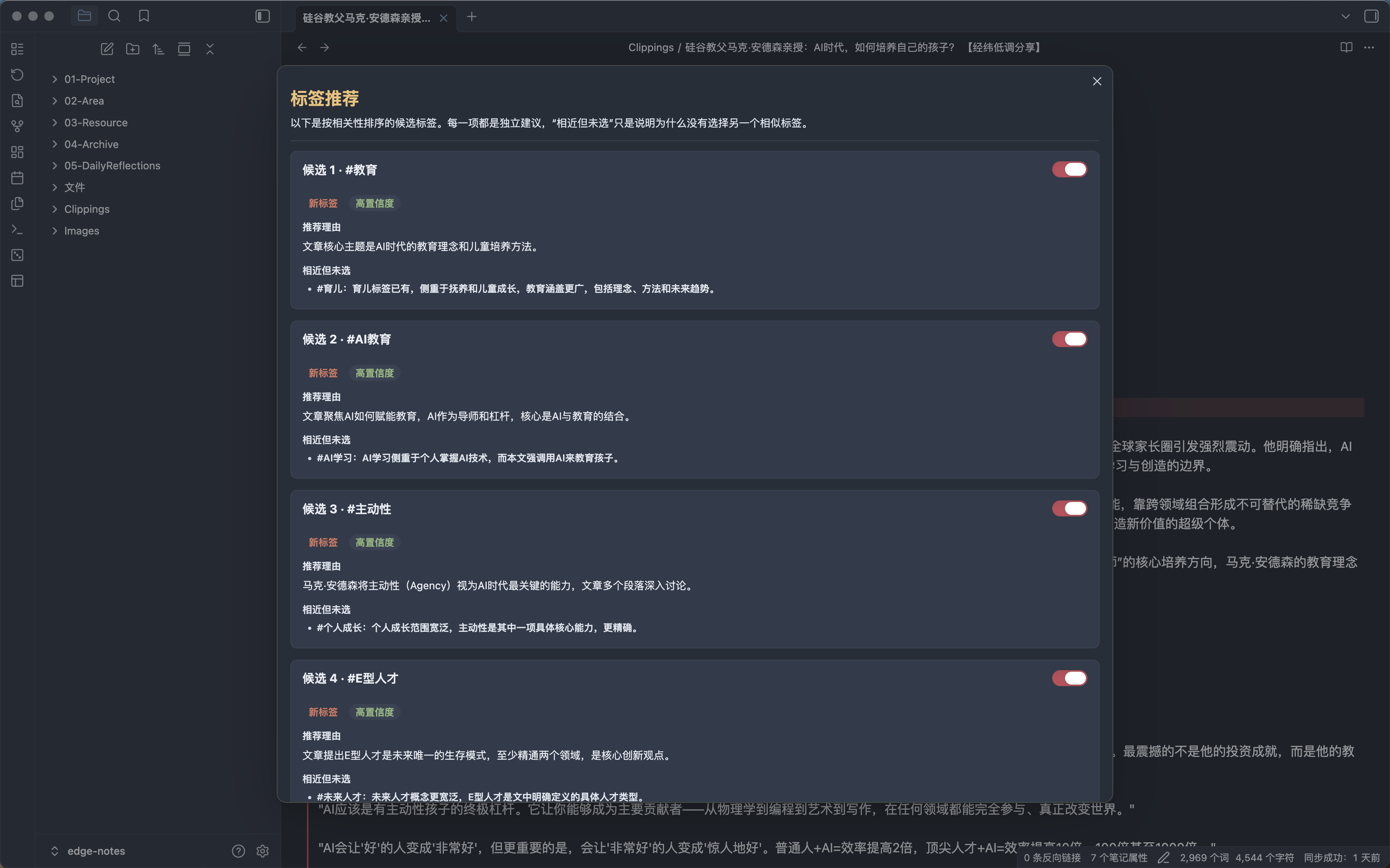
- Suggest tags for the current Markdown note.
- Prefer existing vault tags, even when new tags are allowed.
- Filter out tags already present on the current note.
- Explain each recommendation with confidence and close alternatives not selected.
- Apply selected recommendations only after user confirmation.
- Undo the latest tag change made by this plugin for the current note.
- Run slow AI requests in the background and show results when ready.
Vault-level tag health report
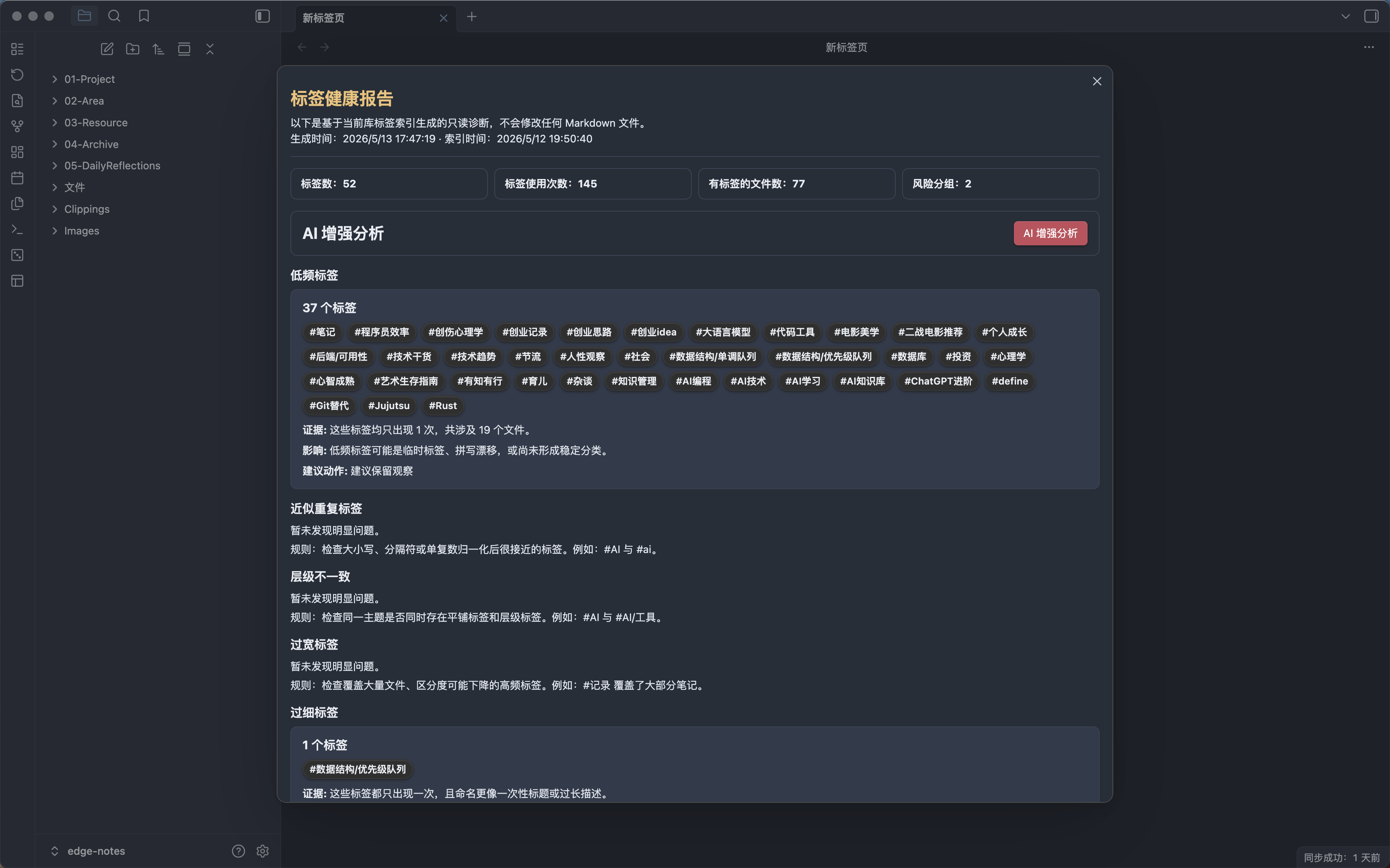
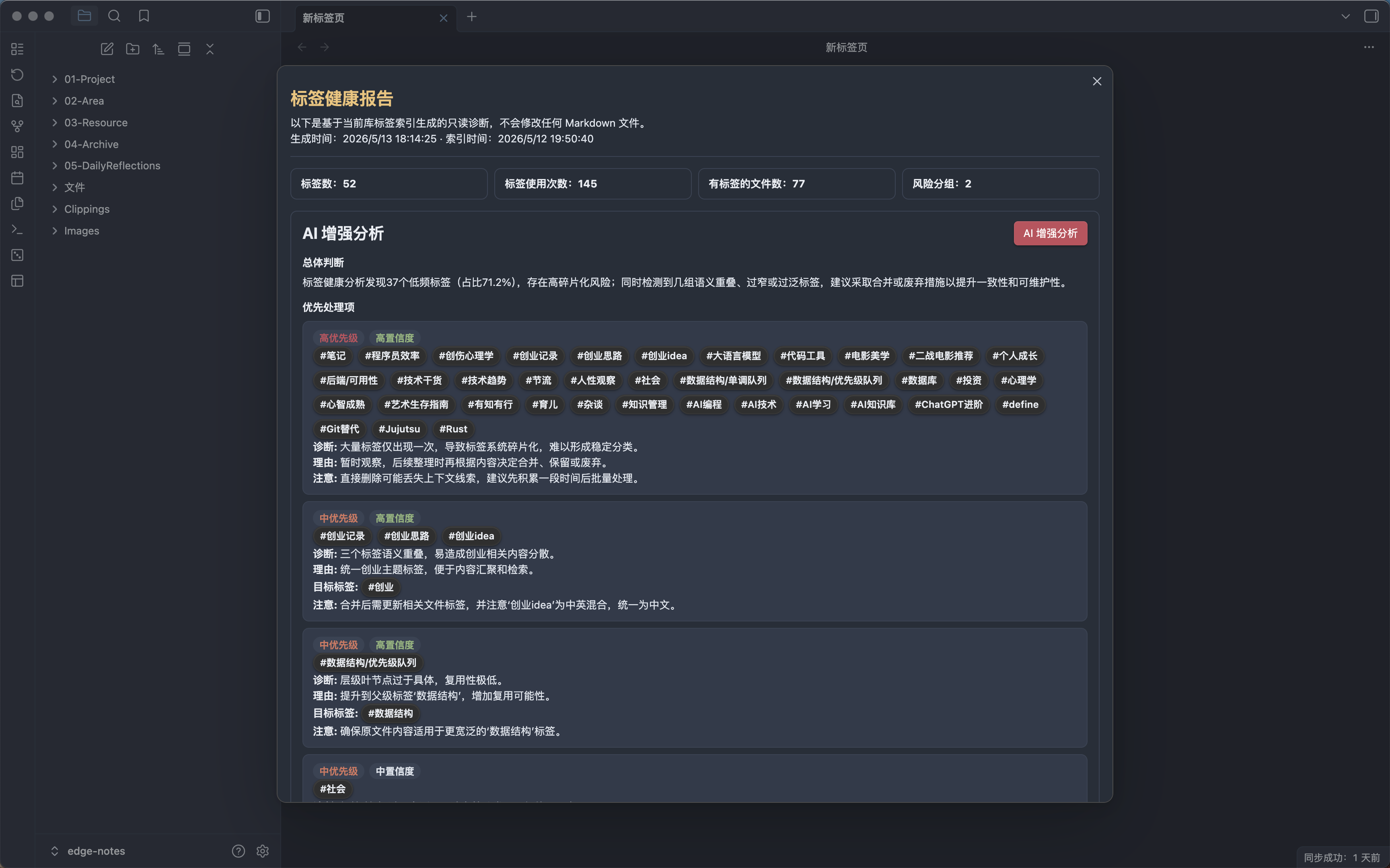
- Generate a read-only tag health report for the current vault.
- Group health issues such as low-frequency tags, near duplicates, hierarchy inconsistencies, over-broad tags, over-narrow tags, and naming drift.
- Show evidence, impact, and suggested action for each issue group.
- Click health report tags to copy and search them in Obsidian.
- Enhance the report with AI-generated summary and prioritized action items.
Settings
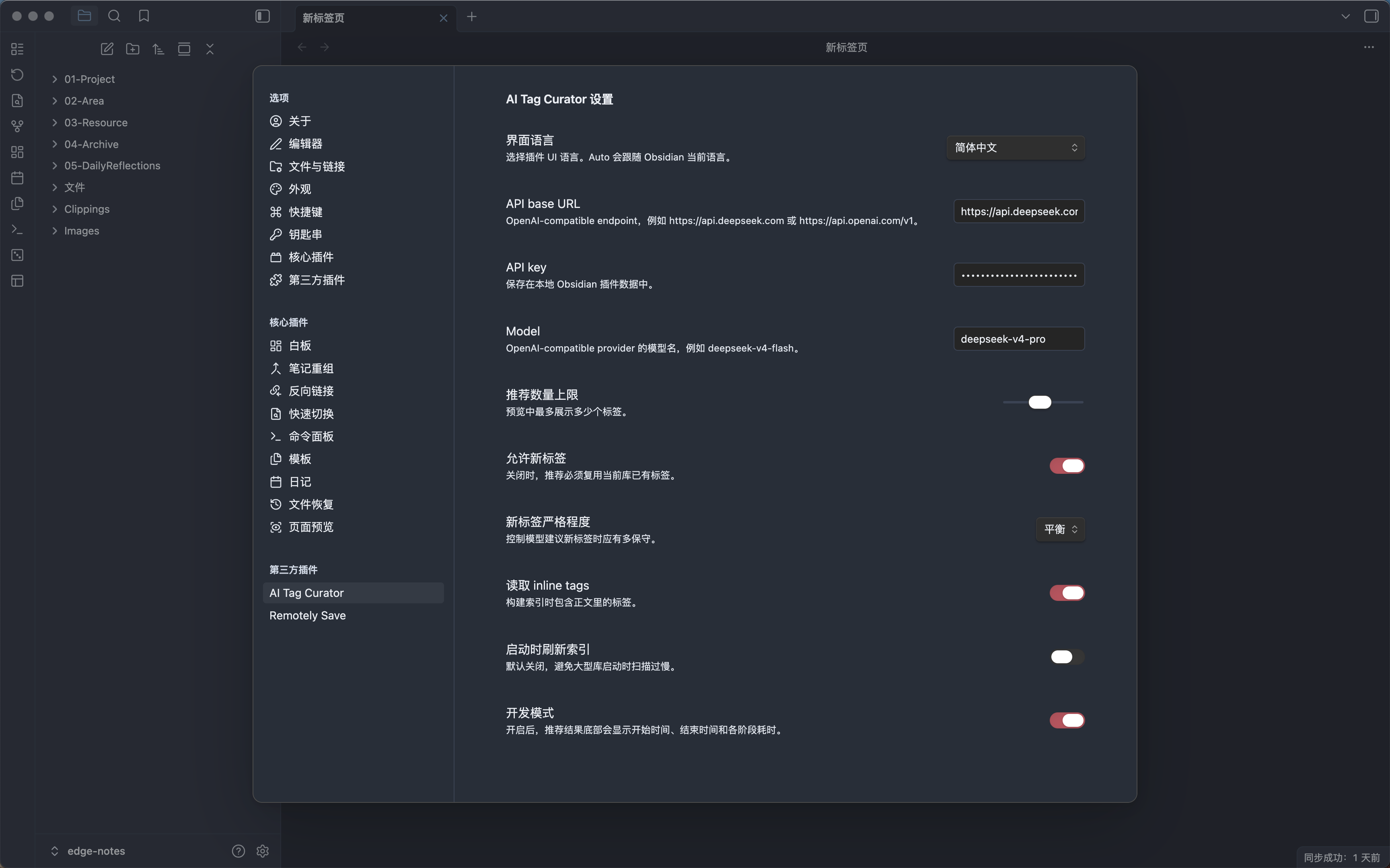
- Support OpenAI-compatible providers such as DeepSeek and OpenAI.
- Show dev-mode timing for tag recommendations and AI-enhanced health analysis.
- Support Chinese, English, and
Autolanguage mode following Obsidian.
Provider Configuration
Open the plugin settings and configure:
API base URLAPI keyModel
Example OpenAI-compatible settings:
| Provider | API base URL | Model example |
|---|---|---|
| DeepSeek | https://api.deepseek.com |
deepseek-v4-flash |
| OpenAI | https://api.openai.com/v1 |
gpt-4o-mini |
The API key is stored locally in Obsidian plugin data.
Local Installation
- Install dependencies:
npm install
- Build the plugin:
npm run build
- Create a plugin directory in your target Obsidian vault:
mkdir -p /path/to/your-vault/.obsidian/plugins/ai-tag-curator
- Copy the generated files:
cp main.js manifest.json styles.css /path/to/your-vault/.obsidian/plugins/ai-tag-curator/
- Open Obsidian, go to
Settings -> Community plugins, and enableAI Tag Curator.
Generated plugin files:
main.jsmanifest.jsonstyles.css
Usage
- Configure an OpenAI-compatible API base URL, API key, and model.
- Run
Refresh vault tag index. - Open a Markdown note.
- Run
Suggest tags for current note. - Review the recommendation modal and apply only the tags you want.
- Run
Analyze tag healthto inspect vault-level tag problems. - Optionally run
AI-enhanced analysisinside the health report. - Run
Undo last tag curator changeif you need to revert the latest tag write for the current note.
Commands
The plugin UI defaults to Auto, which follows the current Obsidian language. In English, the commands are:
Refresh vault tag indexShow tag index summaryAnalyze tag healthSuggest tags for current noteUndo last tag curator change
Development
Run tests:
npm test
Build:
npm run build
Current Limitations
- The MVP only writes to the current note's frontmatter
tags. - Inline tags are read for indexing but are not automatically rewritten.
- Tag health reports are read-only diagnostics.
- AI-enhanced health analysis only returns a summary and prioritized action items.
- Cleanup plans, batch previews, batch writes, and batch undo are not implemented yet.
- AI responses must be valid structured JSON. If parsing fails, no file is modified.