README file from
GithubAgents
🚀 Launch AI agents from your vault — right-click any file or folder to open a terminal with context 🤖
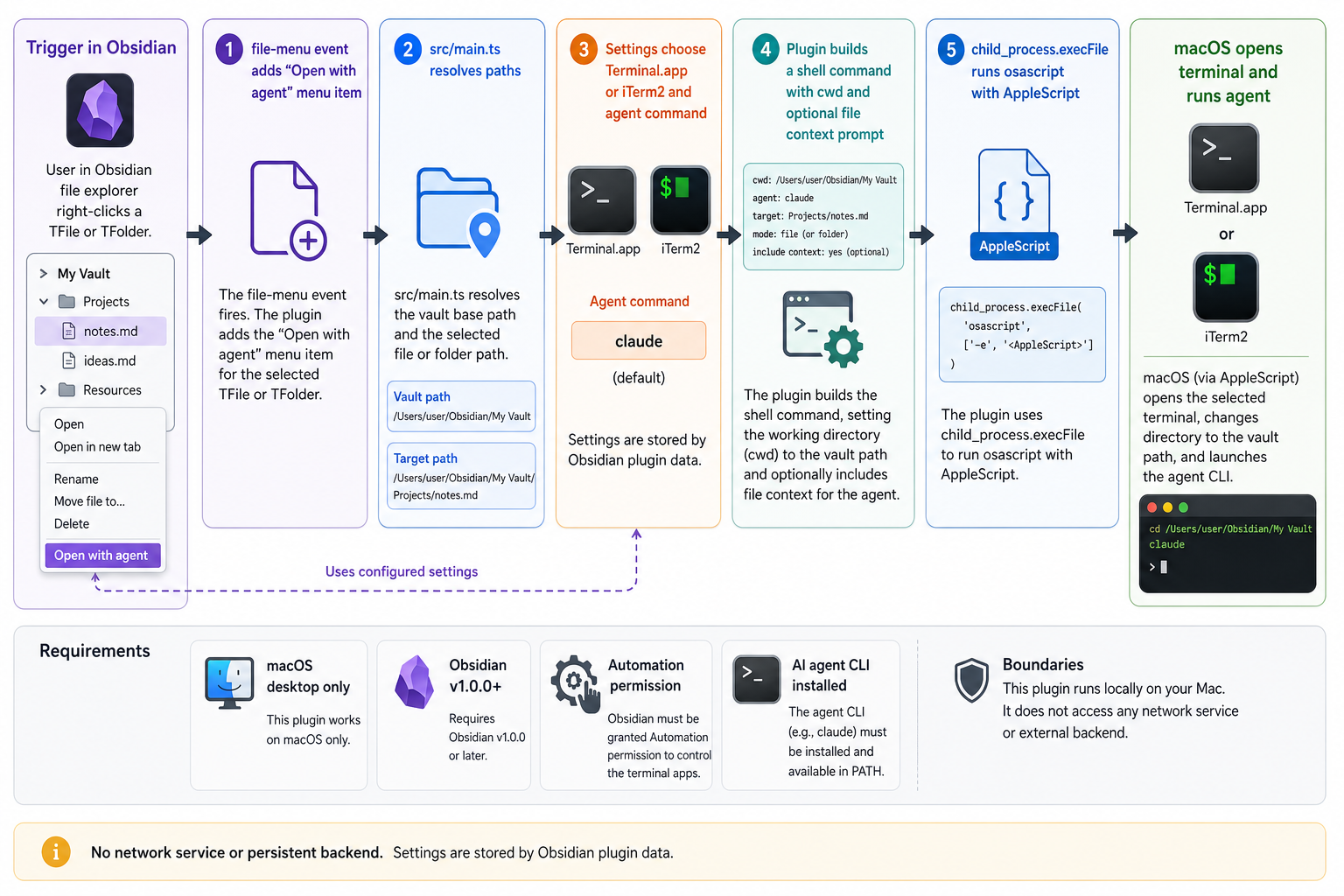
Agents is a macOS-only Obsidian plugin that adds an Open with agent action to the file explorer context menu. Right-click a note or folder and it opens your configured AI CLI in Terminal.app or iTerm2, already pointed at the right vault location.
Files launch the agent from the parent folder with a short file-context prompt. Folders launch the agent directly in that folder.
Install
From Obsidian, install Agents in Settings -> Community Plugins -> Browse, then enable it.
For local development:
git clone https://github.com/tsilva/obsidian-agents-plugin.git
cd obsidian-agents-plugin
pnpm install
pnpm run build
pnpm run install-plugin
Reload Obsidian, then right-click a file or folder in the file explorer and choose Open with agent.
Commands
pnpm install             # install dependencies
pnpm run dev             # watch-build main.js during development
pnpm run build           # type-check and build the production plugin
pnpm run install-plugin  # build if needed, symlink into a vault, and enable the plugin
pnpm run version         # sync package version into manifest.json and versions.json
Notes
- macOS desktop only. The plugin exits early on non-Darwin platforms.
- Obsidian v1.0.0 or newer is required by
manifest.json. - The default agent command is
claude; settings can change it to another CLI such ascodex. - Terminal.app is the default terminal. The settings toggle switches launches to iTerm2.
- The first launch may require macOS Automation permission for Obsidian to control Terminal.app or iTerm2.
pnpmis the expected package manager for this repo.- The plugin runs locally through AppleScript and
osascript; it does not use a backend service.
Architecture