
README file from
GithubAgentic Git Sync

A GitHub two-way sync plugin for Obsidian users who don't know git. Three things make it different.
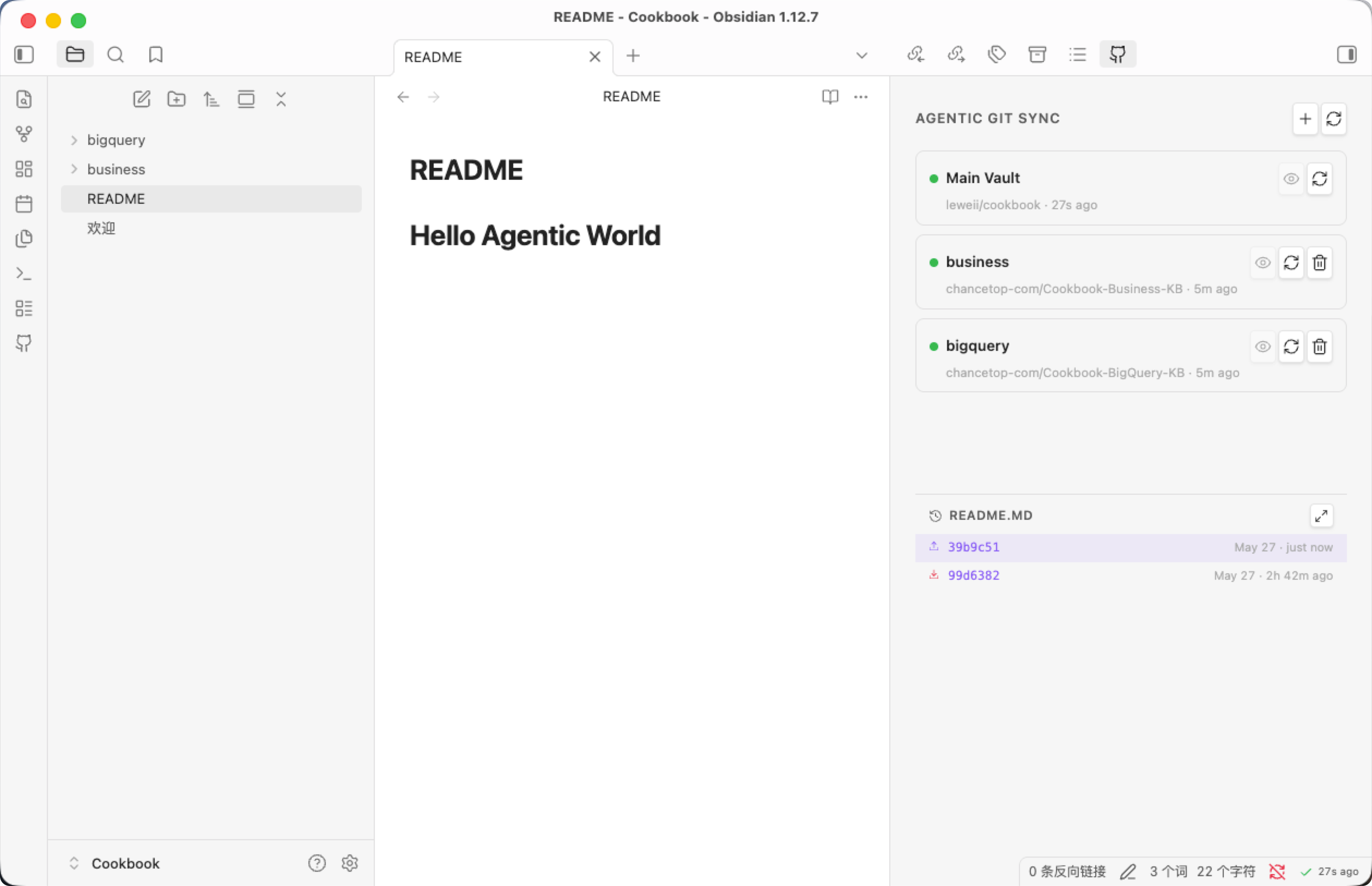
Core features
An AI agent handles the git internals
Hand the messy parts of git off to an AI.
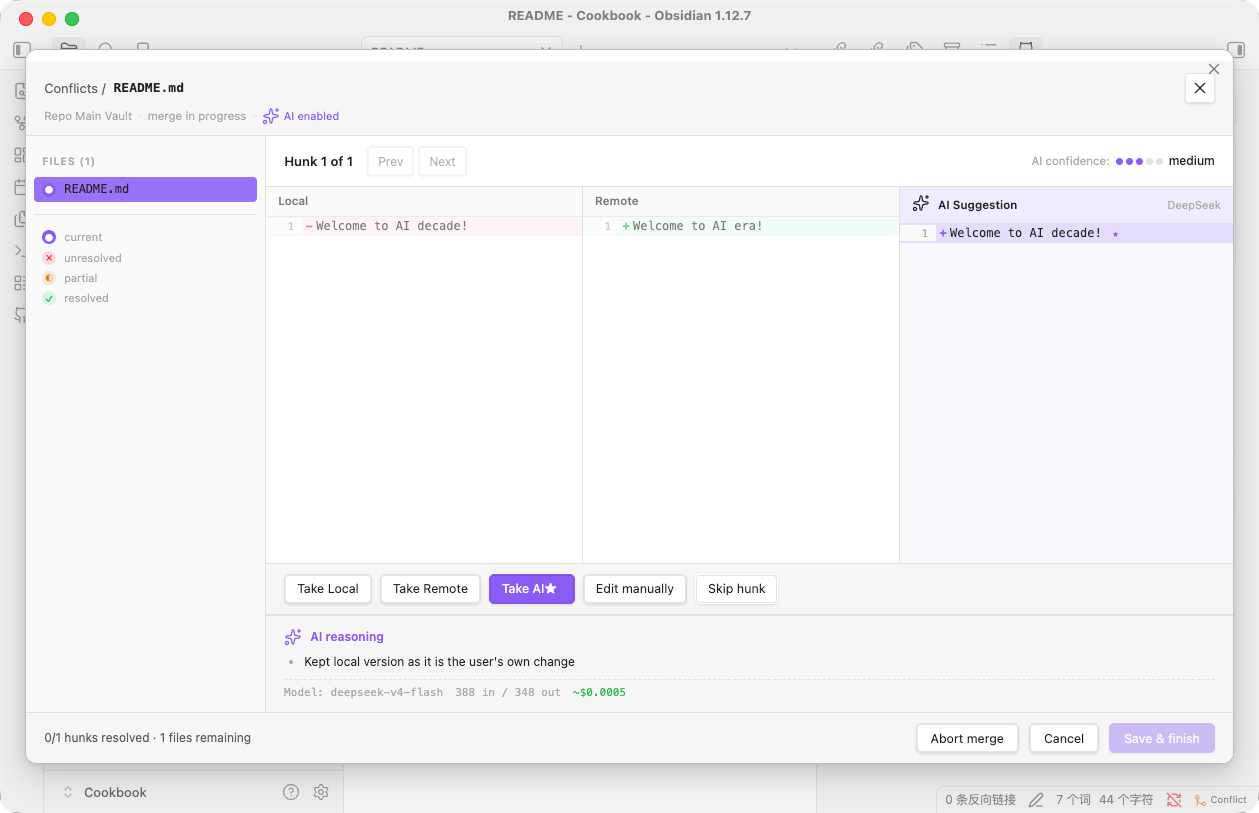
- AI conflict resolution — auto-merges diverged branches and only opens a visual resolver when it can't decide. When it does open, you get a three-pane Local / Remote / AI Suggestion view, an AI confidence rating, and the model's reasoning for the picked side.
- Git error diagnosis — non-fast-forward push? need to merge before push? you don't need to know any of it; the agent navigates it.
- AI-drafted commit messages — DeepSeek or Gemini reads the diff and produces a semantic message you can edit before committing.
- Empty repos auto-initialize — paste a URL and the plugin silently does the initial commit and first push.
Fits both personal sync and team collaboration
Private notes stay private while team work happens alongside — independent, non-interfering.
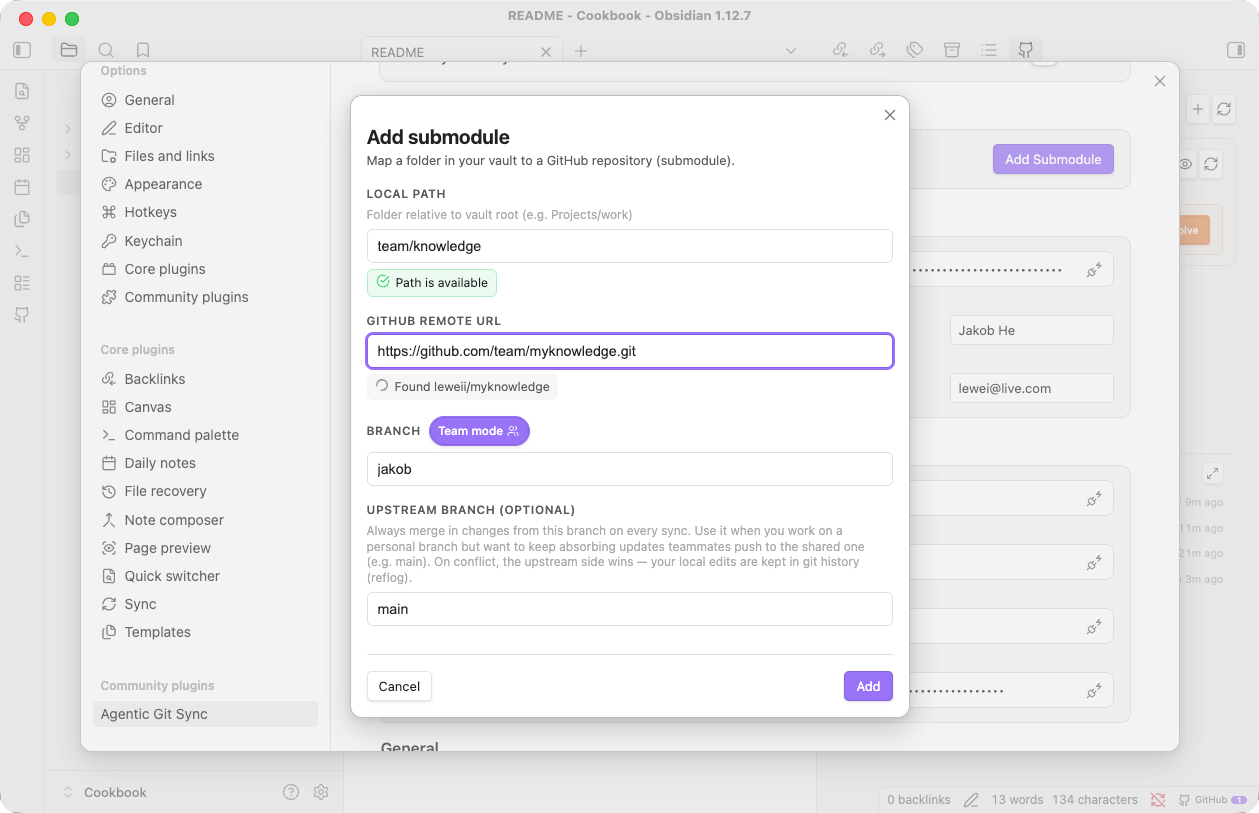
- Personal knowledge stays private.
- Team-shared knowledge lives in submodules.
- A friendly conflict-management UI.
- A simple personal-branch / team-main-branch model.
Invisible two-way sync
A background scheduler pulls and pushes on a timer while you write. Tokens and machine-local state stay in .obsidian/ (never committed); remote URLs and the submodule list live in .github-sync.json and travel with the repo, so a fresh clone on another machine restores your config automatically.
Install the plugin
Community plugins: Settings → Community plugins → Browse → search Agentic Git Sync → Install → Enable.
Manual: download main.js, manifest.json, styles.css from the latest release, drop them into <vault>/.obsidian/plugins/agentic-git-sync/, restart Obsidian, and enable.
Get started
Settings → Agentic Git Sync → Run setup wizard, then connect GitHub.
Recommended — GitHub App (no token to manage; access scoped to repos you pick):
- On Your Credentials, click “Connect with GitHub App →”.
- In the browser, choose which repositories to grant, then Install & Authorize.
- You're returned to Obsidian — the wizard shows Connected as @you.
Manage or revoke anytime at github.com/settings/installations.
Alternative — Personal Access Token: on Your Credentials, open the token option (the ? opens GitHub's token page). Classic needs repo; fine-grained needs Contents: read & write.
Then paste (or Browse for) your vault repo's HTTPS URL — the plugin handles the initial commit and push, even for an empty repo. Add per-folder submodules from the dashboard later if you want.
Data security
Credentials stay on your device, access stays minimal. The GitHub App grants only the repos you select and uses short-lived tokens — nothing long-lived in your vault; revoke anytime from GitHub settings. A PAT lives only in local data.json. The committed .github-sync.json has no token field by schema, so credentials can't leak into a commit.
Git history
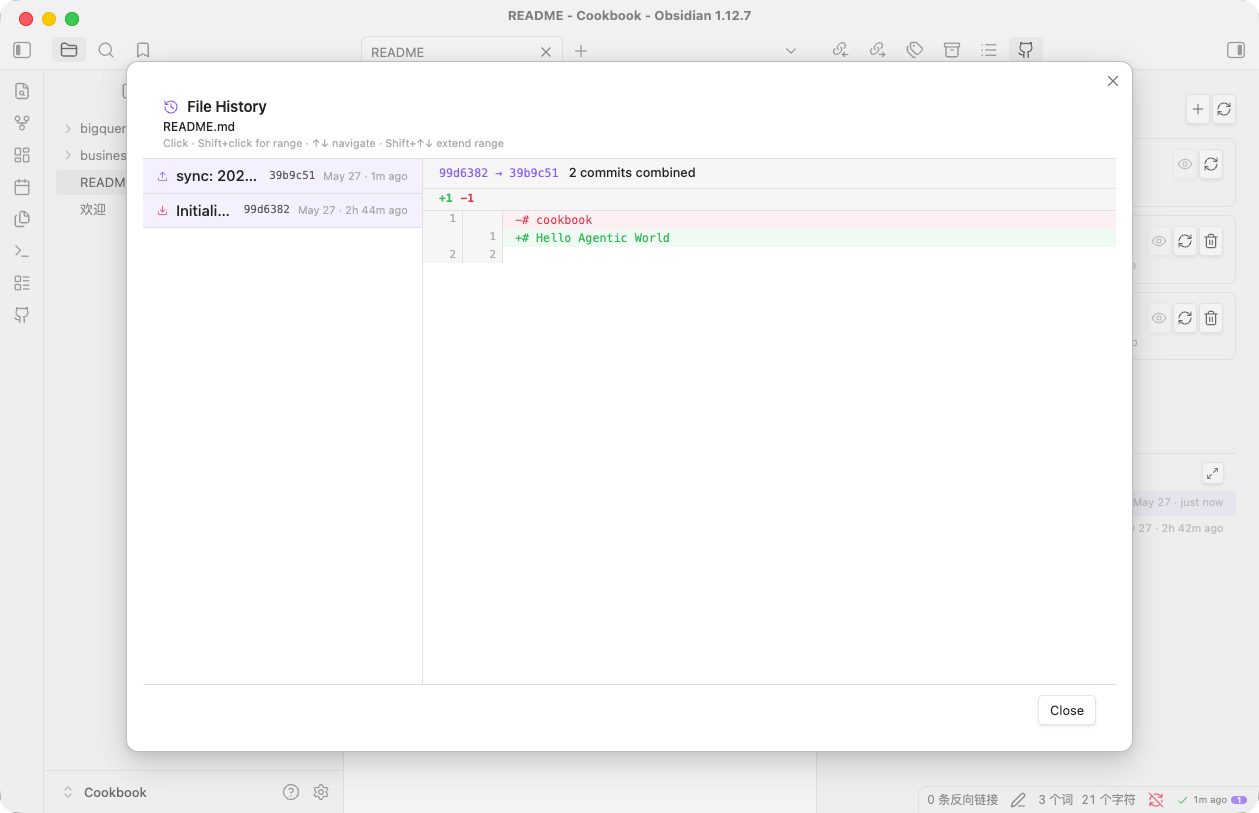
Browse the commit history of any file without leaving Obsidian. Click a commit (or shift-click a range) to see the diff inline; commit messages are the semantic ones the AI drafted when the change was synced.
Support
If this plugin saves you time, you can buy me a coffee on Ko-fi ☕