
README file from
GithubCrouzetTheme
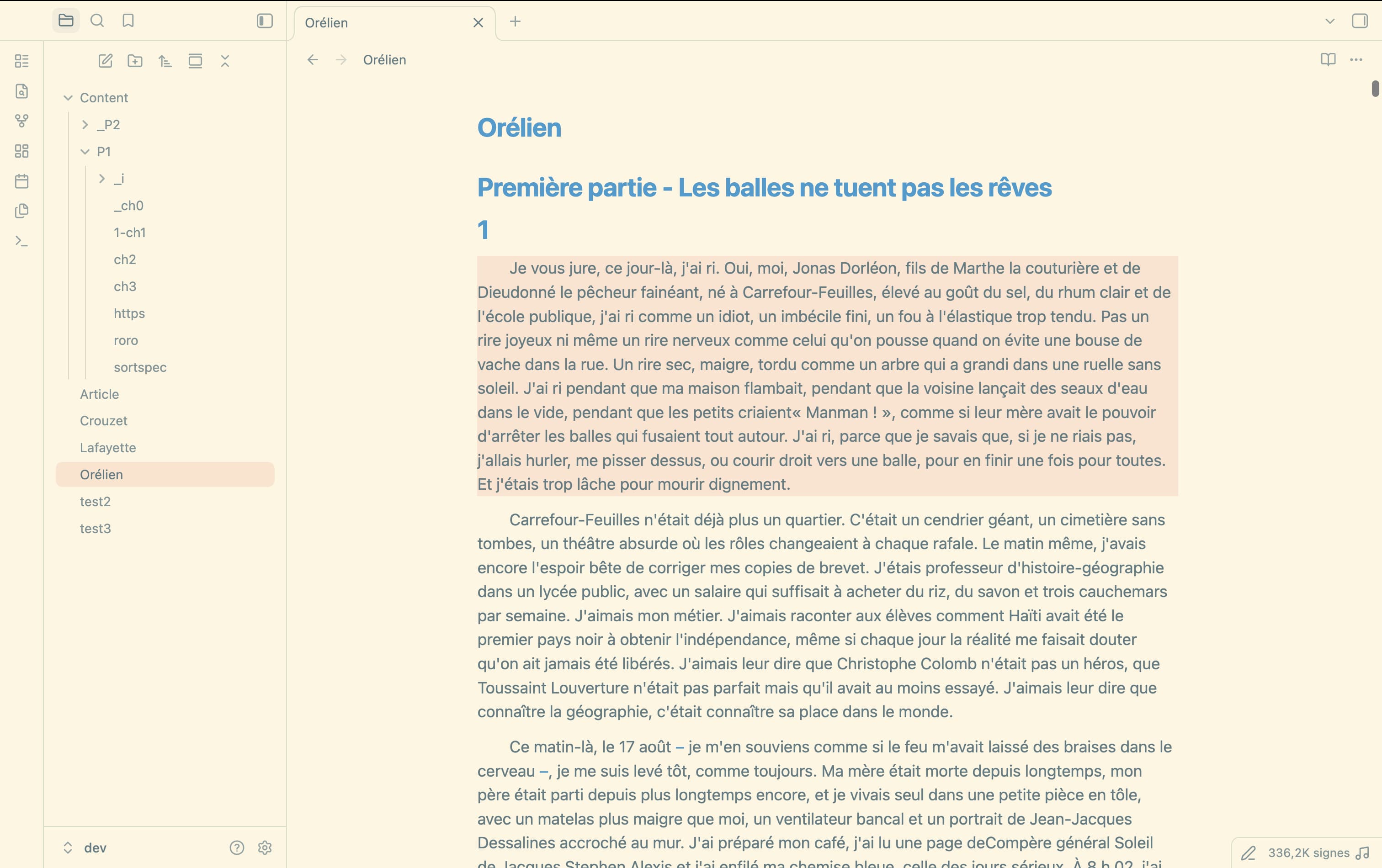
Minimalist Solarized theme for Obsidian, built from the complete Minimal stylesheet. Minimal provides the layouts and components; a separate palette supplies Solarized colors in light and dark modes, with blue headings and links.
Notes use Menlo at 23px by default, falling back to Consolas or DejaVu Sans Mono when Menlo is unavailable. The font and text size can be changed in Obsidian's settings.
Edit and build
Requires Node.js ≥ 24.12.0 and npm. No package installation is needed: Node runs the TypeScript scripts directly.
- palette.css: the complete Solarized swatches as
#RRGGBBvalues, followed by theme colors assigned throughvar()references and comments explaining their use. Dark mode reverses the neutral tones automatically. The explorer shares the editor background, with a thin divider. - scripts/palette.ts: maps the palette to Minimal's variables and calculates light/dark colors and RGB/HSL channels.
- scripts/customize.ts: note typography, blue headings and links, cursor color, notifications and flat settings defaults.
- scripts/minimal/version.json: pinned Minimal version, commit, CSS SHA-256 and minimum Obsidian version.
- scripts/minimal/theme.css: unmodified upstream stylesheet, with its MIT license.
From the repository root, build the theme.css file loaded by Obsidian:
npm run build
Set --text_max_width in palette.css to adjust the maximum text column width in editing and reading views (default: 750px). Obsidian's Readable line length setting must be enabled; narrow panes keep Minimal's responsive margins.
Rebuild automatically when palette.css or imported TypeScript files change; stop with Ctrl+C:
npm run dev
The build verifies the local Minimal copy, appends palette.css and the note defaults, then atomically replaces theme.css. It works offline and preserves the previous CSS if validation fails. Edit palette.css for colors and the TypeScript sources for build logic and note defaults; the root CSS is generated. Minimal's Style Settings sections remain available, and no interface or code font is imposed.
Update Minimal
npm run update
The command checks Minimal's latest stable GitHub release. A newer release downloads the CSS, manifest and license from its exact commit, records the version and SHA-256, then rebuilds CrouzetTheme. When already current, it rebuilds from the local copy without downloading the stylesheet again. It never downgrades the pinned version.
Downloads and validation finish before local files are replaced. A network or validation failure leaves the sources and generated CSS intact. If Minimal requires a newer Obsidian version, the theme's minAppVersion is raised accordingly; its release version stays unchanged. The updater runs no downloaded scripts or Git commands.
After an update, review the appearance in Obsidian in both modes. The build checks Minimal's required palette variables, but upstream visual changes can still need adjustments in the local palette. Builds and releases use the pinned local copy and never check the network automatically.
Verify the build
npm test
Tests cover reproducibility, paths with spaces, palette injection and derived channels, integrity checks, updates and unchanged releases, failed downloads, invalid upstream files, CSS/TypeScript watch mode and release safeguards. Git and GitHub publication commands are simulated; the build runs for real.
Publish a release
From the repository's default branch, with gh authenticated and jq installed:
bash release.sh
The script verifies the build, automatically increments the patch version in manifest.json (0.0.1 → 0.0.2), commits all current changes and pushes the branch, then creates and pushes the matching tag without a v prefix. A tag collision, rejected push, or mismatched remote manifest stops publication.
GitHub Actions rebuilds the pinned theme with Node.js 24.12.0, runs the tests and verifies that the tag matches the manifest, attests the files, and publishes the release with theme.css and manifest.json attached. These are the files Obsidian installs.