
README file from
GithubCortex
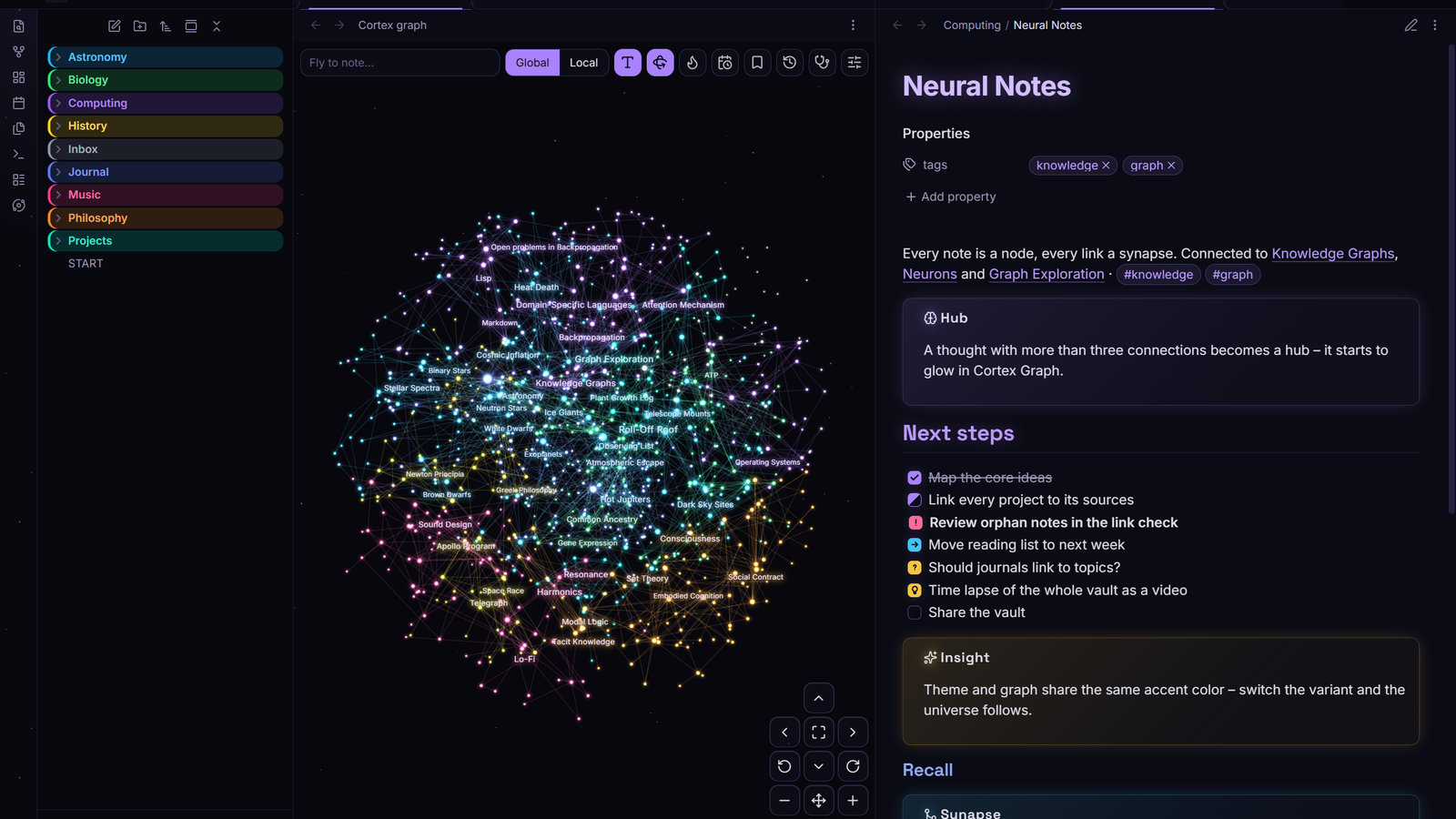
A deep-space theme for Obsidian with a violet glow and glass surfaces. Made as the companion theme for the Cortex Graph plugin, but works on its own.
Features
- Dark: deep space – near-black background, faint nebula and starfield
- Light: daylight – soft lavender white with a stronger accent
- Headings as a color gradient with a subtle glow
- Internal links light up on hover like a graph node
- Glass menus, dialogs, popovers and command palette
- Tags as small pills, callouts and code in the Cortex palette
- Obsidian's core graph view uses the Cortex colors
- Respects
prefers-reduced-motion
Fonts
Built in, no internet needed: Inter for text and interface, Space Grotesk for headings (both variable, latin subset, SIL Open Font License – see OFL.txt). Via Style Settings you can switch the text to your system font or use the text font for headings too. Fonts set in Obsidian's own appearance settings still take priority.
Color variants
Violet (default), Cyan, Amber and Emerald – each in dark and light. Every accent color in the theme is derived from the variant.
Starfield
A faint starfield behind the sidebars in dark mode, drawn with CSS only. Optional slow drift.
Extra checkbox types
| Markdown | Meaning |
|---|---|
- [/] |
in progress |
- [>] |
forwarded |
- [<] |
scheduled |
- [!] |
important |
- [?] |
question |
- [-] |
cancelled |
- [*] |
star |
- [i] |
info |
- [I] |
idea |
- [b] |
bookmark |
Cortex callouts
> [!neuron] A thought with many connections
> [!insight] Something you realised
> [!synapse] A connection between two ideas
> [!signal] Something that needs attention
Works with Cortex Graph
The theme publishes --cortex-accent, --cortex-accent-rgb and --cortex-space-bg.
Cortex Graph 3.5.0+ picks them up, so glow, labels and space background of the 3D graph follow the chosen variant.
Options
With Cortex Graph (3.5.0+): all theme options – color variant, fonts, starfield, nebula, heading glow and gradient, extra checkboxes – are in the plugin settings under Cortex theme. No extra plugin needed.
Without the plugin: With the Style Settings plugin you can choose the color variant and switch off starfield, nebula, heading glow, heading gradient or the extra checkboxes, or let the stars drift.
Install
Settings → Appearance → Themes → Manage → search for Cortex.
License
MIT