
README file from
GithubArkfield
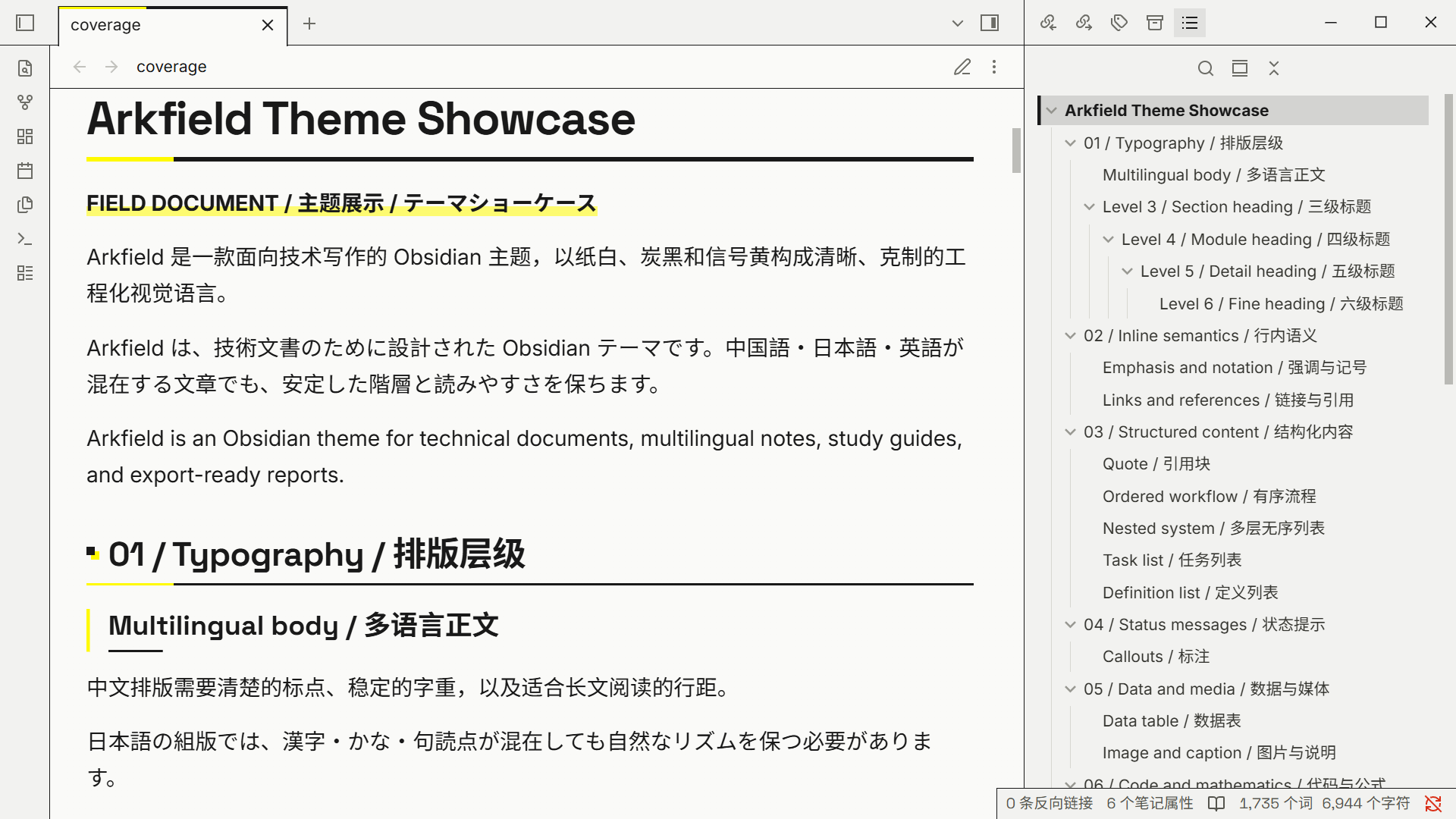
Arkfield is a light Obsidian theme inspired by the visual language of Arknights: Endfield, ported from Arkfield for Typora: paper white, charcoal ink and signal yellow, square corners, fine rules, and a restrained engineering grid on both sides of the note sheet.
Coverage
- Documents: inline title, headings 1–6, body text, links and wikilinks, tags, lists and task lists, blockquotes, callouts, tables, code, math, Mermaid, properties, footnotes, embeds, and HTML details, definition lists and ruby.
- Editing: Live Preview and Source mode, with headings, list markers, code blocks and horizontal rules consistent across both.
- App shell: tabs, sidebars and the file explorer, outline, command palette, menus, settings, modals, notices and the status bar.
- Export: PDF export handles page breaks, long tables, code wrapping and background colors;
<div style="page-break-after: always;"></div>shows as a page-break marker in Reading view.
The five GitHub-style alerts (NOTE, TIP, IMPORTANT, WARNING, CAUTION) keep GitHub's icons and colors, with CAUTION colored separately from WARNING.
Dark mode has no dedicated design: when you switch to dark, Arkfield's rules and signal yellow sit on top of Obsidian's default dark palette.
For the full range of formatting and mixed Chinese, Japanese and English text, see the showcase note: copy it together with assets/coverage-figure.svg into a vault and open it.
Installation
In Obsidian, open Settings → Appearance → Themes → Manage, search for Arkfield, then install and use it.
To install manually: Obsidian lists a theme only when its folder name matches name in manifest.json exactly (case-sensitive), so the folder must be named Arkfield.
- Download the zip from Releases and extract it
- Put the extracted
manifest.jsonandtheme.cssin<vault>/.obsidian/themes/Arkfield/ - Select
Arkfieldin Settings → Appearance → Themes
Development
Tooling is managed with mise:
mise install
mise run build
mise run check
mise run fmt
arkfield.css is the only stylesheet to maintain; mise run build generates theme.css from it and the fonts in fonts/ (embedded as base64), so there is no need to edit theme.css by hand.
After building, copy manifest.json and theme.css into .obsidian/themes/Arkfield/ in your vault. Obsidian reloads the active theme as soon as its theme.css changes, without a restart; changes to manifest.json need a restart. Press Ctrl+Shift+I to open the developer tools and inspect the editor and the app.
To release, bump the version in manifest.json, then push a tag with the same name (for example 1.0.0, without a v prefix, because Obsidian looks up the release by version). The workflow verifies the generated file and attaches manifest.json, theme.css and a packaged arkfield-<version>.zip to the release.