README file from
GithubColored Candy

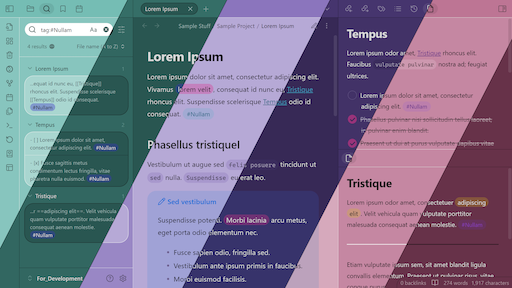
This is a cute lil' theme for Obsidian that changes the interface colors based off of your chosen accent color.
You can choose your accent color in Obsidian under Settings → Appearance → Accent color.
This theme will change the background colors according to your accent color's hue, and create two new psuedo accent colors with their hues offset from the original, and calculating their saturation and lightness from the original.
This theme has a few configurable options accessible through the Style Settings plugin.
If you see anything that looks broken and needs fixing, please create an issue so that I know to fix it.
PLEASE NOTE:
This theme is intentionally low-contrast. However, I will try to keep this theme accessibility-friendly as best I can. If anything is too difficult for you to read at default settings, create an issue, and I'll see what I can do.
Additionally, if you cannot stand the lack of contrast, I added a Style Settings option for Background-to-text contrast.
Installation
Obsidian Marketplace
To install this plugin via the Obsidian Marketplace, perform the following steps:
- Navigate to Settings → Appearance → Themes and select Manage.
- Search for "Colored Candy" and select the theme by Erika Gozar.
- Select Install and use.
BRAT
Install this theme using BRAT by doing the following:
- Make sure the BRAT plugin is installed in your vault.
- Go to Settings → BRAT → Beta Themes List → Add Beta Theme
- Enter
https://github.com/Erallie/colored-candyinto the input field and select Add Theme.
Manual installation
To install this theme manually, follow these steps:
- Download
theme.cssandmanifest.jsonfrom the master branch. - Go to your Themes folder (
[vault root]/.obsidian/themes) and create a new subfolder calledColored Candy(case sensitive). - Move the downloaded files to the new folder.