
README file from
Github中文 | English
Features
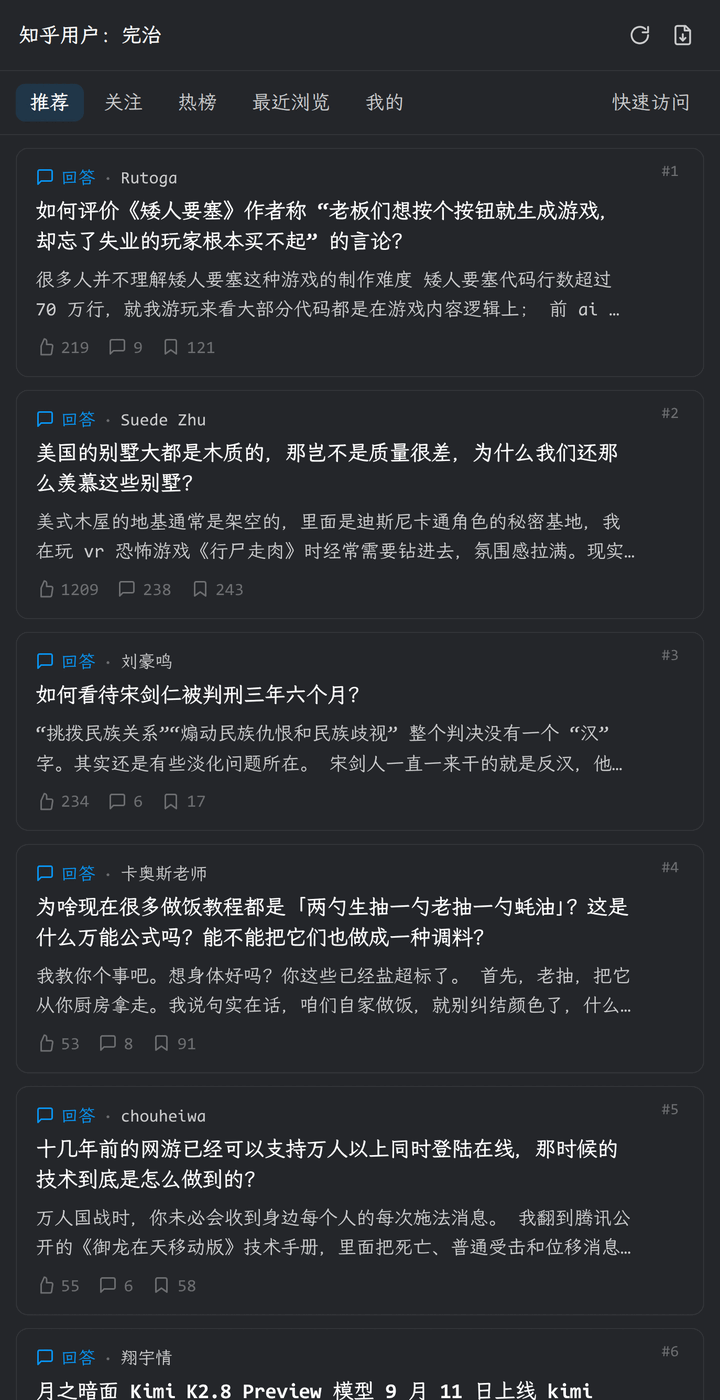
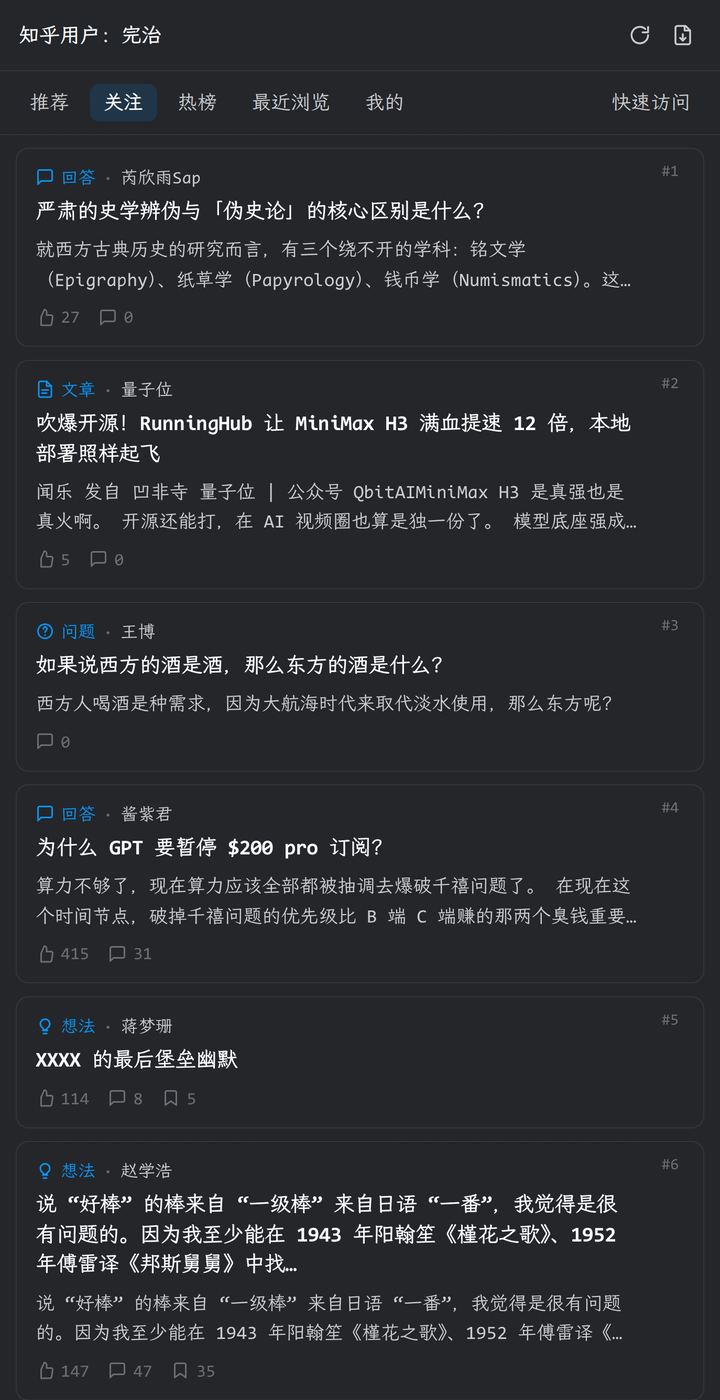
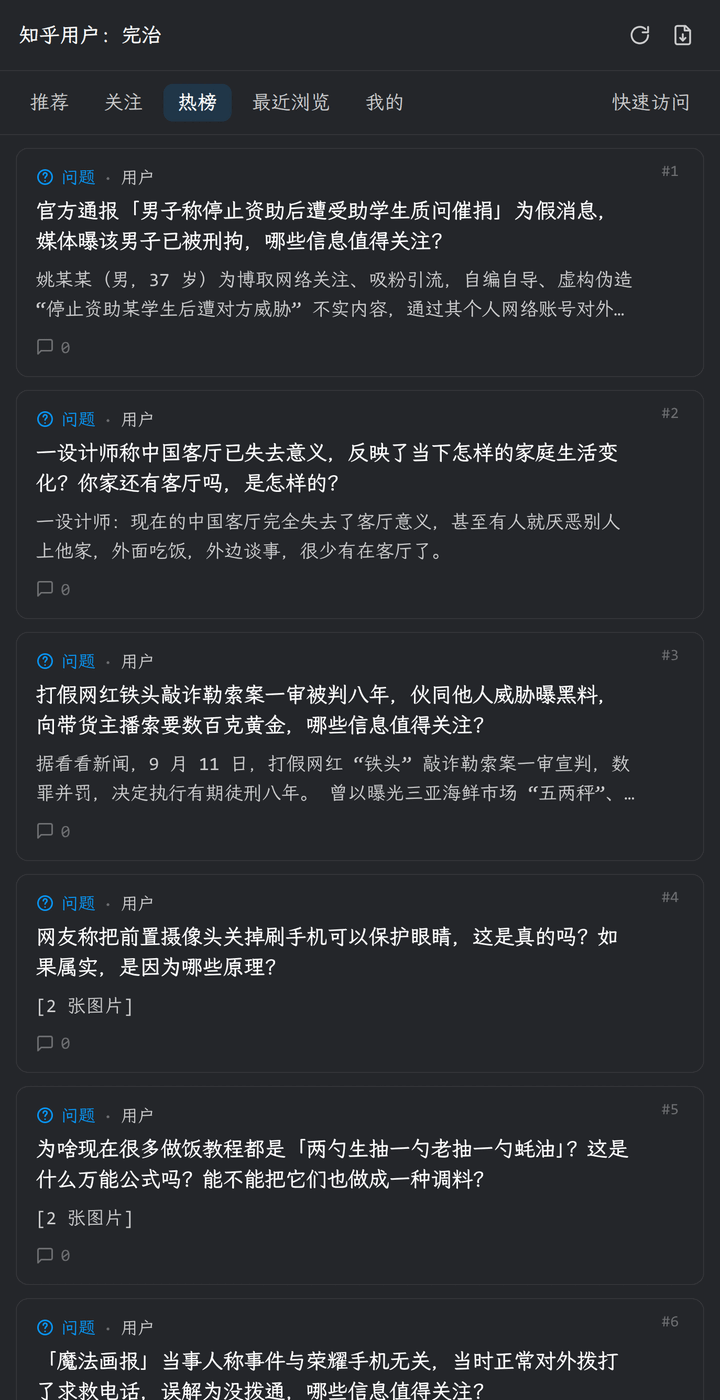
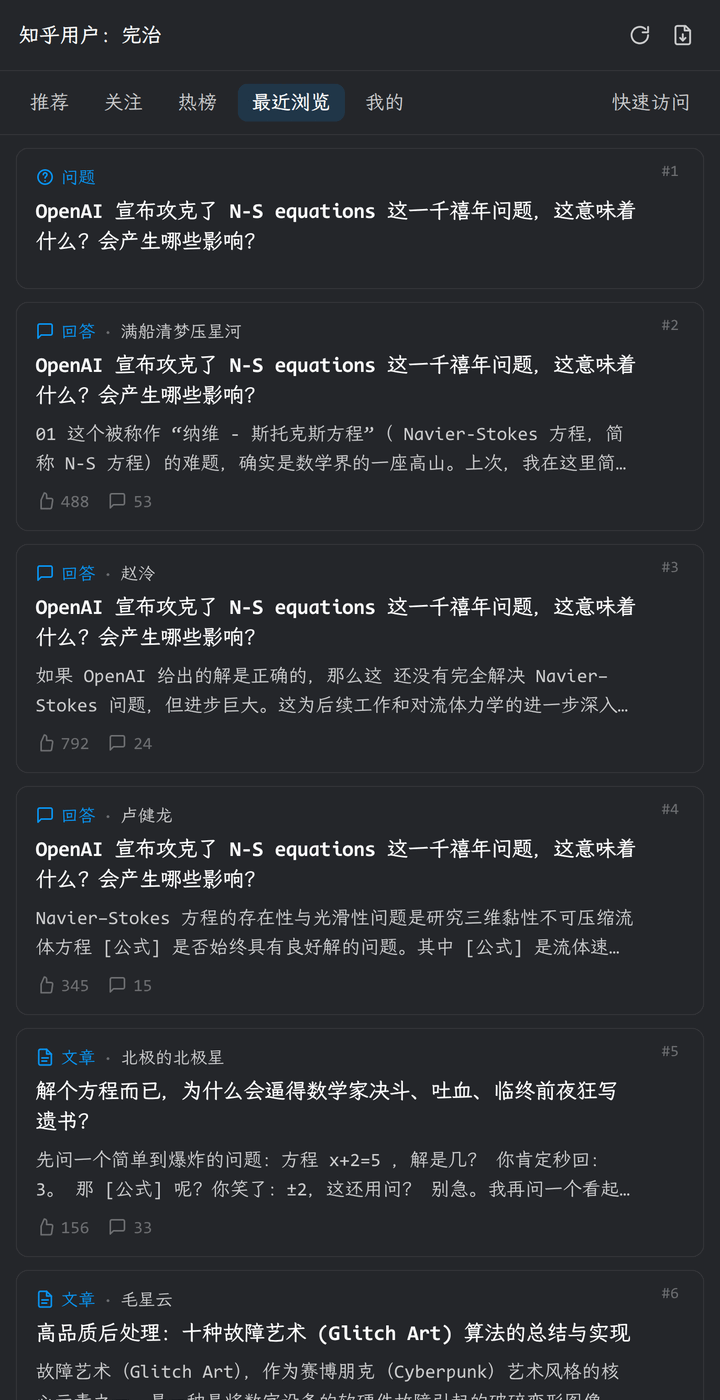
- Browse Zhihu: the sidebar offers Recommendations, Following, Hot list, and Recent browsing feeds, and can open user profiles, questions, collections, and columns. Go back one level, refresh the current page, and keep list scroll positions.
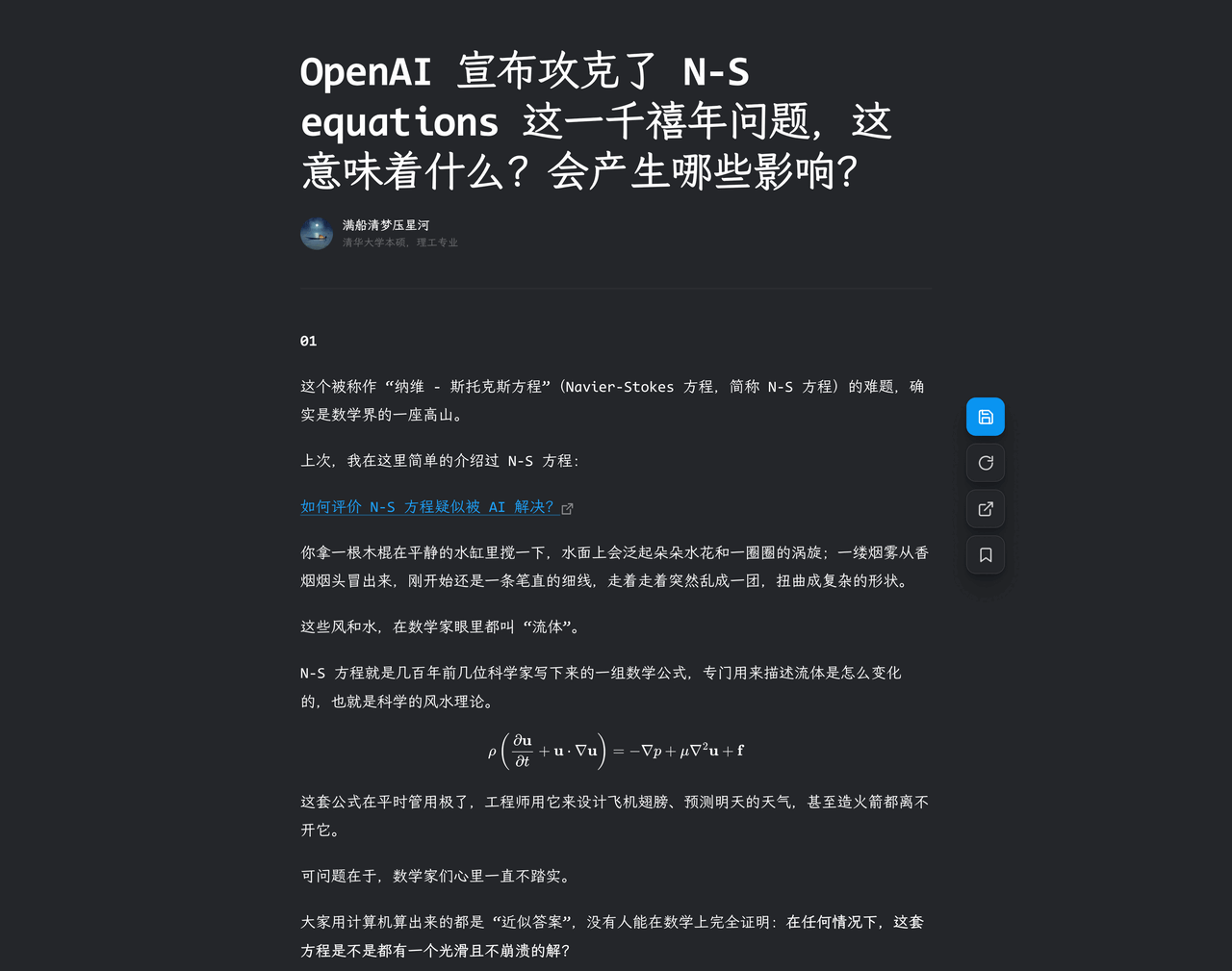
- Read and save: answers, articles, and pins open in a dedicated reader tab with an adjustable body width. Save to Markdown in one click; updating an existing file keeps its path and custom frontmatter.
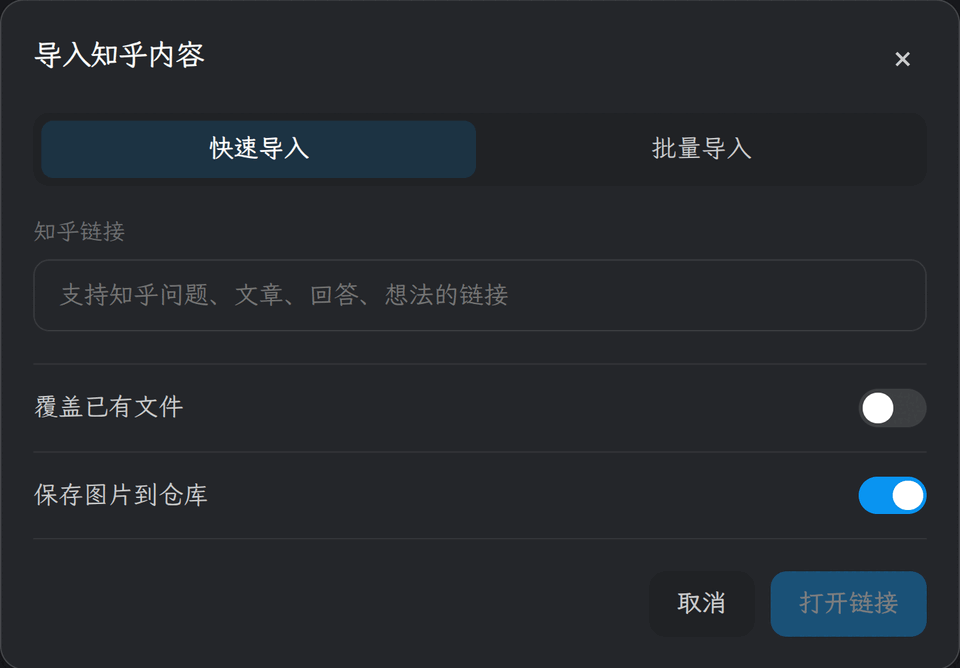
- Import content: paste a link to import a single post, or batch import with queue progress and retries for failures.
- Quick access: pin frequently used profiles, collections, questions, columns, and posts, with type filters, drag-to-reorder, and bulk link adding.
- More: Zhihu links in your notes open inside the plugin; the status bar shows the current document's type and statistics; refresh existing Zhihu Markdown to sync the latest content.
Before you start
- Obsidian desktop
1.13.0or later - Enable Web viewer under Settings → Core plugins
- Sign in to Zhihu before browsing, reading, importing, or refreshing content
Usage
- Open Settings → Zhihu Feed → My account, select sign in, and complete the login in the Web Viewer.
- Click the Zhihu icon in the ribbon, or run the Open sidebar command.
- Click an answer, article, or pin in a feed to open the reader; click an author name to open their profile.
- Use the floating buttons on the right of the reader to save, refresh, open the original page, or add to Quick access.
- To import, run the Import content command or click the import button at the top of the sidebar.
Screenshots
Feeds
| Recommendations | Following |
|---|---|
 |
 |
| Hot list | Recent browsing |
 |
 |
Mine and Quick access
| Mine | Quick access |
|---|---|
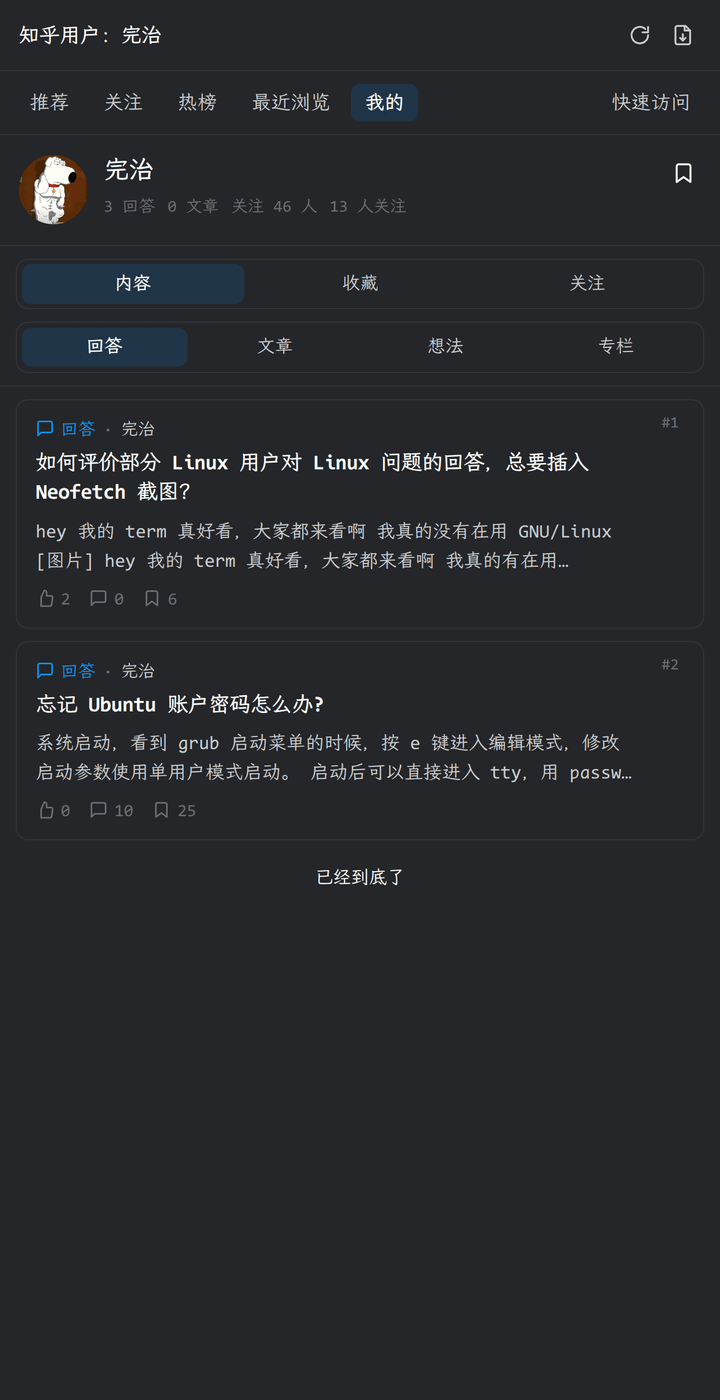 |
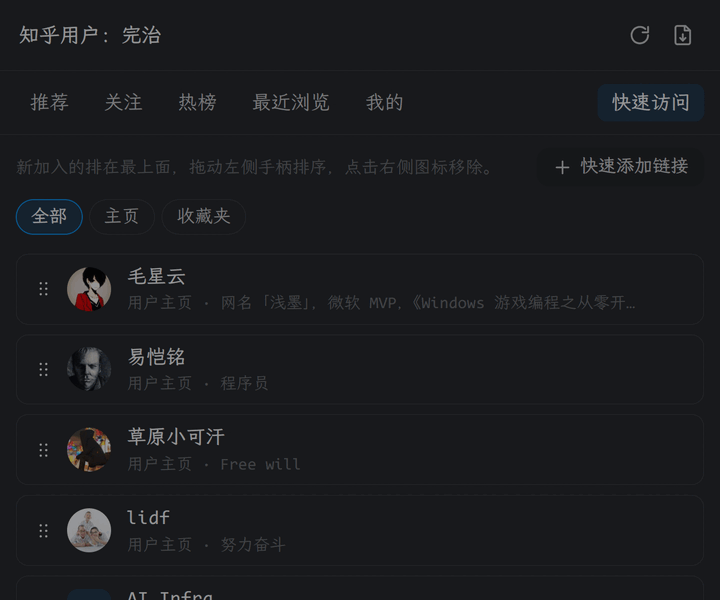 |
User profile
| Answers | Articles |
|---|---|
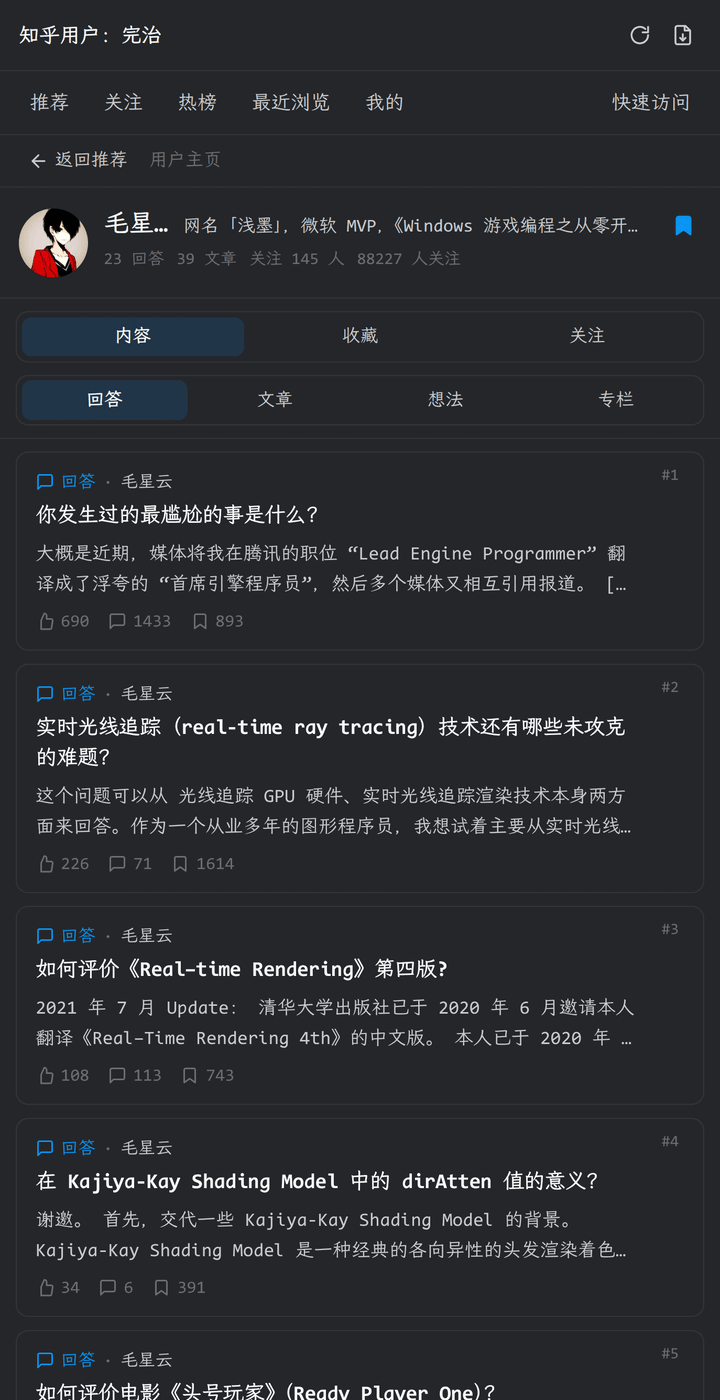 |
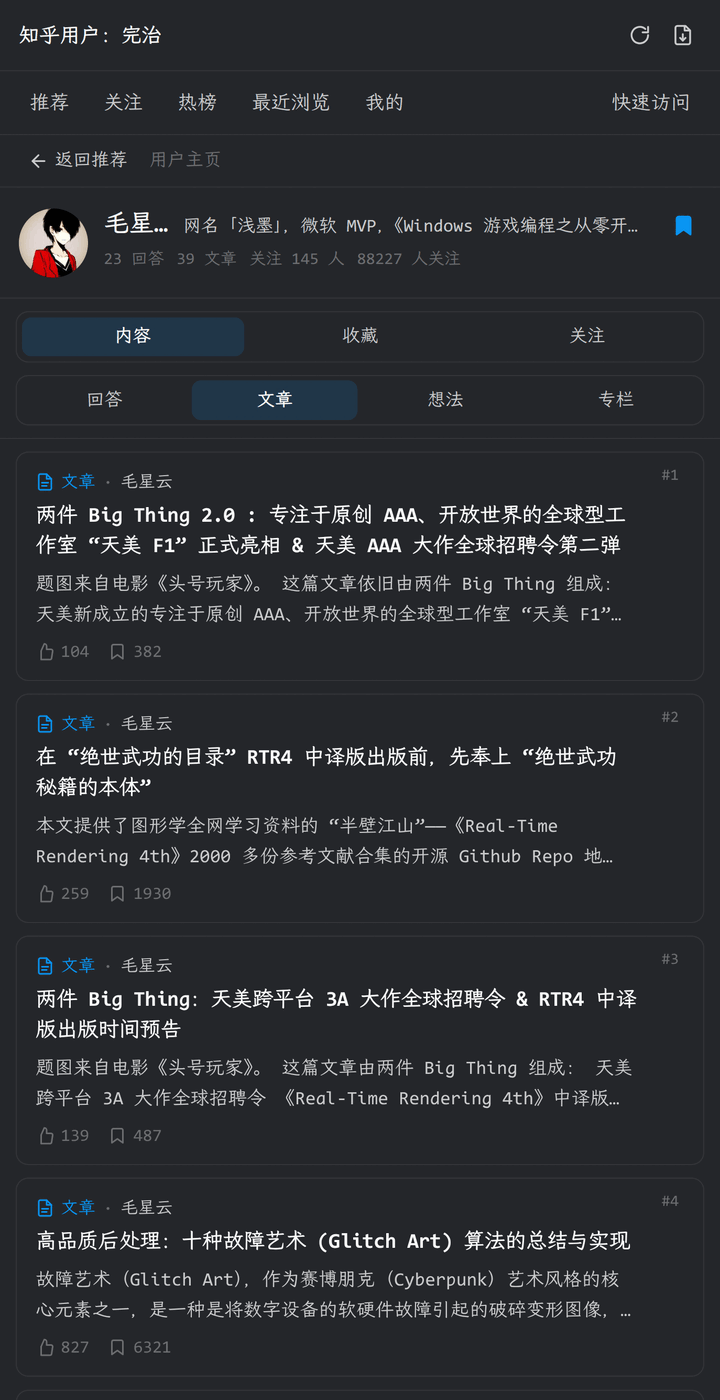 |
| Pins | Columns |
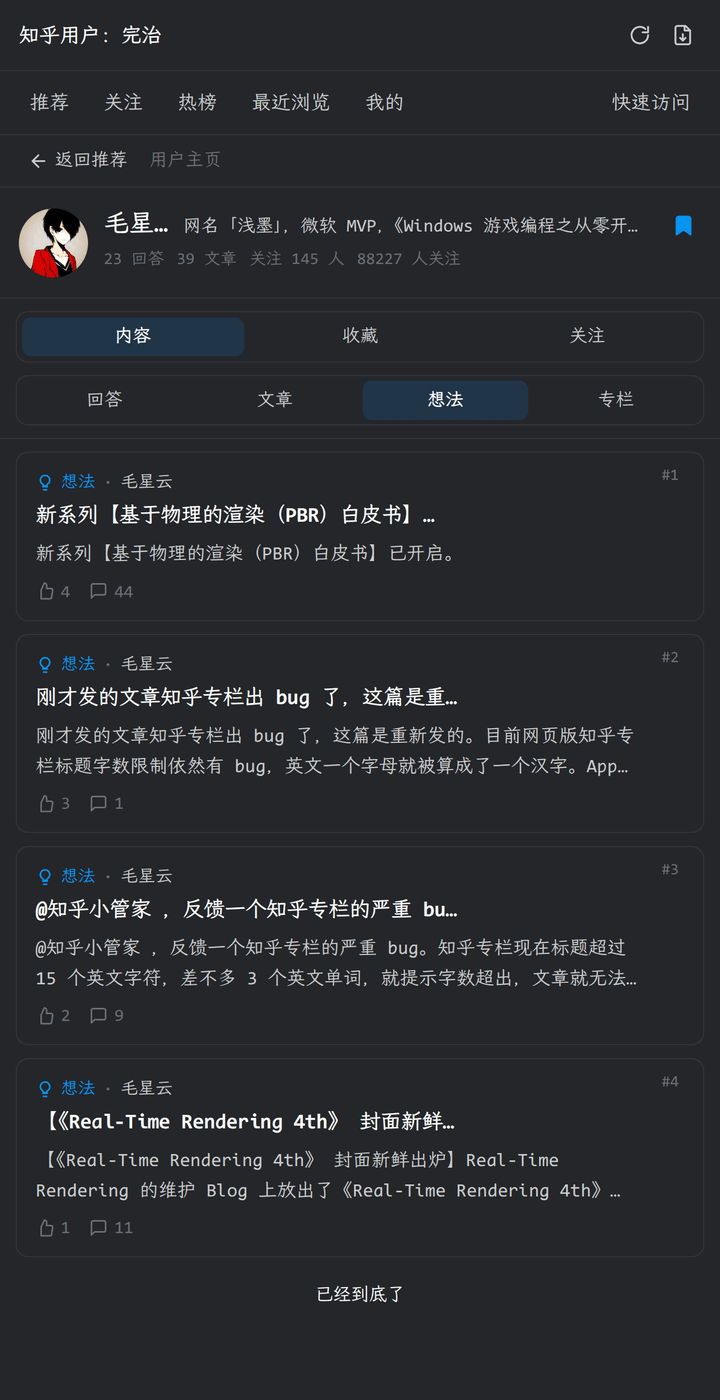 |
 |
| Created collections | Followed collections |
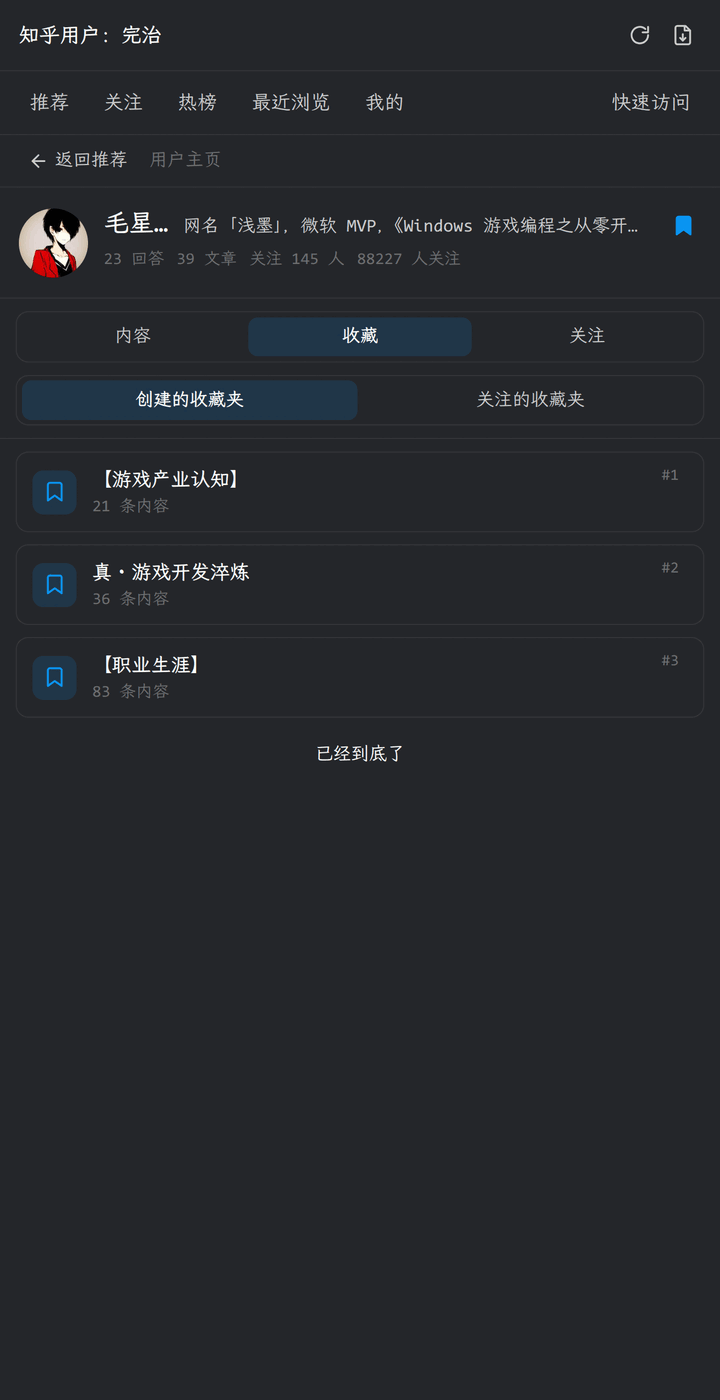 |
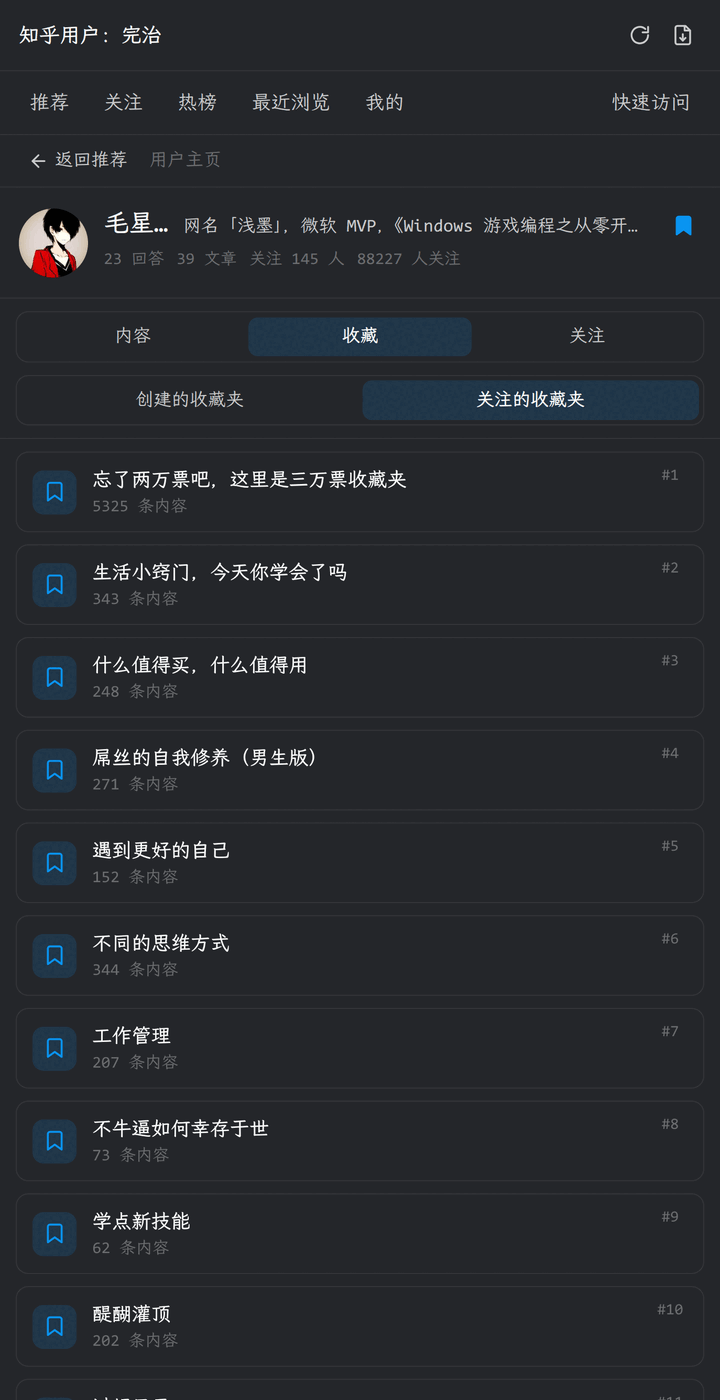 |
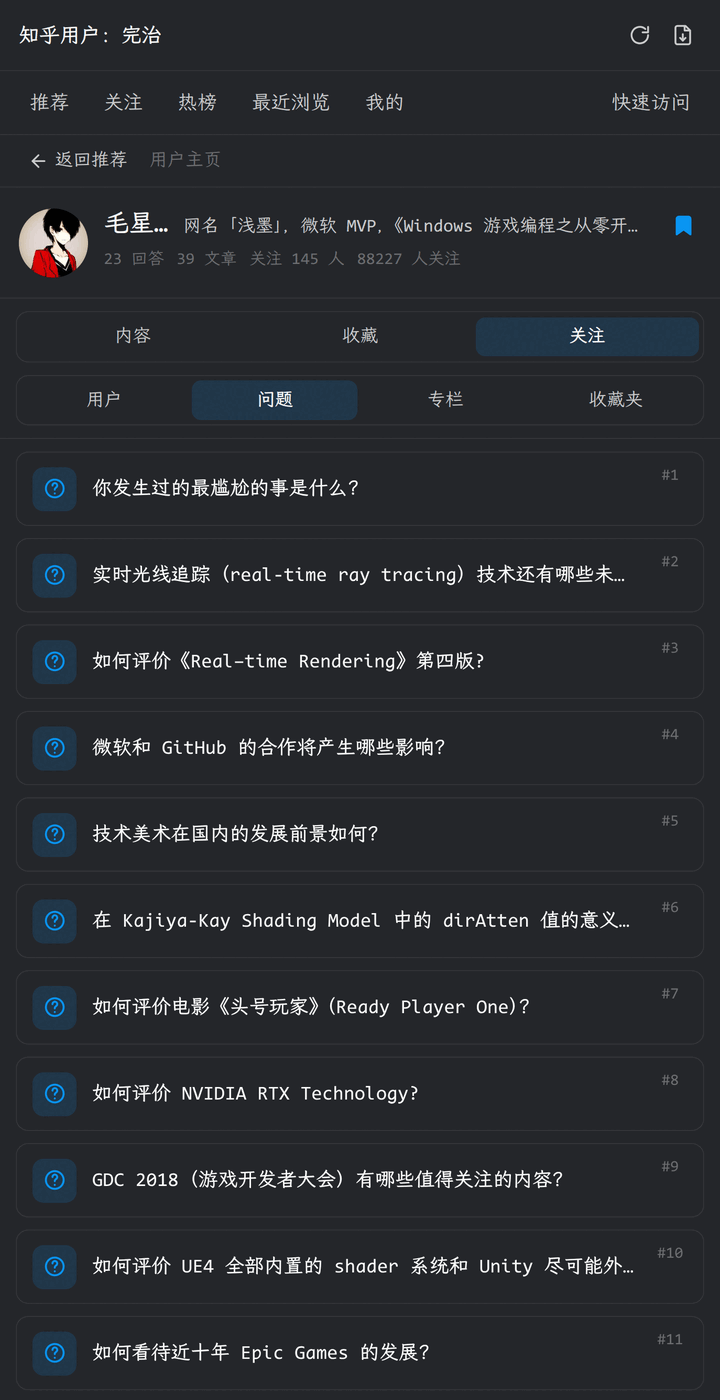
| Following · Users | Following · Questions |
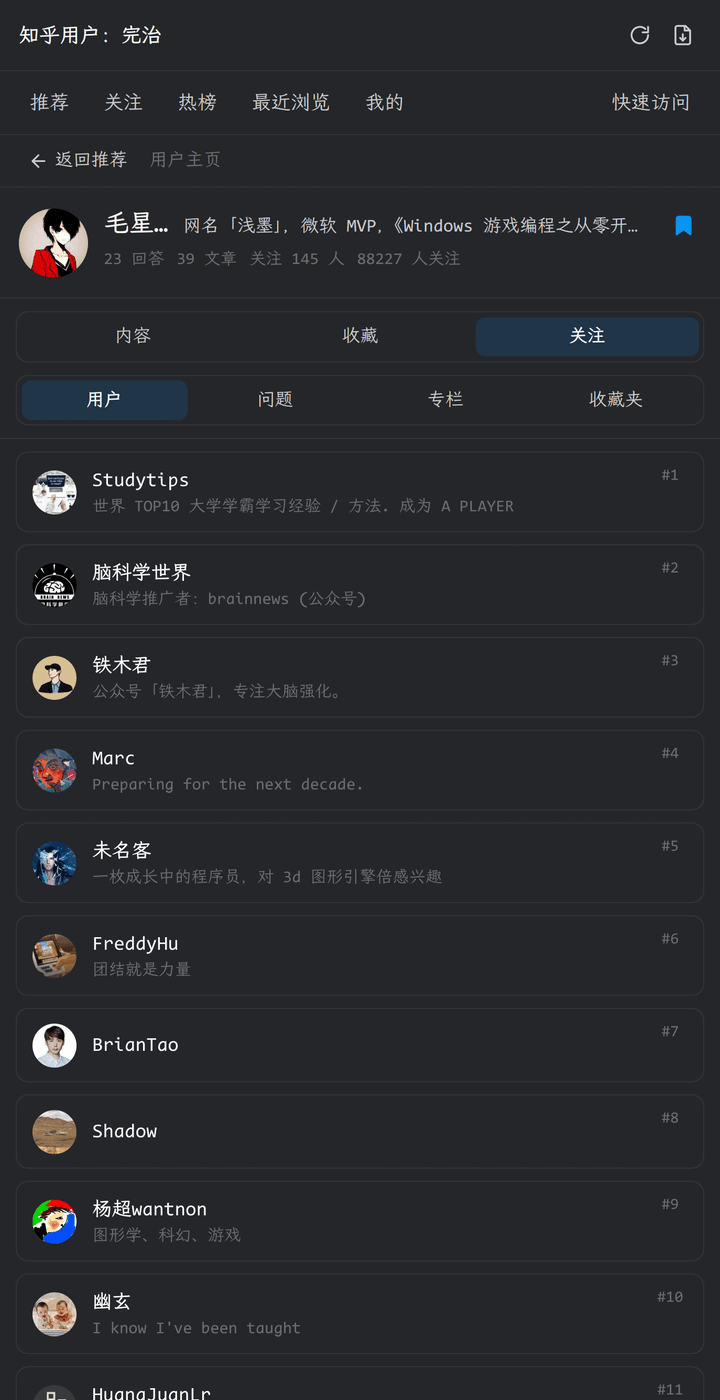 |
 |
| Following · Columns | Following · Collections |
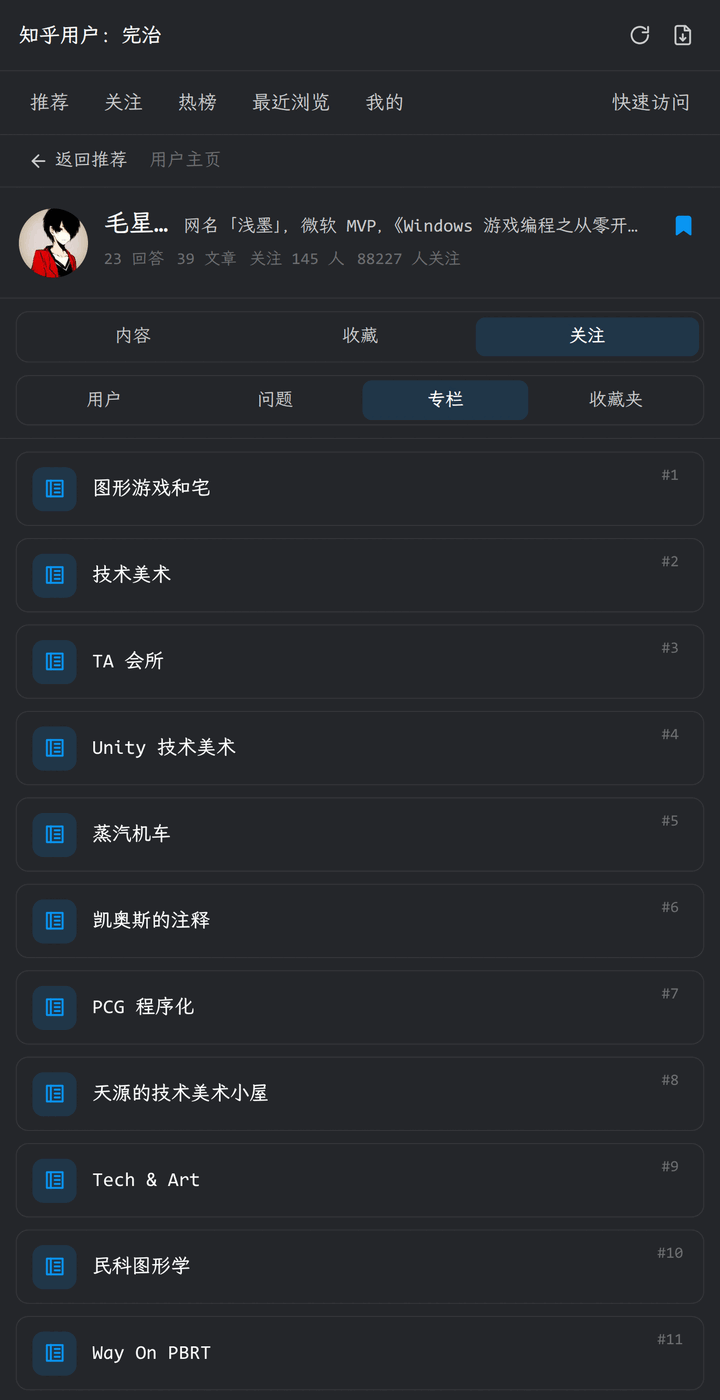 |
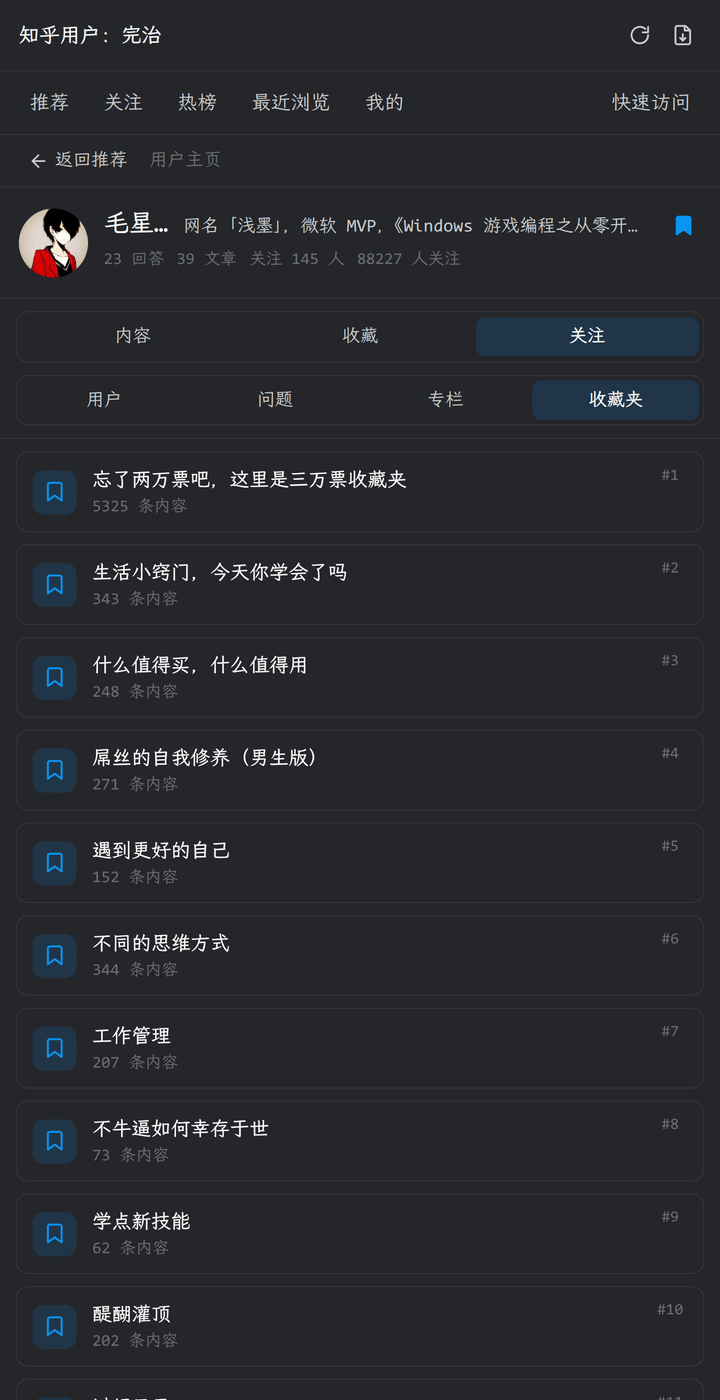 |
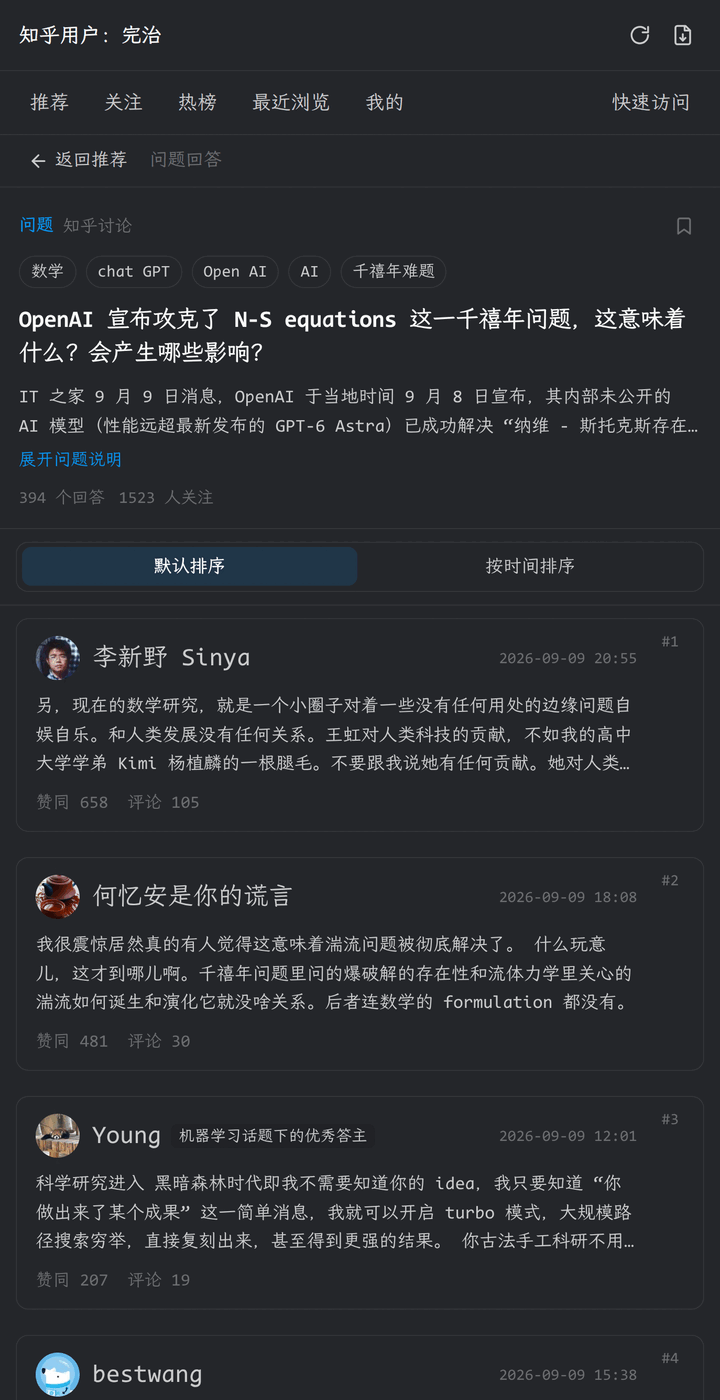
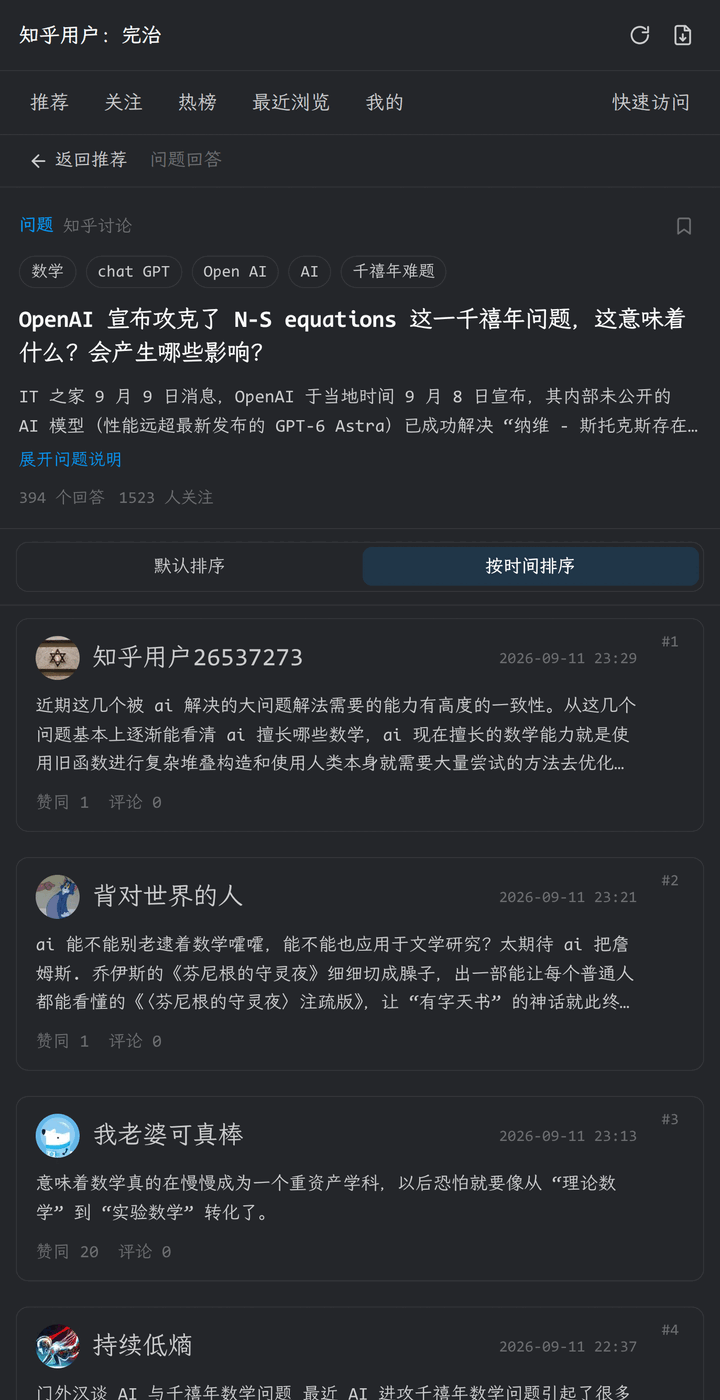
Question
| Default order | By time |
|---|---|
 |
 |
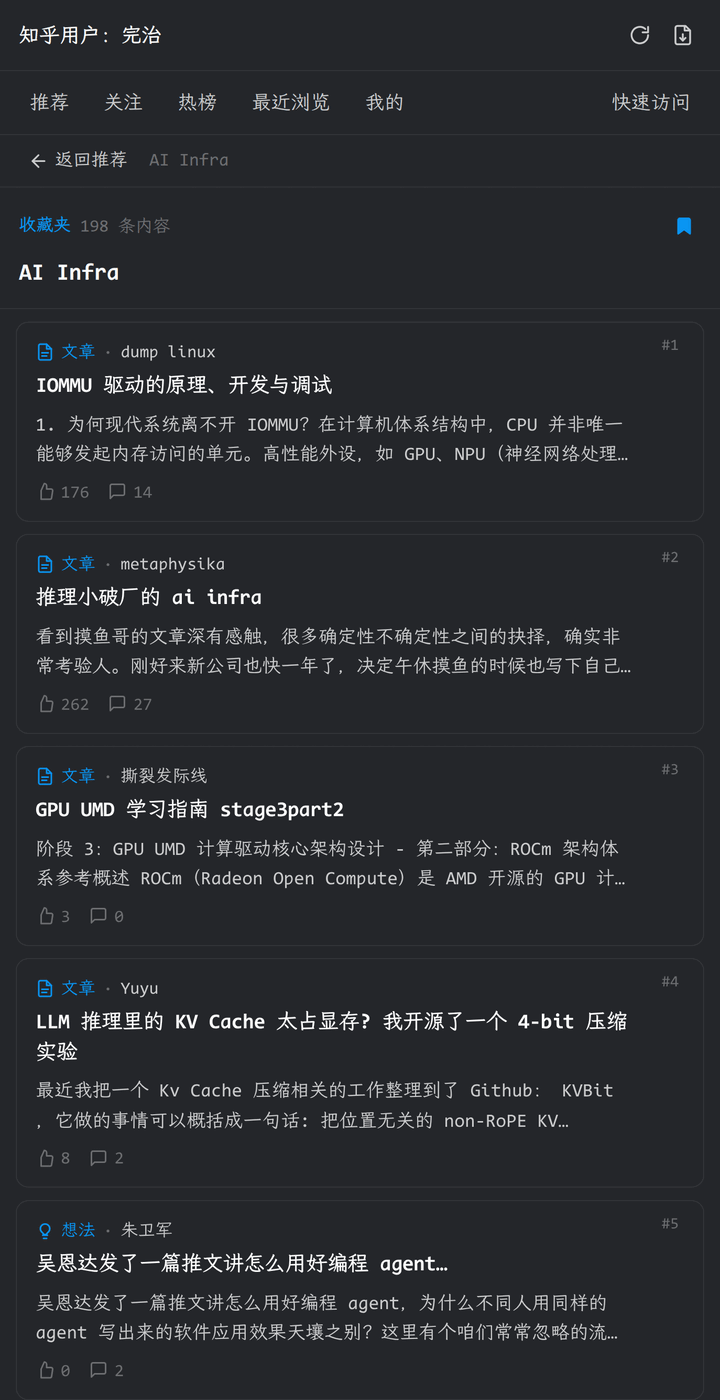
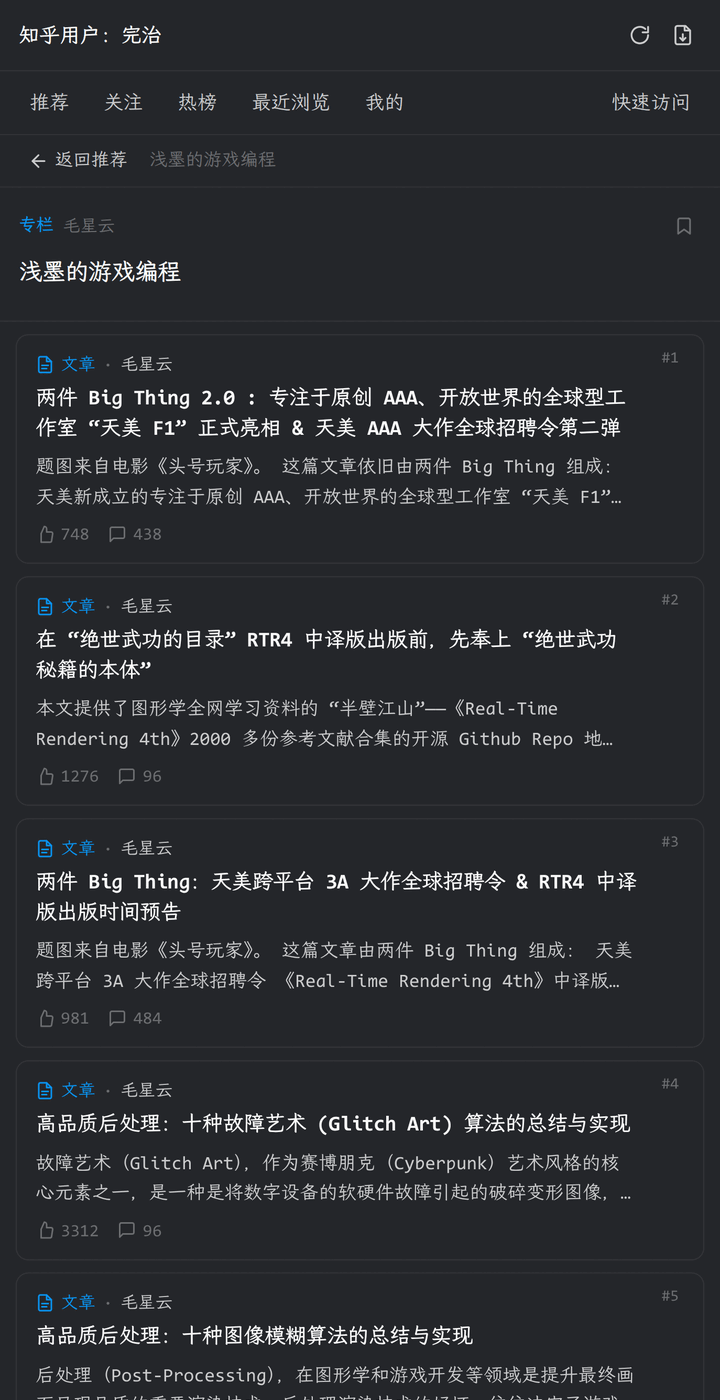
Collection and column
| Collection | Column |
|---|---|
 |
 |
Reader
Import and settings
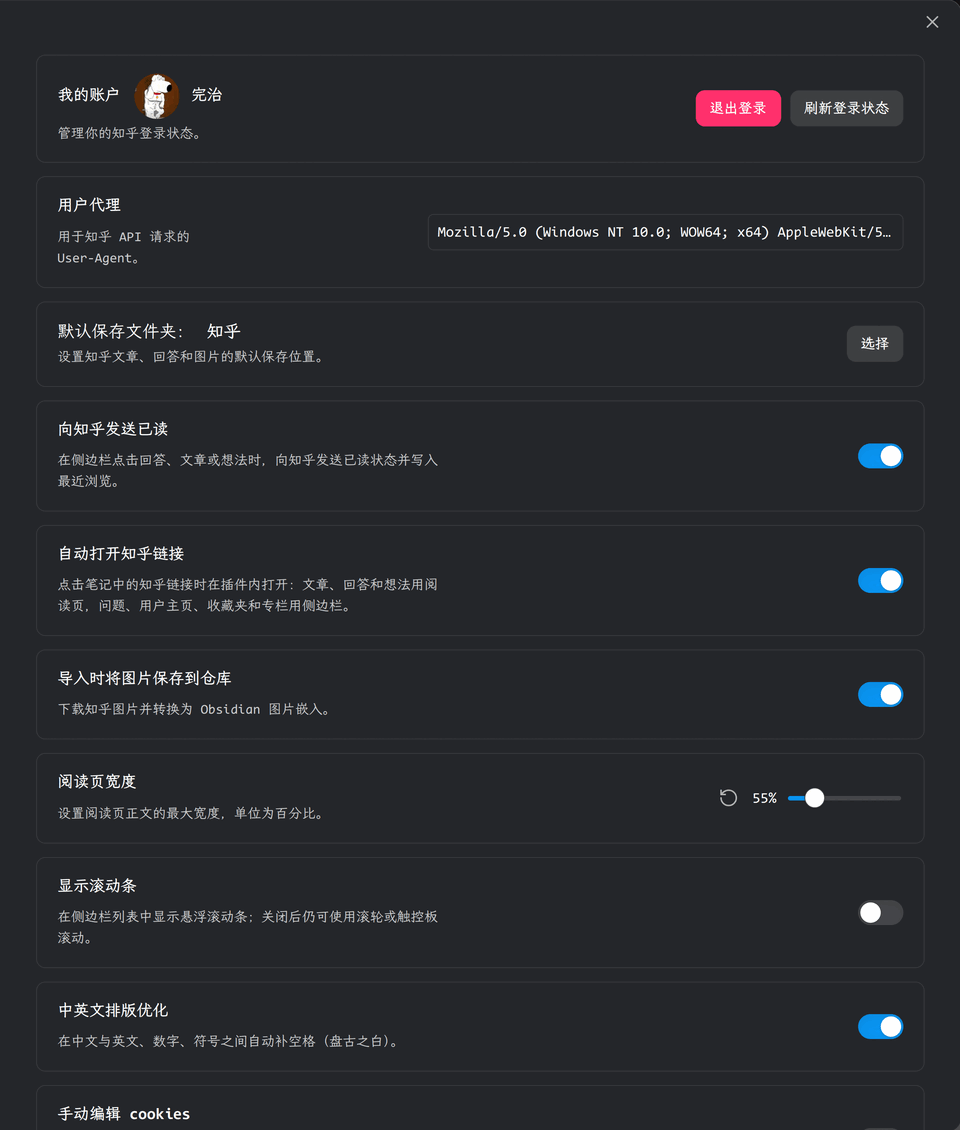
| Import | Settings |
|---|---|
 |
 |
Commands
| Command | Purpose |
|---|---|
| Open sidebar | Open the Zhihu feeds and navigation |
| Open user profile | Paste a profile link and open it |
| Import content | Open the import dialog |
| Refresh current Markdown | Refresh the current Zhihu document |
| Refresh all Markdown | Refresh all Zhihu documents in the vault |
Settings
| Setting | Description |
|---|---|
| My account | Sign in, refresh the session, or sign out |
| User agent | User-Agent used for Zhihu requests; the default is usually fine |
| Default save folder | Default location for Markdown and images |
| Send read status to Zhihu | Sync read status and recent browsing when opening content |
| Open Zhihu links automatically | Open Zhihu links in notes inside the plugin |
| Save images to vault on import | Download Zhihu images and convert them to Obsidian image embeds |
| Reader width | Maximum width of the reader body |
| Show scrollbar | Show a floating scrollbar in sidebar lists |
| CJK typesetting | Add spaces between Chinese text and Latin letters, digits, and symbols |
| Edit cookies manually | Show the cookie editor for importing or clearing login cookies |
Network and privacy
- The plugin talks to Zhihu over HTTPS only:
www.zhihu.com,zhuanlan.zhihu.com, and image CDNs underzhihu.com/zhimg.com. - Login cookies are stored in plain text in the plugin's data file and are sent only to those Zhihu hosts. Treat them as credentials: do not share them, commit them to Git, or sync the plugin data file to an untrusted location.
- When Zhihu rejects a direct page request (HTTP 401/403) or the network request fails, the plugin loads the page in the Web Viewer using your Zhihu session and then saves the refreshed session cookies.
- With Save images to vault on import enabled, the plugin downloads HTTPS images from the Zhihu image CDNs. Images hosted elsewhere keep their remote links and are never downloaded.
- The plugin has no telemetry, analytics, or third-party services, and it never sends vault contents anywhere. Network access is limited to reading the Zhihu content you open, import, or refresh.
Notes
- Manual cookies contain login credentials. Do not share them or commit them to Git. An empty value or
{}clears the login state. - Imported images are stored by content hash at
<save folder>/images/<ab>/<cd>/<md5>.<ext>; a failed download keeps the remote link. - Refresh only processes Markdown whose frontmatter contains
zhihu-link(or the olderurlfield). Refresh all Markdown enumerates Markdown file metadata in the vault to find those files; other files are neither read nor uploaded.
Acknowledgements
This project was inspired by zimya/zhihu_obsidian (Zhihu on Obsidian). Thanks to zimya for the open-source work.